Travel connectivity guide
Oyo eSIM: Mobile Internet in the Republic of the Congo
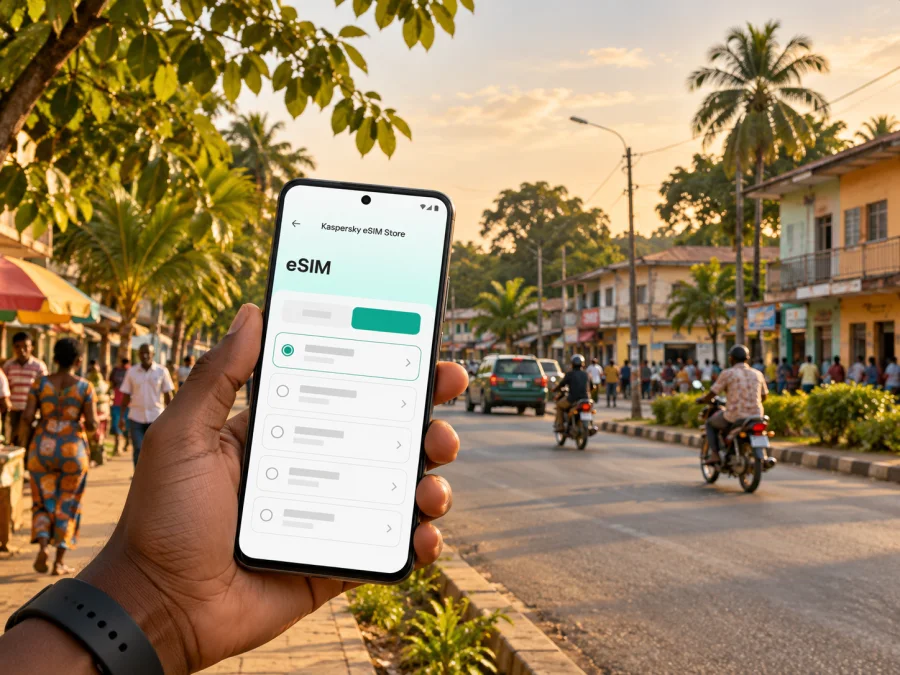
Oyo eSIM for mobile connection and internet in the Republic of the Congo
A visit to Oyo is different from a stay in Brazzaville or Pointe-Noire: it is a smaller town in the Cuvette department, with journeys often tied to the road corridor, local business, or onward travel in the north. A working mobile connection can help you coordinate a pickup, check a booking, use maps, send updates, and keep travel documents available. An eSIM can be one way to prepare mobile internet, provided the exact destination and service conditions are confirmed before you rely on it.
Oyo-Ollombo is also associated with an international airport and an agro-industrial zone, while the Alima River and the RN2 help define the wider local setting. Those facts do not tell you whether a particular eSIM will connect at your hotel, on a particular road, or inside an airport building. Coverage depends on the local network, the plan, the device, and current conditions. Treat connectivity as something to plan for, not as a guarantee.
Oyo at a glance: what matters for connectivity
Oyo is in the Republic of the Congo, often called Congo-Brazzaville to distinguish it from the neighbouring Democratic Republic of the Congo. The distinction matters when you choose a destination: an eSIM or roaming arrangement for one country does not automatically apply in the other. In a booking, itinerary, or plan screen, confirm that the destination is the Republic of the Congo.
The town sits in the Cuvette area, in the country’s central-northern interior. Oyo-Ollombo Airport serves the area, and Oyo is linked to the national road corridor that connects communities farther south and north. The area’s economic zone is located by the Alima River. These are useful orientation points for arranging a transfer or meeting; they should not be read as a promise of continuous mobile service along each route.
| Trip detail | What to plan for |
|---|---|
| Destination name | Republic of the Congo, not the Democratic Republic of the Congo |
| Local reference | Oyo, Cuvette; Oyo-Ollombo is used for the airport and economic zone |
| Arrival options | Check current passenger flights to Ollombo and the onward transfer; confirm road transport separately |
| Road journeys | Keep offline directions and the driver’s contact details for the RN2 corridor |
| Mobile data | Confirm that a plan explicitly includes the Republic of the Congo and check its current terms |
| Calls and texts | Do not assume an eSIM data plan includes a local number, voice calls, or SMS |
When mobile internet is useful in Oyo
The first useful connection may be needed before you reach your accommodation. You may need to message a host, share an arrival time, confirm that a vehicle has found you, or retrieve a reservation. If you are arriving by air, confirm the flight and pickup arrangement in advance: airport names and timetables can be easy to confuse, and a plan page cannot confirm that a flight is operating on your travel date.
In town, online maps can help you find a hotel, office, meeting point, shop, or a road junction. Keep in mind that a map’s route suggestion is only a navigation aid. Ask your host or driver to confirm the route and local conditions, especially when travelling beyond the built-up area. Save the destination name and a map of the area for offline use before setting out.
Mobile data can also be useful for everyday coordination. Messaging apps can help you update colleagues or family, check a booking, translate a short message, or share a location when the service is available. Video calls and large uploads use more data than text messages, so they are best treated as optional until you know how consistently the connection works where you are staying.
For work, download the files you will need and arrange a backup connection before an important call. An eSIM may help with routine online tasks where the partner network has service, but it cannot replace a confirmed office connection or guarantee a particular speed. If a meeting depends on uninterrupted access, ask the venue about its own internet connection and plan an audio-only or rescheduling option.
Arriving via Oyo-Ollombo Airport
Ollombo is the airport associated with Oyo. Before departure, check the airport name and code on the ticket, confirm the airline’s current schedule directly, and agree how you will travel from the airport to your accommodation. Public information about an airport or an air freight link does not confirm regular passenger flights on a specific date. Build time into the arrival plan for changes and keep the host’s or driver’s number available offline.
A practical arrival sequence is:
- Save your itinerary, accommodation address, pickup instructions, and a local contact number before boarding.
- Confirm who will meet you and what identifying details you should expect; do not rely on a data connection to resolve a last-minute misunderstanding.
- Keep your phone charged and carry a power bank if you have one.
- Once it is safe and convenient, check whether your chosen eSIM registers on a supported network. Initial registration can take a few minutes, and settings differ between devices.
- If data does not start, use the saved contact details and the backup you arranged rather than assuming the airport has dependable public Wi-Fi.
If your trip begins in Brazzaville or continues through another town, treat the onward journey as its own connectivity segment. Download maps for the route, agree on stops and arrival time, and tell someone your plan. Do not assume that an eSIM which works at one end of a journey will remain connected for the entire drive.
Getting around town and planning road trips
Oyo is a practical stop and destination in a wider inland itinerary. If you are travelling by road, ask a local contact about current conditions, journey time, fuel stops, and whether the vehicle is suitable for the route. Information may change after heavy rain or road works. A live map can help with orientation, but local directions and a driver who knows the route are valuable backups.
Before leaving your accommodation, prepare a small offline travel pack:
- the destination pin and its written name;
- a map covering Oyo and the next planned stop;
- the driver’s name, phone number, and meeting point;
- booking confirmations and any travel documents you may need;
- a note of the next fuel or rest stop, if your driver has confirmed one;
- essential messages drafted or downloaded in case data becomes unavailable.
Use the same preparation for a trip toward Owando, Gamboma, or another destination on your itinerary. Do not infer that two places have equivalent service just because they are connected by a road. Check the route with your host or transport provider and decide in advance what you will do if mapping or messaging drops out.
If your itinerary includes the Alima River or the Oyo-Ollombo economic zone, confirm the exact entrance or meeting point with the person you are visiting. A broad label such as “Oyo” may cover more than one practical pickup location. Ask for a pin, written directions, and a recognizable landmark, then save those details offline. This simple step is often more useful than trying to search for an unfamiliar place after arrival.
Choosing an eSIM plan for Oyo
Start with destination eligibility, then consider duration and data use. The town name may not appear as its own destination in a plan list. In that case, check the country-level entry for the Republic of the Congo and read the current plan details. Do not select the Democratic Republic of the Congo by mistake, and do not assume a regional package includes this country without checking its coverage list.
Before choosing, verify:
- Destination: the terms explicitly cover the Republic of the Congo.
- Data allowance: the amount suits your likely use, including maps, messaging, email, and any planned calls over apps.
- Validity: the duration covers the dates you need; check when the validity period starts.
- Network and access terms: review any stated network, supported technology, hotspot rules, or roaming setting requirements.
- Top-up or renewal: check whether the plan can be extended and what happens when its data allowance is used.
- Device eligibility: confirm eSIM support for your specific device and regional variant, and check that it is not carrier-locked. Check your device compatibility.
A short visit with maps and messages may need less data than a work trip with regular file transfers or video calls. Estimate by activity rather than choosing a plan based only on the number of travel days. If you are unsure, reduce background data use, download large files over a trusted connection before departure, and review the plan’s conditions for adding data. Current availability, prices, allowances, and network details can change, so use the plan information shown at the time of selection.
Kaspersky eSIM Store is an app and website where you can select, arrange, and activate an eSIM with a suitable data plan for an international trip. To review the current destination options for the country, browse eSIM plans for the Republic of the Congo. Check the displayed terms before purchase; this country page is not a guarantee of service at every address or along every road around Oyo.
How to prepare and install an eSIM
Set up the eSIM while you have a reliable internet connection, ideally before travelling. You may need access to a QR code or an in-app installation flow, and the precise menu names vary by phone. Avoid deleting an installed profile unless the instructions or support team tells you to do so; some profiles cannot simply be reinstalled.
- Check the phone. Confirm eSIM support for your exact model and regional version, and make sure the phone is not locked to a carrier.
- Review the plan. Confirm the Republic of the Congo is included, then check the data allowance, validity, start conditions, and any stated network requirements.
- Connect to Wi-Fi. Keep a stable connection while you install the profile.
- Add the eSIM. Follow the in-app steps or your phone’s mobile-network settings. If you use a QR code, keep it available on another screen or use the device’s supported installation method.
- Label the line. Give it a clear name such as “Travel data” so you can distinguish it from your regular SIM.
- Choose data settings. Set the travel eSIM as the line for mobile data when you want to use it. Keep your regular line configured for calls or messages only if that suits your roaming settings and charges.
- Wait for registration. Activation or network registration may take several minutes. Follow the plan instructions about data roaming; do not change unrelated settings without a reason.
For step-by-step help, use the Android eSIM installation guide or the iOS eSIM installation guide. Your phone’s exact menu names may differ by operating system version and manufacturer.
Installing a profile and having usable data are separate steps. You can install the eSIM before the trip and leave its data line off until you are ready, if the plan terms allow that. Some plans begin their validity at installation, while others begin at first connection or another event; check the displayed terms before installing if the start date matters to your itinerary.
What to do if there is no connection
First check the simple causes: airplane mode is off, mobile data is enabled, the travel eSIM is selected for data, and the plan has not expired or run out. Then read the eSIM instructions for any required data-roaming setting or manual network selection. Give the phone a short time to register before trying another setting.
If the issue continues, connect to a trusted Wi-Fi network if one is available, review the plan status, and contact the service’s support using your saved access details. Do not remove the eSIM profile as a first troubleshooting step. If you need to leave, switch to your agreed backup: your home operator’s roaming service, a locally available SIM after checking its registration requirements, or help from your host or travel provider. These options have separate costs and conditions, so check them before relying on them.
Keep in mind that network coverage and service quality are not uniform. The Republic of the Congo’s regulator publishes measurements that show differences between operators, locations, and network technologies. Such national or sampled results cannot tell you whether a specific room, street, airport area, or road section in Oyo will have service. Verify details for your own plan and keep offline essentials available.
A simple data plan for different trips
| Situation | Prepare before arrival | Use mobile data for | Keep as backup |
|---|---|---|---|
| Short visit | Booking, pickup details, offline town map | Messages, directions, confirming arrangements | Host or driver contact saved offline |
| Business trip | Meeting address, files, calendar, conference details | Email, text coordination, light document access | Venue Wi-Fi or a second connection for critical calls |
| Road journey | Route map, stops, destination pins, vehicle contact | Occasional route checks and updates where available | Offline maps, paper notes, driver guidance |
| Longer stay | Estimate weekly use and check top-up conditions | Regular messaging, browsing, work tasks | Confirmed local option or roaming plan |
| Transit through Oyo | Next leg’s ticket and meeting point | Checking onward transport updates | Saved itinerary and contact details |
Common questions about eSIM and internet in Oyo
Is Oyo in the Republic of the Congo or the Democratic Republic of the Congo?
Oyo is in the Republic of the Congo, in the Cuvette area. The two countries are separate destinations with different mobile networks and plan terms. Confirm the full country name before choosing an eSIM.
Does an eSIM guarantee mobile internet throughout Oyo?
No. A plan can be valid for the country while service still varies by location, device, network, and local conditions. Confirm the plan’s coverage terms and prepare offline maps and contacts.
Can I rely on Oyo-Ollombo Airport for a passenger connection?
Check your current ticket and airline information. The airport serves the Oyo-Ollombo area, but general airport information does not confirm a passenger service on your travel date. Agree your transfer in advance.
Will an eSIM give me a local phone number?
Not necessarily. A travel eSIM plan may provide mobile data only, without a local number, standard voice calls, or SMS. Read the terms. Internet-based messaging and calls may work when data is available.
Should I install the eSIM before travelling?
Usually it is convenient to prepare it while you have reliable internet, but first check when the plan’s validity begins. Follow the plan instructions and keep your regular SIM active only as needed for your own calls, texts, or account verification.
What if my phone supports eSIM only in some regional versions?
Check the exact model number and market variant in the manufacturer’s information or device settings. A model name alone may not establish eSIM support, and carrier locks can prevent activation. Use the compatibility checker before selecting a plan.
Can I use the same plan on a road trip beyond Oyo?
Only if the plan terms cover the countries and locations on your route, and local service is available there. Check every destination separately, especially if your route crosses an international border. Save maps and arrangements before leaving town.
Before you leave your hotel
Use this compact checklist before a meeting, airport transfer, or road trip:
- Confirm the destination and pickup point with a person, not just a map pin.
- Save directions, reservations, and key phone numbers offline.
- Check your eSIM’s destination, validity, remaining data, and data-line setting.
- Carry a charged phone and power bank; keep travel documents accessible offline.
- Tell someone your route and expected arrival time when travelling outside town.
- Keep a backup contact method for a plan change or loss of signal.
The practical approach in Oyo is to combine a prepared phone with local confirmation. Use mobile data when it is available, but keep the information you need for arrival and travel accessible without it. That makes the eSIM useful without treating a coverage estimate as a guarantee.
Prepare your eSIM for Oyo
Before departure, check the destination, device compatibility, data amount, validity, and activation conditions. Kaspersky eSIM Store helps you choose, arrange, and activate an eSIM plan for mobile internet on an international trip. Review the current eSIM options for the Republic of the Congo and select a plan only after confirming its terms for your itinerary.


