Travel connectivity guide
Pakse eSIM: Mobile Internet for Your Trip
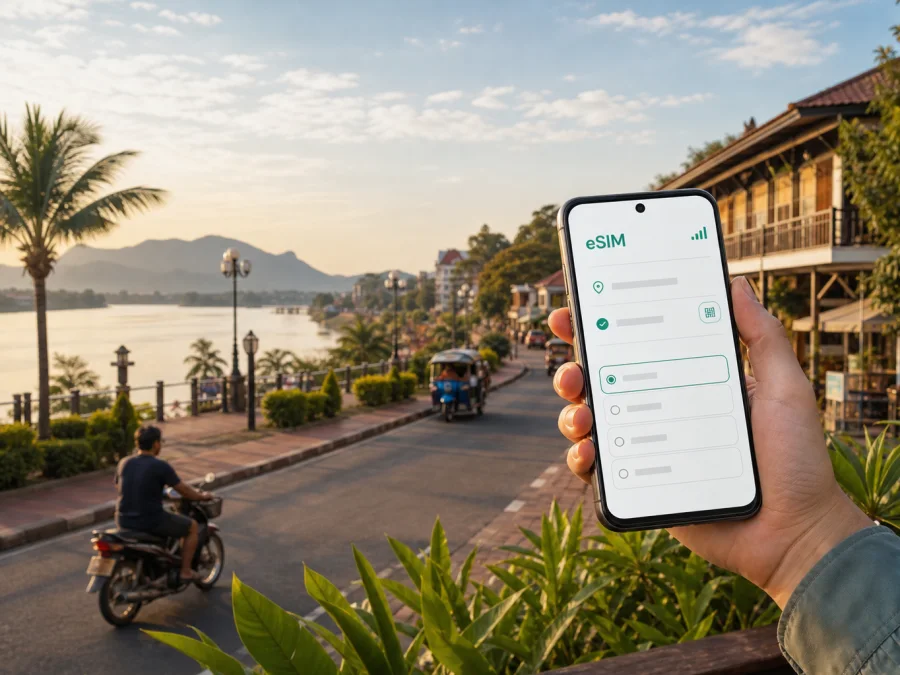
Pakse eSIM: Mobile Connection and Internet for Your Trip
Pakse is a practical starting point for exploring southern Laos. You may arrive through Pakse International Airport, spend a few days by the Mekong and Xe Don rivers, continue toward the Bolaven Plateau, or use the city as a stopover before travelling farther south. In each case, mobile internet helps with the first transfer, maps, accommodation messages, translation, reservations, and keeping in touch.
An eSIM, or digital SIM, lets you use a compatible phone for mobile data without replacing the physical SIM card already in the device. Kaspersky eSIM Store is an app and website where you can choose, arrange, and activate an eSIM with a suitable plan for mobile internet during an overseas trip. You see the destination, data allowance, validity period, and price of the selected plan before proceeding. The right choice depends on your route and usage, so this guide focuses on the real situations you are likely to meet in Pakse.
Why mobile internet is useful in Pakse
Pakse has a relaxed, low-rise city feel, but a trip here is rarely limited to one short walk. The riverside, central streets, accommodation areas, markets, airport, bus terminals, and roads leading out of town can all become part of one itinerary. A working data connection gives you a common thread between those places.
The first hours after arrival
On arrival, you may need to confirm your accommodation, share an arrival time, check a transfer message, or compare the airport route with your booking address. Keep the address in a note or screenshot as a backup: a driver may recognize a nearby landmark more easily than a long street address.
Navigation around the riverside and centre
The Mekong and Xe Don shape the way Pakse is experienced. A riverside walk, a café stop, a market visit, and a return to your hotel can involve several turns that are easy to misjudge in unfamiliar streets. Online maps help you check walking directions, estimate a journey, and send your location when you are meeting someone.
Use navigation as a guide, not a promise of exact travel time. Rain, road conditions, or a local route can change the journey. Save your accommodation address and a few key points before leaving a stable connection.
Transport and onward travel
Pakse is a transport hub for the south of Laos. Travellers commonly use it as a base for journeys toward Champasak and Wat Phou, the Bolaven Plateau, and the Si Phan Don area. Departure points can differ depending on the destination, and road travel may take longer than a short line on a map suggests.
Mobile internet helps with departure messages, pickup points, live location, and delay updates. For a day trip, keep the route, meeting point, and return plan available offline as well.
Work and business travel
For a business trip, the important moments may be less scenic: finding a meeting address, sending a file, joining a call, or arranging a change of pickup time. A separate data eSIM can let you keep your main SIM available for the functions you still need while using the travel profile for data, subject to your device and tariff settings.
Pakse scenarios where an eSIM can help
| Travel situation | Typical online tasks | What to consider |
|---|---|---|
| Airport arrival and one night | Accommodation messages, maps, translation, transport coordination | A small allowance may be enough if you prepare offline backups |
| Riverside city break | Navigation, restaurant or activity searches, messaging, occasional photos | Leave room for repeated map use and photo uploads |
| Work visit | Email, documents, calls, two-factor sign-ins, hotspot | Check data consumption and hotspot conditions before choosing |
| Pakse as a base | Route planning, bookings, weather checks, messages, trip coordination | Choose validity around the full itinerary, including travel days |
| Onward road journey | Pickup updates, location sharing, maps, emergency contact | Download key details while connected and keep the phone charged |
A simple arrival checklist
- Save your accommodation name, address, and phone number before departure.
- Keep the airport and first transfer details in a note that opens offline.
- Charge your phone and pack a power bank if you will continue by road.
- Decide which SIM should handle mobile data and which should remain available for calls or messages.
- Wait until you understand the plan’s activation and validity conditions before turning on data.
Moving through Pakse without losing your bearings
Pakse is compact enough for short local trips, but the riverside, central streets, accommodation areas, transport points, and roads out of town require different decisions. Plan the next route while connected, keep the return address in text, and leave time for heat, rain, and slower road travel.
Accommodation staff or a driver can help arrange local transport. Mobile data lets you show a destination, translate a short question, and share a meeting point. Confirm the destination and fare before leaving, especially for an airport, bus terminal, or journey beyond the centre. If you rent a vehicle, review the route before setting off and never read a handheld phone while moving.
Southern Laos routes may use different stations or pickup places. Match the departure point with your ticket or message, ask your accommodation to confirm it, and keep the details offline. This pairing of live data and a simple backup works well for both a riverside walk and an onward journey.
How to choose an eSIM plan for Pakse
Start with the entire itinerary, not just the time spent in the city. If Pakse is the first stop in Laos and you will continue elsewhere, select a destination or regional option only after reading where it is valid. A city name in your travel plan does not automatically mean that a city-only plan exists or that it covers every leg of the route.
1. Match validity to the real trip
Count the day you want to use data on arrival, the days in Pakse, and the day of departure or onward travel. Then read when the validity period begins. Depending on the tariff conditions, installation and activation are not necessarily the same event. Knowing the start rule helps you avoid activating earlier than intended.
2. Estimate your data pattern
Light use normally includes messages, occasional map searches, translation, email, and small booking checks. Medium use can add regular photo uploads, social feeds, and frequent route searches. Heavy use may include video meetings, media streaming, large files, or hotspot sessions.
You do not need a perfect forecast. Note the activities that could consume the most data and leave a sensible margin. Compare the displayed allowance, duration, and price with your itinerary rather than choosing by one number alone.
3. Check route coverage in the plan description
If you are travelling from Pakse to Champasak, the Bolaven Plateau, or farther south, check whether the selected destination is Laos-wide or limited to another area. The plan’s stated destination and terms are more important than the fact that two places appear close on a map. For a multi-country route, read the regional option carefully and confirm each country you expect to visit.
When you are ready, you can choose an eSIM plan for a trip to Laos and review the available destination, data, validity, and price details. This link is for selecting a plan; the suitable allowance still depends on your own usage and route.
4. Allow for the tasks that matter most
Prioritize the data that keeps the trip moving:
- Keep accommodation and transport messages accessible.
- Reserve data for maps and location sharing.
- Leave enough allowance for translation and urgent coordination.
- Treat video, automatic photo backup, and hotspot use as separate high-consumption activities.
- Turn off automatic updates and background backups on the travel line if you do not need them.
Installing and activating eSIM before you leave
Install the profile when you have a stable internet connection and enough time to read each on-screen instruction. Before starting, check that the phone supports eSIM and is not locked to an operator. Some model versions differ by market, so a familiar phone name alone is not a guarantee.
If you need help with the device menu, follow the Android installation instructions or the iOS installation instructions. The names of settings can vary slightly by operating-system version.
Use this sequence:
- Check that the device supports eSIM and is connected to the internet for installation.
- Open the mobile-network settings and choose the option to add an eSIM or mobile plan.
- Use the QR code or profile details shown after the plan is arranged.
- Label the new line clearly, such as “Laos data”, so you can identify it later.
- Select the eSIM as the line for mobile data when you want to use it.
- Keep data roaming enabled for the eSIM if the plan instructions require it.
- Leave the primary line’s data roaming off unless you deliberately want to use its roaming service.
- Test the connection when you are ready, remembering that activation or network registration may take a few minutes and depends on the device and local network.
You can install before the flight and activate when permitted by the plan, or set up after arrival on Wi-Fi. Read the validity rule first. Do not delete an activated profile to troubleshoot unless instructions or support tell you to.
What to check before buying and before departure
Compatibility is a practical first step. Check your device compatibility before selecting a plan. Confirm that the phone has eSIM capability, is not operator-locked, and has enough free space or settings access to add a new mobile plan. Regional versions can differ, so check the device itself rather than relying on a general model list.
Then review the plan details:
- destination and any regional restrictions;
- data allowance and validity period;
- when the validity starts and when data begins to be used;
- whether topping up is available and how the balance is shown;
- whether hotspot use is permitted;
- whether voice calls and SMS are included. Unless the conditions say otherwise, a travel eSIM is for mobile data and does not provide a regular phone number, standard calls, or SMS;
- what happens if you install the profile but decide to travel later;
- the applicable purchase and refund conditions.
Save the QR code or activation details securely rather than sending them into a public chat.
Managing two SIMs in Pakse
If you keep a physical SIM in the phone, name both lines and check the default data line before leaving the airport. Decide whether calls and SMS stay on the primary line, and review its data-roaming setting with your home operator. Use messaging and calling apps over data when needed; the travel eSIM does not automatically provide a regular mobile number.
Match the setup to your Pakse itinerary
For a short stopover, prepare the accommodation address, airport transfer, and onward departure details before take-off. For a relaxed city visit, reserve data for navigation, translation, bookings, and messages. For work, include email, files, two-factor sign-ins, meetings, and any hotspot use in your estimate. For a southern Laos route, check each leg toward Champasak, the plateau, or the islands separately and build extra time into road transfers.
FAQ about using eSIM in Pakse
Can I use an eSIM as my only phone line?
Usually, no. A travel eSIM is intended for mobile data and does not include a regular phone number, voice calls, or SMS unless the selected plan says otherwise. Keep your primary line for number-based services and use messaging or calling apps over data.
Should I install the eSIM before flying to Pakse?
You can install it before the trip when you have stable internet and enough time to follow the steps. Whether you should activate it immediately depends on the plan’s validity and activation conditions. Read those details first, then choose the timing that fits your arrival and route.
What if the phone shows no data after activation?
Check that the eSIM is enabled, selected for mobile data, and allowed to use data roaming when required. Confirm that the physical line is not selected for data, restart the phone if appropriate, and allow a few minutes for registration. If the issue remains, review the instructions and contact support.
Is eSIM suitable for a trip beyond Pakse?
It can be, if the selected destination or regional plan covers the places on your itinerary. Pakse is a base for southern routes, but nearby places do not automatically have identical plan coverage. Check every leg before purchase.
A calm way to stay connected in Pakse
The most useful eSIM setup is the one that matches your actual city routine: arrival at Pakse International Airport, a riverside walk, a transport change, a meeting, or a road journey farther into southern Laos. Choose the destination carefully, compare data and validity, check the device, and prepare a small offline backup.
Kaspersky eSIM Store helps you choose, arrange, and activate an eSIM with a suitable plan for mobile internet during an overseas trip. The service is a practical preparation tool; the data service and coverage depend on the selected plan and the local network conditions. Review the terms, keep expectations realistic, and set up the travel line before the moment when you need a map or message.
When your route is clear, choose an eSIM plan for your Laos trip, install it on a compatible device, and activate it according to the plan conditions.


