Travel connectivity guide
Panama City eSIM for Mobile Internet
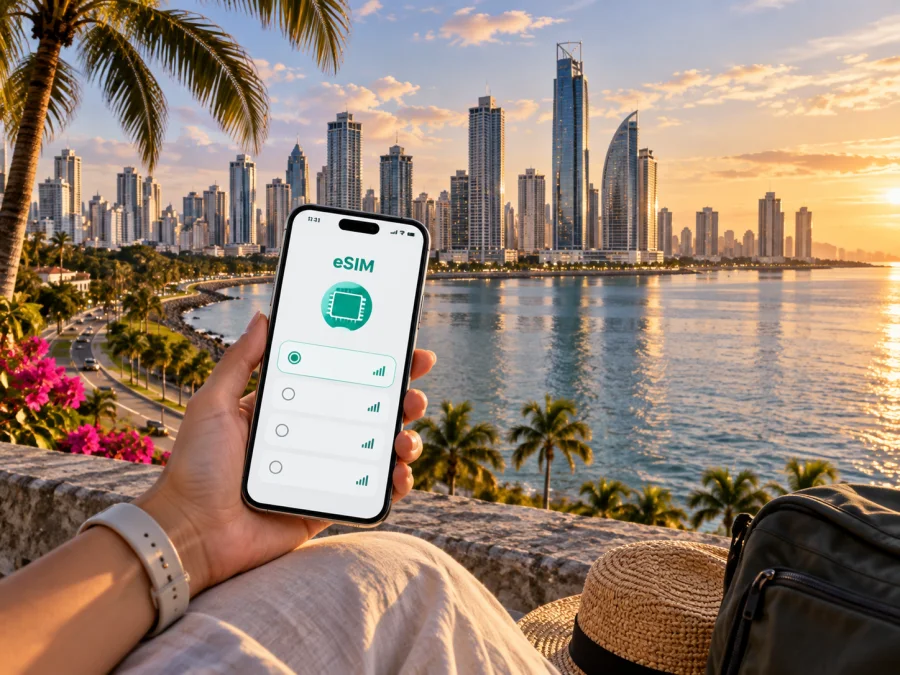
Panama City eSIM for Reliable Mobile Connection and Internet
In Panama City, a working mobile connection supports airport arrival, hotel messages, business meetings, navigation, and walks through Casco Antiguo. An eSIM can help you prepare mobile internet for these moments without waiting to find a physical SIM card.
Kaspersky eSIM Store is an app and website where you can choose, arrange, and activate an eSIM with a suitable tariff for mobile internet during an international trip. Review the displayed data allowance and validity, then install the eSIM on a compatible, unlocked device. Keep your regular SIM available for services you still need.
Why mobile internet matters in Panama City
Panama City combines an international airport, historic waterfront, office areas, residential neighborhoods, hotels, and routes beyond the capital. That variety makes mobile data useful even on a short trip.
With a data connection, you can:
- check the address and entrance details of a hotel before leaving the airport;
- follow a map while moving between Tocumen, central districts, and the waterfront;
- contact a host, driver, colleague, or travel companion;
- translate a sign or compare information while walking through an unfamiliar area;
- confirm a reservation or meeting time without looking for public Wi-Fi;
- use transport information while changing plans during the day;
- share a hotspot with a laptop when your tariff and device settings allow it.
An eSIM does not replace every function of a normal mobile line. It is primarily a way to arrange mobile data for the trip. A standard phone number, voice calls, and SMS are not included unless the conditions of the selected tariff specifically say so. Keep your usual line active when you need incoming messages, but review its data-roaming settings to avoid unexpected charges.
Practical summary: for a Panama City trip, an eSIM is most useful when you want mobile data ready for arrival, navigation, messages, and work, while keeping the choice of tariff and the expected allowance visible before you travel.
Arriving at Tocumen International Airport
The first connection decision often comes before the city itself. Tocumen International Airport is east of the central districts, so your first task may be to reach a hotel in Obarrio, El Cangrejo, San Francisco, Punta Paitilla, Costa del Este, or another part of the metropolitan area. You may also be meeting someone, continuing to a business appointment, or transferring to a different destination.
A simple arrival sequence
- Before departure, confirm that the eSIM profile is available and that your phone can add an eSIM.
- Install it in advance if the tariff instructions allow it, and label the profile so you can identify it among your phone lines.
- After landing, select the travel eSIM for mobile data and enable data roaming for that profile only when required.
- Open your map, messages, and booking details before leaving the airport area.
Airport Wi-Fi can help with installation after landing, but a prepared profile reduces the number of decisions you make after a long flight. The exact activation behavior depends on the selected tariff and device, so use the purchase conditions as the reference.
What to check before walking out of the terminal
- The travel eSIM appears in the phone’s SIM or mobile-network settings.
- Mobile data is assigned to the travel profile rather than your home line.
- Your hotel address and transfer details are saved.
- The phone has enough battery for navigation and messages.
If the connection does not appear immediately, check the installed profile, selected data line, airplane mode, and tariff instructions in that order. Use available Wi-Fi while reviewing the purchase and installation information if needed.
Moving around the city: plan for changing districts
Panama City is not one uniform travel zone. A walk around the old quarter, a meeting in the office core, and an evening near the waterfront create different navigation needs. Your route may also change because of weather, traffic, a late meeting, or a decision to stay longer in one neighborhood.
Casco Antiguo and the historic center
Casco Antiguo rewards slow navigation through streets, plazas, cafés, galleries, and restored buildings. Mobile data helps you check walking directions, locate an entrance, send your position, and adjust a route while moving between the historic center, waterfront, and a pickup point.
Cinta Costera, Punta Paitilla, and the waterfront
The waterfront is useful for walks, photos, short meetings, and transitions between neighborhoods. A phone can distinguish a pedestrian route from a road route, identify a meeting point, and help replace a long walk when weather changes your plans.
Obarrio, El Cangrejo, and San Francisco
These central residential-business areas can be convenient bases for offices, restaurants, shopping, and city transport. Save the full address, including the building or tower, then use mobile data to compare routes and share an updated arrival time.
Costa del Este and other business locations
Business travel may connect a hotel, office, restaurant, and airport in one day. Keep the travel eSIM ready for email, chat, calendars, and maps. Review the data allowance before using a hotspot, video calls, or large file transfers.
Albrook and onward routes
Albrook can matter when a trip includes transport connections or a departure from the city. If you continue elsewhere in Panama, verify whether the tariff covers the whole route. Compare its geographic scope, validity, data volume, and activation terms rather than choosing by the first location alone.
Choosing an eSIM tariff for a Panama City itinerary
The right tariff depends on how you use your phone, how long you will be in the city, and whether Panama City is one stop or the main base of the trip. A short stopover and a week of meetings do not create the same data pattern.
| Travel pattern | Typical mobile-data needs | What to review before choosing |
|---|---|---|
| Airport stopover | Arrival messages, a map, booking details, and a transfer update | Short validity and activation conditions |
| Weekend in the city | Navigation, messaging, venue research, and photos | Validity through the whole stay |
| Several days of sightseeing | Maps, translation, messages, and social sharing | Data volume and hotspot conditions |
| Business visit | Maps, email, chat, documents, and calls through apps | Longer validity and enough data for work |
| City plus other destinations | Navigation and messaging across a changing route | Geographic scope and validity for every stop |
Use the following decision process:
- Mark the dates. Count the period when you expect to use data, not only the hotel nights.
- Separate light and heavy use. Maps and messages differ from video meetings, streaming, backups, and hotspot use.
- Define the route. If you continue beyond Panama City, read the geographic conditions carefully.
- Check validity. Installation, activation, first use, and the tariff period are not always the same event.
When you are ready to compare current options, you can choose an eSIM tariff for a trip to Panama City. Review the displayed data volume, validity, destination, price, and conditions for the specific option before completing the purchase.
Prepare the phone before the trip
Prepare the phone on reliable Wi-Fi and keep your physical SIM if you still need its number for account recovery, incoming SMS, or calls under your home operator’s terms.
Device compatibility and carrier lock
Before purchase, check whether your device supports eSIM. Compatibility can depend on the exact model, region, software version, and whether the phone is locked to an operator. A phone that has an eSIM menu may still need to be unlocked for a travel profile, so verify both points in the device settings and the purchase information.
Also check that the phone can connect to Wi-Fi during setup, has enough battery, and lets you identify the home and travel lines clearly.
Installation instructions
The screens differ by model and software version. Use the relevant Android eSIM installation instructions or iOS eSIM installation instructions. The process usually includes adding a mobile plan, using the supplied activation information, naming the line, and selecting mobile data.
After installation, review when the tariff begins. You may install before departure and enable the line on arrival, or complete setup after landing through Wi-Fi, depending on the tariff conditions.
Recommended settings after installation
When you are ready to go online:
- Travel eSIM: enabled when you intend to use it.
- Mobile data: assigned to the travel eSIM.
- Data roaming: enabled for the travel eSIM only if the instructions require it.
- Home line data roaming: off unless intentionally needed.
- Automatic updates and cloud backup: review their mobile-data permissions.
- Personal hotspot: off when not needed.
On some devices, a travel eSIM needs data roaming enabled even though roaming is off on your home line. Follow the tariff instructions and check the selected data line if an application cannot load.
Common situations in Panama City
A late arrival and a hotel transfer
You land, collect your bags, and need to confirm the pickup location. Enable the travel eSIM, select it for mobile data, and send one concise message with your terminal or meeting point. Save the hotel address and avoid using the home line for background data by mistake.
A day split between meetings and dinner
You may start in Costa del Este, move toward the central business area, and finish near the waterfront or historic center. Add appointments to a map, use the travel line for directions and messages, and let the tariff allowance guide decisions about video calls or large uploads.
A short stopover before an onward journey
For a brief stay, prioritize arrival coordination, a map, and confirmation of the next departure. Choose validity that includes the stopover and check whether the route beyond Panama City is covered.
A trip that combines the city with other places in Panama
Start with the complete route rather than the first hotel. If the itinerary moves beyond Panama City, compare destination scope and validity against every planned stop, especially during transfers and accommodation changes.
Troubleshooting without losing control
If the travel eSIM does not connect, check these basics in order:
- Confirm that the profile is installed and switched on.
- Confirm that the travel eSIM is selected for mobile data.
- Check whether data roaming is required for that profile.
- Toggle airplane mode briefly and allow the phone to search again.
- Check the tariff’s destination, validity, and activation conditions.
- If the issue remains, use Wi-Fi to review support information and order details.
Avoid deleting the eSIM profile as a first response. Transfer or reinstallation may not be possible after activation; keep screenshots of relevant settings and order information if you need support.
Frequently asked questions
Can I use an eSIM only for Panama City?
The tariff is normally selected for a country, region, or route rather than a single district. Choose the Panama option and read its destination scope; if you continue elsewhere, make sure it fits the complete itinerary.
Do I get a local phone number?
Not necessarily. A travel-data eSIM is intended primarily for mobile internet. Voice calls and SMS are not included unless the tariff says otherwise. Keep your regular SIM for its existing number when needed.
Should I install the eSIM before flying?
Installing before departure can make arrival simpler if the tariff allows it. You can also install after landing through Wi-Fi. In either case, check when validity starts and enable the travel profile when ready.
Will my physical SIM stop working?
Adding an eSIM does not automatically require removing your physical SIM. Choose which line handles calls, messages, and mobile data, and keep home-line data roaming off unless you deliberately accept its conditions.
How much data should I choose?
Start with your actual behavior: navigation, messages, documents, calls, video, backup, and hotspot use. Match data volume and validity to the itinerary rather than choosing an arbitrary package size.
Final checklist for a connected Panama City trip
Before leaving for the airport, confirm:
- the phone is compatible and not operator-locked;
- the eSIM tariff matches Panama and the rest of your route;
- the data volume and validity match your dates and habits;
- the profile is installed or you know where the installation instructions are;
- the Android or iOS setup steps are accessible;
- your home-line data roaming setting is intentional;
- your hotel, transfer, first meeting, and onward travel details are saved;
- you know which line is selected for mobile data;
- you have a backup plan for a low battery or a temporary connection issue.
Choose your mobile data for Panama City
Panama City travel is easier to manage when arrival, district changes, and data settings are planned. Check compatibility, select a tariff for the route, install the eSIM carefully, and keep your regular number available when required.
Prepare an eSIM tariff for your Panama City trip and review the current terms before purchase. With the profile and phone settings ready, you can focus on moving between the airport, hotel, meetings, historic streets, waterfront walks, and your next destination with a clearer mobile-data plan.


