Travel connectivity guide
Panjakent eSIM: Mobile Internet for Your Trip
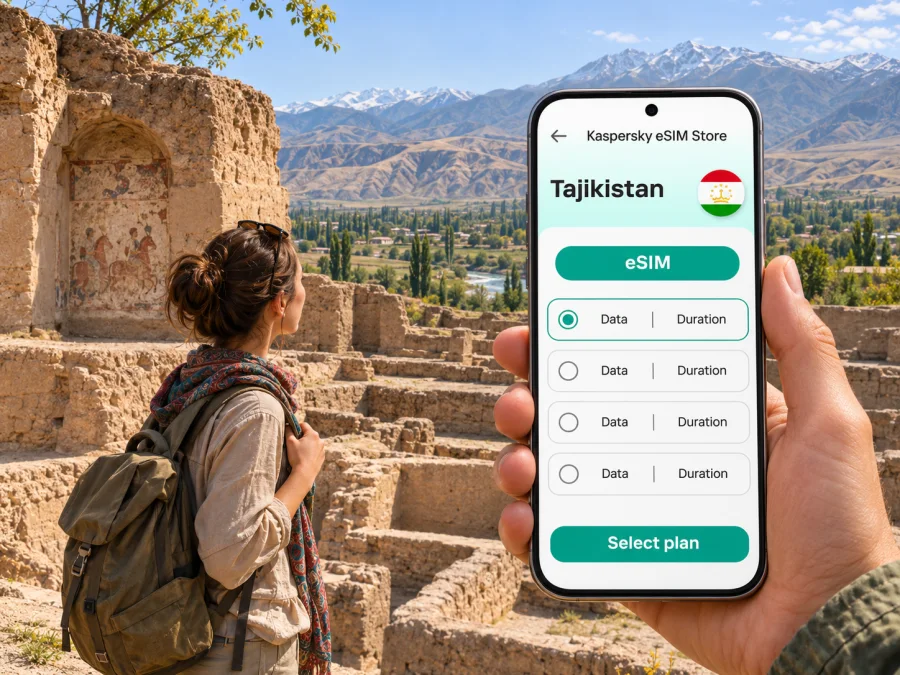
Panjakent eSIM: mobile connection and internet for your trip
Panjakent is a useful base for exploring the western Sughd region of Tajikistan. It sits near the Uzbekistan border, within reach of the archaeological site of Sarazm and the mountain valleys that lead towards the Seven Lakes. A phone with mobile data can help you coordinate a border transfer, find your guesthouse, message a driver and check your route before leaving town. In the mountains, though, a map downloaded in advance may be more dependable than a live connection.
An eSIM can make it easier to prepare mobile data for a visit without swapping a physical SIM card. The experience in Panjakent still depends on the eSIM plan, its partner network, your device and the precise place you travel. This guide explains how to plan for those variables, whether you are crossing from Samarkand, staying in town, visiting Sarazm or continuing into the surrounding valleys.
What to expect from mobile internet in Panjakent
Panjakent is a small city in Sughd Region, in the Zarafshan Valley. It is not the same as the archaeological site of ancient Panjakent, which lies outside the modern town, or Sarazm, a separate settlement near the border. The distinctions matter when you search for directions: a map result may refer to the modern city, the ancient town or the wider district.
Mobile service is tied to local operators and their infrastructure. A travel eSIM may connect through one or more partner networks, but the specific network and service conditions are plan-dependent. Do not assume that a plan that works in Dushanbe, Khujand or Samarkand will perform the same way in Panjakent. Nor does the presence of a local operator’s own eSIM product prove that an international travel eSIM uses that operator.
In the built-up part of Panjakent, mobile data may be useful for everyday tasks such as maps, messages and checking bookings. Signal can vary indoors and from one part of town to another. Outside the city, especially on a road into a narrow valley or higher terrain, service may become intermittent or unavailable. Treat coverage maps and advertised network support as planning information, not a guarantee for every street, room or mountain route.
| Travel situation | What a connection can help with | A sensible backup |
|---|---|---|
| Arrival in town | Messaging your accommodation, checking a pin or confirming a pickup | Save the address and contact details before travel |
| Walking around central Panjakent | Looking up a destination or sending a location | Download an offline map and note the return route |
| Visiting Sarazm | Checking directions and coordinating transport | Agree on a meeting point and return time in advance |
| Driving toward the Seven Lakes | Sending updates before leaving town | Save maps offline; do not rely on continuous data |
| Crossing the border | Messaging after the crossing or checking onward plans | Keep documents, booking details and route notes available offline |
The simplest planning rule is: use mobile data for convenience in town, and prepare for offline navigation whenever you leave it. Download maps over Wi-Fi, save accommodation and driver details, and let someone know your general itinerary before a longer excursion.
Arriving via the Samarkand–Panjakent corridor
For some visitors, Panjakent is reached overland from Samarkand in Uzbekistan. The international road crossing in the area is known on the Tajik side as Sarazm and on the Uzbek side as Jartepa. A border crossing is a formal checkpoint, so check current entry requirements, opening arrangements and transport options before setting out; they are separate from mobile-data availability and can change.
Plan for a transfer in stages. You may need one vehicle to reach the border, to complete immigration on foot or as instructed, and another onward into Tajikistan. Confirm with your accommodation or driver where they will meet you and whether the pickup is on the Tajik side. Keep the name “Sarazm” available offline, as it is also the name of the nearby archaeological site and can be confused with the border post in casual directions.
Before leaving Samarkand, save the Panjakent accommodation pin, the driver’s number and any reservation information. Download a map covering both sides of the border. Your home SIM may continue to show a network near the crossing, but roaming rules and costs are set by your mobile provider; a travel eSIM also requires a plan that includes the country you are entering. Do not assume the Uzbekistan portion of a regional itinerary is included in a Tajikistan-only plan.
If you arrive by air elsewhere in Tajikistan and continue to Panjakent by road, allow extra time for the intercity leg. Schedules, road conditions and journey times depend on the day and season. Check arrangements locally rather than building a tight connection around a route estimate. A working data connection helps with coordination, but it cannot replace a confirmed transfer or a buffer for delays.
Choosing an eSIM plan for a city-and-mountain itinerary
Start with the destinations, not just the first night in town. A short stay in central Panjakent has different data needs from a trip that includes Sarazm, the Seven Lakes or several road journeys. Check the plan’s country coverage, validity period, data allowance, activation rules and supported network details before purchase. If the plan names a partner network, that is useful information, but it does not guarantee a particular signal level at a specific hotel or trailhead.
You can review eSIM plan options for Tajikistan and compare the currently displayed allowance, validity and terms with your itinerary. This is a country-level destination page, not a promise of a Panjakent-specific tariff or local coverage. Confirm that the plan fits every country on a cross-border route: a Tajikistan plan alone should not be treated as a plan for Uzbekistan.
A practical way to estimate data is to consider what you will actually do:
- Light use: messaging, occasional map checks and booking confirmations. Keep photo and app backups on Wi-Fi.
- Regular use: frequent navigation, browsing, translation and sharing photos. Choose enough data for the full validity period, including travel days.
- Heavy use: video calls, uploads or streaming. These can use data quickly; rely on accommodation Wi-Fi where appropriate and avoid assuming a limited plan will stretch.
Navigation is usually more predictable when you download the map tiles before departure. That reduces dependence on live data and lets you use GPS positioning even when mobile service drops, although route information may not be current. Offline maps do not provide live traffic, newly updated road closures or the ability to call a driver through an internet app without a connection.
If you need ordinary calls or SMS to a familiar number, keep your regular SIM active if your device supports dual SIM and your provider’s roaming settings suit you. A data-only eSIM generally does not replace a local phone number or include voice calls and SMS unless the plan terms explicitly say otherwise. Messaging and internet calls may work through apps when data is available, but they are not a substitute for emergency or local telephone service.
Getting around the city with a connected phone
Panjakent’s attractions and services are spread between the central streets and sites outside the modern town. Before walking or taking a car, check that your map pin points to the correct place. Search results for “Panjakent” can mix hotels, the modern city, the ancient settlement and places in the district. Use the destination’s full name and, where possible, confirm the pin with your host.
For a short city stay, save a few locations in advance: your accommodation, the place where a driver will meet you, the city centre and any planned archaeological site. Share the saved pin with the driver rather than relying on an approximate landmark description. If your phone loses its connection, the location already downloaded may still help you orient yourself, though it cannot refresh local business hours or road information.
Walking is useful for short trips in the central area, but do not assume every point of interest is within a convenient walk. Ask your accommodation about local transport and the best way to reach a site beyond town. If you hire a car or driver, agree on the destination, waiting time, return point and payment details before departure. Save the driver’s number in international format and take a screenshot of the agreed details.
A connected phone is also useful for small practical tasks: translating a short message, checking a reservation or sending your current location to a travel companion. These tasks work best when your battery is charged and your data plan is active. Carry a power bank on longer outings and keep the phone accessible without exposing it unnecessarily in crowded or dusty settings.
Sarazm and other excursions from Panjakent
Sarazm is a distinct archaeological site near Panjakent and the Uzbekistan border. UNESCO identifies it as a proto-urban settlement illustrating the development of communities in Central Asia from the fourth to the late third millennium BCE. It is a valuable visit for travellers interested in the region’s early settlement history, but it is not the same place as the ancient town of Panjakent.
Make the visit as a planned trip rather than assuming that a map pin alone is enough. Confirm transport, the site entrance and return arrangements with a local host or driver. Download directions before leaving town and save the name in both the Latin spelling you use for navigation and any spelling provided by your accommodation. Mobile data may help with coordination, but do not rely on being able to arrange the return ride after arriving.
The Seven Lakes, also known as Haft Kul, are a separate mountain excursion in the wider Panjakent area. The road continues into valleys where mobile coverage can be less predictable than in town. Ask locally about road conditions, vehicle suitability and time needed for the particular lakes you plan to visit. If the day involves several stops, arrange the driver and return plan beforehand. A live map or message may be useful on the way, but an offline map and a clear meeting plan remain important.
| Before leaving Panjakent | Why it matters |
|---|---|
| Download the route and surrounding map | A live connection may not be available throughout a valley drive |
| Save your accommodation and driver’s contact details | You may need to coordinate before the signal becomes weak |
| Confirm the return time and pickup point | Do not assume transport will be waiting at every site |
| Charge your phone and power bank | Navigation, photos and messaging all consume battery |
| Tell someone your broad itinerary | A phone connection is not a substitute for a travel plan |
For any excursion, follow local guidance about access and conditions. Mountain weather and road access can change, and an eSIM cannot provide roadside assistance or replace a qualified local driver. If a route is unfamiliar, prioritize a reliable transport arrangement over trying to solve logistics through a patchy data connection.
Device compatibility and setup before travel
Check that your exact phone variant supports eSIM and is not locked to a carrier. Device features can differ by country or regional model even when two phones share the same product name. Confirm the model number and the manufacturer’s specifications for the device you own; a family name or a similar-looking phone is not enough. Check whether your device supports eSIM before choosing a plan.
If you will use two SIMs, decide which line should handle mobile data and which should remain available for your usual number. Menu names differ between operating-system versions. Keep your regular line’s data roaming setting under control to avoid unintended charges, and use the travel eSIM for data only when its terms allow it. Some eSIMs require data roaming to be enabled on that eSIM profile; follow the specific installation instructions and plan details.
A low-stress setup sequence is:
- Check the phone. Confirm eSIM support, carrier-unlock status and enough free space for a new mobile plan.
- Choose the destination and plan. Review the countries covered, validity, data allowance, activation trigger and any restrictions.
- Install while you have stable Wi-Fi. Keep the QR code or activation details available on another screen if the phone cannot scan its own display.
- Label the lines clearly. For example, keep the home line for calls and name the travel profile “Tajikistan data.”
- Set data selection deliberately. Select the travel eSIM only when you intend it to carry data; confirm the home SIM’s roaming settings.
- Test before departure if the plan allows it. Read when validity begins so that installation does not accidentally start the plan earlier than intended.
- Keep the instructions accessible. Save the steps and account details somewhere available offline.
Use the Android eSIM installation instructions or the iOS eSIM installation instructions for the relevant device. Exact menu wording can vary by manufacturer, operating-system version and regional firmware. Do not delete an eSIM profile to troubleshoot unless the provider’s instructions say it can be installed again; some profiles cannot simply be transferred or restored after removal.
Frequently asked questions
Is eSIM available in Panjakent?
The availability of a travel eSIM depends on its plan and supported partner network. A local operator’s own eSIM service is a separate product and does not establish that a travel plan uses the same network. Check the current destination and network terms for the plan you intend to use.
Will mobile internet work in the Seven Lakes area?
It may work in some places and not in others. Reception depends on the location, local network, device and plan. Download maps before leaving Panjakent and arrange transport without relying on a live connection.
Can I use the same eSIM in Uzbekistan and Tajikistan?
Only if the plan explicitly includes both countries. A Tajikistan destination plan should not be assumed to cover Uzbekistan, even when your itinerary crosses the border. Check the country list and validity conditions before purchase.
Does an eSIM provide a local phone number?
A data-focused travel eSIM generally provides mobile data rather than an ordinary local number, voice service or SMS. Check the plan description for any exceptions. You can keep a regular SIM for calls if your device and roaming settings support that arrangement.
Should I install the eSIM before arriving?
Installing over stable Wi-Fi before departure can make arrival easier, but first check when the plan’s validity starts. Some plans begin on installation; others begin when they connect to a supported network. Follow the terms shown for that plan.
What should I do if my phone loses signal?
Use downloaded maps and saved contact details, and move to a safe location before troubleshooting. Check that the eSIM and data line are active. Mountain roads and remote sites may have limited service, so plan the return and meeting point before leaving town.
Prepare your connection for Panjakent
Before you travel, confirm that your phone is compatible and unlocked, compare the current plan terms with your route, and save maps and key addresses offline. Kaspersky eSIM Store is an app and website where you can select, purchase and activate an eSIM plan for mobile internet during an international trip. Review the available Tajikistan eSIM options, check the conditions that apply to your journey, and install the eSIM over a reliable connection when the plan’s activation rules suit your schedule.


