
Travel connectivity guide
Paradera eSIM for Aruba Travel Internet
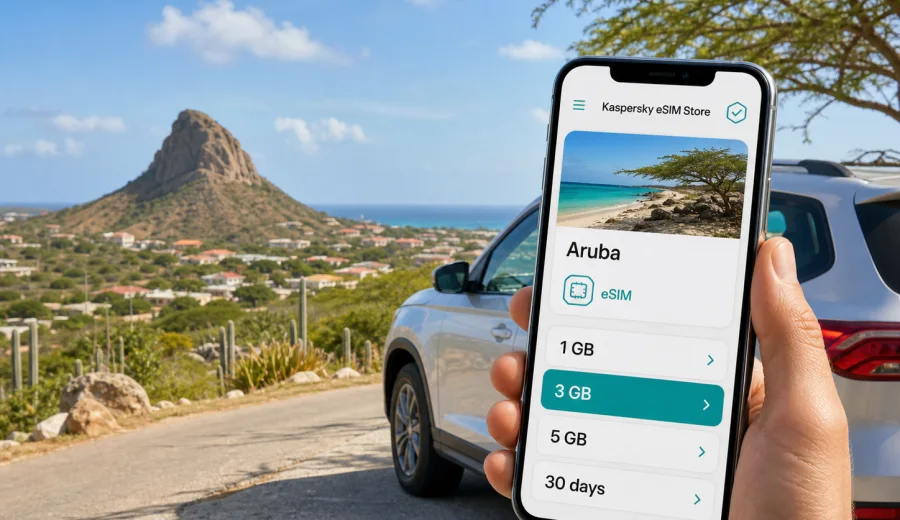
Paradera eSIM: mobile connection and internet for an Aruba trip
Paradera is a practical place to stay in Aruba if you want to be close to the island's inland roads, local neighborhoods, rock formations, and short drives to the coast without sleeping inside the busiest beach strip. It sits away from the resort frontage, which makes mobile internet especially useful: you may be checking maps between small roads, coordinating a rental car pickup, finding a supermarket, comparing routes to Oranjestad or Noord, or confirming a restaurant booking after a day around Ayo, Casibari, or Hooiberg.
For many visitors, Paradera is not a destination where you simply walk out of a hotel lobby and follow one tourist boulevard. The value of eSIM in Paradera is control. You can arrive with mobile data ready on a compatible phone, use navigation from Queen Beatrix International Airport, message your host, check road conditions, and keep your main SIM card available for calls or banking texts if your device supports dual SIM use.
This guide explains how to plan mobile connection and internet for Paradera, how much data different travel styles may need, when to install an eSIM, and how Kaspersky eSIM Store can help you choose, arrange, and activate an eSIM tariff for your Aruba trip.
Why mobile internet matters in Paradera
Paradera is central by Aruba standards. That is convenient, but it also means your daily plans may point in several directions: Oranjestad for shopping or the waterfront, Noord and Palm Beach for resorts and nightlife, Santa Cruz and Arikok routes for inland nature, and the north coast for rockier viewpoints. When your itinerary changes during the day, mobile data becomes more than a backup.
Common Paradera travel moments that depend on internet access include:
- following turn-by-turn navigation through inland roads and roundabouts;
- checking the exact meeting point for an apartment, guesthouse, or villa;
- comparing taxi, rental car, and tour pickup options;
- messaging a host when arrival time changes;
- using translation or maps in small shops and local food spots;
- checking beach wind, weather, and sunset timing before driving out;
- using mobile boarding passes and travel documents;
- making messenger calls instead of relying on a voice roaming plan.
Public Wi-Fi can help in some hotels, cafes, and restaurants, but it is not enough for a route-heavy stay. Wi-Fi usually disappears as soon as you leave the property, and Paradera trips often include short drives between residential streets, supermarkets, viewpoints, beaches, and airport roads. A travel eSIM gives you a separate mobile data profile on the same phone, so you can use internet access without changing a physical SIM card.
Arrival: from the airport to Paradera
Queen Beatrix International Airport is the main arrival point for Aruba. From there, Paradera is typically reached by rental car, taxi, private transfer, or a pre-arranged pickup. Even if the drive is not long, the first hour after landing is when mobile internet is most useful.
You may need to:
1. Tell your accommodation that you have cleared passport control.
2. Open the rental car confirmation or transfer instructions.
3. Check whether the route goes through Oranjestad traffic or a quieter inland road.
4. Share live location with another traveler.
5. Confirm the door code, gate number, or house name if you are staying in a villa.
If you install an eSIM before departure and activate it according to the tariff instructions, you can avoid searching for Wi-Fi in the arrivals area. That is useful when your accommodation is not a large resort desk with a shuttle sign, but a private home, small hotel, or apartment where the host expects a message.
Local movement: Paradera is easiest with maps
Paradera is not difficult to explore, but it rewards good navigation. Street layouts, residential turns, and inland connectors can be less obvious than a single coastal promenade. A data connection helps you avoid missed turns and keeps your plans flexible when you decide to stop at a viewpoint, pharmacy, supermarket, or beach on the way.
For travelers based in Paradera, mobile internet is useful in these local movement patterns:
| Scenario | Why data helps | Practical tip |
|---|---|---|
| Rental car stay | Navigation, fuel stops, parking searches, route changes | Save your accommodation address and a nearby landmark offline too |
| Taxi or pickup | Messaging drivers, sharing location, confirming fare details | Keep your phone charged before evening plans |
| Beach day from Paradera | Weather checks, route to parking, restaurant reservations | Check maps before leaving Wi-Fi, then keep data for changes |
| Short business visit | Calendar updates, video links, document access | Choose a data amount that covers hotspot use if your tariff allows it |
| Family trip | Coordinating groups, tickets, messaging, maps | Set a daily data expectation for each phone |
Because Paradera is inland, your day may involve several short segments rather than one long transfer. You might drive from a villa to Oranjestad in the morning, return for a rest, go toward Palm Beach in the evening, and then check a different route back. That pattern can use more map and messaging data than expected.
Nearby routes where data helps
Paradera works well as a base for travelers who want central access rather than constant beachfront activity. The most useful mobile data moments are usually practical, not dramatic.
| Route from Paradera | Typical use for mobile internet |
|---|---|
| Ayo and Casibari | Directions, photo backup, ride coordination, and quick changes in hot weather |
| Hooiberg and central roads | Live navigation through short inland connectors that can look similar |
| Oranjestad | Parking searches, meeting points, dinner reservations, and ride pickup after dark |
| Noord, Palm Beach, Eagle Beach | Beach access, route changes, group messaging, and evening transport |
| Santa Cruz and Arikok routes | Advance planning, offline map backup, and timing checks before leaving busier roads |
How much data do you need for Paradera?
Your data use depends on how you travel. A quiet villa stay with occasional maps needs less than a business trip with hotspot sessions or a family trip with constant photo sharing.
Here is a practical planning table:
| Trip style in Paradera | Typical internet tasks | Data planning approach |
|---|---|---|
| 2-3 day stopover | Airport route, maps, messaging, restaurant searches | A small short-validity package may be enough |
| 4-7 day holiday | Daily navigation, beach planning, messenger calls, social apps | Choose a mid-size package with room for map use |
| Remote-work add-on | Email, cloud docs, hotspot, video calls | Select more data and check whether hotspot use is allowed |
| Family or group trip | Multiple maps, shared photos, ride coordination | Consider eSIM for each main phone rather than one shared device |
| Long island stay | Frequent navigation, errands, streaming, calls over apps | Pick a larger package or plan for top-ups if available |
Video streaming, automatic cloud backup, and app updates are the main reasons data disappears quickly. Before you leave your hotel or apartment Wi-Fi, turn off automatic updates and photo backup on mobile data if you want the eSIM package to last longer. For maps, download the Aruba area offline, then use mobile data for live traffic, rerouting, and location sharing.
When to prepare eSIM for Paradera
The calmest approach is to prepare the eSIM before you fly. That does not mean you must start using the data too early; the exact activation and validity rules depend on the selected tariff. Read the tariff details before purchase, install the eSIM profile while you have stable Wi-Fi, and activate mobile data when the instructions tell you to do so.
A simple preparation sequence:
1. Check that your phone supports eSIM and is not locked to one carrier.
2. Choose Aruba as the destination and compare data amount, validity period, and price.
3. Complete the purchase in the site or app.
4. Install the eSIM profile on Wi-Fi before travel, if the instructions allow it.
5. Keep your primary SIM active for calls or SMS if you need banking or airline messages.
6. On arrival, select the eSIM for mobile data and confirm roaming data settings if required by the tariff instructions.
Before buying, use Check your device to confirm that your phone or tablet can use eSIM. Device support varies by model, region, and carrier lock status, so it is better to check before you depend on a digital SIM for arrival.
Choosing a tariff for Paradera in Kaspersky eSIM Store
For a Paradera trip, the destination is Aruba, not a separate city product. In Kaspersky eSIM Store, you can choose Aruba and compare available eSIM tariff options by data volume, validity period, destination, and price. That is helpful if your plans include both inland stays and coastal day trips.
If you want to prepare mobile internet before landing, you can choose an eSIM tariff for your trip to Paradera and review the available Aruba options before you travel. This link points to the country page because city articles use the country destination for the matching eSIM tariff.
When comparing options, pay attention to:
- Data volume: maps and messaging use little data, while video, hotspot, and cloud sync use much more.
- Validity period: match it to the number of days you expect to need mobile data in Aruba.
- Activation rules: some tariffs start counting validity after activation or first network connection; always read the exact terms.
- Hotspot availability: if you need to connect a laptop or another phone, check whether tethering is supported.
- Top-up or replacement options: understand what to do if you use your data earlier than planned.
Kaspersky eSIM Store is best described as a site and app that helps you choose, arrange, and activate an eSIM tariff for mobile internet in an overseas trip. It is not a mobile network operator, and the network experience depends on the selected tariff, local network conditions, device settings, and location.
Installing eSIM before an Aruba trip
Installation is usually easier when you have stable Wi-Fi and enough time to follow the steps calmly. Do not wait until you are standing outside your accommodation with low battery and no address details. If your selected tariff allows pre-trip installation, do it before departure and keep the activation instructions available offline.
For step-by-step setup, use the official guides:
After installation, label the eSIM clearly, for example "Aruba data" or "Travel eSIM." This helps you avoid switching off the wrong SIM when you land. On many phones, you can keep your main SIM for calls and SMS while using the eSIM for mobile data. If your phone asks whether to allow data roaming for the travel eSIM, follow the tariff instructions rather than applying a general rule.
First-day setup in Paradera
The first day is when mistakes are easiest to make, because you are tired from travel and still learning the island's roads. Before takeoff, save your accommodation address, download offline maps for Aruba, keep eSIM instructions accessible, and disable automatic app updates over mobile data. At the airport, switch mobile data to the travel eSIM when appropriate, test a map search, and message your host or driver before leaving the terminal.
After reaching Paradera, save the accommodation location as a favorite and check the route to the nearest supermarket, pharmacy, or fuel station. This small setup makes later beach trips and evening returns easier.
Transport, business trips, and stopovers
Paradera is a good fit for travelers who rent a car, but mobile internet also helps with taxis, transfers, and short business stays. If you drive, start navigation before moving and check the final approach to beaches or natural areas in advance. If you use taxis, data helps you share the exact pickup point and coordinate when a villa entrance is not obvious from the street.
For business travelers, eSIM can support email, calendar changes, messenger calls, document access, and backup connectivity if accommodation Wi-Fi is unstable. Choose more data if you expect video calls or hotspot use, and check whether tethering is allowed by the selected tariff. Keep laptop updates paused when using a phone hotspot.
For a two- or three-day stopover, install the eSIM before travel if possible, choose validity that covers both arrival and departure, keep boarding passes available offline, and avoid large downloads. Short stays often include airport transfer, an inland stop, dinner in Oranjestad, a beach morning, and another airport run, so reliable setup matters more than a large data allowance.
Common mistakes to avoid
Some eSIM problems are not network problems at all. They come from preparation gaps or phone settings.
Avoid these mistakes:
- buying a tariff before checking device compatibility;
- installing the eSIM on the wrong phone in a group;
- deleting an eSIM profile after activation without checking whether it can be reinstalled;
- assuming the tariff includes voice calls or SMS;
- leaving cloud backup or video autoplay on mobile data;
- waiting until arrival with no Wi-Fi plan for installation;
- choosing too little data for a trip with hotspot or video calls;
- forgetting that your main SIM may still be needed for SMS verification.
The best rule is to treat eSIM as your travel data connection and keep your main number available if you need it. That gives you a practical split: mobile internet for maps and apps through the eSIM, familiar phone number for services that still send verification messages.
Paradera eSIM FAQ
Is eSIM useful if I stay in a Paradera villa with Wi-Fi?
Yes, because villa Wi-Fi only helps when you are on the property. Paradera trips often involve driving to beaches, Oranjestad, inland landmarks, restaurants, and airport roads. eSIM is most useful when you leave the accommodation.
Should I choose an Aruba eSIM tariff or look for Paradera specifically?
Choose Aruba. Paradera is a city or district destination within Aruba, so the relevant eSIM tariff page is the country destination. Use the country option and match the data amount and validity period to your city-based itinerary.
Can I use eSIM for calls in Paradera?
Most travel eSIM tariffs are focused on mobile data. Ordinary voice calls and SMS are not included unless the selected tariff says so. You can usually use messenger calls over mobile internet, subject to app availability, data balance, and connection quality.
Is it better to install eSIM before arrival?
Usually yes, if the tariff instructions allow pre-trip installation. Installing on stable Wi-Fi before departure reduces stress at the airport. Always read when validity starts, because activation rules depend on the chosen tariff.
What if I visit beaches and Oranjestad from Paradera?
That is exactly when mobile data helps. You can use maps, compare routes, message drivers or friends, and check reservations while moving between inland and coastal areas.
Choose mobile internet for your Paradera trip
Paradera is a practical Aruba base for travelers who want central access, short drives, local neighborhoods, and easy routes to both inland landmarks and the coast. A well-prepared eSIM helps you handle arrival, navigation, hotel or villa coordination, beach days, business tasks, and stopovers without depending only on public Wi-Fi.
Before you travel, check device compatibility, compare data volume and validity period, install the eSIM on Wi-Fi when possible, and keep your main SIM available if you need calls or SMS. For a city stay in Paradera, the correct destination is Aruba: prepare an eSIM tariff for mobile internet in Aruba through Kaspersky eSIM Store and keep your trip planning focused on the places you will actually visit.