
Travel connectivity guide
Paro eSIM: Mobile Internet for Bhutan Travel
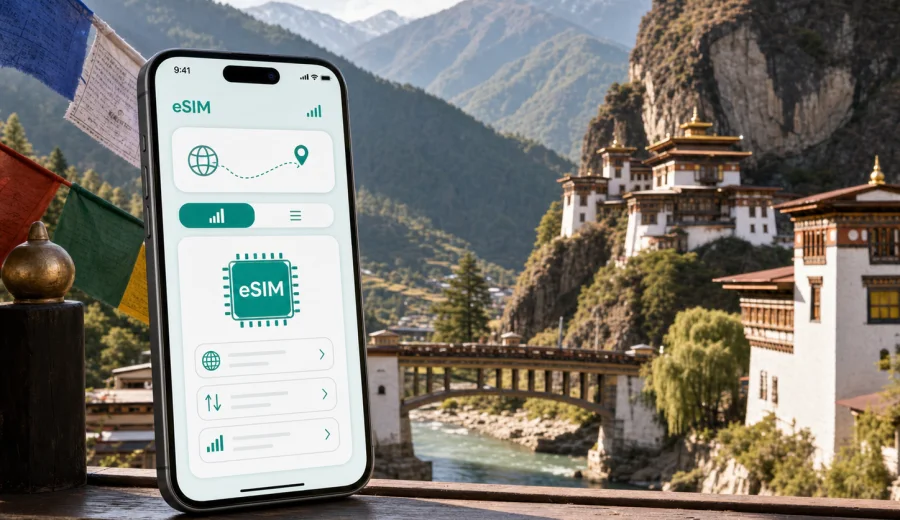
Paro eSIM: mobile connection and internet for a trip to Bhutan's gateway city
Paro is often the first and last place travelers see in Bhutan. The airport sits in a narrow valley, the town is compact, and many important routes begin here: the road to Thimphu, the climb to Paro Taktsang, walks around Rinpung Dzong, hotel transfers along the river, and short drives to viewpoints, farmhouses, and monasteries. That makes mobile internet in Paro less of a luxury and more of a practical trip tool.
An eSIM helps you prepare data access before you start moving through the valley. You can keep your primary SIM in the phone, use mobile data for maps and messages, and avoid spending your first hour in Paro looking for Wi-Fi or a local SIM counter. This is especially useful because many Paro plans are not just about the town center: you may be landing, checking into a hotel, meeting a guide, confirming a driver, and setting out for a hike within the same day.
This guide explains how to think about eSIM use in Paro: where data matters most, how much traffic you may need, what to check before departure, and how to avoid common travel connectivity problems without turning your phone setup into a separate project.
Why Paro is a city where mobile data matters
Paro is small compared with major Asian travel hubs, but the way people move through it creates many short, practical data needs. You may not be scrolling for hours, yet you may need the internet at exactly the moment when timing matters.
Typical Paro connectivity moments include:
- checking driver or hotel pickup messages after arrival at Paro International Airport;
- sharing your location with a guide or travel companion;
- opening saved booking details when the hotel Wi-Fi is not yet available;
- using maps for walks between the town, cafes, shops, and riverside areas;
- confirming the start time for the Taktsang hike;
- checking weather before a mountain road or viewpoint drive;
- using messengers for calls when your eSIM tariff does not include a regular phone number;
- sending work updates during a business trip or inspection visit;
- managing travel documents, boarding passes, and trip confirmations near departure.
Paro's geography also matters. The airport, town, hotels, Dzong area, trailheads, and day-trip roads can feel close on a map but still require careful coordination. A working data connection gives you more control when plans change.
eSIM in Paro: what it does and what it does not do
For a trip to Paro, eSIM is mainly a way to use mobile internet without inserting a physical SIM card. You choose a suitable data package for Bhutan, install the eSIM profile on a compatible phone, and use that line for data during the trip.
It is important to keep the scope clear:
| Travel need in Paro | How eSIM can help |
|---|---|
| Maps and navigation | Use online maps, check routes, and confirm places around Paro town and nearby sights. |
| Messaging | Stay reachable through internet-based messengers. |
| Hotel and driver coordination | Open booking details, send updates, and confirm pickup points. |
| Work or business travel | Handle email, cloud documents, and short video or voice calls when data quality allows. |
| Voice calls and SMS | Not normally included unless the selected tariff clearly says otherwise. Use internet calling apps if needed. |
Before buying any eSIM tariff, check the details: data volume, validity period, destination, price, activation conditions, refund rules, and whether the plan is data-only. Also check that your phone supports eSIM and is not locked to a mobile operator. You can check your device before choosing a tariff.
Arrival at Paro International Airport
Paro International Airport is one of the most distinctive arrivals in Asia: the approach follows the valley, the terminal is close to the town, and many travelers continue directly to a hotel, a government-arranged itinerary, or the road toward Thimphu. A working data setup helps because the first hour can include several small decisions.
Use mobile internet after landing to:
- tell your driver or host that you have arrived;
- confirm the correct meeting point outside the terminal;
- open your hotel address and reservation;
- check whether your first stop is Paro town, a hotel outside the center, or Thimphu;
- message family or colleagues that you are safely in Bhutan;
- download or refresh offline map areas before leaving airport Wi-Fi.
If you install the eSIM before departure, you can usually avoid doing technical setup while standing with luggage. Some eSIM profiles can be installed before the trip and activated when the destination network is reached, but conditions depend on the tariff. Read the activation instructions for the selected plan before you travel.
Moving around Paro town
Paro town is walkable, but mobile data still helps. Many visitors move between the main street, small cafes, shops, temples, hotels, the river area, and pickup points for guided activities. Street addresses may not always behave like dense urban address systems, so messaging and location sharing are often more useful than relying only on a written address.
For everyday movement in Paro, keep these habits:
1. Save your hotel location in your map app before leaving the building.
2. Pin the meeting point for your driver or guide.
3. Keep key addresses in a note that works offline.
4. Use mobile data for live updates, not as your only source of travel information.
5. Take a screenshot of important booking details in case signal becomes weaker outside town.
The town is also a good place to check your data balance and download anything heavy on trusted hotel Wi-Fi. Save your eSIM data for navigation, communication, and time-sensitive tasks.
The Taktsang hike and why preparation matters
Paro Taktsang, often called the Tiger's Nest Monastery, is the signature trip from Paro. The trail is a major reason many travelers come to Bhutan, and it is also a good example of why mobile internet should be treated as a support tool rather than the only plan.
Before leaving for the trail:
- confirm the pickup time and meeting point;
- check the weather forecast;
- save the trailhead location and hotel address;
- download any maps or notes you may need offline;
- charge your phone and carry a power bank if you take many photos;
- agree with your companions where to wait if you separate.
During the hike, mobile data may be useful for short messages, location checks, and photo sharing after the walk, but mountains and local conditions can affect connection quality. Do not depend on continuous signal for safety. Follow your guide's instructions, carry water, and keep essential details available offline.
How much data may you need in Paro?
The right amount of data depends on your trip style. Paro trips are often short, but they can be data-heavy if you rely on cloud files, photo sharing, and video calls.
| Traveler profile | Typical Paro use | Practical data approach |
|---|---|---|
| Short stopover visitor | Airport messages, hotel transfer, one walk in town | A smaller package may be enough if you use hotel Wi-Fi. |
| Cultural traveler | Maps, messaging, guide coordination, Taktsang planning | Choose enough data for several days of steady navigation and communication. |
| Business traveler | Email, calls, documents, route changes | Leave a margin for work apps and tethering if the tariff allows it. |
| Family or group organizer | Messaging, bookings, maps, photo sharing | More data helps if one person coordinates everything. |
| Photo-heavy traveler | Uploads, cloud backups, social media | Use Wi-Fi for large uploads and keep mobile data for essentials. |
As a simple planning rule, separate "must-have" data from "nice-to-have" data. Must-have data includes maps, messaging, confirmations, ride coordination, weather, and travel documents. Nice-to-have data includes large uploads, streaming, app updates, and constant social feeds. If you manage those categories deliberately, even a modest data package can last longer.
Preparing your eSIM before you fly
The best time to think about eSIM is not after landing. It is when you still have stable home internet, a charged phone, and enough time to read the details carefully.
Use this checklist:
- confirm that your phone supports eSIM and is not operator-locked;
- check whether your chosen eSIM tariff covers Bhutan;
- read the data volume and validity period;
- check when the validity period starts;
- install the eSIM profile while you have reliable Wi-Fi, if the tariff instructions allow it;
- keep your primary SIM active for calls or banking messages if you need them;
- label the eSIM line clearly in your phone settings, for example "Bhutan data";
- turn off data roaming on your primary SIM if you want to avoid accidental roaming charges;
- know where to find the Android or iOS installation instructions.
If you need installation guidance, use the official setup pages for Android or iOS. The exact menu names can vary by device model and operating system version, so follow the instructions together with the prompts shown on your phone.
Around the middle of your planning, when you already know your dates, city base, and expected data use, you can use Kaspersky eSIM Store to choose an eSIM tariff for your trip to Bhutan. The app and website help you select, arrange, and activate an eSIM with a suitable mobile data tariff for travel, while the tariff conditions remain the details you should review before payment.
Hotels, guesthouses, and Wi-Fi in Paro
Many travelers in Paro use hotel or guesthouse Wi-Fi for heavier tasks, but mobile internet remains useful because Wi-Fi quality can vary by property, room location, and time of day. Even when your hotel connection is good, you are not always at the hotel.
Use hotel Wi-Fi for:
- cloud backups;
- app updates;
- long video calls;
- streaming;
- large file downloads;
- uploading many high-resolution photos.
Use eSIM mobile data for:
- maps while walking or driving;
- messages with your guide, driver, hotel, or group;
- checking opening times or plan changes;
- weather before a viewpoint or pass;
- boarding passes and travel confirmations;
- emergency access to important documents.
This split is useful in Paro because the city itinerary often alternates between quiet hotel time and active movement. You may spend the morning at Taktsang, return to town for lunch, drive to a viewpoint, and then check into a different property. Wi-Fi does not cover those transitions.
Business travel and official visits in Paro
Paro is not only a leisure stop. Some visitors arrive for official meetings, aviation-related travel, hospitality projects, NGO work, logistics, filming, or short inspection trips before continuing to Thimphu. For these travelers, internet access affects punctuality and coordination.
Business travelers should prepare a slightly larger margin of data than tourists who mainly need maps. Email attachments, shared documents, calendar changes, and online calls can use data quickly. If you expect to use your phone as a hotspot, check whether tethering is allowed under the selected tariff and test it before relying on it for a meeting.
A practical work setup for Paro:
1. Keep essential documents available offline.
2. Use mobile data for messages, calendar alerts, and urgent files.
3. Use trusted Wi-Fi for large uploads and scheduled calls when possible.
4. Keep your laptop from automatically syncing large folders over phone data.
5. Set app updates to Wi-Fi only.
This approach helps you stay reachable without wasting a travel data package on background activity.
Short trips from Paro: Thimphu, Chele La, and valley routes
Many Paro itineraries include a drive to Thimphu, the capital, or a route toward Chele La, one of Bhutan's high mountain passes. These trips make data planning more important because you are no longer just moving inside a compact town.
For the Paro to Thimphu road, mobile data helps with messaging, hotel coordination, and checking arrival times. The drive is usually straightforward, but travelers often need to update someone at the destination. If you are changing hotels, keep both addresses offline and save the phone numbers in your contacts.
For Chele La or other mountain-view routes, prepare more conservatively. Weather can change, roads can feel remote, and signal quality may vary. Download maps, keep your driver's contact details, and do not assume that data will be continuous at high viewpoints.
Choosing a data package for Paro
The best eSIM data package is the one that fits the actual rhythm of your trip. A two-night cultural stay does not need the same data volume as a week of remote work. Before choosing, answer five questions:
- How many days will you spend in Bhutan?
- Will Paro be your only base or the start of a wider route?
- Will you use hotel Wi-Fi for heavy tasks?
- Do you need tethering for a laptop or tablet?
- Will you upload many photos and videos during the trip?
If you are unsure, choose a package with a reasonable buffer rather than a plan that only covers the minimum. Running out of data while trying to confirm a pickup or open a travel document is frustrating. At the same time, do not buy a large package just because it looks safer if your actual use will be light and Wi-Fi is available for heavy activity.
Common eSIM mistakes to avoid in Paro
Avoid these problems before they cost you time:
- Installing the eSIM too late. Do the setup while you have stable Wi-Fi and time to read the instructions.
- Forgetting device compatibility. Not every phone supports eSIM, and some phones are locked to a carrier.
- Leaving your primary SIM on data roaming. This can create unexpected roaming charges.
- Using mobile data for large backups. Photo and video uploads can consume a package quickly.
- Assuming voice calls are included. Many travel eSIM tariffs are data-only.
- Depending on signal for every mountain-route decision. Save essential information offline.
- Ignoring validity dates. A package that starts too early or expires too soon may not match your itinerary.
These are simple checks, but they make a major difference when your schedule is tight.
Practical Paro data-saving tips
Small settings can extend your eSIM package:
- download offline maps for Paro, Thimphu, and your route before travel;
- disable automatic app updates on mobile data;
- turn off cloud photo backup until you are on Wi-Fi;
- lower video call quality when mobile data is limited;
- restrict background data for streaming and social apps;
- send compressed photos in messengers when quality is not important;
- keep boarding passes and hotel confirmations as screenshots;
- check data usage once a day in your phone settings.
If you travel as a couple or family, decide whose phone is the main coordination device. That person may need more data, while others can use smaller packages or Wi-Fi for casual use. This avoids every traveler burning data on the same maps, uploads, and group messages.
FAQ: eSIM and mobile internet in Paro
Can I use eSIM as soon as I land in Paro?
You may be able to use it after arrival if the eSIM is installed correctly, the selected tariff covers Bhutan, and the destination network is available. Activation behavior depends on the plan, so read the tariff conditions before departure.
Do I need a local phone number in Paro?
Many visitors manage with internet-based messengers for calls and messages. A travel eSIM tariff is often data-only unless the tariff details say otherwise. If you need traditional voice calls or SMS, check that separately before you travel.
Is eSIM useful if my hotel has Wi-Fi?
Yes. Hotel Wi-Fi helps with heavy tasks, but mobile data covers movement: airport pickup, walking in town, guide messages, maps, weather, and day trips from Paro.
Should I activate the eSIM before leaving home?
Install it before travel if the instructions allow it, but check when the validity period starts. Some plans should be activated only when you reach the destination network. Follow the rules for the selected tariff.
Can I use eSIM on the Taktsang hike?
It can help with messages and basic checks, but do not depend on continuous signal on mountain trails. Save key details offline and follow your guide's advice.
Final checklist before your Paro trip
Before you leave for Bhutan, make sure you have:
- confirmed that your phone supports eSIM;
- checked that the device is not locked to one carrier;
- selected a data package with enough validity for your itinerary;
- saved hotel, guide, and driver contacts offline;
- downloaded maps for Paro and any road routes;
- installed the eSIM profile or prepared the QR/setup details;
- turned off unnecessary background data use;
- tested where to switch mobile data lines in your phone settings.
Paro rewards travelers who keep plans simple: arrive, coordinate your transfer, settle into the valley, and keep your phone ready for maps, messages, weather, and trip updates. With Kaspersky eSIM Store, you can prepare an eSIM tariff for Bhutan before or during your journey, then use your time in Paro for the airport arrival, the town, the Dzong, the Taktsang trail, and the routes that begin from this small but important gateway city.