Travel connectivity guide
Patras eSIM: Mobile Internet Guide for Greece
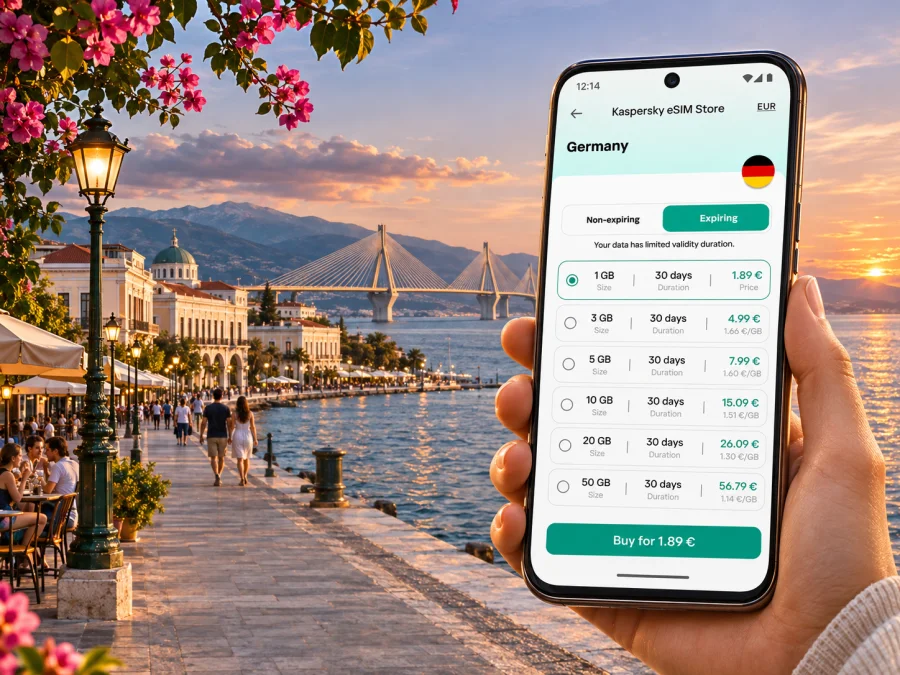
Patras eSIM: mobile connection and internet for your trip
Patras (Patra) is a port city in Achaea, in Greece’s Western Greece region, on the northwestern side of the Peloponnese. It is a working university city as well as a gateway for ferries across the Adriatic and trips around the Gulf of Corinth. That mix makes a reliable mobile connection useful for more than finding a hotel: you may need directions from a port gate, a bus or train update, a boarding message, or a map while crossing between the city centre and Rio.
An eSIM can make mobile data easier to arrange before you travel, provided your phone supports it and is unlocked. It is a digital SIM profile installed on a compatible device. A travel data eSIM is generally intended for internet access; it does not automatically give you a Greek phone number, ordinary calls or SMS. Check the terms of the specific plan, particularly whether it includes data only, where it works, how much data it includes, and when its validity starts.
Before you travel: identify your Patras arrival point
Patras does not have a large international passenger airport in the city centre. One regional airport travellers may see in flight searches is Araxos, about 45 kilometres from Patras city centre according to local visitor information. Its flight availability can be seasonal or limited, so confirm the airport printed on your ticket and check current services before planning a transfer. Athens International Airport is another possible arrival point for an onward journey to Patras; the trip is longer and involves a separate ground transfer.
The port is a different arrival point again. Patras has a new port and an older north port area; ferry terminal, operator and departure gate matter when you are meeting someone or travelling onward. International sailings and island services use the port, but routes and timetables vary by date. Follow the instructions on your booking and the ferry company’s current information rather than navigating to a generic “Patras port” pin at the last moment.
| Arrival | What to check before leaving | Why mobile data helps |
|---|---|---|
| Araxos Airport | Confirm the airport, arrival time and the current onward transport option | Find the correct pickup point, contact a driver and check route changes |
| Athens International Airport | Confirm the bus or rail connections and transfer locations for your travel date | Keep directions and tickets available during multiple legs |
| Patras ferry terminal | Check the exact terminal, gate and check-in instructions on your booking | Locate the terminal entrance, share your arrival time and arrange a city transfer |
| Patras railway station | Verify the station and any rail replacement or connecting bus details | Follow live travel updates and navigate from the station to your accommodation |
Getting around the city
Patras stretches along the coast and rises inland from the waterfront. In the central area, many everyday errands can be handled on foot, but a walk that looks short on a map may involve a steep street or a busy road. Use a map for orientation and then follow local signs and crossings. For a taxi or a meeting point, send a named landmark or a shared pin and agree on which side of a large street or square you mean.
The city’s suburban railway, known as Proastiakos, serves Patras and nearby areas, including Rio. In an update dated 2 October 2026, Hellenic Train said rail services on the Agios Andreas–Rio and Agios Andreas–Kaminia routes had resumed, while buses continued between Kaminia and Kato Achaia and on circular routes from Kastelokampos toward the University of Patras and Agios Vasileios. These arrangements can change; check the current operator information, especially if you have an appointment or ferry connection.
Urban buses also serve the city. Check current route and stop information before boarding, since a saved route diagram may not show diversions. Leave time for waiting and walking, especially with luggage; a live map cannot replace service notices or a valid ticket.
Useful navigation habits
- Search for the full destination name, then confirm it is in Patras and not another place with a similar name.
- Pin your hotel, the port terminal, the railway station and any meeting venue before you leave Wi-Fi.
- Keep a screenshot of a route or address if you expect to be underground, inside a large building or in a spot with weak reception.
- Use pedestrian directions for walks and check the route on the ground; the fastest car route may not be suitable on foot.
- At a bus or rail stop, confirm the destination and direction on the sign or with staff. A map’s estimated arrival time is not a service guarantee.
- Let a travel companion know if you are changing plans, and share a location only when you are comfortable doing so.
City areas and what your phone is useful for
The centre around Georgiou I Square, the shopping streets and the Roman Odeon is a practical base for a first visit. Use your phone to find a café, check opening hours, translate a menu or save the route back. Historic streets can be narrow and uneven, so check the map while stationary.
At the waterfront, verify whether your booking specifies the new port, north port, a gate or a ferry check-in location. For a driver or a visit to the marina, use the exact destination name rather than a generic harbour pin.
Rio, north of the centre, is associated with the bridge crossing and the University of Patras area. The suburban railway map shows the northbound corridor and bus connections that serve the university and hospital. If you are visiting campus for a conference, confirm the venue’s building name and which connection it recommends; a large campus can involve a further walk after the stop. A data connection helps with maps, event messages and ride coordination, though you should download documents you need for a presentation in advance.
For a longer stay, you may travel toward southern neighbourhoods or coastal settlements such as Vrachneika. The suburban network has a southern sector, but check the day’s timetable rather than assuming every train serves every stop. Navigation, photo uploads, video calls and hotspot sharing can use far more data than occasional map searches.
Choose an eSIM for the whole route, not just one pin
A plan is usually selected for a country or region, not a city-only area. For a Patras visit, compare the destination named in the plan with the full itinerary: Greece alone may suit a stay based in Patras; a regional plan may be more convenient if you will also visit other countries. Do not assume that a plan covering Greece includes every neighbouring country or every ferry destination. The service area and any restrictions are defined by the plan’s terms.
Before purchase, compare these details:
| Plan detail | What to ask yourself |
|---|---|
| Destination | Does the listed coverage include Greece and every other country on my itinerary? |
| Data allowance | Will I mainly use maps and messages, or also stream, upload photos and tether a laptop? |
| Validity | Does the duration match the trip, and what event starts the validity period? |
| Network access | Are the supported partner networks and any network-selection limits stated? |
| Hotspot/tethering | Is sharing data with another device permitted under this plan? |
| Calls and messages | Is this a data-only plan, or are voice and SMS explicitly included? |
| Activation | Does the plan start at installation, first connection, or another point in its terms? |
To estimate data, think in activities rather than picking the largest package by habit. Downloading maps and using text-based directions is relatively light; frequent video calls, cloud photo backup and streaming are heavier. You can reduce background use by disabling automatic app updates and photo uploads over mobile data, downloading offline maps where available, and using hotel Wi-Fi for large files. Leave a reserve for an unexpected route change or a delayed connection.
Kaspersky eSIM Store is an app and website where you can choose, purchase and activate an eSIM plan for mobile data during an international trip. The available destination and terms are shown with the selected plan; check those details against your dates and route before paying. You can browse the current Greece eSIM options and compare the displayed allowance, duration and conditions. This is a country-level destination page, so it should not be read as a promise of a particular network or identical reception at every address in Patras.
Check device support and regional versions
An eSIM feature can depend on the exact device model, the country or market for which it was made, the carrier lock status and sometimes the software version. Two phones with very similar product names can differ: one regional variant may include eSIM while another relies on physical SIM cards. Do not infer support from a family name, a retailer listing for a different country, or a general statement that “this model supports eSIM.” Check the manufacturer’s specifications for your exact model code and market, then confirm the device is unlocked. Check whether your device is compatible before selecting a plan.
If you want to keep your home number active, check how your phone handles two SIMs. Data-line selection, roaming settings and simultaneous use vary by device. Follow the prompts and review your home carrier’s roaming terms to avoid unexpected charges.
Install and activate with a little breathing room
Install over dependable Wi-Fi with enough battery. Validity may start at installation, first network connection or another event, so check the plan instructions before setup. Do not delete the eSIM profile while troubleshooting unless the instructions confirm it can be installed again; activation codes may be single-use.
- Check the exact phone model and confirm eSIM support and unlock status.
- Choose a plan whose destination, duration, data allowance and restrictions fit your trip.
- Read when validity starts, whether activation must occur in Greece and whether roaming data must be enabled for that eSIM.
- Install using the supplied flow while connected to Wi-Fi. Keep the confirmation and setup instructions accessible.
- Before departure, label the new line clearly, such as “Greece data,” and leave your home line settings as intended.
- On arrival, select the travel eSIM for mobile data. Enable data roaming only if the plan instructions require it, and double-check which line is selected.
- Open a webpage or map and confirm data works. If it does not, check the selected data line, the plan’s activation instructions and the signal before changing settings repeatedly.
For step-by-step help, follow the Android eSIM installation guide or the iPhone and iOS eSIM installation guide. Menu wording can vary by manufacturer and software version, so follow the instructions shown on your own device.
Practical situations in Patras
Arriving by ferry late in the evening. Before boarding, save the address of your accommodation and confirm whether your arrival is at the new port or another location. Once ashore, use mobile data to check the route and contact your host or driver. Keep the booking screenshot available in case a terminal connection is busy. If the ferry is delayed, message your accommodation before leaving the ship.
Going from the centre to Rio for a meeting. Check the current Proastiakos or bus route and the exact stop near your destination. Pin both the stop and the building entrance; a campus address may not identify the closest entrance. Download presentations and meeting files before travelling, and carry a power bank if you rely on navigation through a full day.
Taking a day trip from Patras. Your eSIM coverage follows the plan rather than the city boundary. Confirm that the destination is in its service area and consider how much time you will spend navigating. On a coastal or rural road, signal can vary with terrain and the network used by the plan. Save the return route and any ticket details before leaving the city.
Working remotely from a hotel or café. Test Wi-Fi and mobile data separately, and do not assume either connection will be equally reliable everywhere. If the plan permits tethering, use it as a backup for essential work rather than making an untested hotspot your only connection. Keep large downloads and video calls in mind when estimating data use.
A short stop between transport legs. A few hours in Patras may call for directions, messages and a live departure check rather than a large data allowance. Still, confirm the data plan validity: a short visit does not necessarily mean that the plan activates only for a few hours. Leave enough time to reach the station or ferry terminal and verify the correct departure point.
If mobile data does not connect
Start with simple checks and change one setting at a time:
- Confirm that the travel eSIM is installed and switched on.
- Check that it is selected as the mobile-data line and that mobile data is enabled.
- Check the plan instructions for the correct activation timing, access point settings or data-roaming requirement.
- Move to an open area or another nearby location and allow the phone to register on a network.
- Restart the phone if the plan’s support instructions recommend it, then check the connection again.
- If the issue continues, contact the support channel shown in your purchase or app details. Keep your order information and a short description of the device, location and steps already tried.
Avoid deleting the profile or resetting network settings as a first response. If you need an urgent call and the eSIM is data-only, use your normal SIM if its roaming terms allow it, or ask for help at a staffed transport point.
A compact preparation checklist
- [ ] Confirm whether you arrive at Araxos, Athens, the port or the railway station.
- [ ] Check current onward transport and save the correct terminal, station or stop.
- [ ] Verify eSIM support for the exact regional device variant and confirm it is unlocked.
- [ ] Compare Greece coverage, validity, data allowance, network terms and tethering rules.
- [ ] Install on Wi-Fi and keep the activation instructions and confirmation available.
- [ ] Decide which line handles mobile data and review home-SIM roaming charges.
- [ ] Save accommodation details, tickets and key maps for offline access.
- [ ] Keep a charger or power bank available for navigation-heavy days.
Frequently asked questions
Is Patras a city in Greece or a separate island destination?
Patras is a city in Greece, in Achaea and the Western Greece region, on the Peloponnese. The name may appear as Patra in English-language transport and operator information. It is a mainland port city; routes from its port can connect travellers onward by ferry, but the city itself is not an island.
Is there an airport in Patras?
Araxos Airport serves the wider area and is outside Patras, approximately 45 kilometres from the city centre according to local visitor information. Whether a suitable flight is operating depends on the season and schedule. Check the airport and transfer details for your actual itinerary. Athens is another possible arrival gateway, with a longer onward journey.
Can I rely on eSIM reception throughout Patras?
No plan can guarantee identical reception at every indoor location, street, vehicle or surrounding destination. Coverage depends on the plan’s partner network, local conditions, device and terrain. Check the plan’s stated network and coverage information, and keep offline directions for important journeys.
Does a travel data eSIM give me a Greek number?
Not necessarily. Many travel eSIM plans are for data only and do not include a standard phone number, voice calls or SMS. Check the plan terms. Internet messaging and voice apps can work over data, but they are not the same as a local mobile number or emergency calling service.
Can I use the same plan on a ferry to another country?
Only if that destination is listed in the plan’s coverage and its terms allow use there. A ferry route does not extend a Greece-only plan to another country. Check coverage before departure and download tickets or instructions in advance.
What if my phone model supports eSIM only in some regions?
Use the full model or model code and the market of sale to check the manufacturer’s information. Do not rely on the name of a similar phone from another region. Confirm that the device is unlocked and that the eSIM feature is available on your particular variant before purchase.
Prepare your Patras connection
A smoother Patras trip starts with three checks: confirm your arrival point, map the transfer to your accommodation, and match the eSIM plan to your device and complete route. Read the plan’s data allowance, validity, coverage and activation conditions, and keep key addresses and tickets available offline.
When you are ready, use Kaspersky eSIM Store on the app or website to choose and activate a suitable plan for your international trip. Compare the current Greece options before travelling, then install the eSIM on a compatible, unlocked device and follow the plan’s activation steps. This preparation can make it easier to use maps, messages and travel information while moving around Patras and the surrounding region.


