Travel connectivity guide
Pavlodar eSIM: Mobile Internet in Kazakhstan
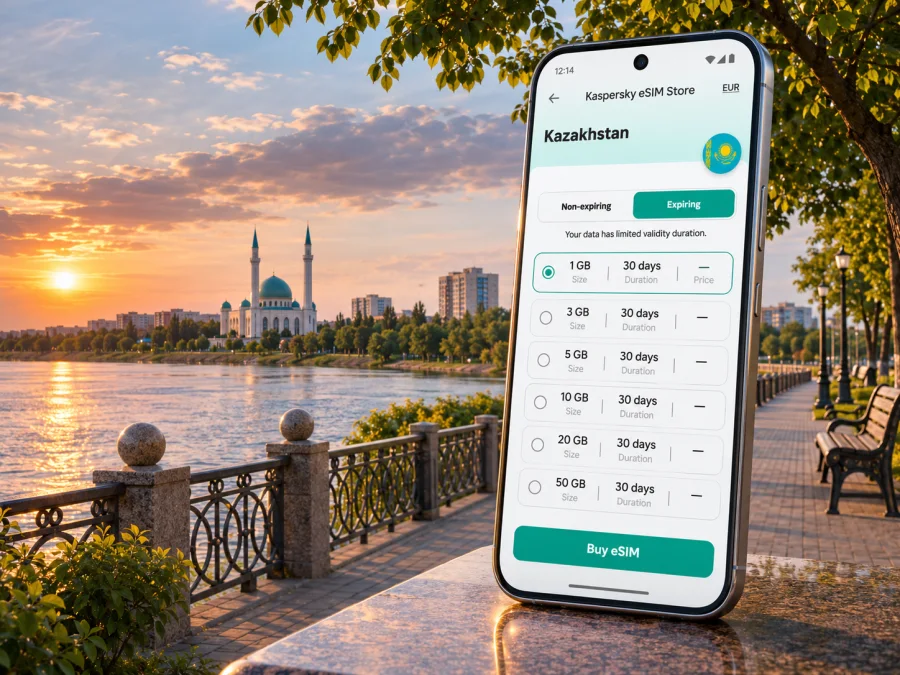
Pavlodar eSIM: Mobile Connection and Internet for Your Trip
Pavlodar is a regional center in north-eastern Kazakhstan, set beside the Irtysh River. If you are arriving for work, visiting family, or planning a few days by the river, mobile data can make the first hours easier: check a reservation, message your host, open a map, or confirm how to reach your next stop. An eSIM can be a practical option when your phone supports it and the plan you choose covers Kazakhstan.
This guide focuses on using mobile internet around Pavlodar: what to prepare before departure, how to think about airport arrival and city movement, how to choose a suitable data allowance, and what to check if your connection does not come up. A travel eSIM is generally a data connection; it does not automatically replace your usual phone number or include ordinary calls and SMS. Keep your regular SIM available for calls or verification messages if you need it, and check the terms of the particular plan before purchasing.
Why mobile data is useful in Pavlodar
Pavlodar is a riverside city, and the Irtysh is a visible point of orientation for visitors. You may use your phone to find an accommodation address, follow a route between the airport and the center, check a meeting location, or coordinate with someone who is collecting you. Once you are settled, maps and messaging are useful for moving between the central streets, the riverfront, cafés, offices, and other places on your itinerary.
The city is also a practical base for regional work and onward travel. A visitor may combine meetings in Pavlodar with a trip to another city in the region, or continue to a different part of Kazakhstan. For a multi-stop itinerary, check whether your chosen plan applies across the country rather than assuming that a city-specific search means a city-only service. Coverage, network selection, speed, and data availability depend on the plan and the local network available where you are.
A few common situations show where a ready data connection can help:
| Situation | Useful preparation |
|---|---|
| Arrival | Save your address, booking reference, and transfer contact offline |
| Work visit | Download essential files and confirm guest Wi‑Fi |
| City walk or onward trip | Save route details and confirm plan coverage for every destination |
This is about having data available when it is useful, not about assuming that every street or building has identical reception. Indoor coverage can differ from outdoor reception, and service may vary by the network selected by the eSIM plan. If a detail is time-critical, such as a pickup or a meeting, agree on a backup way to reach the other person.
Arriving in Pavlodar and getting oriented
Pavlodar Airport serves the city. Kazakhstan’s Civil Aviation Administration reported in August 2026 that regular air service resumed after runway reconstruction; its notice described flights between Pavlodar and Astana and the planned return of services to Almaty. Routes and frequencies can change, so check your airline’s current schedule and airport information before travel. Do not plan a connection around an old timetable or assume that every announced route is still operating on your dates.
If you land at the airport, first confirm how you will continue to your accommodation: a pre-arranged pickup, a taxi, or another option available on arrival. Keep the exact address in a form you can show a driver, and download it before take-off in case you need to conserve data or have a delay connecting. If your arrival time changes, a working data connection can make it easier to update your host, but a phone with no local service should not be your only way to communicate.
A simple arrival sequence helps avoid avoidable stress:
- Save your accommodation address and an offline map, then check flight details with your airline.
- After landing, connect to Wi‑Fi if available or enable the eSIM when ready.
- Confirm the intended data line and message your host or driver.
If you arrive by train or road instead, the same preparation applies: keep the destination pin, accommodation phone number, and any transfer instructions available offline. A connection helps with updates, but downloading key details in advance is useful in any city.
Getting around: maps, riverfront and central visits
For a first visit, use the Irtysh as a broad geographic reference, then rely on a current map for the exact route. The city’s riverfront is a natural destination for a walk, while work appointments, accommodation, and everyday errands may be spread across different parts of Pavlodar. Walking distances can feel different in winter, in strong wind, or during hot weather; plan a route that leaves room for rest and transport rather than judging only by a map’s straight-line distance.
The central embankment is among the city’s recognizable public spaces. Local government reporting describes it as a long riverside promenade with recreation areas and viewing spots. Conditions, access, and events can vary by season. Use current local information for opening arrangements or a specific event, and keep your route flexible if weather changes. If you are walking after dark, confirm your return transport and avoid assuming that every stretch has the same lighting or services.
For visitors combining sightseeing with errands, it helps to group nearby stops. Save the names and addresses of places you plan to visit, then check the route between them before leaving. Navigation data is useful for turn-by-turn directions, but a local street name may appear in Kazakh or Russian, and a venue can be listed under a different spelling. Keep the original booking or address text on your phone so you can compare it with map results.
Consider these small habits when moving around Pavlodar:
- Pin the hotel, the airport, and any fixed appointment before you set out.
- Keep the address in both a map pin and plain text for a taxi or host.
- Download a map area if your phone app supports offline use.
- Check route options again when a meeting ends; traffic or local conditions may have changed.
- Use a trusted transport booking method and confirm the vehicle details before getting in.
- Carry a battery pack if you expect to navigate, take photos, and use messaging for most of the day.
Choosing an eSIM plan for a Pavlodar trip
Start with the complete itinerary, not only the city name. If your visit is limited to Pavlodar, look for a plan whose terms explicitly include Kazakhstan. If you will continue to Astana, Almaty, or another destination, confirm that the same plan is valid throughout the route. The presence of a country in a plan selector is not a promise of identical signal in every location; network coverage depends on the underlying local service and conditions.
Estimate how you use data. A traveler who mainly checks maps, sends messages, and reads email may need a different allowance from someone who joins video meetings, streams media, or uploads large files. The most useful comparison is between the plan’s data amount, validity period, coverage, and price shown at the time of purchase. Avoid choosing solely by the largest allowance or the lowest displayed cost: unused data may not carry forward, and a short validity period may not fit a longer trip.
To review options for the country, browse eSIM plans for Kazakhstan and check the current conditions shown for each plan. Kaspersky eSIM Store is an app and website that helps you select, purchase, and activate an eSIM with a suitable data plan for an international trip. The plan’s provider and conditions are set out in the offer you choose; check them before completing the purchase.
Estimate data by activity
List how often you expect to use navigation, messaging, email, social apps, video calls, or uploads. Maps and text usually use less data than video or large file transfers, though settings and background sync affect actual use. Compare the plan’s allowance and validity with your itinerary, and leave a margin for changes. Before purchase, check activation timing, destinations, top-ups, and device requirements. Validity may begin at installation, activation, or first connection depending on the offer; follow its instructions.
Check your phone before you travel
An eSIM works only when the device supports eSIM and is not restricted by a carrier lock or other limitation. Device variants can differ between sales regions even when their names look identical. Check the exact model and the manufacturer’s information for your market; do not rely only on a product-family name or a list found for another country. Check whether your device is compatible before you buy.
Also make sure you can reach the phone’s settings and have access to a reliable internet connection while installing the profile. Keep your usual SIM active if you still need its number for calls or verification codes. eSIM plans intended for travel data typically do not provide a standard local phone number, calls, or SMS unless the selected offer explicitly says they are included.
Before departure, confirm these points:
- Your exact phone model supports eSIM in the region where it was sold.
- The phone is unlocked for use with another mobile service.
- Your operating system is updated and you know how to add an eSIM profile.
- You have access to the email, app, or QR code containing the installation details.
- The chosen plan covers Kazakhstan and remains valid for the length of your visit.
- You understand when the validity period begins and whether data roaming must be enabled for that eSIM.
- You know which SIM is selected for mobile data and which one handles your normal calls.
In Kazakhstan, official carrier guidance also refers to government device verification requirements introduced in 2025. Requirements may depend on the device and the type of service you are activating. If you plan to register a local mobile number or encounter a verification prompt, check current official guidance for your specific situation; do not assume that a foreign visitor’s travel eSIM follows the same process as a locally registered line.
Installing and activating the eSIM
If possible, install the profile before leaving home while you have stable Wi‑Fi, but follow the selected plan’s activation instructions. Some plans are intended to be installed in advance and activated on arrival; others may start their validity earlier. Read the offer carefully and avoid scanning or deleting a QR code more than once unless the provider instructs you to do so.
A typical setup sequence is:
- Connect to Wi‑Fi and open the phone’s mobile or cellular settings.
- Choose the option to add an eSIM or mobile plan.
- Scan the QR code or follow the manual installation instructions supplied with your plan.
- Label the new profile so you can distinguish it from your everyday SIM.
- Select the travel eSIM for mobile data when you are ready to use it.
- Enable data roaming for that profile only if the plan’s instructions require it.
- Wait for registration and check that the phone shows the expected network or connection status.
The exact menu names vary by manufacturer and operating-system version. For detailed steps, use the Android eSIM installation instructions or the iOS eSIM installation instructions. Keep the plan details available until the eSIM is working. Some eSIM profiles cannot be transferred after installation, so do not remove one as a troubleshooting shortcut unless the provider confirms that it can be reinstalled.
When you arrive in Pavlodar, check that mobile data is assigned to the travel profile. If the status remains “searching” or there is no data connection, wait briefly, confirm the plan is active, and check the instructions for network selection or roaming. Restarting the phone may help it register again. Avoid repeatedly deleting and reinstalling the profile: this can make recovery harder if the QR code is single-use.
If the connection does not work
A connection issue does not always mean that the plan is invalid. It can result from a setting, installation timing, a temporary signal problem, a device restriction, or a plan condition. Work through the basics in order and keep access to Wi‑Fi if possible.
| Check | What to do |
|---|---|
| Correct data line | In SIM settings, select the travel eSIM for mobile data |
| Plan status | Review the app or purchase details for activation, remaining data, and validity |
| Roaming setting | Turn on data roaming for the eSIM only if the plan instructions say to do so |
| Network selection | Follow the plan instructions; try automatic selection first unless told otherwise |
| Coverage and location | Move to an open area and retry; reception may differ indoors or by location |
| Device restrictions | Confirm that the phone is unlocked and the exact model supports eSIM |
| Installation profile | Do not delete it before contacting the service or checking whether reinstallation is allowed |
If you are still offline, connect to Wi‑Fi, capture the status shown in settings, and contact the support channel listed with the plan. Share the relevant error message and device model, but do not post QR codes or private account details in a public forum. Keep a backup method for essential communication, such as your regular SIM’s roaming option or a pre-arranged contact plan.
Work trips, weekend visits and onward travel
- Work trip: Save office and hotel addresses, download essential documents, and reserve mobile data for directions and schedule updates. Confirm Wi‑Fi availability if your work depends on video calls.
- Weekend visit: Check that plan validity covers both arrival and departure, including possible delays. Navigation between the airport, accommodation, riverfront, and appointments may be frequent.
- Regional itinerary: Verify that the plan covers every stop in Kazakhstan. Do not assume it covers another country if your route crosses a border.
- Short stopover: Save your return details and route offline, and leave enough time to get back to your departure point.
Questions travelers ask
Is Pavlodar in Kazakhstan or Russia?
Pavlodar is a city in Kazakhstan and the administrative center of Pavlodar Region. Its location in north-eastern Kazakhstan does not change its country. If your trip includes nearby destinations across an international border, check each country’s entry and mobile-plan requirements separately.
Can I use an eSIM throughout Pavlodar?
An eSIM can connect only where its plan has service through a supported local network. Check the selected plan’s Kazakhstan coverage and be prepared for reception to vary by location, building, device, and network conditions. No plan should be treated as a guarantee of signal at every address.
A simple Pavlodar connectivity checklist
Before you leave, make sure you can answer “yes” to the essentials:
- Have I saved my Pavlodar accommodation and transfer details offline?
- Have I checked my arrival airport or station and current transport arrangements?
- Does my exact phone variant support eSIM, and is it unlocked?
- Does the plan explicitly cover Kazakhstan and every other stop on my itinerary?
- Do I know when the plan starts and whether data roaming is required?
- Is the travel eSIM selected for mobile data while my regular number is configured as intended?
- Do I have a backup way to contact my host or colleagues if data is unavailable?
Match the plan to your route and phone, prepare addresses and maps in advance, and keep activation instructions accessible. These steps help with airport changes, meetings, and everyday navigation in Pavlodar.
Prepare your eSIM for Pavlodar
Choose a plan for the full Kazakhstan itinerary, confirm your phone’s compatibility, and install the eSIM according to its activation instructions. You can review current eSIM options for Kazakhstan in Kaspersky eSIM Store before your trip.


