Travel connectivity guide
Paysandu eSIM: Mobile Internet for Your City Trip
Paysandu eSIM: Mobile Connection and Internet for a City Stay
Paysandu is a practical stop on Uruguay’s western side: a riverside city with a historic centre, a long waterfront, and road links that make it a useful base for the department. A phone with mobile internet can help you orient yourself after arrival, confirm a hotel address, coordinate a transfer, and keep plans flexible when you add an excursion or cross-border leg.
An eSIM is most useful when you prepare it as one part of the trip rather than as a substitute for every communication option. Decide how you will receive calls or messages that require your usual number, check what your chosen data plan includes, and save the essentials you may need offline. In Paysandu, those simple steps are especially helpful if your itinerary combines a bus arrival, time near the Uruguay River, and a drive or excursion beyond the urban area.
Start with the shape of the city
The historic centre is a useful first reference point. Plaza Constitución faces the Basilica of Nuestra Señora del Rosario and San Benito de Palermo, and the square also anchors visits to the city’s historical interpretation centre. From there, you can get your bearings before walking to nearby streets, cafés, shops, or your accommodation. A map app is useful for finding a route, but street signs, your hotel’s directions, and a saved offline map remain valuable when the phone signal or battery is limited.
The city sits on the Uruguay River, with the Costanera providing a different kind of orientation from the compact central streets. It is a place for a walk, a change of pace, and views across the water. If you are going there around sunset or for an event, download the map area and note your return route in advance. A riverside stroll can feel straightforward on the way out and less familiar after dark, particularly if you have arrived only that day.
Paysandu’s urban visit and the department’s thermal destinations are related but not interchangeable. The city itself is a base for history, food, services, and the riverfront. Guaviyú and Almirón are destinations outside the city, so plan transport and time separately instead of assuming they are neighbourhood stops. The distinction matters for data planning too: city navigation, messaging, and occasional browsing are different from a day of driving and using maps over a wider area.
Arrival: make the first hour easier
Many visitors arrive by road. If you are coming by intercity bus, confirm the current arrival point and onward arrangements with your carrier. At the terminal, a connected phone can help you message your host, check the hotel address, and arrange a taxi or pickup. Do not assume a particular vehicle app or timetable will be available; check your options locally.
If you are driving, save your lodging address and first stop before setting out. Paysandu is linked to Uruguay’s western litoral by Route 3 and to Colón, Argentina, by the General Artigas International Bridge. A cross-border journey adds document and border-process considerations; mobile data helps with coordination but does not replace checking current requirements or allowing time for delays.
Before you leave:
- Save your hotel address in a map and a note.
- Keep booking details and essential numbers available offline.
- Decide how to get from the arrival point to your lodging.
- Keep your regular SIM available if you need its number for calls or verification.
A useful first-day route
A low-pressure first day can revolve around three anchors: your accommodation, Plaza Constitución, and the Costanera. Check in, save the way back, then walk to the square and nearby historic centre. If you still have time and energy, continue toward the riverfront. Your phone can keep the route and meeting details handy, while saved map information gives you a backup if data is unavailable.
The Centro de Interpretación de la Defensa is beneath Plaza Constitución. Opening times and visiting arrangements can change, so check locally before fixing it into a tight itinerary. If you visit, download any confirmation in advance and use your phone for orientation rather than continuously while walking.
The centre and the riverside invite different phone habits: brief directions in town, then perhaps photos or a restaurant search by the water. Keep automatic photo uploads and app updates on Wi-Fi when possible, and limit high-resolution video if your plan has a small data allowance.
Choose an eSIM plan around your itinerary
Before selecting a plan, estimate what you will do online each day. Messaging, map searches, email, and booking details usually need much less data than frequent video calls, navigation running for hours, or automatic cloud uploads. A trip with a few days in Paysandu and a side trip to a thermal area may need a different allowance from a quick stop in the centre followed by onward travel.
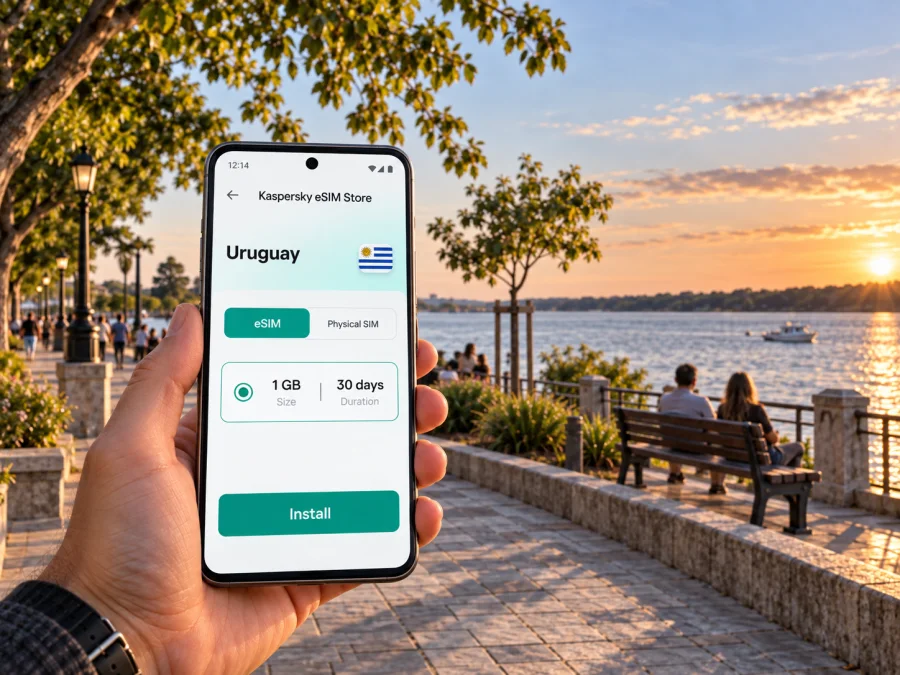
You can review eSIM plan options for Uruguay in Kaspersky eSIM Store, an app and website that lets travellers choose, purchase, and activate an eSIM with a suitable data plan for an international trip. Compare the plan’s data amount, validity period, and instructions with your own itinerary before you decide. The available terms are shown with the option you select; do not assume that one allowance or validity period fits every journey.
| Your travel pattern | What to consider when choosing data |
|---|---|
| A short city visit | Directions, messages, reservations, and occasional searches |
| A working day | Email, document access, calls through internet apps, and hotspot needs if permitted by your plan |
| A day trip beyond the city | More frequent map checks, meeting coordination, and possibly a longer period away from Wi-Fi |
| A cross-border itinerary | Whether the chosen plan covers every intended destination; check plan details rather than assuming regional coverage |
Use the table as a planning prompt, not a data guarantee. Actual use depends on your apps, settings, call length, photo habits, and whether your accommodation offers Wi-Fi. A practical approach is to turn off background mobile data for apps you do not need, keep maps available offline where possible, and check your usage during the trip.
Set up before you leave
Check that your phone supports eSIM and is not locked against another provider’s plan; support may vary by model and sales region. Check whether your device supports eSIM before purchase, and use stable Wi-Fi for installation. Follow the chosen plan’s instructions for when to install and activate it, since those can be separate steps.
- Compare the plan’s destination, data allowance, validity, and conditions with your travel dates.
- Install the eSIM over a stable connection, following the phone’s prompts and plan guidance.
- Label it clearly, such as “Uruguay data”, and check which line is selected for mobile data.
- On arrival, enable the travel eSIM as directed and confirm data is using the intended line.
See the Android eSIM installation instructions or iOS eSIM installation instructions. Menu names vary by device. If data does not start, check that the line is enabled, the correct data line is selected, and the plan’s settings are applied. Restarting may help after a settings change; do not delete the eSIM unless the plan instructions say to.
An eSIM data plan may not include a regular phone number, voice calls, or SMS. Keep your normal SIM available if you need those services, and remember that account verification may depend on your original number.
Getting around without depending on a live map
Mobile internet is useful for finding a route, but it works best alongside a backup. Before leaving the hotel, save the destination, note the cross street, and check how you will return. Keep a booking or ticket screenshot when useful. If you are meeting someone, agree on a recognisable landmark as well as a map pin; that is easier to describe if one person’s battery runs low.
Download an offline map area when your app permits it. It may not include live traffic or current business hours, but it can still help with orientation. Before driving beyond the city, check the route, keep the phone powered, and avoid adjustments while driving. Network availability and performance can vary by location and conditions, so do not plan as though every rural stretch will have uninterrupted data.
Start a long day with a charged phone and carry a power bank if you expect extended navigation. Keep background data and automatic photo backups for Wi-Fi where possible. A map, messaging app, and offline notes are generally more useful than constant browsing.
Paysandu for work trips and events
Paysandu hosts professional and cultural gatherings, and the annual Semana de la Cerveza brings visitors for concerts and other programming. Dates, venues, and transport arrangements vary, so confirm current details before travelling. For a busy event, save the venue location and return plan offline, and arrange accommodation with enough time to spare.
For a business visit, keep meeting addresses and documents accessible without a connection. Test any hotspot requirement against your chosen plan and device before the trip; video calls and tethering can use data quickly, and plan conditions differ. If a call is time-critical, identify a Wi-Fi option at your accommodation or meeting venue as a backup. Confirm the street number and a recognisable entrance with your contact, then send a brief update when you are on your way.
Making a stopover feel manageable
For one night between longer legs, prioritise check-in, tomorrow’s departure point, nearby food, and charging your phone. A short walk around Plaza Constitución or the Costanera can fit around those essentials. Avoid planning a distant excursion around a narrow connection window; regional distances and transport schedules need separate consideration.
For a longer stay, give city sightseeing and day trips their own time. Explore the historic centre and riverfront at an easy pace, then visit Guaviyú or Almirón only after confirming transport, access or lodging conditions, and the return plan. If crossing to Colón, check that your eSIM plan includes Argentina; a Uruguay plan should not be assumed to work across the border.
A compact checklist for the day
Before leaving your accommodation
- Charge your phone and, for a long day, pack a power bank.
- Save the next destination and return route.
- Carry booking details, addresses, and essential contact information offline.
- Check whether you will need cash or another payment method; keep a backup payment option.
- Confirm the day’s opening or departure details directly before setting out.
While moving around
- Use the map for orientation, then put the phone away when you know the route.
- Keep data-heavy backups and updates for Wi-Fi where possible.
- Share a meeting point with your companion and agree on a fallback if you lose contact.
- Keep the phone secure and avoid route searches while driving.
At the end of the day
- Check your remaining data and plan validity.
- Charge the phone and save the next day’s route.
- Review whether your next destination is within the plan’s stated coverage.
Common questions
Is an eSIM useful for a visit focused only on Paysandu?
It can be useful if you want mobile data for maps, messages, bookings, and coordination without changing your physical SIM. Whether it is worthwhile depends on your device, travel dates, plan terms, and expected use. Compare those details before choosing.
Can I use one eSIM for Paysandu and a trip across the river?
Only if the plan you select covers both Uruguay and Argentina. Check its destination list and terms. Do not assume a Uruguay-only plan will connect after you cross the General Artigas International Bridge.
Will I need data all day?
Not necessarily. If you save maps and key details, you may only need data for occasional searches, messages, or live updates. A workday with calls or frequent navigation can use more. Monitor your use and adjust app settings to match your needs.
What should I do if mobile data does not connect on arrival?
Confirm that the eSIM is enabled and selected for data, check the plan’s activation guidance, and make sure the phone has the settings required by that plan. Move to a place with a clearer signal and restart the device if appropriate. Use saved directions or Wi-Fi while you troubleshoot, and consult the plan instructions if the issue continues.
Prepare for Paysandu at your own pace
A good mobile setup should make the trip easier to navigate without taking over the experience. Plan the route from your arrival point, keep essential details offline, and choose data around the days you will spend in the city and beyond it. Plaza Constitución, the Costanera, a work meeting, and an excursion to the department each call for slightly different preparation.
When you are ready, use Kaspersky eSIM Store to choose an eSIM data plan for your Uruguay trip. Review its destination, data allowance, validity, and activation details, then install it with a stable connection and follow the plan instructions. With the essentials prepared, you can spend less time sorting out directions and more time getting to know Paysandu.


