Travel connectivity guide
Pecs eSIM: Mobile Internet and Travel Guide
Pecs eSIM: mobile connection and internet for your city trip
Pecs is a compact southern Hungarian city where a day can move from the historic centre to a museum, a hillside viewpoint, a café or a meeting across town. Mobile internet is useful for checking directions, translating a menu, keeping a rail ticket handy and letting someone know when your plans change. An eSIM can make that travel setup easier: you choose a suitable data plan for Hungary, install the digital SIM on a compatible phone and use it for mobile data during the trip.
This guide focuses on the practical moments when a connection helps in Pecs: arriving from Budapest, finding your accommodation, navigating the centre and organising a visit beyond the city. Network quality and plan conditions vary by location, device and provider, so treat mobile data as a useful tool rather than a guarantee of uninterrupted service.
Getting to Pecs and planning the first hour
Pecs has Pecs-Pogány Airport, but check whether its current flight routes match your dates before planning around it. If your itinerary routes through Budapest, MÁV operates trains and coaches onward to Pecs; verify the departure point, timetable and ticket for your travel day. Keep booking details available offline.
The railway station is at Indóház tér, south of the centre. Save your accommodation address and a map before leaving; coach stops may differ, so follow the stop on your ticket.
A simple arrival sequence
- Save your accommodation address and train or coach details while online.
- Compare map directions with signs; short routes may include slopes or cobbled streets.
- For buses, check current route and ticket information from local operator Tüke Busz.
- Download the map and keep battery for navigation.
Mobile data helps when plans change, but offline copies of essential details make the arrival more resilient.
A city layout that rewards short, planned walks
Pecs’s walkable historic centre uses Széchenyi Square as a helpful landmark, with streets leading towards the cathedral area, museums and Király Street. The railway station is south of the sights; routes towards the Mecsek climb, so check elevation as well as distance.
Plan nearby central sights together and leave a separate trip for the Zsolnay Cultural Quarter. For uphill walks, check the route and current opening information; confirm the entrance when a venue has several buildings.
| Travel moment | What a connection can help with | A sensible backup |
|---|---|---|
| Leaving the station | Compare walk, bus or taxi | Save the address and map |
| Exploring the centre | Find an entrance or opening details | Note the venue name and street |
| Crossing town | Check a bus route and stop | Confirm current operator information |
| Taking a day trip | Check onward and return transport | Save tickets offline |
For example, if a museum visit runs late, use mobile data to recheck the next bus and message your host with an updated arrival time. If the phone is offline, the saved address, map and agreed meeting point still give you a clear fallback. This combination is useful for solo travellers as well as groups that split up during the day.
Historic paving and uneven streets can make a route less direct than the map suggests. If accessibility or luggage is a concern, check surfaces and gradients first.
Where mobile internet fits into a Pecs visit
In the centre, use your phone to navigate between Széchenyi Square, the cathedral quarter, Király Street and cultural stops, check restaurant details, translate Hungarian labels and coordinate plans. Offline maps may show your location, but live search requires a connection.
The Zsolnay Cultural Quarter is a separate stop. Check the relevant entrance and current programme, then verify your return route before you go.
For the Early Christian Necropolis or Cella Septichora Visitor Centre, search by full name and check current entry details before setting out.
Pick data for the way you travel
Choose data for the full Hungary itinerary: maps and messaging generally use less than video calls, large uploads or streaming. Check another country separately; a Hungary plan is not automatically cross-border.
Before choosing, compare the terms shown for each available plan:
- Coverage destination: confirm that Hungary is included and check any listed network or regional conditions.
- Data amount: consider maps, messaging, email, browsing and any video use. Downloads over Wi-Fi can reduce mobile-data use.
- Validity: match the active period to your actual travel dates and understand when the validity begins.
- Tethering: if you intend to connect a laptop or another phone, check whether hotspot use is supported by the specific plan.
- Top-ups and remaining data: see whether the plan allows a refill and how you can check usage.
- Price and exclusions: review the complete terms at checkout. Calls and SMS are not included unless the selected plan explicitly says they are.
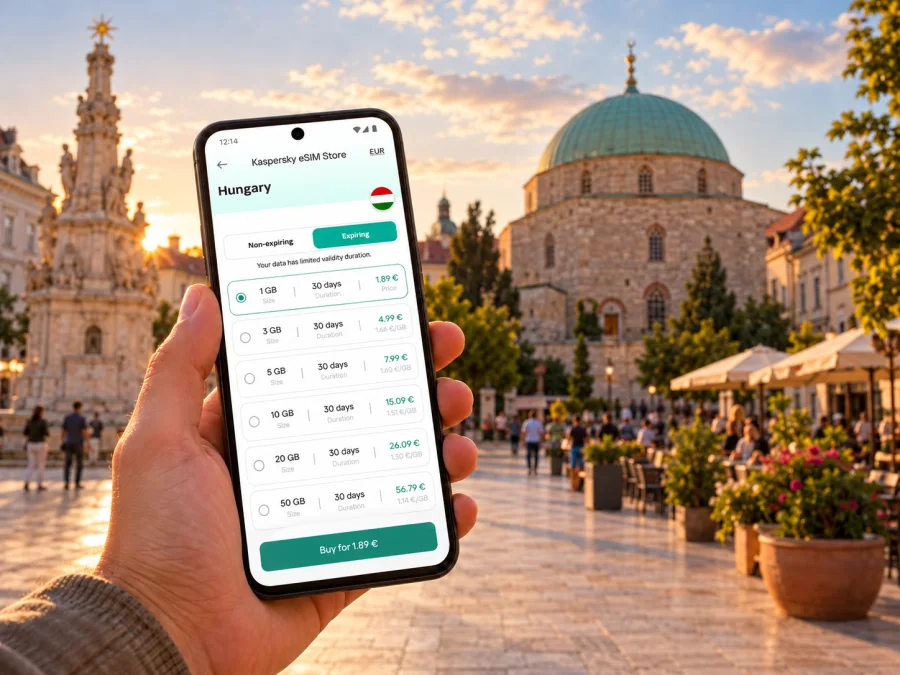
Kaspersky eSIM Store is an app and website where you can choose, purchase and activate an eSIM with a suitable plan for mobile internet abroad. Review eSIM plan options for Hungary and compare data, validity and terms before deciding.
Check your phone before you travel
An eSIM requires a compatible, unlocked device. Support can vary by model and region, so check your device settings or manufacturer information and confirm it is not carrier-restricted. Check whether your device supports eSIM before selecting a plan.
Check that your operating system is current, you can access the eSIM details and internet is available for installation. With two SIMs, decide which line handles data. This plan is for data; calls, SMS and a Hungarian number are not included unless its terms say otherwise.
Check your home operator’s roaming terms. Some travel eSIMs require data roaming to be enabled on that line; follow the plan instructions. Selecting the eSIM for data does not prevent charges on your usual line, so review its settings too.
Install and activate the eSIM with a clear plan
Menus vary by phone and installation method. Read the plan instructions first; some profiles use a QR code, while others may offer an in-app or manual flow. Keep a QR code on another screen if needed, and do not delete a profile as an initial troubleshooting step.
- Prepare the phone. Connect to Wi-Fi and confirm compatibility.
- Read the eSIM details. Check whether installation or activation starts validity.
- Add and label the eSIM. Follow the prompts; keep the profile installed unless instructions say otherwise.
- Choose the data line. Select the travel eSIM when ready to use it.
- Connect and test. Enable roaming if required, wait for registration and open a simple page.
Use the appropriate step-by-step guide for your phone: eSIM installation instructions for Android or eSIM installation instructions for iPhone. Menu names vary by device, so follow its on-screen prompts.
If the eSIM does not connect
Start with these checks:
- Confirm the eSIM is switched on, selected for data and includes Hungary.
- Check validity, remaining data and whether roaming is required.
- Move location, toggle airplane mode or restart if the plan instructions recommend it.
- If the issue remains, contact support with your model, location and error details.
Do not delete a profile as a first step; some cannot be installed again after removal.
Choose a route around the city
Public buses in Pecs are operated by Tüke Busz. Check current operator information for routes, fares and ticket rules; do not assume one ticket covers different modes.
For nearby sights, consider walking time, hills, weather and luggage. For cross-town or evening journeys, check transport options and the return route before leaving.
Three practical Pecs itineraries
A short city break: Start near Széchenyi Square and group nearby historic sights. Save museum names and an offline map.
A culture-focused day: Check current details for the cathedral area, a museum and the Zsolnay Cultural Quarter. Save the transfer and return route.
A work trip: Save the hotel, meeting address and a nearby landmark. Download documents over Wi-Fi and reserve data for maps and schedule changes.
A day trip beyond Pecs
Pecs is a base for exploring Baranya County and the Pecs–Villány region. MÁV lists rail services from the city; verify destination, operating day, transfers and return journey before setting out.
Save the station name and ticket offline, check transfers and download a wider map for rural routes. Transport frequency and reception can differ from the centre, so check plan coverage for the whole route.
If travelling into Croatia or another country, check that destination in the plan terms. Keep tickets and essential addresses offline.
Keep mobile data useful, not wasteful
Maps and messaging generally use less data than streaming or large uploads. To preserve your allowance:
- Download maps, playlists, tickets and large attachments over Wi-Fi before going out.
- Turn off automatic app updates and cloud photo backup on mobile data if you do not need them during the trip.
- Use low-data or offline modes where they are available.
- Check which SIM is selected for mobile data after restarting the device or changing a line setting.
- Review usage in the phone and in the plan account; the two counters may update at different times.
- Use Wi-Fi for large downloads when you trust the network and understand its terms.
An eSIM can reduce the need to search for Wi-Fi when you need directions. Carry a power bank for a day of phone navigation.
Before-you-go checklist
- [ ] Check the exact phone model for eSIM support and confirm it is unlocked.
- [ ] Compare plan destination, data amount, validity, price and hotspot conditions.
- [ ] Confirm when the plan’s validity starts and whether you should install it before departure or after arrival.
- [ ] Save tickets, hotel details, meeting addresses and a city map for offline access.
- [ ] Check current Budapest–Pecs transport and any transfer details close to travel.
- [ ] Keep your regular number’s roaming settings and the travel eSIM’s data settings separate.
- [ ] Bring a charger and enough battery for maps, tickets and messages.
Frequently asked questions
Can I fly directly to Pecs?
Pecs-Pogány Airport is an option to check, but flights and routes depend on the current schedule. If Budapest is your arrival point, compare train, coach and car connections for your date.
Can I use an eSIM for buses and navigation in Pecs?
Yes, if your device supports eSIM and the active plan includes Hungary with data remaining. Check current bus details with Tüke Busz and save key information offline.
Does an eSIM include a Hungarian phone number?
Not necessarily. The eSIM plans discussed here are for mobile data unless the specific plan terms explicitly include calls or SMS. Internet-based messaging and calls may work through apps, subject to their requirements and your data connection.
Should I install the eSIM before reaching Pecs?
Yes, if the plan instructions allow it. Check when validity starts, install over a reliable connection and enable data as directed.
What if my phone has two SIMs?
Choose the travel eSIM for mobile data and review call, message and roaming settings for your usual SIM.
Will the connection work everywhere in Pecs and on day trips?
No mobile plan can guarantee the same reception in every building, street or rural area. Availability depends on the local network, terrain, indoor conditions, device and plan. Check the plan’s stated coverage and keep offline maps and travel details as backups.
Get ready for your Pecs trip
Before you leave, confirm that your phone is compatible, choose a plan that matches your full Hungary itinerary and read its activation terms. Kaspersky eSIM Store lets you choose, purchase and activate an eSIM for mobile internet abroad through its app and website. Explore eSIM plan options for Hungary, compare the current terms and prepare your phone using the Android or iPhone instructions above. Once the essentials are saved, you can spend less time sorting out data and more time finding your way through Pecs.


