Travel connectivity guide
Pedasi eSIM in Panama: Mobile Internet Guide
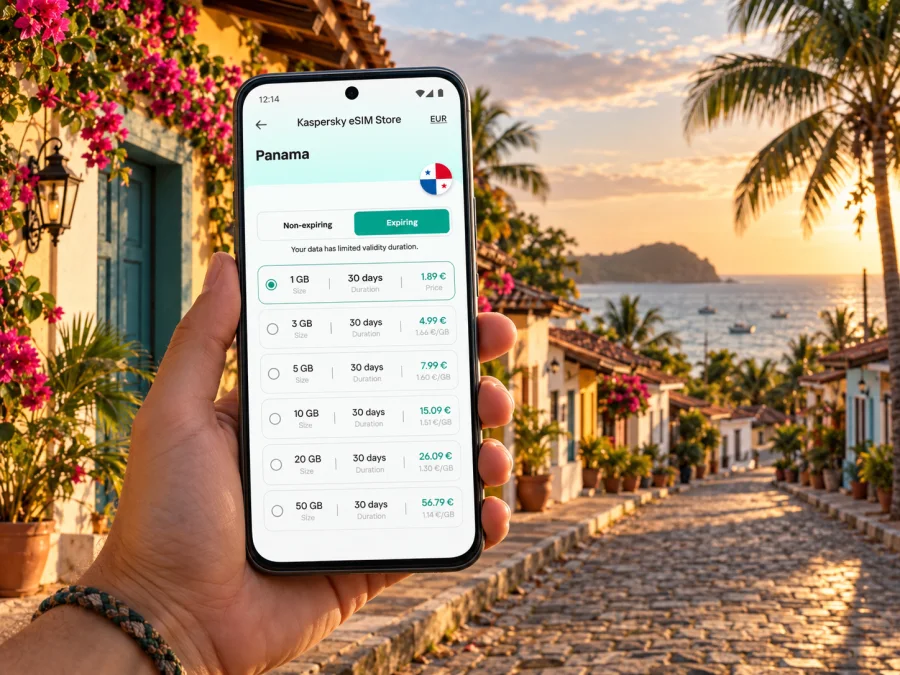
Pedasi eSIM: mobile connection and internet for your trip
Pedasi is a small town on Panama’s Azuero Peninsula, in Los Santos Province, where a visit often combines the town center with beaches, boat trips and drives through the countryside. Mobile internet is useful for coordinating a ride, checking a map, confirming a tour, translating a menu or messaging your accommodation. The practical challenge is that the trip is spread across several places: you may arrive in Panama City, travel for hours by road, stay in Pedasi and make day trips to the coast.
An eSIM can help you prepare mobile data for the Panama part of that journey without swapping out your physical SIM. Kaspersky eSIM Store is an app and website where you can choose, purchase and activate an eSIM with a suitable data plan for an international trip. Before you travel, check the plan’s country coverage, data allowance, validity period and activation conditions. Coverage depends on the local network used by the selected plan and on where you are; no plan should be treated as a promise of signal at every beach, inside every building or on every boat route.
What mobile internet is useful for in Pedasi
Pedasi is not a large city with a dense public-transit grid. A visitor may walk around the compact center, arrange a car or taxi for a beach, and book a boat trip to Isla Iguana from the El Arenal area. That makes a connection useful for coordination as much as for browsing: the correct pickup point, the host’s directions and a last-minute change to a tour can matter more than continuous video streaming.
You are likely to use data for:
- maps and navigation between your lodging, the town center, El Arenal and nearby beaches;
- messages with a hotel, rental host, driver, guide or boat operator;
- checking opening hours, weather updates and reservation details;
- translation, digital tickets, travel documents stored online and ride arrangements;
- sharing photos or making an internet call when a regular voice call is not included in your plan.
Download an offline map of the Azuero area before leaving a reliable Wi-Fi connection. Save the address and phone or messaging details for your lodging, plus the name of the beach or dock where a tour meets. Offline maps are a useful backup, but current directions, live traffic and messages still need a data connection. Keep important booking information accessible offline as well.
Plan the arrival before you leave Panama City
For many international visitors, Panama City is the first stop before the overland journey to Pedasi. The Panama Tourism Authority describes the road route from the capital through the Pan-American Highway to Divisa, then toward Chitre and Las Tablas before reaching Pedasi. Its published journey estimates vary by route and conditions, so use them as planning context rather than a guaranteed arrival time. Allow extra time for traffic, stops, weather and the final regional leg.
If you are driving, download the route in advance and keep your phone charged. Navigation can help with turns at highway junctions, but do not rely on a phone screen while driving: set the route before departure, use a passenger to check it, or pull over safely. Save your accommodation’s location and confirm whether its access road is paved and easy to find after dark.
If you are travelling by bus, first check the current departure point, route and onward connection. The Albrook terminal in Panama City is a common starting point for trips toward the Azuero region, while the final leg to Pedasi may require a regional bus, taxi or pre-arranged transfer from a larger town. Timetables and connections can change, and the last local departure may not line up with your arrival. Confirm the full journey with the transport provider before you set out rather than assuming a single ticket takes you to your door.
Some itineraries also consider domestic flights or nearby airports. Routes and operating days are not fixed year-round. Check the current schedule with the airline and confirm how you will cover the onward transfer to your accommodation. A flight that lands near the region does not remove the need to coordinate ground transport.
Keep these details together before departure:
| Detail | Why it helps |
|---|---|
| Lodging name, address and map pin | Gives a driver an unambiguous destination and helps if a map search returns several results. |
| Arrival time and transfer contact | Makes it easier to coordinate if a bus or flight is delayed. |
| Offline route and battery backup | Helps during a long road leg when charging or mobile signal may be limited. |
| Tour meeting point | Prevents confusion between the town, beach access roads and boat departure areas. |
Choose a plan for the whole Panama itinerary
A city article can be useful even though the right eSIM choice is made for the destination market, not for one town. Select Panama as the country in the plan details and check whether the plan is valid for the places on your itinerary. If your trip continues to another country, confirm that the selected plan includes it before purchase; a Panama plan should not be assumed to cover a neighboring destination.
A simple way to estimate your data needs is to list your daily tasks:
- Navigation: Are you checking a route several times a day, or keeping turn-by-turn directions active for longer drives?
- Communication: Will you mostly send text messages, or make frequent video calls?
- Photos and files: Will you upload images while out, or wait for Wi-Fi at your lodging?
- Work: Do you need email and document access, or will you join meetings and share large files?
- Trip length: Does the plan remain valid for the full stay, including travel days on either side?
Use your normal habits as a guide, then leave some headroom for route changes or an unexpected extra day. If the plan allows top-ups, check how they work before relying on them. The selected plan’s stated terms determine when validity begins, whether unused data expires and what happens when the allowance is used. Do not infer those details from another plan.
Match the plan to your travel style
| Travel pattern | Practical approach |
|---|---|
| Short stay in town | Prioritize enough data for directions, messages, bookings and everyday searches. |
| Pedasi plus day trips | Leave room for navigation and coordinating pickups to beaches and activity meeting points. |
| Remote work | Check the plan’s data amount and validity carefully; use accommodation Wi-Fi for large transfers when suitable, and keep a backup connection plan. |
| Several stops in Panama | Choose a plan whose stated validity and country coverage fit every stop, not just the first night. |
| Panama plus another country | Verify coverage for each country or select a regional option only if the terms explicitly include all destinations. |
For a trip centered on Pedasi, think about what you will actually do online. Light use—maps, messaging, email and occasional searches—usually needs less data than frequent photo uploads, video calls or streaming. Lodging Wi-Fi may help with larger downloads, but do not assume it will be available or reliable at every property. You can review eSIM options for a trip to Panama and compare the data allowance, validity, price and activation terms shown for each available plan.
What to expect from mobile coverage around town and the coast
Pedasi’s compact center and its surrounding destinations are different usage environments. A connection that works in a hotel or near a main road may behave differently indoors, on a rural stretch, at a beach or offshore. Isla Iguana is reached by boat, and the boat crossing is not a place to expect uninterrupted mobile data. Save directions and tour details before departure, agree on the return plan with your guide, and avoid depending on a live map once you are away from land.
An eSIM plan uses a local partner network in Panama according to its own terms. The precise network, supported technology and roaming settings can differ between plans. Check the plan information for the network arrangements and any setup requirements. Panama’s mobile market and infrastructure can change, and public coverage maps are not a guarantee of service at a specific room, road bend or stretch of water. If you need a critical connection for work, ask your accommodation about its Wi-Fi and identify a backup location before you rely on it.
The destination-market distinction matters: the country selected for the eSIM is Panama, while actual radio access is provided through the network arrangement stated for that plan. Kaspersky eSIM Store is the app and website for choosing and managing the eSIM; it is not the mobile network operator. Do not assume a familiar home carrier name, a Panama-wide signal guarantee or identical performance across every plan.
Practical habits can make limited data easier to manage:
- switch off automatic app updates and cloud photo backup over mobile data;
- download maps, playlists and travel documents while connected to trusted Wi-Fi;
- use lower video quality or audio-only calls when bandwidth is limited;
- check which SIM is selected for mobile data before turning off airplane mode;
- keep your home SIM available for calls or texts if you need it, while reviewing its roaming charges;
- use a power bank on long drives and excursions, since navigation and camera use drain a battery.
Check your phone before buying
An eSIM needs a compatible, unlocked device. Support can vary by manufacturer, exact model number and sales region; two phones with nearly identical product names may not have the same SIM capabilities. Some models sold for particular markets have different hardware or eSIM restrictions. Check the manufacturer’s specifications for the exact model and confirm that the phone is not carrier-locked. Check whether your device supports eSIM before choosing a plan.
Also check that the operating system is up to date, that you can connect to Wi-Fi during setup and that you can access the email or account where your installation details are delivered. If you use two SIMs, decide which line should handle mobile data and which should remain available for your regular number. An international data eSIM generally does not provide a standard local phone number, voice minutes or SMS unless the plan explicitly says otherwise. Internet messaging and calls may work through apps, subject to their own availability and data use.
Install before departure, activate at the right time
You can prepare the eSIM before travelling, but follow the activation instructions attached to the specific plan. Some plans start their validity when installed; others start when they first connect to a supported network. Confirm this before installing so the validity period covers the dates you need. Avoid deleting an installed eSIM profile as a troubleshooting shortcut: some profiles cannot be installed again after removal.
A careful setup sequence is:
- Connect the phone to Wi-Fi and open the purchase or installation details in the app, website or email.
- Add the eSIM through the phone’s mobile or cellular settings, using the QR code or manual method supplied for that plan.
- Label the new line something clear, such as “Panama data,” so you can identify it while travelling.
- Keep your usual number selected for calls or messages if needed, and choose the Panama eSIM for mobile data when the trip begins.
- Turn on data roaming for the eSIM only if the plan instructions require it. Check the line selection before enabling roaming on your home SIM.
- Allow the phone time to register, then check the plan’s remaining data and validity in the app or account.
Use the relevant step-by-step guide for your phone: eSIM installation instructions for Android and eSIM installation instructions for iOS. Menu names vary with device and operating-system version, so follow the instructions shown on your screen.
If the eSIM does not connect, first confirm that the profile is enabled and selected for mobile data. Check that airplane mode is off, restart the phone and review whether data roaming is required by that plan. Then compare the displayed network and settings with the plan instructions. If you are indoors or outside town, try again in a place where local signal may be better. Contact support if the issue continues, and keep your order details available.
Use data thoughtfully during a Pedasi stay
The most useful setup is often a mix of mobile data and offline preparation. Use the connection when a task depends on fresh information—confirming a driver, finding a turn, checking a booking or messaging your host. Use saved material for information that does not need to update, such as a walking route through town or a downloaded document.
Before a beach day, send the guide a message while you still have a connection and confirm the meeting point, departure time, return arrangement and what happens if weather changes. Save the contact and location. Boat trips, remote beaches and country roads can have gaps in service. Follow local safety guidance and your guide’s instructions rather than using the phone as a substitute for them.
For a work trip, test the connection soon after arrival with ordinary tasks such as email and document access. Do not assume that a data plan will support long video meetings at every location. Ask the host about Wi-Fi speed and backup options, schedule large uploads for a stable connection and keep essential files available offline. If a meeting is critical, arrange an alternative venue or connection in advance.
If you are staying in more than one place, check in with each property about its exact location and access instructions. A map pin can lead to a road entrance rather than a reception desk, and a rural property may have limited signage. Save a screenshot of the route and confirm the final approach with the host while you still have data.
Common questions
Is Pedasi a separate eSIM destination?
Usually, plans are selected for a country or region. For this trip, check the Panama plan details and use the town-specific advice here to estimate how you will use data. Do not assume that a plan for another country or a regional package includes Panama unless its terms say so.
Will mobile data work everywhere in Pedasi?
No mobile plan can guarantee service at every location. Signal can vary by local network, terrain, building, weather and distance from infrastructure. Check the plan’s network information and save important travel details offline, especially before a boat trip or a drive away from the town center.
Can I use the eSIM for ordinary calls?
An international data eSIM is generally for mobile internet and may not include a phone number, standard voice calls or SMS. Confirm the specific plan terms. You can use internet calling or messaging apps when you have a suitable data connection and the other person can use the same service.
Should I install the eSIM before flying?
You can often install it in advance, but check when the plan’s validity begins. If validity starts at installation, wait until the timing makes sense for your trip. Keep the profile installed and follow the plan’s activation instructions when you reach Panama.
What if my phone was bought in another country?
Check the exact model number with the manufacturer and use the device compatibility check. Regional versions can differ, and a phone may also be locked to its original carrier. Confirm both eSIM support and unlock status before purchase.
Is an eSIM enough for a remote-work stay?
It depends on your workload, plan allowance and the connection available at your lodging. Confirm the data terms, ask about Wi-Fi and arrange a backup for important calls. Avoid treating mobile data as a guaranteed fixed broadband replacement.
A short preparation checklist
Before leaving for Pedasi, make sure you can answer these questions:
- Is my exact phone model eSIM-compatible and unlocked?
- Does the selected plan explicitly cover Panama for my travel dates?
- Do its data amount, validity and activation rules fit the full itinerary?
- Have I saved my accommodation address, transfer details and tour contacts?
- Are maps and important tickets available offline?
- Do I know which line will use mobile data and whether roaming is required for that eSIM?
- Do I have a charging cable or power bank for a long transfer or day trip?
A little preparation is especially useful for Pedasi because the journey does not end at a major airport terminal: it continues by road into a smaller town and often onward to beaches or a boat departure point. Keep the phone ready for the moments when live information helps, and keep offline copies for the stretches when it does not.
Prepare your eSIM for Panama
Before departure, use Kaspersky eSIM Store on the app or website to choose and activate a suitable eSIM plan for your Panama trip. Review the plan’s coverage, local network details, data allowance, validity and setup steps, then install it on a compatible, unlocked phone at the right time. Choose an eSIM plan for Panama and save your Pedasi directions and travel contacts before you leave.


