Travel connectivity guide
Pedro Juan Caballero eSIM: Travel Internet Guide
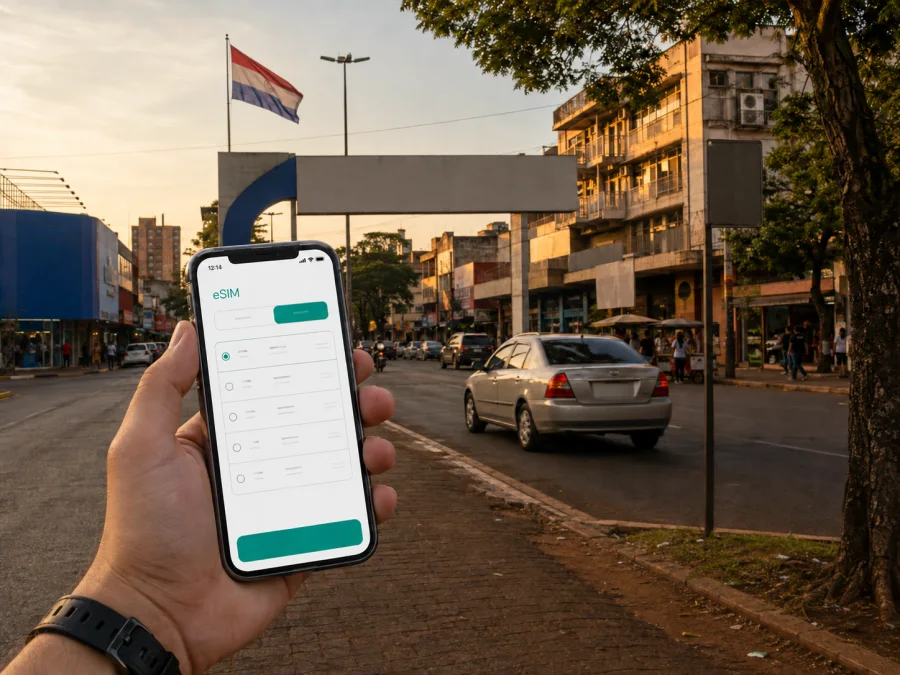
Pedro Juan Caballero eSIM: mobile connection and internet for travel
Pedro Juan Caballero is a practical stop on Paraguay’s eastern border, where a trip can involve city streets, a hotel, a business meeting, and a short crossing into the neighbouring urban area of Ponta Porã in Brazil. In that setting, mobile internet is useful from the first moment: you may need to check a transfer, open a map, message a host, translate a notice, or confirm a meeting time. An eSIM can help you prepare that connection without buying a physical SIM card after arrival.
Kaspersky eSIM Store is an app and website where you can choose, arrange, and activate an eSIM with a suitable data plan for an international trip. The plan is selected for the relevant country or region, and the available conditions should be checked before purchase. This guide focuses on using an eSIM around Pedro Juan Caballero: arriving in the city, getting around, staying at a hotel, working on the move, and continuing to another destination.
Why an eSIM can be useful in Pedro Juan Caballero
The first hours can combine an overland arrival, a local airport transfer, a hotel meeting, or movement across the wider border area. A working data connection helps with these tasks without relying on the first public Wi-Fi network available.
An eSIM is a digital SIM profile installed on a compatible device. For a trip to Pedro Juan Caballero, its practical role is mobile data: maps, messaging, booking confirmations, online translation, email, and other services that need an internet connection. It is not automatically a replacement for a regular phone number. Voice calls and SMS are not included unless the conditions of the selected plan say otherwise; internet-based messengers can be used for calls and messages when your data connection is active.
There are several moments when this matters:
- Arrival and transfer. Keep a booking confirmation, message a driver, and check the route to your accommodation while you are still orienting yourself.
- First navigation. Use a map to locate a hotel, bank, pharmacy, café, or meeting point instead of downloading everything only after arrival.
- Border-area movement. The city’s connection with Ponta Porã makes it important to know which country or region your plan covers before you cross the boundary.
- Work and appointments. Email, cloud documents, two-factor authentication, and video calls are easier to manage when you are not searching for a stable Wi-Fi network.
- A short stopover. Even a brief visit can require data for a ticket, a message, directions, or a change to the next leg of the trip.
The benefit is a connection plan prepared before the route becomes complicated, with data volume and validity considered in advance.
Pedro Juan Caballero as a connected border-city itinerary
Pedro Juan Caballero and Ponta Porã form a closely connected urban area on opposite sides of the Paraguay–Brazil border. For a visitor, this changes the way a route is planned. A hotel may be in one city, a meeting in the other, and a later bus or road journey may continue through Paraguay. The map, transport details, and communication needs can change with each part of that itinerary.
It is useful to divide the visit into three simple zones rather than assume that one connection task covers the whole trip:
| Part of the itinerary | What you may need mobile internet for | What to check before leaving |
|---|---|---|
| Arrival into Pedro Juan Caballero | Transfer messages, maps, accommodation details, translation | The plan’s country or regional coverage and the point at which data starts being used |
| City and border-area movements | Navigation, messaging, ride coordination, opening hours, digital payments | Whether your route crosses into another country and whether the selected plan is relevant there |
| Departure to another destination | Tickets, route changes, work messages, maps, weather updates | Validity period, remaining data, and access to the account used to manage the eSIM |
Getting online after arriving
After installation, check which line is selected for mobile data. A phone can have a physical SIM and an eSIM at the same time, but the data setting must point to the intended profile. If the device asks for data roaming for that eSIM, follow the plan and device instructions.
Open a map or send a short message before leaving the arrival point. This can reveal a wrong data line or a disabled mobile-data setting.
That preparation makes the next step clearer when you are planning a border-city route. For a trip that stays in Pedro Juan Caballero, you can choose an eSIM plan for travel in Paraguay after checking the country, data amount, validity period, and other terms shown for the selected option. Kaspersky eSIM Store helps you prepare the choice and activation workflow; read the selected plan’s conditions before payment.
Moving around the city with less friction
Pedro Juan Caballero is easier to navigate when the journey is broken into short, verified segments. Check the next destination before leaving the current one, especially when the itinerary includes a hotel, a commercial area, a border crossing, or a meeting at a different address.
Maps and address details
Keep the exact street address, a nearby landmark, and the name of the destination in your notes. Addresses can be easier to confirm when you have both the written details and a map pin. If you are meeting a driver or colleague, agree on a recognisable pickup point and send a short message when you are ready to leave.
Navigation data is usually lighter than video or large downloads, but repeated searches, photo uploads, and live location sharing can add up. An offline map can help where the application supports it, while the eSIM remains available for live changes and messages.
Local transport and border movement
When the route crosses the border, treat it as a new planning point. Confirm the countries involved, the plan’s coverage, and the data line that will be used. An eSIM profile does not remove border formalities or replace travel documents; it simply supports the digital tasks around the journey when its conditions apply.
Hotels, cafés, and short stops
For accommodation, mobile data is useful for late-arrival messages, checking a reservation, and finding the entrance. In a café or coworking setting, it can reduce dependence on an unfamiliar public network when you need to send a document or authenticate a service. Use account security on any network.
Choosing the right eSIM plan for your route
The right choice depends on how you will use the phone: maps and occasional email differ from video meetings, photo sharing, and cloud tools.
Start with four questions:
- Where will you use data? Pedro Juan Caballero, other Paraguayan cities, Ponta Porã, or a wider regional route may require different coverage.
- How long will the trip last? Compare the plan’s validity with the actual dates of arrival, departure, and any extra nights.
- What will consume data? Navigation and text messages are usually lighter activities than video calls, streaming, automatic photo backup, or hotspot use.
- What must remain available? Reserve enough data for maps, authentication codes, work communication, and an unexpected change to the route.
A practical usage estimate
You do not need a perfect forecast. List everyday actions and mark the heavier ones:
| Usage pattern in Pedro Juan Caballero | Typical needs during the day | Planning consideration |
|---|---|---|
| Light city visit | Maps, text messages, confirmations, occasional searches | A smaller data allowance may be enough if photos and video are limited |
| Multi-day stay | Daily navigation, messaging, email, reservations, social uploads | Match the validity period to the full stay and leave a margin for arrival and departure |
| Business trip | Email, documents, authentication, scheduled calls, route changes | Check whether hotspot use is allowed or needed and avoid using the travel line for automatic backups |
| Border itinerary | City navigation plus movement into another country or region | Verify coverage for every country on the route before choosing a plan |
These are planning categories, not promises about a specific amount of data. Confirm available data, duration, price, and activation conditions on the plan page when you choose it. Turn off automatic updates over mobile data if needed.
Installation before the trip or after arrival
Installing before departure can simplify the first part of the trip. Keep access to the account and QR code or installation details; do not remove your existing connection until the new profile has been checked.
Use this order:
1. Check the device
Make sure the phone supports eSIM and is not locked to an operator. Models can vary by market, so compare the actual device and regional version rather than relying only on a familiar model name. You can check your device compatibility before selecting a plan.
2. Choose the travel profile
Select the country or region that matches the route. Review the data allowance, validity period, activation conditions, and any limitations that matter for your use. Do not assume that a plan for Paraguay automatically covers every part of a cross-border itinerary.
3. Add the eSIM
Open the mobile-network settings and select the option for adding a cellular or eSIM plan. Scan the QR code or follow the installation details shown in your account. Keep the existing SIM available until the new profile is installed successfully.
4. Select the data line
In the mobile-data settings, choose the travel eSIM for data. If your phone offers a separate data-roaming switch for that profile, use the setting required by the selected plan. Leave your regular number available for calls or messages only if that is appropriate for your roaming conditions.
5. Test a small request
Open a map or send a message and confirm that the travel profile is being used. If you need more detail, follow the Android installation instructions or the iOS installation instructions. Connection may take a few minutes, and the precise screens depend on the device.
If you activate after reaching Pedro Juan Caballero, keep the instructions and account details accessible. Read the selected plan’s terms because activation timing can differ.
What to check before buying
Use this checklist before payment:
- [ ] The destination is Paraguay, or the chosen region includes every country on the route.
- [ ] The device supports eSIM and is not operator-locked; check compatibility here.
- [ ] The validity period covers the full stay, including arrival or departure changes.
- [ ] The data allowance fits maps, messaging, work tools, internet calls, and media.
- [ ] You understand when validity or data use begins and which line will carry data.
- [ ] You have access to the account, QR code, and installation instructions.
Also check whether you need a normal number for voice calls or SMS. This travel eSIM is intended for mobile internet; ordinary calls or SMS are not included unless the specific plan says otherwise. Your existing line or an internet messenger may cover those needs.
Scenarios for a Pedro Juan Caballero trip
A short border stop
You arrive, need directions to a hotel, and have only a few hours before continuing. Use the correct country profile, keep the reservation offline, and reserve data for maps and messages.
A city stay with daily errands
You are staying several days and moving between accommodation, shops, appointments, and places to eat. Save repeated addresses and check remaining data in the account or device settings.
A business visit
For work, confirm the hotel or meeting address, keep two-factor authentication available, and verify hotspot support before relying on it.
A longer Paraguayan route
Pedro Juan Caballero may be one stop before another city. Before leaving, review the next destination and remaining validity, especially for a cross-border segment.
Common questions
Does an eSIM replace a local phone number?
Usually not. The travel eSIM is intended for mobile internet, and a separate phone number, ordinary voice calls, or SMS are not included unless the conditions of the selected plan explicitly say so. Use your existing number where appropriate or communicate through internet messengers.
Can I use the same setup on both sides of the border?
That depends on the plan’s countries or regions of validity. Pedro Juan Caballero is next to Ponta Porã, but the international boundary still matters for plan selection. Check coverage for each side before crossing rather than assuming that a Paraguay plan applies in Brazil.
What if the phone shows no data after installation?
First confirm that the eSIM is enabled and selected for mobile data. Check the required data-roaming setting, make sure flight mode is off, and restart the device if appropriate. If the issue continues, compare the settings with the installation guide and contact support.
Prepare your mobile internet for Pedro Juan Caballero
Pedro Juan Caballero rewards a route-aware approach: the border, urban trips, hotel logistics, and onward travel all affect data use. Kaspersky eSIM Store helps you choose, arrange, and activate an eSIM for the relevant plan without a physical SIM card.
Review the destination, device compatibility, data allowance, validity, and activation conditions, then choose an eSIM plan for your trip to Paraguay. Install it when it suits your itinerary and use the eSIM for essential mobile data.


