Travel connectivity guide
Peja eSIM: Mobile Internet for Your Trip
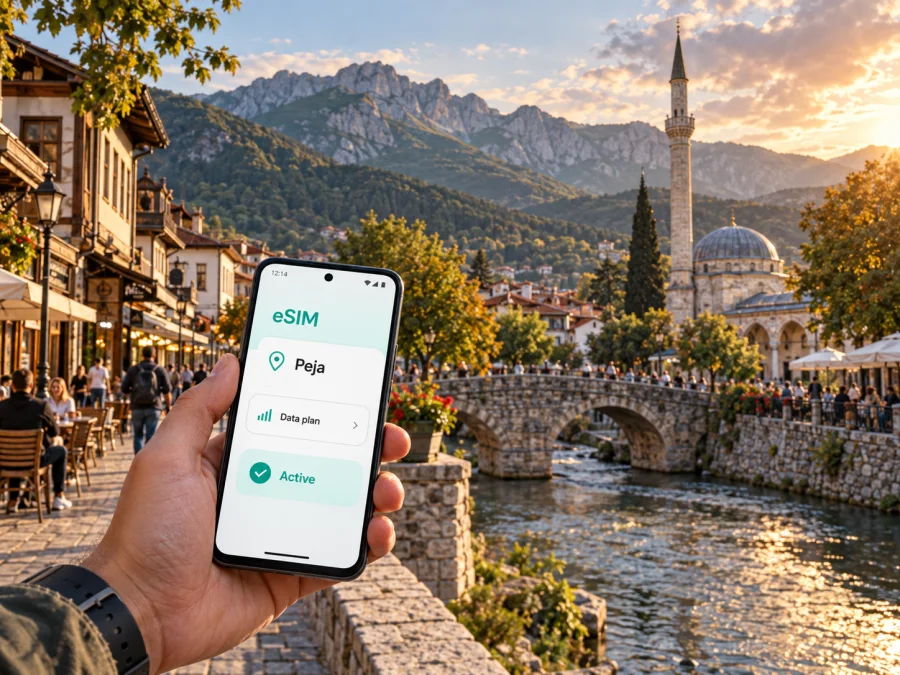
Peja eSIM: mobile connection and internet for your trip
Peja is a practical base for exploring western Kosovo: the city combines a walkable centre, historic streets, the Lumbardhi river and quick access to the Rugova mountains. If you are arriving for a weekend, a work visit or a longer route through the region, reliable mobile internet makes the first hours much easier. You can check a transfer, message your host, open a map, translate a sign or share your location without looking for a physical SIM card at the airport or a shop.
An eSIM is a digital SIM profile installed on a phone that supports it. For a trip to Peja, it can be used for mobile data while your regular SIM remains available for calls or messages, subject to your home operator’s settings. Kaspersky eSIM Store is an app and website that helps you choose, purchase and activate an eSIM with a suitable data plan for a trip abroad. The right choice depends on your dates, route, expected use and the conditions shown for the selected plan.
Why mobile internet matters when you arrive in Peja
The airport transfer is the first moment when a data connection can save time. Many visitors plan an onward journey to Peja after landing at Pristina International Airport, coordinating a taxi or bus, confirming a hotel address and following a route before check-in. Installing an eSIM before leaving home gives you a practical option for getting online during that journey.
The same applies if you arrive by road or rail from another Kosovo city. Live maps and messaging are more flexible when a driver suggests a different meeting point, a bus arrives elsewhere or a host sends a last-minute check-in message.
During the first hour, use data to confirm accommodation, send an arrival message, compare the route from the transport point and save key city locations. Translation tools and messaging apps can handle small questions without a standard phone call.
Peja is compact enough for many central errands on foot, but it is also a starting point for trips towards Rugova, nearby cultural sites and other towns. Have maps and communication ready before you set out.
Peja in one day: plan data around the city, not just the hotel
A short stay often starts in the centre. The old bazaar, cafés, museums and historic buildings can be combined in a walking route, while the Lumbardhi river gives the city a natural reference point. The Peja Museum, Haxhi Zeka Mill and old market area are useful map pins when you are building a route.
The cultural landscape includes Ottoman-era architecture and religious heritage. Bajrakli Mosque is in the old bazaar area, while the Patriarchate of Peć is near the entrance to the Rugova area. Check current visiting arrangements, dress appropriately where required and follow local instructions about photography.
A simple walking routine
- Mark your accommodation and a second meeting point in the city centre.
- Group nearby stops into one route instead of crossing town repeatedly.
- Keep the phone charged and save the hotel address offline.
- Use live navigation for unfamiliar streets, then lock the screen when the route is clear.
The same routine helps a conference participant move between a hotel, meeting venue and restaurant without putting work messages on hold.
From the city centre to Rugova
Rugova Gorge is one of Peja’s defining local landscapes and begins a short distance from the urban area. The route leads towards the Rugova mountains, with the Lumbardhi associated with the gorge and a succession of viewpoints, trails and outdoor activities. Conditions, access and the time needed vary by season and by the exact place you plan to visit, so treat the gorge as a separate outing rather than an extension of a quick city walk.
Mobile internet is especially useful here for practical reasons. Before leaving, you can check the route, weather information and meeting arrangements with a guide or driver. During the outing, data can help you share your position, contact your group and return to the correct road. Mountain terrain can affect a signal, so do not treat a connection as a substitute for preparation. Download key directions, carry water and let someone know your plan when you go beyond the built-up area.
The old stone bridge and the road through the gorge are recognizable parts of the Peja area, but a photograph does not tell you whether a trail is suitable for your experience. If you plan hiking, climbing, a via ferrata or a longer drive into the mountains, confirm the route locally and allow extra time. A regional data plan may be more relevant than a city-only assumption if your itinerary includes Peja and several destinations in Kosovo or neighbouring parts of the Balkans.
City day or mountain day?
| Scenario | What usually uses data | Preparation that helps |
|---|---|---|
| Walking in central Peja | Maps, messages, venue information and photos | Save the accommodation and meeting points |
| Transfer into Rugova | Navigation, calls through messengers and location sharing | Check the route and download essential directions |
| Outdoor activity | Group coordination, weather checks and emergency communication | Charge the phone and carry offline information |
| Multi-city itinerary | Tickets, timetables, translation and hotel check-in | Choose a plan whose country or region coverage matches the route |
The table is a planning aid, not a promise about coverage in a particular valley or building. The local network available to an eSIM depends on the selected plan, the partner network, terrain and the device. Keep expectations realistic and read the plan details before purchase.
Choosing an eSIM plan for a Peja trip
Start with the route rather than a generic amount of data. Someone spending two days in central Peja may mainly use maps, messaging and occasional searches. A remote worker may add video calls, cloud files and tethering. A traveller driving through Kosovo and continuing towards Montenegro, Albania or North Macedonia should check whether a country plan or a regional option better matches the full itinerary. Do not assume that a city name describes the plan’s actual area of validity.
Review these details before selecting an option:
- Destination or region: confirm that the plan includes Kosovo and every additional country on your route when applicable.
- Validity period: compare the start conditions with your arrival and departure dates.
- Data allowance: estimate maps, messaging, social media, work tools, streaming and hotspot use separately.
- Activation conditions: check when the profile becomes active and when data use begins.
- Device rules: make sure the phone supports eSIM and is not locked to a mobile operator.
- Top-up conditions: understand how additional data can be added if your stay changes.
For an itinerary centred on Peja, a regional option can be worth considering when you will cross borders or connect several cities. A country-specific option may be easier to evaluate when Kosovo is the only destination. The available options and conditions can change, so use the current details shown at the time of purchase rather than relying on an old screenshot or a recommendation written for another trip.
At this point, after you have matched the plan to your route and expected use, you can review the available eSIM options for a Peja itinerary. The linked page is a useful place to compare the current destination and regional choices; read the inclusion list and validity terms before confirming anything.
Install the eSIM before departure or after arrival
Installing before departure can make the airport-to-Peja transfer less stressful. Installing after arrival can work if you have another internet connection and enough time to complete the process. In both cases, keep the purchase confirmation and QR code accessible, and do not delete an eSIM profile unless the plan instructions tell you to do so.
Before you buy
Check whether your device supports eSIM and whether it is free from an operator lock. This matters because compatibility can vary by model, region of sale and software configuration. Check your device compatibility before paying. Also make sure the phone has enough battery, you know the screen-lock passcode and you can connect to Wi-Fi or another data source during installation if needed.
Installation sequence
- Choose the destination and plan. Match its country or regional coverage to the Peja itinerary and review validity, data and activation conditions.
- Complete the purchase. Keep the confirmation and QR code accessible, ideally on a second screen.
- Add the eSIM. Open mobile-network settings, select the add eSIM option and scan the QR code or follow the in-app flow.
- Choose the travel line for data. Name it clearly, keep your primary line for calls if needed and confirm which line is selected for mobile data.
- Test on arrival. Enable data roaming for the eSIM only if required by the plan, then allow a few minutes for local registration.
For more detail, use the Android installation instructions or the iOS installation instructions. The exact menu names vary, so follow the instructions for your operating system and phone model rather than copying a setting from a different device.
Settings to check after activation
- Mobile data is assigned to the travel eSIM.
- Data roaming is enabled only where the plan requires it.
- Automatic switching is configured according to your preference.
- A basic web page or message works before you leave the hotel.
An eSIM plan is normally data-focused. Unless the selected terms say otherwise, it does not include a separate phone number, ordinary voice calls or SMS. You can use messaging and calling apps over mobile data, but keep your accounts, login details and home number available for verification where necessary.
Practical city scenarios
A work trip with an evening in Peja
Before the meeting, identify the route from the hotel to the venue and download any documents you need. If you plan a video call or hotspot session, check the plan’s tethering conditions and your employer’s security requirements. A data-only eSIM can support work apps, but it does not replace a separate voice service when a client expects a standard phone call.
A Peja and Rugova itinerary
Treat the city and the mountains as two connected but different environments. Confirm the driver, route and return time before leaving. Share a simple plan with someone at home, carry offline directions and keep the phone protected from rain and falls. Use data for coordination, not as your only source of route information.
Hotels, meetings and navigation
Peja accommodation ranges from central hotels to guesthouses closer to outdoor routes. Ask for a precise address and arrival instruction, save both online and offline, and put the hotel, meeting place, transport point and a backup café into one map folder. Tethering can help, but it uses extra data and battery.
Walking is often practical in the centre; taxis or local transport can help with luggage, late arrivals and trips farther out. Check current routes, stops and prices locally because schedules and fares can change.
A final checklist before leaving for Peja
- [ ] The phone supports eSIM and is not operator-locked.
- [ ] The plan includes Kosovo or the relevant regional route.
- [ ] Validity dates and activation conditions fit the trip.
- [ ] The QR code or installation flow is accessible.
- [ ] Hotel details, offline directions and contacts are saved.
- [ ] Home-line data roaming settings are understood.
Frequently asked questions
Is an eSIM useful for a short visit to Peja?
Yes, it can provide mobile data for maps, messages and arrival coordination without changing a physical SIM card. Compare validity and allowance with the length of your stay.
Can I keep my home number active?
Usually, you can keep the primary line active for calls and messages while assigning data to the travel eSIM. Settings differ, and your home operator may charge for roaming if its line uses mobile data.
Will the eSIM cover the Rugova mountains?
Coverage depends on the plan, underlying local network, terrain and exact location. Mountain roads and valleys can differ from the city centre, so download important information.
Does the eSIM include ordinary calls and SMS?
Not unless the selected terms explicitly include them. Travel eSIM plans are commonly data-focused; messaging and calling apps can work over available mobile data.
What if the connection does not start immediately?
Check that the eSIM is switched on, selected for data and configured according to the plan. Some devices may need data roaming enabled. Allow a few minutes for registration, then contact support if needed.
Prepare your Peja connection before the trip
Peja rewards flexible planning: the centre is manageable on foot, while the river, historic sites and Rugova routes invite you to move beyond one fixed address. An eSIM can simplify the digital side of that journey by keeping maps, messages and travel information available without a physical SIM swap. Check device compatibility, match the plan to Kosovo and the rest of your route, install it carefully and keep offline essentials ready.
When you are ready, choose an eSIM option for your Peja journey and review the current conditions before purchase. That small preparation step leaves you more time for the old bazaar, the riverside and the mountain road ahead.


