Travel connectivity guide
Peshawar eSIM: Mobile Internet for Your Trip
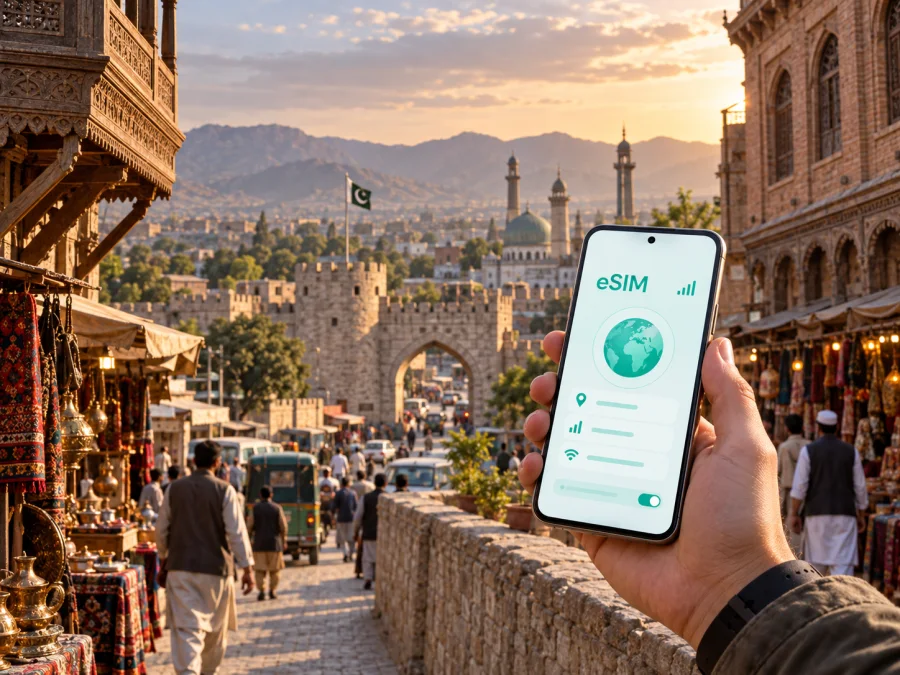
Peshawar eSIM: mobile connection and internet for your trip
Peshawar is a practical stop for travellers moving through north-western Pakistan, whether you are arriving for work, beginning a regional itinerary, or staying for a short city visit. An eSIM, or digital SIM, can help you prepare mobile internet without replacing the physical SIM already in your phone. With a suitable Pakistan plan, you can use maps, messages, bookings and travel information as soon as your device is ready.
Why mobile internet matters when you arrive in Peshawar
The first hours after landing usually involve several small tasks: locating your transfer, confirming a hotel address, messaging a host, checking a map and deciding whether to continue by car or public transport. At Bacha Khan International Airport, an active data connection can make those tasks easier because you do not have to search for a suitable Wi-Fi network before opening a map or sending a message.
Peshawar is the capital of Khyber Pakhtunkhwa and a major urban centre in the region. The city combines a historic inner area with newer neighbourhoods, commercial streets and districts used by universities, offices and hotels. A route that looks short on a map may still involve busy roads, turns that are easy to miss, or a change between a car journey and the city’s bus rapid transit system. Keeping navigation available while you are moving is therefore more useful than planning only one route from the airport.
An eSIM can be useful in this arrival scenario because it is digital. You can prepare the profile before departure, keep your usual SIM in the phone if your device supports dual SIM, and select which line is used for mobile data. The exact setup depends on your phone and the conditions of the chosen tariff, so it is important to read those conditions before travelling.
Common Peshawar arrival tasks
- Open a map to check the route from the airport to your accommodation.
- Message a driver, hotel or colleague when your arrival time changes.
- Confirm a booking or retrieve an address from email or a travel app.
- Use a translation tool while dealing with signs, directions or check-in details.
- Look up transport information before leaving the airport or hotel.
- Share your location with a person who is expecting you.
Together, these small tasks explain why a traveller may prefer a mobile-data option ready instead of depending on Wi-Fi in every airport, café or hotel.
Moving around the city: maps, transport and neighbourhoods
Peshawar rewards a flexible approach to navigation. You may stay near the airport for a short transfer, spend time around Saddar or the Cantonment area, visit University Town for meetings or accommodation, or travel toward Hayatabad for a different part of the city. The old city and bazaars have their own rhythm: a planned walking route can become a sequence of short stops, and a map is helpful for checking the next street instead of relying on one fixed itinerary.
For car journeys, keep the destination name and a nearby landmark ready. This is useful when a hotel or office is known locally by a landmark, a neighbourhood, or a road name. Before starting, check the route while you have a stable connection and save the key address in the app you use for navigation. If you expect to move between several districts, allow extra time for traffic and for finding the correct entrance to a busy street.
Public transport creates a different data pattern. If you use the Zu Peshawar bus rapid transit system, you may need to check a stop, confirm a direction, or coordinate the last part of the journey on foot. A small amount of data used for route checks can be more convenient than repeatedly asking for access to a Wi-Fi network. For a private car or taxi, the same connection helps with messages, live route changes and sharing the destination.
Keep the hotel address, airport transfer details, meeting point and any nearby landmark in your phone. This is a planning aid, not a promise about network performance in a particular building or road: local conditions, the device, the selected tariff and the underlying network can all affect the experience.
Choosing an eSIM tariff for a Peshawar trip
Start with the country of use. Peshawar is in Pakistan, so the relevant destination in the store is Pakistan rather than a separate city listing. If your itinerary continues to another Pakistani city, check whether the same country tariff fits the full route. If you cross a border, visit another country, or add a regional leg, review the applicable destination and conditions instead of assuming that one plan covers every part of the journey.
Next, estimate the length of the trip and the way you use data. A short stopover may need enough data for navigation, messages and booking checks. A week of sightseeing can add photo uploads, route searches, translation and calls through messaging apps. A business trip may include cloud documents, video meetings and tethering, which can use data much faster. The right package depends on your actual use, not on the city name alone.
Before you decide, compare the details shown for each available option:
- Destination. Confirm that Pakistan is included and that the plan fits every city on your route.
- Data allowance. Consider maps, messaging, uploads, meetings and any hotspot use rather than counting only social media.
- Validity period. Check when the validity starts and whether it covers your arrival day, departure day and any buffer for delays.
- Activation conditions. Read when the profile should be installed and when data use begins.
- Device requirements. Make sure your phone supports eSIM and is not restricted by an operator lock.
- Balance and top-up rules. If the tariff allows replenishment, understand how it is managed before you leave.
For the current Pakistan destination page, you can choose an eSIM tariff for a trip to Peshawar. Review the displayed data volume, validity and other terms at the time of selection because offers and conditions can change.
Match the package to the scenario: a stopover usually centres on airport messages and a few routes; a city break adds daily maps, translation and reservations; a business visit may add documents, meetings and tethering; a multi-city route needs data for repeated navigation. Your phone’s recent mobile-data history is a useful starting point. A displayed package is not a guarantee of a particular speed or signal in every location.
Install an eSIM before departure or after arrival
Installation is easier when you separate preparation from activation. With a dependable connection before departure, add the eSIM at home and leave it turned off until needed. If you install after landing, allow time to complete the device prompts. Setting names vary by manufacturer and software version.
Before you begin, check whether your device is compatible with eSIM and confirm that it is not locked to another operator. Keep the purchase confirmation or QR code available. You may also need access to the email address or profile where the installation details were delivered.
Five practical installation steps
- Check the device. Confirm eSIM support and make sure the phone can use a second mobile-data line if you plan to keep your regular SIM active.
- Open mobile-network settings. Look for an option such as “Add eSIM”, “Add mobile plan” or “Download a SIM”.
- Scan the QR code or follow the profile instructions. Use the code or activation details supplied after your eSIM tariff selection.
- Label the new line. A label such as “Pakistan” or “Travel data” helps prevent selecting the wrong line later.
- Choose the data line. Set the eSIM as the line for mobile data when you are ready to use it. If the device asks for data roaming for this eSIM, enable it only as described in the tariff and device instructions.
For platform-specific guidance, follow the Android installation instructions or the iOS installation instructions. Installation can take several minutes. If you set up the profile before flying, leave your regular line configured for its usual purpose and confirm which line will handle data after you land.
A low-risk activation checklist
- Complete installation while the phone has power and a stable internet connection.
- Keep the QR code or activation details until the profile is working.
- Do not delete a profile merely because it is not active yet; check the tariff conditions first.
- On arrival, turn on the Pakistan eSIM and select it for mobile data.
- Check that data roaming is enabled for the eSIM if the instructions require it.
- Disable automatic switching between lines if it could move data to your home SIM.
- Test a map, a message and one ordinary web page before leaving the airport or hotel.
This sequence reduces the chance of changing several settings at once. If the eSIM does not connect, review the plan and device settings, then contact support if needed.
Managing mobile data during a stay in Peshawar
If your allowance is limited, turn off automatic downloads and updates, save essential addresses, and watch the data counter during workdays. Video calls, cloud synchronisation, high-resolution files and hotspot use can consume much more data than messages or maps, so check tethering conditions before relying on a laptop connection.
Many compatible phones let you retain a home SIM for calls while using the travel eSIM for data. Check which line is selected for data and whether the home line can use data roaming. The travel eSIM is generally intended for mobile internet; a regular number, voice calls and SMS are not included unless the specific terms say otherwise.
Peshawar use cases: from a stopover to a longer visit
A business visit
Business travel may involve a hotel near one part of the city and a meeting in another. Save the office name, contact person, local phone details if provided, and a nearby landmark. Leave a buffer for traffic and confirm the appointment when you are on the way. If work depends on video meetings or shared documents, choose a package after estimating those activities and test the data line before the first meeting rather than discovering a configuration issue in the lobby.
A heritage and market route
Visitors interested in the historic character of Peshawar may plan time around the old city, Qissa Khwani Bazaar, the Peshawar Museum or Bala Hisar Fort. Check current access details before setting out. Mobile data helps with directions, meeting points and translation, while a flexible schedule remains important in busy market areas.
Peshawar can also be a starting point for travel elsewhere in Khyber Pakhtunkhwa. Before leaving, save the next accommodation, transport contact and return plan. Check whether the same Pakistan tariff fits the route and allow extra data for navigation over several days. Roads, access and travel conditions can vary; an eSIM does not replace checking local requirements.
What to check before purchasing
Use this short review before you select a tariff:
- Confirm that your exact phone or tablet supports eSIM and is not operator-locked.
- Confirm that Pakistan and your full route are included.
- Check that the validity covers arrival, the stay and departure, and estimate maps, work, uploads and tethering.
- Read when to install the profile, when data begins, and how to get support.
Do not choose only by the largest data figure. A suitable validity period and clear conditions may be easier to manage than an unnecessarily large package. Phone menus also differ, so use the instructions for your operating system and model.
Frequently asked questions
Is an eSIM useful for a short visit to Peshawar?
Yes, it can be useful when you need mobile data for airport transfer, maps, messages and bookings without obtaining a physical SIM immediately. Select a tariff whose destination and validity match the stopover, and install the profile before travel if possible.
Does an eSIM provide a regular phone number in Pakistan?
Usually not. The eSIM options described for travel are intended for mobile internet, and ordinary voice calls or SMS are not included unless the specific tariff conditions say otherwise. Messaging apps can be used over mobile data.
Should I install the eSIM before flying?
If you have a stable internet connection and the tariff permits advance installation, doing so can simplify arrival. Keep the eSIM inactive or data disabled until you intend to use it, and verify when the validity period begins.
Prepare your Peshawar connection in a few minutes
The simplest preparation is a short sequence: decide how you will use data in Peshawar, select a Pakistan tariff with a suitable validity period, check eSIM compatibility and operator lock, install the profile on a stable connection, and test the data line before you begin moving around the city. Keep your hotel address, airport transfer details and first meeting point available on the phone, while retaining an offline backup of essential information.
When your plan is clear, you can choose an eSIM tariff for Pakistan through Kaspersky eSIM Store. The app and website help you select, arrange and activate an eSIM tariff for mobile internet during an international trip. Review the current conditions, use the installation steps for your platform, and contact support if a setup question remains before you set out.


