Travel connectivity guide
Petion-Ville eSIM: Mobile Internet for Haiti
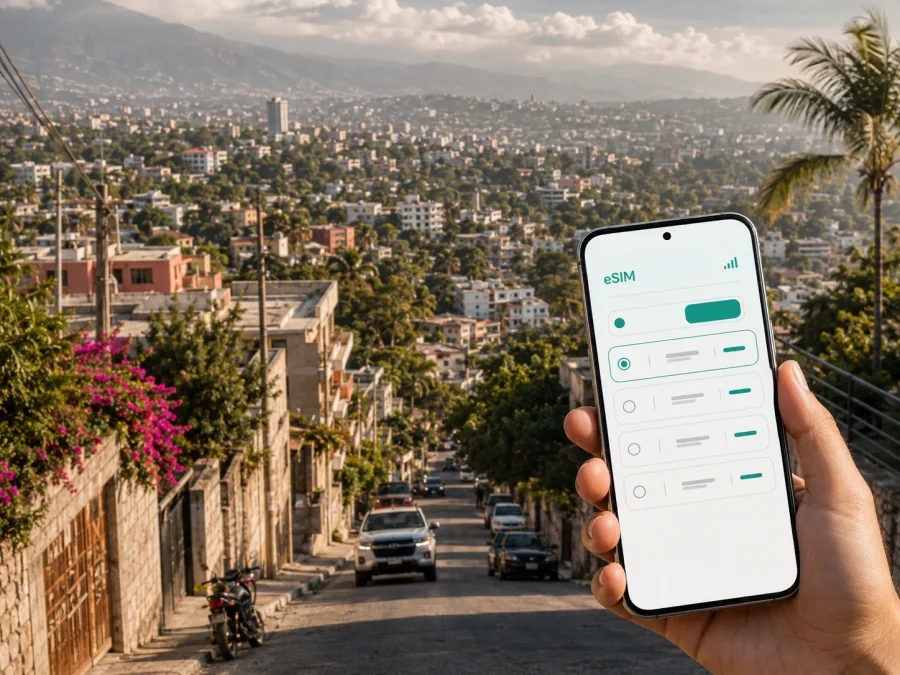
Petion-Ville eSIM: mobile connection and internet for your Haiti trip
If Petion-Ville is on your itinerary, mobile internet is useful from the first transfer to the last message sent before departure. You may need a map while leaving the airport area, a ride-hailing or taxi contact, a hotel confirmation, a translator, a work call, or a way to share your location with someone meeting you. An eSIM can help you prepare that connection without removing your regular physical SIM card.
Kaspersky eSIM Store is an app and website where you can choose, arrange and activate an eSIM with a suitable data plan for an overseas trip. It does not replace a local mobile operator; it helps you select a Haiti plan, review its allowance and validity, and install the eSIM on a compatible device.
Why an eSIM is useful in Petion-Ville
Petion-Ville sits in the hills of the Port-au-Prince metropolitan area, above the flatter parts of the capital. That setting shapes the way a visitor moves: a short-looking route may include a steep road, a change in traffic, or a meeting point that is easier to identify with a precise map pin than with a street name alone. Mobile data helps you keep the practical details of the day in one place.
The first hours after arrival
The main international airport serving the Port-au-Prince area is in Tabarre. From there, a traveller heading to Petion-Ville may need to coordinate a transfer, confirm the name of a hotel or guesthouse, and check the route as conditions change. If your eSIM is ready before landing, you can use mobile data for the essentials while keeping your home number available for incoming messages or verification codes, depending on your phone settings and home plan.
Before leaving the airport area, make a small arrival checklist:
- open the accommodation confirmation while you still have a stable connection;
- save the exact address and a map pin, not only the name of the property;
- confirm how your driver or host will identify you and send one message to your arrival contact;
- review the route to Petion-Ville before starting the transfer.
Navigation between the hills and the metropolitan area
Petion-Ville is not an isolated resort zone. Trips often connect the town with Port-au-Prince, Delmas, the airport area, or roads rising toward neighborhoods and viewpoints on the hills. A map application can help you compare the route you planned with the route your driver is taking, mark a place you want to return to, and share a destination without relying on a long verbal description.
Prepare locations in advance: save your accommodation, office or meeting venue, airport and any agreed pick-up point. Name pins by purpose, such as “hotel,” “meeting” or “return transfer.”
Hotels, cafés and short work sessions
Petion-Ville is a practical base for visitors who combine meetings with meals, shopping, cultural visits or time in the surrounding hills. A traveller may move from a hotel to an office, then to a restaurant and back again. Mobile data is helpful for confirming reservations, receiving a one-time login code, checking a calendar, ordering a ride, and using messaging apps when the available Wi‑Fi is slow or unavailable.
For remote work, turn off automatic video backup, app updates and large downloads until you know your usage. Use hotel or office Wi‑Fi for large files where appropriate, and reserve eSIM data for maps, messages, email and travel-critical tasks.
Choosing a Haiti eSIM plan for a Petion-Ville trip
The right plan depends less on the city name than on the way you will use your phone. A two-day stopover, a week of meetings and a longer route through Haiti create different data needs. Start with the country or region in which the plan is valid, then consider duration and traffic.
| Travel pattern | Typical mobile-data tasks | What to consider |
|---|---|---|
| Short stopover in Petion-Ville | Arrival messages, maps, a few bookings and translation | A smaller data allowance may be enough if you limit video and automatic backups. |
| Several days of meetings | Navigation, email, messaging, documents and internet calls | Choose enough data for repeated route checks and work sessions; keep large files on Wi‑Fi where suitable. |
| Longer stay with regular sharing | Navigation, social uploads, cloud tools and hotspot use | Review the allowance, validity and hotspot conditions before selecting a plan. |
There is no universal amount of data for a Petion-Ville visit. Navigation uses less data than video, while a workday with cloud documents can use more than a sightseeing day. Estimate your needs like this:
- List the days on which you will be away from reliable Wi‑Fi.
- Mark activities that require mobile data: maps, messaging, app calls, email, bookings and uploads.
- Add a margin for route changes and delayed transfers.
- Check the plan’s allowance, validity period and activation terms.
- Decide whether you need a separate home SIM for calls and SMS.
If you want to review the current options, you can choose an eSIM plan for a trip to Haiti. Read the conditions for the selected plan rather than choosing by data size alone. The price, traffic volume, duration and start of validity depend on the offer you select and can change over time.
Petion-Ville areas and travel scenarios
The most useful way to think about the city is by activity rather than by a tourist checklist. Your data needs change with the route, the time of day, and whether you are travelling alone, with colleagues or with family.
Central streets and commercial errands
In central Petion-Ville, you may move between shops, cafés, restaurants, accommodation and meeting points. Save each address and a nearby landmark if the entrance is difficult to spot. A live map helps with the final part of a journey, while a message confirms that the other person is waiting at the same entrance.
Residential and upper hillside routes
Routes toward the higher parts of the metropolitan area depend on the exact road and meeting point. If you are visiting a residence, villa, office or viewpoint, ask for a full address and a pin before leaving, then send the saved location to your travel companion.
The hills also make battery planning important. Screen brightness, navigation and weak-signal searching can drain a phone faster than ordinary messaging. Carry a charger and keep the address, host name and phone number in an offline note.
Port-au-Prince and Delmas connections
Many Petion-Ville itineraries include a transfer toward Port-au-Prince, Delmas or the airport side of the metropolitan area. Leave room for route changes, and keep the next destination, return address and accommodation details in your messages or notes.
If a transfer is arranged by someone else, confirm the vehicle or driver identification, the destination pin and the best way to contact the person if the meeting point changes.
Install an eSIM before or after arriving
Installation is easiest when the phone is charged and connected to the internet. Check the device first: it must support eSIM, and it must not be locked by another operator. Some models vary by region of sale, so a model name alone is not always enough. Check your device compatibility before paying for a plan.
Before the trip
- Check that your smartphone supports eSIM and is not operator-locked.
- Choose the Haiti plan and review its data allowance, validity and activation conditions.
- Complete the purchase through the Kaspersky eSIM Store website or app.
- Keep the QR code or installation details available in your profile or confirmation message.
- Install the eSIM while you have a reliable internet connection, unless the plan’s conditions tell you to wait.
- Label the new profile “Haiti” or “Petion-Ville” so it is easy to recognize.
- Leave your regular line available for calls or SMS if you still need it.
For more detail, follow the Android eSIM installation instructions or the iOS eSIM installation instructions. The logic is the same: add the profile, select the eSIM for mobile data, and review the roaming setting required by the plan.
After arrival
If you prefer to install the profile after landing, make sure you have a way to reach the internet for the setup step. Connect to a trusted Wi‑Fi network when available, open the installation details, and follow the instructions for your phone. Do not delete your regular line before you know which number is needed for account recovery or verification.
After installation, open mobile-network settings and make the Haiti eSIM the line for mobile data. If the plan requires data roaming to be enabled, follow that condition for the eSIM profile. Keep data roaming disabled on your home line if you want to reduce the chance of accidental roaming charges, subject to your home operator’s settings.
Activation and connection can take a few minutes and depend on the device and the local network. If the profile appears in settings but data does not work, check that the eSIM is turned on, it is selected for mobile data, airplane mode is off, and the phone has been restarted if necessary. If the problem continues, contact support with the plan details and the steps you have already tried.
What to check before buying
Use this short review before you confirm a plan:
- Device: eSIM support is enabled, and the phone is not operator-locked.
- Destination: the plan is valid in Haiti and fits the other places on your itinerary.
- Duration: the validity period covers the days when you need mobile data.
- Traffic: the allowance matches maps, messages, work and any uploads you expect.
- Activation: you understand when the validity period begins and whether installation should happen before departure.
- Settings: you know which line will be used for mobile data and whether data roaming is needed for the eSIM.
- Calls and texts: the eSIM is intended for mobile internet and does not include a separate phone number, ordinary calls or SMS unless the chosen plan says otherwise. Use internet messaging apps for chats and calls when suitable.
- Power: your phone can stay charged during navigation and transfers.
This check is especially helpful when your Petion-Ville visit includes a late arrival, several hotel changes or a trip outside the capital area. The right plan matches your destination, dates and conditions as well as your data estimate.
Practical data habits in Petion-Ville
Small settings changes can make a plan easier to manage:
- Turn off automatic app updates over mobile data.
- Disable automatic photo and video backup until you choose a suitable connection.
- Download permitted maps or save essential addresses before leaving the hotel.
- Use text messages in apps instead of sending high-resolution video when a quick update is enough.
- Check your remaining balance after a work session or a long navigation period.
- Keep the eSIM profile active only when you need it if the device and plan settings allow that approach.
Hotel or office Wi‑Fi can be useful for large files, while eSIM data is valuable when you are outside, changing locations or confirming a transfer. Mobile data can also reduce the need to join unfamiliar public networks.
Frequently asked questions
What is the advantage of using an eSIM for Petion-Ville?
An eSIM lets you prepare a digital SIM profile for mobile internet without taking out your regular physical SIM card. In Petion-Ville, that can be useful for maps, messages, reservations and transfer coordination from the first part of the journey.
Can I keep my home number active?
Usually, you can keep the physical SIM or home eSIM active for calls and messages while assigning mobile data to the Haiti eSIM. The exact behavior depends on your phone and home plan. Check which line is selected for data and how your operator charges roaming.
Does the eSIM include a phone number?
Not usually. A travel eSIM in Kaspersky eSIM Store is intended for mobile internet and does not include ordinary calls or SMS unless that is stated in the selected plan’s conditions. Internet messaging and calling apps can be used over the data connection.
Should I install the eSIM before flying?
Installing before departure is often more convenient because you can use a stable internet connection and take time to check the settings. Some plans have specific activation rules, so read the conditions and follow the recommended timing.
What if my phone shows the eSIM but has no internet?
First confirm that the profile is enabled and selected for mobile data. Check the required roaming setting, turn airplane mode off, restart the phone, and verify that the plan is valid for Haiti. If the connection still does not appear, contact support and describe the device, profile status and settings you checked.
Before departure, check the device, confirm the accommodation and choose a plan whose validity matches the trip. Install the profile if permitted, label the lines, save the first transfer details and charge the phone. On arrival, select the eSIM for mobile data, test a map and send one message before leaving for Petion-Ville. For a longer stay, review your balance and verify destination coverage if the itinerary changes.
Prepare your eSIM for Petion-Ville
Review the destination, data allowance, validity, device compatibility and installation timing. Kaspersky eSIM Store helps you choose, arrange and activate an eSIM with a suitable plan for mobile internet during an overseas trip. When your details are ready, select an eSIM plan for Haiti and prepare the profile before your journey or after arrival according to its conditions.


