Travel connectivity guide
Phoenix eSIM: Mobile Internet for Your Trip
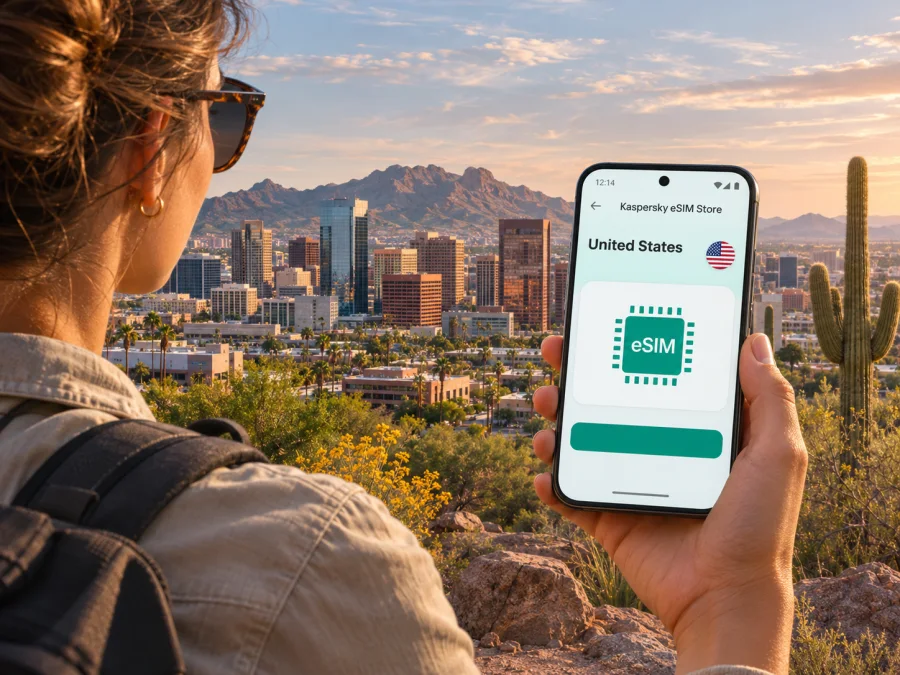
Phoenix eSIM: mobile connection and internet for your trip
Phoenix is a wide, sunlit city where a short trip can involve an airport transfer, a downtown meeting, dinner in Roosevelt Row and a drive toward the desert foothills. A working mobile connection helps you check directions, coordinate a pickup, confirm reservations and message your hotel as plans change. An eSIM can provide mobile data without taking out your regular physical SIM, provided your phone supports it and the selected plan covers the United States.
Kaspersky eSIM Store is an app and website where you can choose, purchase and activate an eSIM with a suitable data plan for an international trip. It is a practical option to consider before flying to Phoenix if you want to prepare mobile internet in advance. The service does not replace a regular phone number: unless the specific plan says otherwise, calls and SMS remain with your usual mobile line, while internet-based messaging and calling apps use data.
Why mobile data is useful in Phoenix
Phoenix is the capital of Arizona and a major city in the Sonoran Desert. Visitors often move between separate districts and destinations rather than staying in one compact historic center. A map app can help compare a walking route with a drive, find a pickup point, or see how much time to allow between a hotel and a meeting. Mobile data is also useful for checking opening hours, changing a booking, accessing a digital boarding pass or sharing a live location with someone who is meeting you.
The city’s scale matters to trip planning. Downtown Phoenix, the airport area, Tempe and Scottsdale are distinct places in the metropolitan area, and a day’s itinerary may cross municipal boundaries. A plan selected for a Phoenix visit should therefore be checked for its country or regional coverage, not assumed to be city-specific. If your itinerary continues elsewhere in the United States, confirm that the same plan applies along the full route.
An eSIM can be convenient when you want to keep your primary SIM installed and use a separate profile for data. That can reduce the need to search for a physical SIM after landing, but it does not guarantee reception at every address or inside every building. Mobile service depends on the network used by the selected plan, local conditions, your device and any account or plan restrictions. Keep an offline map and important booking details available as a backup.
Landing at Phoenix Sky Harbor International Airport
Phoenix Sky Harbor International Airport (PHX) sits close to central Phoenix. After leaving the aircraft, you may need to find ground transport, confirm a rideshare pickup point, message a host or check the next leg of a journey. Having mobile data ready can make those first decisions easier, especially when you are tired or arriving outside normal business hours.
The airport’s PHX Sky Train connects its terminals with the Rental Car Center, parking locations and the Valley Metro Rail connection at 44th Street and Washington. The airport describes the Sky Train as free and operating around the clock, while noting that service frequency can be reduced during overnight maintenance. For a rail journey toward downtown, follow airport signage to the Sky Train and check the current transit directions before setting off. Exact departure times, works and service arrangements can change, so use current airport and transit information on the day of travel.
Rideshare, taxi, hotel shuttle and rental-car options have different pickup locations. Check the instructions in the app or reservation rather than walking to a curb based on an old screenshot. If you are meeting a driver, send your terminal and pickup zone clearly; if a family member is collecting you, a short message with the terminal and door number can prevent confusion. Your phone’s map and mobile connection are especially helpful when the airport is busy or you need to adjust plans.
Before departure, save the hotel address in both its full written form and a map app. If the airport Wi-Fi is unavailable or you prefer not to rely on it, an already installed travel eSIM may let you open a map or contact your driver after arrival, subject to the plan’s activation rules and network availability. Do not assume that installing a profile automatically starts its validity period or that the data becomes usable before reaching the covered destination; review the plan terms and device prompts.
Getting around: downtown, rail and longer trips
Downtown Phoenix combines offices, hotels, cultural venues and residential streets. Roosevelt Row and Grand Avenue are known for galleries, restaurants, shops and street art. The area is enjoyable to explore on foot, but distances between neighborhoods and attractions can be longer than they look on a small map. Use mobile data to check the route, locate a business entrance and decide whether to walk, take transit or request a ride.
Valley Metro Rail connects Phoenix with nearby parts of the metropolitan area, including Tempe and Mesa. At the airport, the Sky Train provides the link to the rail station at 44th Street and Washington. A phone is useful for checking the route and service status, but it does not replace a transit ticket or the operator’s current instructions. If your plans include several stops, confirm the station names and direction before boarding; two places with similar names can be confusing when you are unfamiliar with the area.
| Trip situation | What mobile data can help with | What to prepare |
|---|---|---|
| Airport to hotel | Pickup messages, directions and checking a rail connection | Hotel address, terminal and pickup instructions |
| Downtown meeting | Route updates, calendar details and contact with colleagues | Building name, entrance and meeting contact |
| Roosevelt Row visit | Finding a gallery, restaurant or nearby stop | Saved destination and a backup meeting point |
| Trip across the metro area | Comparing transit and driving options | Confirmed route, parking details and extra travel time |
| Desert-area excursion | Navigation, weather checks and coordination | Offline map, water and a clear return plan |
A useful rule for visitors: use the phone for route decisions, but do not make the phone the only copy of a critical detail. Keep an address, reservation number and emergency contact somewhere accessible offline. In heat or on an unfamiliar route, a low battery can quickly make navigation less reliable, so bring a charger or power bank and limit unnecessary background use.
Choose a plan for the whole itinerary
Choose an eSIM plan by looking at the trip, not only the city name. Confirm that its coverage applies in the United States and check whether it also covers every additional destination on your itinerary. Then estimate how often you will use maps, rideshare apps, video calls, photo uploads and hotspot sharing. A traveler checking messages and directions will use data differently from someone uploading large files each day.
Before you select a plan, compare the details shown for that option:
- Coverage area: Make sure it includes the United States and any other places you will visit. A city article is not evidence that a plan is limited to or available in Phoenix. The current United States plan page lists T-Mobile as the local provider for the displayed offers. Check the provider named for the specific plan when you review it; availability may change, and a listed operator does not guarantee reception at every address or indoors.
- Data allowance: Estimate your likely use. Navigation and messaging usually need less data than frequent video streaming, large uploads or tethering a laptop.
- Validity period: Check when the plan begins counting time. Installation, activation and first connection can be separate events, depending on the product terms.
- Top-ups and limits: Review whether additional data can be added, whether speed or usage restrictions apply, and what happens when the allowance is used.
- Price and currency: Compare the final displayed amount and terms for the plan you select. Prices and available options can change.
- Route beyond Phoenix: If you will visit another state or cross into another country, verify coverage there instead of assuming the local plan follows you.
When you are ready to check current options, browse eSIM plans for the United States. This is the country destination relevant to Phoenix; the available plans, coverage, data amounts, validity and prices are defined by each plan’s current terms. Review those details before purchasing, especially if your route includes locations outside Arizona.
Check the phone and its sales region
Device compatibility depends on the exact phone, its market version and whether it is carrier-unlocked. The name printed on a box may not tell the whole story. Some manufacturers sell different hardware or SIM configurations under similar model names in different countries, and software support can also vary. Confirm that the phone has an eSIM option in its cellular settings and check the manufacturer’s specifications for the exact model number.
For example, Apple states that iPhone 14 and later models sold in the United States are eSIM-only, while versions sold in other markets can have different SIM configurations. This regional distinction does not apply to every brand or phone. Android models also vary by manufacturer, model and sales market, so do not infer support from a different regional version of the same device.
A phone that is locked to a carrier may restrict adding another provider’s eSIM. If you bought your device through a carrier or are unsure about its status, confirm its unlock conditions with the carrier before travel. Also check whether the phone can keep your usual number available while the travel eSIM is used for data, and understand how your device labels each line. Check whether your device supports eSIM before choosing a plan.
A quick pre-purchase checklist:
- Find the exact model or model number in the device settings.
- Check the manufacturer’s eSIM support information for that market version.
- Confirm that the phone is unlocked if the plan uses a different provider from your current line.
- Make sure you can connect to Wi-Fi or another internet connection during installation.
- Check that the device’s operating system is current enough for the installation method.
- Keep access to the email address or account where the eSIM instructions will arrive.
If a point is unclear, ask the manufacturer or carrier, especially if the phone was bought abroad, refurbished, supplied by an employer or sold under a carrier contract.
Install before leaving, activate when appropriate
Installing the eSIM at home can make the arrival process easier, as long as the plan’s instructions allow installation before the trip. Read the activation conditions first: some plans start validity on installation, while others start when the eSIM first connects to a supported network. The distinction matters if you are buying well before a trip or have a short stay.
A general setup sequence is:
- Check compatibility and unlock status. Verify the exact device variant and make sure it can add another eSIM profile.
- Choose the destination and plan. Confirm that the plan covers the United States and matches the trip length and expected data use.
- Read the plan instructions. Note how installation works, when validity begins and whether data roaming must be enabled for that profile.
- Install over a reliable connection. Follow the device prompts or scan the supplied QR code. Avoid deleting the profile unless the instructions say it can be installed again.
- Label the lines. Name the travel profile clearly, such as “Travel data,” so it is easy to identify later.
- Set the data line at the right time. When you are ready to use the travel plan, select it for mobile data in your phone settings. Keep your primary number configured according to your call and SMS needs.
- Check the connection. After arrival, confirm the selected data line and follow the plan’s troubleshooting steps if service does not appear promptly.
The exact wording of settings differs between iPhone and Android. Follow a platform-specific walkthrough if you need the menu sequence: eSIM setup instructions for Android and eSIM setup instructions for iOS. If the device offers a data-roaming switch for the travel profile, enable it only when the plan’s instructions require it. Keep data roaming disabled for your home SIM if you want to avoid unintended roaming charges, and confirm those settings with your home carrier.
An eSIM travel plan is generally designed for mobile data. Unless the selected plan explicitly includes them, do not expect a local phone number, ordinary voice calling or SMS. Your usual number may continue receiving calls or texts according to your home plan, which can involve charges. Internet calling and messaging apps can work over data when both parties use them and the service is available.
Phoenix conditions and practical data habits
Phoenix’s desert climate makes planning the time and length of outdoor activities important. The City of Phoenix treats May through September as heat season, with June through August as summer. Conditions vary by date and neighborhood, so check a current forecast and local heat guidance before spending extended time outdoors. Mobile data can help you review a route, message someone or locate an open business, but it cannot replace water, shade, suitable clothing or a change of plan when conditions are unsafe.
Heat can make a phone harder to use outdoors and demanding apps can drain its battery. Keep it shaded, carry a charging option and download maps or tickets before heading out. If it becomes unusually hot, stop demanding tasks and follow the manufacturer’s cooling guidance; do not leave it in a parked vehicle.
If the eSIM does not connect
A failed connection is often a settings or plan issue rather than a reason to reinstall immediately. Start with the least disruptive checks:
- Confirm that the travel eSIM is enabled and selected for mobile data.
- Check that the plan is active for the current date and location, and that its data allowance has not been used.
- Follow the plan instructions about data roaming for that eSIM profile.
- Turn airplane mode on briefly and then off, or restart the phone if appropriate.
- Check whether the device has selected a supported network automatically; only change network selection if the plan instructions advise it.
- Confirm that the phone has no carrier lock and that the eSIM profile has not been removed.
- Use Wi-Fi to open the account or support channel and provide the device model, location, plan name and a description of the steps already tried.
Do not delete an installed eSIM as a first troubleshooting step. Some profiles cannot be reinstalled freely, and the next step depends on the plan’s conditions. If you need maps while diagnosing the issue, use a saved offline map, airport Wi-Fi or another available connection without sharing sensitive account details on an untrusted network.
Frequently asked questions
Is Phoenix a city-specific eSIM destination?
No special city-only coverage should be assumed. Phoenix is in the United States, so check whether the selected plan covers the United States and read its terms for any regional restrictions. The coverage and network details belong to the individual plan.
Will a travel eSIM keep my regular number?
The eSIM data plan does not automatically replace or transfer your usual phone number. Your primary SIM or eSIM may remain available for calls and texts, depending on your device and home carrier settings. Check charges and line behavior with your carrier before departure.
Does every phone sold in the United States support eSIM?
No. Support depends on the exact model and sales region, and the phone may also need to be unlocked. Some recent US iPhone versions are eSIM-only, but that fact does not establish compatibility for every phone or for the same model sold elsewhere. Confirm your model with its manufacturer.
Can I use the eSIM for calls and text messages?
Usually, a travel data eSIM is intended for internet access and does not include a regular number, voice calls or SMS unless the plan explicitly says otherwise. Internet-based calling and messaging may work over the data connection.
What should I do if I am visiting Phoenix and another state?
Check the plan’s coverage area for every destination on the route. Do not assume that a plan selected for Phoenix includes all states, neighboring countries or travel regions. If the route changes, review the terms again before relying on the same profile.
Get ready for Phoenix
Before you leave, check your device variant and unlock status, choose a United States plan that fits your itinerary, read when its validity begins and install the profile according to its instructions. Save your hotel and pickup details offline, keep your regular number settings in mind, and bring a charging option for long days out in the desert city.
When you have confirmed those details, choose an eSIM plan for your trip to the United States through Kaspersky eSIM Store. Review the current data allowance, validity, coverage and activation terms for the specific option you select, then install it on your compatible device using the appropriate setup instructions.


