Travel connectivity guide
Piarco eSIM: Mobile Internet in Trinidad and Tobago
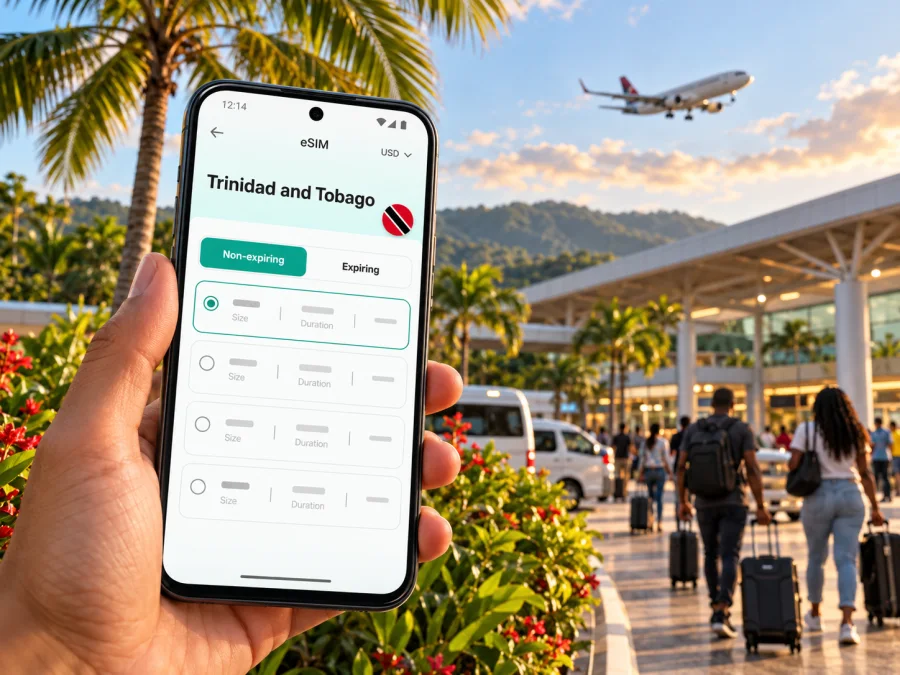
Piarco eSIM: mobile connection and internet for an airport-area stay
Piarco is best understood as an airport-centered stop in Trinidad and Tobago rather than a dense sightseeing city. Most visitors know it because Piarco International Airport is here; others stay nearby for an early flight, a work visit, or a first night before continuing to Port of Spain, another part of Trinidad, or Tobago. In each case, maps, messages, ride arrangements, booking details, and flight updates are easier to manage when your phone can get online after you leave the terminal.
An eSIM can provide mobile data without replacing the physical SIM already in your phone. It is useful for practical tasks around Piarco, but it is not a guarantee of coverage or a local phone number. Before choosing one, check that your device supports eSIM, that it is not locked to another carrier, and that the plan’s destination, validity, and data allowance suit the whole itinerary.
Why mobile data is useful in Piarco
The first connection often matters most just after landing. You may need to tell a host that you have arrived, confirm a pickup point, check a hotel address, or open directions while you are still in the airport area. Later, a map can help you distinguish an airport pickup from a similarly named road or business, while messaging makes it easier to coordinate a late arrival or a change in plans.
Piarco International Airport’s official information lists airport Wi‑Fi, an information booth, ATMs in the terminal atrium, dining, and ground-transport services. Those facilities can be helpful while you are inside the airport. Wi‑Fi access is local to the airport environment, however, and does not replace mobile data once you are on the road or at your accommodation. Save essential details offline as a backup, and avoid relying on a public network for every task.
A connection can also support:
- opening a saved route to a hotel, meeting venue, or rental-car desk;
- checking a booking message or sharing your estimated arrival time;
- using a translation app, email, or work chat between appointments;
- comparing a route back to the airport with the time shown in your flight app;
- contacting family when your journey changes or a connection is delayed.
Service availability and performance depend on the selected plan, device, local conditions, and location.
Plan the first hour after landing
Piarco’s airport is the main practical reference point for most arrivals. The Airports Authority of Trinidad and Tobago identifies the North Terminal for commercial passenger operations and provides airport information for arrivals, services, and ground transport. As you leave, use the pickup instructions from your hotel or driver rather than choosing a meeting point from a vague map pin. Confirm the vehicle, meeting location, and contact method before boarding your flight if you can.
A simple arrival sequence helps avoid trying to solve everything at the curb:
- Keep your accommodation address, host’s number, and pickup instructions available offline.
- Once you have a connection, send a short arrival message and confirm the agreed pickup point.
- Check the route and estimated journey time, then share it with the person expecting you.
- Keep your phone charged and accessible while collecting bags and finding the vehicle.
- If mobile data is not available yet, use the airport information booth or airport Wi‑Fi where appropriate, then troubleshoot from a safe place.
Do not treat an airport Wi‑Fi connection as a substitute for a mobile plan throughout your stay. It may help with a message or a quick check while you are in range, but navigation and communication on the way to your hotel are separate needs. A downloaded map, a screenshot of the destination, and a written address are useful fallbacks if a signal is slow or temporarily unavailable.
Piarco as a base, stopover, or transfer point
The right connectivity plan depends on what “a trip to Piarco” means for you. Someone sleeping near the airport before an early departure has different data needs from a visitor who will spend several days moving around northern Trinidad. A short layover may require only messages and flight information, while a work stay can involve video calls, cloud documents, and frequent navigation.
| Travel situation | Likely phone use | Preparation that helps |
|---|---|---|
| Overnight near the airport | Pickup messages, hotel directions, dinner or check-in details | Save the hotel address and confirm arrival arrangements in advance |
| Business visit | Email, calendar, messaging, maps, occasional calls over apps | Check whether your accommodation has dependable Wi‑Fi for larger work tasks |
| Stopover before another flight | Flight status, gate information, messages, transport coordination | Keep a separate offline copy of onward-flight details |
| Road journey from Piarco | Navigation, route changes, contact with your driver | Download maps where possible and keep the destination written down |
| Longer Trinidad itinerary | Frequent navigation, bookings, photos, messaging | Estimate data for the full route, not only the airport night |
If you continue to Port of Spain, Arima, another community, or a ferry or domestic flight connection, check that the eSIM is intended for Trinidad and Tobago and remains valid for those days. Do not infer coverage from a regional plan name; read its listed destinations and restrictions.
Choose a plan for the route, not just the airport
Start with the dates and places on your itinerary. A plan that is adequate for an airport transfer may not cover a week of navigation, photo uploads, work calls, and hotspot use. Conversely, a large allowance may be unnecessary if you mainly use messaging and connect to trusted Wi‑Fi at your accommodation. The useful comparison is between your expected use and the plan terms shown at the time of purchase.
Check these points before selecting an eSIM:
- Destination: Confirm that Trinidad and Tobago is explicitly included. If the itinerary includes another country, verify that country separately.
- Validity: Compare the validity period with the days you need data. Check when it begins; installation and activation are not always the same event.
- Data allowance: Estimate maps, messaging, email, browsing, and media separately. Video streaming, cloud backups, and hotspot use can consume more data than basic navigation.
- Network and limitations: Review any listed network, speed, tethering, or fair-use terms. Do not assume that every plan has identical conditions.
- Calls and texts: A travel eSIM may be data-only. Unless the offer says otherwise, keep your usual number or use internet-based messaging for calls and messages.
- Refill or expiry: Check what happens when data runs out or the validity period ends, and whether a top-up is available for the selected plan.
- Price and currency: Review the current checkout total and billing currency directly before confirming. Offers and conditions can change.
Kaspersky eSIM Store is an app and website where you can choose, arrange, and activate an eSIM with a suitable plan for mobile internet on an international trip. It does not itself operate Trinidad and Tobago’s mobile networks. To review the current destination options, browse eSIM plans for Trinidad and Tobago; the live plan page is the place to confirm which choices and terms are currently displayed.
Estimate the data you will use
There is no single data allowance that fits every traveler. Check your phone’s recent data use for a representative week, then account for the full Trinidad itinerary rather than only the airport night. Maps, messaging, email, and browsing usually need less data than video calls, streaming, photo backups, or hotspot use. If you rely on accommodation Wi‑Fi, reserve mobile data for journeys and time away from it.
Before departure, download maps where the app allows it, disable automatic media downloads if you want to conserve data, and pause large app updates over mobile data. Leave some allowance for a delayed transfer or an extra day instead of planning to use every last megabyte.
Getting around and keeping the route clear
Piarco is part of Trinidad’s wider Tunapuna/Piarco area. The regional corporation groups Piarco with St. Helena and St. Augustine South; the wider area also includes Trincity, Arouca, Tunapuna, and Arima. A hotel or meeting address may therefore use a nearby community name even when your flight arrives at Piarco International Airport.
Use a full street address or confirmed map pin for a transfer, not only “Piarco.” Ask your accommodation which entrance or landmark the driver should use. Keep the building name and a contact number in your notes, and check directions from a safe place if plans change.
The Public Transport Service Corporation publishes route and schedule information, but a route listed for the wider region does not confirm that it serves your exact airport pickup point or departure time. Check current schedules and stops before relying on a bus connection. For late arrivals or bulky luggage, arrange a transfer with your accommodation or another provider in advance.
Device and plan checks before installation
Compatibility depends on the exact phone model and regional variant, not just its brand. A carrier lock can also prevent a phone from using another provider’s profile. Confirm eSIM support and unlock status before purchase; if uncertain, check whether your device supports eSIM.
Before setup, make sure you have:
- a compatible, unlocked device and a reliable internet connection;
- the QR code or installation details available on another screen or saved securely;
- the plan’s destination, validity, data allowance, and activation rule;
- access to your usual SIM if you still need its calls or verification messages.
Keep your physical SIM available for your usual number and select the travel eSIM for data when you are ready. Menu names vary by device. Some plans require data roaming on the travel eSIM; follow the plan instructions and avoid enabling roaming on a line you did not intend to use.
Install ahead of time, activate with care
Installing before departure can reduce setup after landing if the plan permits it. Installation does not always start the plan’s validity period, so read the activation rule first. Avoid deleting an installed profile unless the instructions or support tell you to; some profiles cannot simply be installed again.
- Confirm eSIM support and that the device is unlocked.
- Review the destination, data, validity, and activation conditions.
- Install over reliable Wi‑Fi using the instructions for iOS or Android.
- Keep your usual voice line selected if you need calls or texts, then choose the travel eSIM for mobile data when appropriate.
- Apply the plan’s network and roaming settings after arrival.
If you wait until Piarco, make sure you have time and a dependable Wi‑Fi option for setup. The airport authority lists Wi‑Fi, but treat it as a temporary aid rather than your only connection plan. Keep the QR code accessible while configuring your phone.
Troubleshooting after arrival
If there is no service, check the travel eSIM is on and selected for mobile data, confirm the plan is active and includes Trinidad and Tobago, and review any data-roaming or network-selection instructions. Then toggle airplane mode or restart the phone and allow it time to register. If the problem continues, use Wi‑Fi to contact the relevant support team with your device model and the error shown. Do not delete the eSIM profile as a first step.
If the phone shows service but pages do not load, check the plan’s remaining data and validity, mobile-data settings, and whether a Wi‑Fi sign-in page is waiting in your browser. A weak signal may be temporary; try again from another safe location before changing several settings at once.
Frequently asked questions
Is Piarco a city or an airport?
Piarco is a place in Trinidad’s Tunapuna/Piarco area and the name most travelers associate with Piarco International Airport. Distinguish the locality from the airport when arranging a pickup or accommodation.
Is airport Wi‑Fi enough for my whole trip?
No. It can help while you are in the terminal, but it does not provide a mobile connection on the road or at your accommodation.
Will an eSIM give me a Trinidad and Tobago phone number?
Not necessarily. A travel eSIM may be data-only, without ordinary calls or SMS. Check the specific plan and keep your usual number available if needed.
Can I use the same eSIM in Tobago?
Check the selected plan’s listed destination coverage and conditions. Do not infer coverage from a regional package name alone.
What if my phone does not support eSIM?
Check the exact device variant and unlock status. If eSIM is unavailable, ask your home carrier about roaming or look into an authorized physical-SIM option after arrival.
Prepare for Piarco with a clear connection plan
For a smoother arrival, save your hotel or meeting address, confirm the transfer, and decide how you will get online once you leave the terminal. Then choose a plan whose destination, validity, and data terms match your full route through Trinidad and Tobago. Review the current options and choose an eSIM plan for your trip to Trinidad and Tobago through Kaspersky eSIM Store, the app and website that help you select, arrange, and activate an eSIM for mobile internet abroad. Install it on a compatible, unlocked device and keep the plan instructions accessible for the journey.


