Travel connectivity guide
Piestany eSIM: Mobile Internet for Your Trip
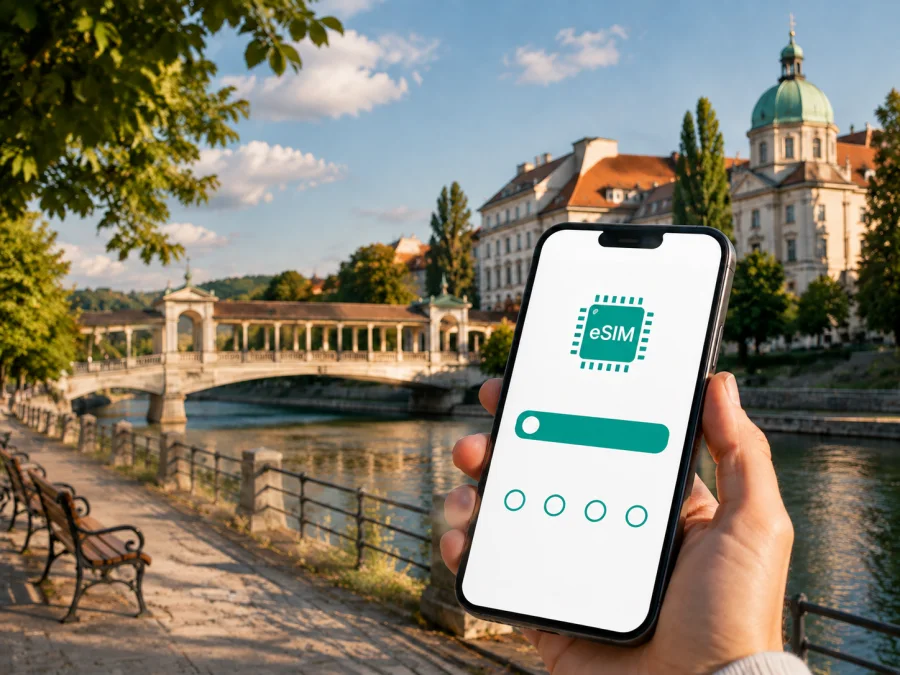
Piestany eSIM for Mobile Connection and Internet in Slovakia
Piestany is a compact spa town in western Slovakia where a dependable mobile connection makes a calm itinerary easier to manage. You may arrive for a spa stay, a weekend beside the Váh, a business appointment, or a short stop between larger Slovak cities. In each case, mobile internet helps with the practical details: checking an arrival message, finding a hotel, confirming a platform, translating a notice, following a walking route, or contacting a host.
An eSIM is a digital SIM profile that can be installed on a compatible phone without replacing the physical SIM already in the device. For a trip to Piestany, it can be useful when you want a separate data connection for Slovakia and prefer to prepare before departure. Kaspersky eSIM Store is an app and website where you can choose, arrange and activate an eSIM with a suitable plan for mobile internet during an international trip. The traffic allowance, validity period, destination and other conditions depend on the selected plan.
This guide focuses on the situations visitors meet in Piestany: reaching the town, moving between the centre and Spa Island, choosing accommodation, navigating parks and riverside areas, handling a working day, and taking a trip beyond town.
Why mobile internet matters in Piestany
Piestany is easier to explore than a large capital, but short distances do not remove the need for data. The town centre, the spa zone on Spa Island, the Váh river and the Sĺňava area create several points where a live map or message is useful, especially when a bridge, road or meeting point changes your plan.
Mobile data can help you:
- locate accommodation with luggage;
- compare walking, driving and local-transport routes;
- keep a reservation, meeting address or treatment schedule available;
- message a host or colleague without searching for café Wi-Fi;
- translate a menu, notice or transport instruction;
- follow a route to the station, a park, the river or a neighbouring town;
- use a laptop hotspot for essential work, if tethering is supported by the plan and device.
Choose the plan around your actual day. A visitor walking through the centre may mainly use maps and messaging. A remote worker adds video calls, files and authentication. A family may use navigation and several devices. Those patterns require different amounts of traffic, so the right question is how long you will stay and what you will do online.
A useful arrangement for Piestany is to keep your home SIM available for important calls if needed and select the travel eSIM as the mobile-data line after arrival. The exact options depend on your phone settings and the selected plan.
Arriving in Slovakia and continuing to Piestany
Many visitors plan the final leg to Piestany from Bratislava or another Slovak or neighbouring-country gateway. Vienna can also be relevant for international arrivals. The onward journey may be by train, bus or car; departure times and connections should be checked for the day of travel.
The data tasks start before the town itself appears. You may need to download a ticket, read a platform update, message a driver, or find the correct direction from the station. If the eSIM is installed and ready, these tasks do not depend on finding a shop or joining the first public Wi-Fi network.
Arrival checklist
Before leaving, save the following in your account and for offline access:
- The address of your hotel, guesthouse or spa facility.
- The planned arrival station or meeting point.
- The first route from the station or car park.
- Booking details and check-in instructions.
- A host, colleague or transfer contact.
Offline copies are useful, but live access still helps when a platform, pick-up point or road changes. If you arrive by train, the station is east of the spa centre, so the last part may involve walking, local transport or a taxi. If you arrive by car, confirm parking: a hotel on Spa Island and a guesthouse in the centre have different final approaches. The shortest map route is not always convenient with luggage.
Understanding Piestany: centre, Váh and Spa Island
The town is easy to read as a few practical zones. The centre contains pedestrian streets, cafés, everyday services and smaller accommodation. Across the Váh is Spa Island, with spa facilities, hotels, Spa Park and paths beside the water. The Town Park is on the town side, and the Sĺňava reservoir area lies to the south.
The Colonnade Bridge is Piestany’s best-known visual link with Spa Island. It is a covered functionalist bridge designed by Emil Belluš, built in the early 1930s, and 156 metres long. It is also called the Glass Bridge because of its artistic glass elements. Its access is a current planning issue: in October 2025, the town announced that it would remain closed until reconstruction because of structural concerns. Treat it as a landmark, check its status before a visit, and use the Krajinsky Bridge for vehicle access when the pedestrian route is unavailable.
This is why connected navigation matters. A route that appears to cross the river directly may not be usable on the day you visit. Mobile internet lets you recheck the approach, contact your accommodation and adapt without returning to the station.
| Area | Useful online tasks | Planning point |
|---|---|---|
| Town centre | Maps, messages, cafés and errands | Walking is convenient, but luggage changes the calculation. |
| Station approach | Arrival updates and the hotel route | Decide in advance whether you will walk or arrange a ride. |
| Spa Island | Finding a hotel, facility or park path | Check bridge access and allow time for a detour. |
| Váh riverside | Trail orientation and meeting points | River paths may not connect as expected. |
| Sĺňava area | Planning a longer walk or outing | Keep battery and data for the return route. |
Piestany rewards a slower pace. Prepare the route, then use the phone only when the next decision appears.
Choosing an eSIM plan for a Piestany trip
Start with the destination and the period in which you need data. If Piestany is one stop on a Slovak itinerary, examine plans for Slovakia. If you will cross borders, check whether a regional option includes every planned country. Do not assume that a plan for Slovakia applies automatically to a neighbouring destination.
Then estimate usage. This is a planning framework, not a promise of a particular allowance:
| Travel pattern | Common tasks | What to consider |
|---|---|---|
| Short stopover | Messages, maps, tickets and searches | Prepare offline files and include the onward journey. |
| Spa weekend | Navigation, reservations, photos and messaging | Include arrival, return and any outing. |
| Work visit | Email, documents, authentication and calls | Check hotspot support and allow for attachments. |
| Longer stay | Maps, media, work and day trips | Match validity with the whole stay and monitor usage. |
| Family travel | Several phones or a hotspot | Decide which device will be the data hub. |
Before payment, review the displayed price, traffic volume, validity, destination, activation conditions and usage limitations. A plan suitable for two days may not fit a ten-day route. Video, photo uploads and laptop work can use considerably more data than basic browsing.
Kaspersky eSIM Store helps you compare destination and plan conditions in one purchase flow. When Slovakia is the confirmed destination, you can choose an eSIM plan for your trip to Slovakia and review the current details before purchase. The final experience depends on the selected plan, your compatible device and local network conditions.
Compatibility and preparation
An eSIM is not supported by every phone. Before buying, check that the exact model and regional version support eSIM and that the device is not locked to another operator. You can check your device compatibility before committing to a plan.
Keep an internet connection available during installation. Depending on the device and purchase flow, you may use a QR code from an email or the profile in your account. Do not delete the profile as a first troubleshooting step: if the plan cannot be transferred under its conditions, removing it may make recovery difficult.
Pre-departure checklist
- Confirm eSIM support for the exact device and regional version.
- Confirm that the phone is not operator-locked.
- Make sure you can sign in to the Kaspersky eSIM Store app or website.
- Keep the QR code or installation details accessible.
- Charge the phone and carry a power bank for a long arrival day.
- Decide which line will be used for mobile data.
- Check whether data roaming must be enabled for the travel eSIM.
- Save hotel, station, treatment and meeting details offline.
Installing before departure can reduce tasks after landing, but activation and the beginning of validity depend on the plan conditions. If you install in advance, read them carefully. If you wait until arrival, keep Wi-Fi or another working connection available for setup.
How to install and activate the eSIM
Menus differ between manufacturers and operating-system versions. Use the relevant Android installation guide or iOS installation guide for the exact sequence on your phone.
1. Prepare the phone
Connect to the internet, charge the battery and keep the QR code or account screen ready. If the phone cannot scan a code from its own display, open it on another device.
2. Add the mobile plan
Open mobile-network settings and choose the option for adding an eSIM or mobile plan. Wording varies by device.
3. Scan or download the profile
Follow the on-screen instruction to scan the QR code or retrieve the profile. Check that the destination is correct before continuing.
4. Label the lines
Give the travel eSIM a label such as “Slovakia trip”. Keep your primary line identifiable for calls or messages you still want to receive.
5. Select the data line
Set the travel eSIM as the mobile-data line when you are ready to use it. If the phone requests data roaming for that eSIM, follow the plan instructions and review the home-line settings.
6. Test a small task
Open a map or send a message. If data does not appear immediately, recheck the selected line, signal indicator and network settings. Connection can take several minutes and depends on the device and local network.
If something fails, use this order:
- Confirm that the travel eSIM is switched on.
- Confirm that it is selected for mobile data.
- Review activation and roaming instructions.
- Move to a clearer-signal area and wait briefly.
- Contact support with the device model and the step where the issue occurred.
Moving around Piestany while preserving data
Piestany suits a combination of walking and short transfers. The centre, parks and spa areas are close, but bridge access and accommodation location can change the best route. Check navigation before leaving, save the next destination, and reduce background activity.
Centre to Spa Island
The Colonnade Bridge traditionally provides the memorable pedestrian connection, but its availability must be checked because of the announced reconstruction closure. If it is closed, follow the route recommended by your accommodation and account for access via the Krajinsky Bridge. A detour may be simple by car but less convenient on foot, especially with luggage or mobility needs.
Local transport and taxis
Keep the exact destination ready as a saved map pin or in the local spelling. This helps when several hotels or facilities have similar names. Check pick-up details and fares in the service you choose. Local routes and timetables can change, so consult current information instead of relying only on an old screenshot.
Parks, riverside paths and Sĺňava
The Spa Park on Spa Island and the Town Park on the town side are central to Piestany’s green character. Local information describes the Spa Park as covering 53.9 hectares. A walk towards the Sĺňava reservoir is longer and more open than a centre stroll, so download what you need, carry a battery reserve and keep data for the return route.
Simple data-saving habits
- Download booking details and tickets before leaving.
- Use Wi-Fi for large updates when practical.
- Turn off automatic video playback.
- Delay cloud photo backup if traffic is limited.
- Use a hotspot for essential laptop work and monitor consumption.
- Carry a power bank on a longer walk.
These habits keep the connection available for the decisions where it matters most.
Accommodation, spa stays and business visits
The best setup depends on where you sleep and what your day contains. A spa hotel on Spa Island may make the morning route short, while a guesthouse in the centre may suit cafés and evening walks. A business traveller may need to reach a meeting beyond the promenade, send files and coordinate a return journey.
For a spa stay
Save the treatment address, check-in instructions and appointment times. Do not assume every building has the same entrance or reception. Keep the hotel pin and return route available for walks in the park.
For a business visit
Decide whether you need email only or a laptop hotspot. Video calls, synchronisation and updates can use much more data than messages. Schedule large transfers for trusted Wi-Fi when possible, and monitor the plan’s balance.
For a stopover
Prepare the next destination before leaving the station area. Use data for the essentials: a message, route, ticket or payment confirmation. A smaller plan may suit a short visit, but consider delays and the onward journey first.
Trips from Piestany
Piestany can be a base for exploring western Slovakia. A day out may take you to another town along the Váh, a cultural site, a reservoir or a nearby landscape. The destination determines whether a Slovakia plan is enough or whether a wider regional option is needed.
Before leaving, open the return route and check the last practical connection. Save your accommodation address and keep battery for a change of plan. If you cross into another country, verify that the selected eSIM plan covers it before relying on mobile data there.
| Check before a day trip | Why it matters |
|---|---|
| Destination and border | Country or region affects plan eligibility. |
| Outbound and return | A late change is harder without a saved route. |
| Traffic allowance | Maps, photos and hotspot use add up over a day. |
| Battery and charging | The phone is also your ticket and contact point. |
| Accommodation address | Useful when the return plan changes. |
FAQ about eSIM use in Piestany
Is an eSIM useful for a short visit?
Yes. It can cover maps, messages, tickets and accommodation details during a brief stop. Match the validity and traffic to the whole journey, including arrival and departure.
Does an eSIM include a regular phone number?
Not necessarily. Travel eSIM plans in this context are intended for mobile internet and may not include a phone number, voice calls or SMS unless the selected plan says otherwise. Messaging and calling apps can work over data where appropriate.
Should I install before travelling?
You can install before departure or after arrival, subject to the plan conditions. Early installation can reduce tasks later; waiting may be sensible if validity begins at installation. Keep an internet connection available either way.
What if the Colonnade Bridge is closed?
Check its current status before planning the walk to Spa Island. Follow the route recommended by your accommodation and allow for access via the Krajinsky Bridge if necessary. Save the address as well as the live route.
Can I use the eSIM on a trip from Piestany?
You can use it where the selected plan covers the destination and remains valid. Check the country or regional scope before crossing a border and keep enough traffic for the return journey.
What if data does not work after activation?
Confirm that the eSIM is enabled and selected for mobile data, review the plan instructions, check whether data roaming is required, and wait briefly for network registration. If the issue remains, contact support with your device model and completed steps.
Final preparation for a connected Piestany trip
Use this check before leaving for the station, airport or border:
- The destination is Slovakia and the plan covers the intended dates.
- The phone supports eSIM and is not operator-locked.
- The QR code or account profile is accessible.
- The travel eSIM has a clear label and is selected for mobile data.
- Home-SIM roaming settings will not create unexpected use.
- Hotel, station, treatment and meeting details are saved offline.
- You know the current Spa Island access plan and have allowed for a detour.
- Battery, charger and a backup contact method are ready.
Piestany is a city for measured movement: arrival by station or road, a walk through the centre, a route beside the Váh, time in Spa Park, and perhaps an excursion beyond town. A prepared eSIM can remove one avoidable task from that sequence. Kaspersky eSIM Store helps you choose, arrange and activate an eSIM plan for mobile internet during an overseas journey; the selected plan’s conditions and your device determine the final experience.
When ready, choose an eSIM plan for Slovakia, complete the compatibility check and follow the installation guide for your phone. Prepare before departure when practical, keep the activation details available, and use the connection thoughtfully as you move through Piestany.


