Travel connectivity guide
Pinney’s Beach eSIM: Mobile Internet in Nevis
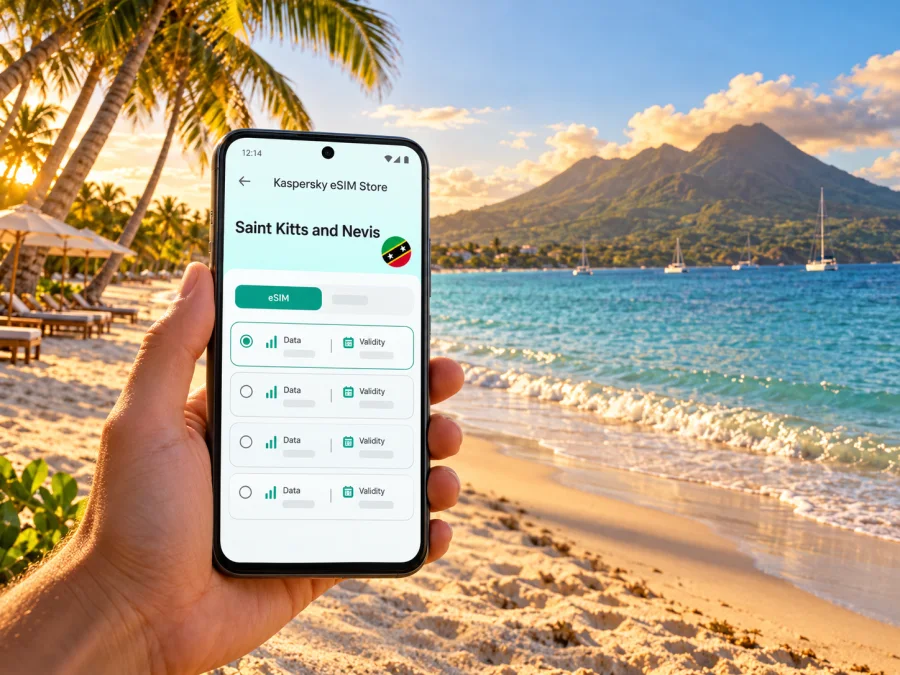
Pinney’s Beach eSIM: mobile connection and internet for Nevis
Pinney’s Beach is a shoreline destination on the west coast of Nevis, the smaller of the two main islands in Saint Kitts and Nevis. A phone can help with the practical parts of a beach day: confirming a transfer, checking a map, messaging your accommodation, finding a restaurant, or arranging the next leg of an island trip. The setting is unhurried, but travel logistics still benefit from preparation.
This guide explains how to plan mobile internet for a stay around Pinney’s Beach, what to expect when travelling between the airport, Charlestown and the beach, and which details to verify before choosing an eSIM. Network access depends on the selected service, local conditions and your device; no mobile connection should be assumed at every point along the coast.
Where Pinney’s Beach is—and what that means for your plans
Pinney’s Beach lies on Nevis’s western shore, near Charlestown. It is a long, open beach rather than a compact town centre with every service within a short walk. The Nevis Tourism Authority describes the beach as stretching for about four miles and notes its west-coast setting and sunset views. Restaurants and accommodation are found along or close to the shoreline, while other stops around the island may require a taxi or rental vehicle.
That geography shapes how you use your phone. You may need data most when moving between places, arranging a pickup, checking where a property entrance is, or coordinating plans after leaving the beach. Once settled, you may use less data if you have saved directions and reservation details in advance. Do not rely on a map alone for the last stretch: confirm the address and pickup point with your host or driver, especially if a property uses a local landmark rather than a numbered street address.
A useful way to think about the destination is as three connected areas:
| Area | Why it matters to your arrival | Phone tasks that may help |
|---|---|---|
| Vance W. Amory International Airport (NEV) | Nevis has its own airport for regional flights and charter arrivals. | Confirm the pickup, share your arrival time, and open the saved route to your accommodation. |
| Charlestown and its waterfront | The island’s main town and passenger ferry terminal connect with St. Kitts. | Check ferry information, arrange a taxi, and message your host if plans change. |
| Pinney’s Beach and nearby properties | The beach is on Nevis’s west coast, close to Charlestown but spread along the shore. | Find the right access point, contact a restaurant or property, and arrange onward transport. |
These places are on the same island, but they are not interchangeable arrival points. If your flight lands at Robert L. Bradshaw International Airport (SKB), that airport is on St. Kitts, not at Pinney’s Beach and not on Nevis. You still need to cross The Narrows by ferry or water taxi and continue overland on Nevis. If you arrive at NEV, you are already on Nevis, but you still need a transfer to the beach area.
Choose a route before you choose how much data you need
Many visitors reach Nevis through St. Kitts. From SKB, the onward journey involves a road transfer to a departure point and a sea crossing. Passenger ferries connect Basseterre Pier on St. Kitts with Charlestown Pier on Nevis; the Nevis Tourism Authority gives a typical crossing range of 25–45 minutes, depending on the service. Water taxis operate on different routes and schedules. These are separate transport options, so check the departure location, operating hours, baggage rules and current schedule with the provider before travelling.
For a route through Nevis’s airport, confirm that your flight is actually scheduled to NEV and arrange a local transfer from there. Regional air services and charter flights serve the airport, while many international itineraries use SKB or another Caribbean hub. Flight routes and timetables can change, so use your airline’s current itinerary rather than assuming that a booking to “St. Kitts” brings you directly to Nevis.
A practical arrival sequence looks like this:
- Save the full accommodation address, host’s telephone number and any written transfer instructions while you have a reliable connection.
- If flying to SKB, confirm the transfer between the airport and the ferry or water-taxi departure point. Ask which dock you will use; St. Kitts has more than one departure option.
- Check the crossing schedule on the day of travel. Allow time for check-in, baggage handling and delays between flight arrival and departure.
- On Nevis, confirm whether your transfer is waiting at Charlestown, Oualie Bay, Cades Bay or another agreed location. The arrival point depends on the service you book.
- Before leaving the vehicle, check that you have the correct Pinney’s Beach entrance or property. The shoreline is long, and “Pinney’s Beach” alone may not identify the precise drop-off point.
Mobile data can support these steps, but it is not a replacement for a confirmed transport plan. A downloaded map, screenshot of a booking and a written pickup contact remain useful if the ferry is crowded, a device battery is low, or a signal is temporarily unavailable.
Plan your connection around a beach day
At Pinney’s Beach, connectivity needs usually come in short bursts: finding the right route, sending a message, checking opening hours, or arranging a ride. Video calls, cloud photo backups, streaming and automatic app updates consume much more data than a map check or text message. If your plan has a limited allowance, download media and navigation information over Wi-Fi before setting out, and turn off background syncing for apps that do not need it.
The beach faces west, and the Nevis Tourism Authority highlights sunset as a reason to visit. If you plan to stay until evening, sort out the return ride before settling in. Do not assume that a taxi will be immediately available wherever you are on the shore. Save the driver’s contact details and agree on a pickup point that both of you can identify. A data connection is useful for coordination, but the plan should still work if a message takes time to send.
For lunch or a casual stop, the tourism authority lists local dining options around Pinney’s Beach, including Sunshine’s Beach Bar and restaurants in the same coastal area. Opening days and hours can vary, so check directly on the day. If you are meeting friends, send a specific venue name or location pin rather than only saying “the beach”; the shoreline has several possible meeting points.
Consider dividing your data use into three categories:
- Essential travel tasks: messages to a driver or host, maps, ferry updates and booking confirmations. Keep these available first.
- Helpful extras: web searches for restaurants, local attractions, weather and route alternatives. Use them when needed, then close high-data apps.
- Optional heavy use: streaming, video calls, large photo uploads and hotspot sharing. These can use a plan allowance quickly, particularly when several devices share one connection.
For a short stay focused on swimming and relaxing, a smaller data allowance may be enough if you use Wi-Fi where available and keep maps offline. If you work remotely, upload large files, or share a connection with other travellers, estimate usage more carefully and check both the plan’s data limit and validity period. There is no single correct allowance: your itinerary and habits matter more than the name of the beach.
Find a suitable eSIM for Saint Kitts and Nevis
Pinney’s Beach is a destination within Nevis, not a separate mobile-service market. When reviewing a travel eSIM, select the country or region that explicitly includes Saint Kitts and Nevis, then inspect the plan details. Confirm the validity period, data amount, supported service type, activation rules and any fair-use conditions. A country listing by itself does not establish performance at a particular beach, hotel or road.
Kaspersky eSIM Store is an app and website for choosing, arranging and activating an eSIM with a suitable data plan for an international trip. It helps you prepare the digital SIM and review the plan information shown for your destination. The mobile service itself depends on the plan’s underlying carrier arrangements and local network conditions; Kaspersky eSIM Store is not a mobile operator and does not guarantee coverage at a specific spot.
Before deciding, compare the plan’s stated validity with your travel dates. Check when validity starts: it may begin at installation, first connection or another point described in the plan conditions. Also confirm whether the allowance is one-time or renewable, whether hotspot use is permitted, and what happens when the included data is used. If your itinerary includes St. Kitts as well as Nevis, verify that the same plan covers both islands rather than assuming that a Nevis destination automatically includes every stop on the route.
You can review eSIM plan options for Saint Kitts and Nevis and check the terms shown for the specific plan before purchase. This country page is a starting point for reviewing current options; it is not a claim that a particular plan, price, network or allowance will suit every traveller or work at every location on Nevis.
Local mobile service and travel eSIMs are different choices
Saint Kitts and Nevis has domestic mobile carriers. Digicel’s Saint Kitts and Nevis materials describe local eSIM service for its own prepaid and postpaid customers. That is a local carrier product with its own eligibility, registration, device and account conditions. It should not be confused with an international travel eSIM, which may have different plan terms and a different service arrangement.
If you are considering a local line, check the carrier’s current requirements and supported device list directly. If you are considering a travel eSIM, read the destination and network terms attached to that exact plan. A local carrier’s eSIM availability does not prove that a particular travel eSIM uses that carrier, and a national coverage statement does not guarantee signal inside a building, at the water’s edge or on every road. Conditions can vary with terrain, congestion, weather, device settings and network maintenance.
Check your phone and prepare the eSIM
An eSIM works only when both the device and its regional hardware variant support eSIM and the phone is not restricted by a carrier lock. Support can differ between otherwise similar models sold in different markets. Before purchasing, use your phone settings or manufacturer information to verify the exact model variant, and check whether your device is compatible. Do not rely only on the model family name or a list written for another country.
A second check is whether your handset can keep your home SIM active while using the travel eSIM for data. Many travellers want to receive calls or messages on the usual number while data uses the travel profile, but dual-SIM behaviour varies by device. Review the settings and your home provider’s roaming charges before departure. A data-only eSIM generally does not supply a regular phone number for ordinary voice calls or SMS unless the plan specifically says otherwise; internet-based messaging apps can work over data subject to their own requirements.
Use this preparation checklist before you leave:
- Confirm the exact phone model and regional variant support eSIM.
- Check that the phone is unlocked and can add a plan from another provider.
- Confirm the selected plan includes Saint Kitts and Nevis and covers the dates you need.
- Read the activation instructions and decide whether to install before departure or after arrival.
- Keep access to the email or account used to purchase the plan.
- Save the accommodation address, transfer details, ferry information and important contacts offline.
- Carry a charger or power bank; navigation and camera use can drain a battery during a full beach day.
Installation and activation are separate steps in some plans. You may be able to add an eSIM profile in advance while waiting to use it until you arrive; the plan conditions determine when the validity period begins. Read the instructions on the purchase screen and avoid deleting the profile if the connection does not appear immediately. If the plan uses a QR code, open it on another device or print it before travelling when the phone cannot scan its own display. Keep the QR code private and follow the provider’s instructions for activation.
For device-specific setup steps, use the Android eSIM installation guide or the iPhone eSIM installation guide. Menu names vary by operating-system version and manufacturer. After arrival, select the travel eSIM for mobile data, enable data roaming only if the plan instructions require it, and confirm that the home SIM is not unexpectedly using roaming data. Avoid changing several settings at once; note the original settings so you can restore them later.
Keep maps and transport details available
Download an offline map of Nevis, pin your accommodation and save screenshots of ferry bookings, pickup details and the exact beach access point. Online maps may not identify every driveway or locally used landmark. Passenger ferries, vehicle ferries and water taxis use different routes and departure points; schedules can change, so confirm the current service with its operator. Arrange the return ride before settling in, particularly if you plan to stay through sunset.
Match the setup to your itinerary
| Trip type | What to prepare |
|---|---|
| Day trip from St. Kitts | Confirm the airport-to-dock transfer and return crossing; keep ferry details and the Nevis map offline. |
| A few nights near Pinney’s Beach | Save your host’s contact and property location; ask whether accommodation Wi-Fi reaches your room and work areas. |
| Remote work | Verify internet arrangements with the property. Treat an eSIM as backup only after checking hotspot rules, allowance and the plan’s terms. |
| Multi-island route | Check that each destination is included and save every terminal and lodging location separately. |
| Sunset visit | Agree on a specific pickup point in advance and preserve battery for the return route. |
If the connection does not work as expected
Start with the plan details rather than repeatedly toggling settings. Check that the eSIM profile is installed, enabled and selected for mobile data; confirm that the destination is included and that the plan is active. If the instructions require data roaming for that eSIM, turn it on for the travel line only. A home SIM can have separate roaming settings, so verify which line is selected before using data.
Then try these steps in order:
- Move outdoors or to a place with a clearer view and wait briefly for the device to register.
- Check whether airplane mode is off and the travel line is enabled.
- Restart the phone if the plan instructions recommend it.
- Review the eSIM’s network-selection settings; use automatic selection unless the plan provider gives a specific manual setting.
- Check data allowance, plan validity and any activation notice in the app or account.
- Contact the eSIM provider or local carrier using the support channel tied to the product you chose.
A connection may be weak or unavailable in a particular place even when a plan is active. Buildings, shoreline topography, network maintenance, local demand and the phone itself can affect service. Keep essential booking details and contact numbers offline, and use the accommodation’s Wi-Fi or ask staff for help when mobile data is not available. Do not delete an eSIM profile as a troubleshooting shortcut unless the provider’s instructions say it can be reinstalled.
Questions travellers often ask
Is Pinney’s Beach a town or separate island?
No. It is a beach on Nevis, part of Saint Kitts and Nevis, on the west coast near Charlestown.
Which airport should I use?
Vance W. Amory International Airport (NEV) is on Nevis. Robert L. Bradshaw International Airport (SKB) is on St. Kitts; from there you need a sea crossing and onward transfer. Check the airport code on your ticket.
Will an eSIM guarantee internet at the beach?
No. Service depends on the plan, local network, device and conditions. Check the exact plan terms and keep offline maps and booking details.
Does a data eSIM replace my usual number?
A data-only plan generally does not include a regular voice number or SMS unless its terms say so. Your home SIM may remain available for calls, but roaming charges can apply.
How much data do I need?
It depends on your habits. Maps and messages use less than streaming, video calls, photo backups or hotspot sharing. Estimate your usage and compare it with the allowance and validity period.
A calm connection plan for Pinney’s Beach
The simplest preparation is to treat the beach visit as part of a route across Nevis: confirm the airport or ferry arrival, save your lodging and pickup details, check that your device and selected plan are compatible, and keep an offline backup. Use mobile data for the moments when it adds value—navigation, messages and updates—while leaving time to enjoy the shore without needing to check your phone constantly.
When you are ready, use Kaspersky eSIM Store to review the current eSIM options for your Saint Kitts and Nevis trip, compare the allowance and validity shown, and choose a plan that matches your route and usage. Install and activate it according to the plan instructions before you set out for Pinney’s Beach.


