Travel connectivity guide
Piran eSIM: Mobile Internet for Your Slovenia Trip
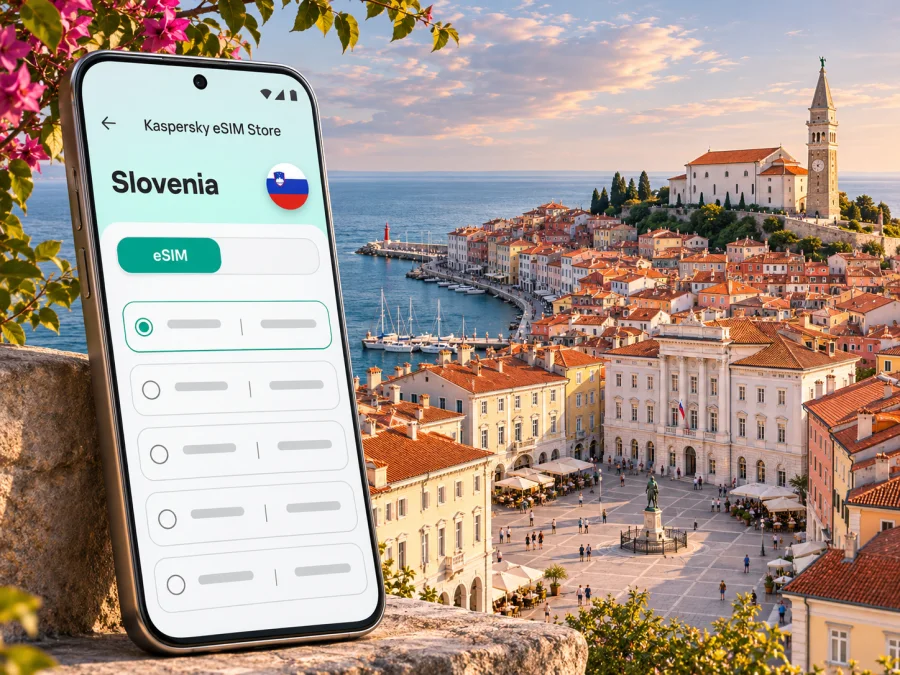
Piran eSIM: mobile connection and internet for a coastal city break
Piran is a compact Adriatic town where a phone is useful as soon as you arrive: to find your accommodation in the old centre, check a bus or transfer, message your host, and navigate the lanes between Tartini Square and the waterfront. An eSIM can provide mobile data for these practical moments without replacing the physical SIM already in your phone. Before travelling, check that your device supports eSIM, is not carrier-locked, and can use a plan that covers Slovenia.
For local routes, check current transport notices and access arrangements for your travel date.
When mobile internet helps in Piran
Piran is a walkable historic town on Slovenia’s short Adriatic coast. Its tightly packed old centre is made for exploring on foot, but the same narrow lanes can make a saved map, a hotel pin, or a message to your host useful. You may also need data to check opening hours, translate a menu, confirm a booking, or share your location when meeting friends.
A few everyday situations illustrate the value of being connected:
- On arrival: open the route to your accommodation, contact the host, and check where a transfer or local bus leaves from.
- With luggage: use a map to identify the closest practical drop-off point; the historic centre is largely closed to ordinary traffic, so a car may not take you directly to the door.
- During a walk: save the route back to your hotel, check the weather, or look up a museum or restaurant while moving between the seafront and the old streets.
- On the coast: coordinate plans with your group and check connections to Portorož, Lucija, Strunjan, Izola, or Koper.
- For work: join messages, review documents, or use a hotspot if your plan and device allow tethering and your accommodation Wi-Fi is unreliable.
Save your accommodation address, booking details, and essential route before departure. They remain useful if your battery is low, signal is unavailable, or you need to conserve data.
First arrival: plan the last part of the journey
Piran is not served by a large international airport in the town itself. Visitors commonly approach the coast from a Slovenian or nearby regional airport, then continue by road or bus. The right route depends on your flight, season, luggage, and onward connections; do not assume that the closest-looking airport offers a direct bus at the time you land.
Ljubljana Airport publishes public bus information for the airport-to-city connection and onward travel. Portorož & Piran’s visitor information describes regular bus connections from Slovenian towns, including Ljubljana, and transfer options from airports and cities such as Trieste, Venice, Zagreb, and Ljubljana. These are route possibilities, not a promise that every service runs at every hour. Check the current timetable and transfer booking conditions before you travel.
A practical arrival sequence:
- Save your accommodation address and nearest landmark, including the local spelling if your host provided it.
- Check the airport-to-city leg, onward bus or shuttle, stop name, and transfer time separately.
- Keep tickets accessible offline; follow the carrier’s rules for QR codes and screenshots.
- Use mobile data to check delays or message your host, while relying on the operator for official departure changes.
- If carrying bags, ask your accommodation for the recommended drop-off and walking route. A pin at the front door may not mean a vehicle can reach it.
By car, check parking before entering the old centre. Local visitor information says it is largely closed to traffic and recommends parking outside it; an electric minibus connects the Fornače area with Tartini Square. Luggage drop-off is subject to local rules and charges, so follow signs and check current conditions.
Finding your way through town
Piran’s central landmarks make useful reference points when a street address is difficult to interpret. Tartini Square is a natural orientation point; the waterfront, the harbour, the parish church of St George, and the town walls help you understand how the old peninsula is laid out. Keep the map zoomed in when navigating the small streets, and check the route on foot rather than accepting a driving route by default.
| Situation | A useful mobile task | A low-data fallback |
|---|---|---|
| Walking from a bus stop | Open pedestrian directions to your hotel | Save the route or take a screenshot before boarding |
| Meeting someone near the centre | Share a location and name a visible landmark | Agree on Tartini Square or another clear meeting point in advance |
| Looking for a restaurant | Check the address and opening information | Save two nearby options before leaving your accommodation |
| Visiting the waterfront | Check the return route and weather | Download an offline map for the area |
| Returning after dark | Confirm the route and message your host | Keep the street name and entrance details in a note |
A lane may be steep or stepped, and a short route on screen may not suit wheeled luggage or reduced mobility. Ask your accommodation about access before arrival if needed. A power bank is useful on a day spent navigating and checking tickets.
Getting around Piran and nearby towns
The historic centre is best explored on foot. For journeys between Piran and neighbouring coastal settlements, check local bus services and the latest operating notices. Arriva publishes Piran urban transport information, including routes and timetables; Portorož & Piran visitor information also describes local buses between Piran, Portorož, and Strunjan, as well as minibuses linking parking areas with Tartini Square.
Use mobile data to check stops and updates, but note the stop and return departure before an excursion. Payment methods differ by service; Arriva says cash payment to the driver is not available on Piran urban transport, so verify current options before boarding.
If you plan to visit Izola or Koper, treat the journey as a separate leg. Check the departure point and whether you need to change buses, particularly if you are travelling on a Sunday, public holiday, or outside the busy season. A connected phone helps you re-check a connection, but a screenshot of the outbound and return options prevents a dead battery or patchy signal from leaving you without the basics.
Drivers should plan parking before entering Piran. The historic centre has restricted vehicle access, and official visitor information points to garages outside the centre and a shuttle toward Tartini Square. Once parked, switch your map to walking directions for the final stretch. If your accommodation has a designated drop-off procedure, follow its instructions and the posted local signs.
Choosing an eSIM plan for a Piran trip
An eSIM plan is a digital SIM profile used for mobile data. For a stay in Piran, choose based on the whole itinerary rather than the city name alone: confirm that Slovenia is included, then estimate how many days you will travel and how you use your phone. A short visit focused on maps and messages usually has different needs from a longer stay with frequent video calls, photo uploads, or hotspot use.
Before choosing, answer these questions:
- Where will you go? Confirm coverage eligibility for Slovenia and any other country on your route. A plan for one destination may not cover a cross-border day trip.
- How long will you need data? Compare the plan’s validity period with your arrival and departure dates, and read when the validity starts.
- What will use the data? Maps, messaging, and email are generally lighter tasks than streaming, video calls, cloud photo backups, or tethering.
- Can you rely on Wi-Fi sometimes? Hotel or café Wi-Fi may reduce mobile-data use, but do not assume it will be available everywhere or suitable for every task.
- What happens when the allowance runs out? Check the plan terms for top-ups, speed changes, or expiry rather than guessing.
You can review available eSIM options for Slovenia and compare the current data allowance, validity, price, and plan conditions for your trip. Kaspersky eSIM Store is an app and website that helps you choose, purchase, and activate an eSIM with a suitable plan for mobile internet while travelling abroad. Plan availability and terms can change, so use the displayed conditions for the option you select.
Estimate your data use realistically
Estimate data from your trip length and habits. Navigation and messages differ from video calls, streaming, photo uploads, and hotspot use; background backups can also consume data.
| Your travel pattern | Check before selecting a plan |
|---|---|
| Weekend of walking and sightseeing | Whether maps, messaging, search, and occasional uploads fit the available allowance |
| Several days with day trips | Whether the validity covers the full trip and the plan includes every destination |
| Remote work or frequent calls | Whether the data allowance is sufficient and tethering is permitted by the plan |
| Photos and social media | Whether uploads can wait for Wi-Fi and whether automatic backup can be paused |
| Family or group travel | Whether one device will act as a hotspot and how that affects data use and battery life |
To keep usage predictable, turn off automatic updates and large cloud uploads over mobile data, download offline maps in advance, and use Wi-Fi for operating-system updates. Set a data warning on your phone if available. These steps do not guarantee a specific consumption amount, but they make it easier to see which activities are using the allowance.
Check your phone before purchase
Confirm that your exact device variant supports eSIM and is not locked to a carrier. Some models differ by region or market, so a model name alone may not settle the question. Check the manufacturer’s specifications for your variant and look in the phone’s mobile-network settings for an option to add an eSIM. If you are unsure, check whether your device is compatible before choosing a plan.
Also check that:
- your operating system is up to date enough for the manufacturer’s eSIM setup process;
- you can connect to Wi-Fi or another internet source while downloading the profile;
- you know which SIM will handle calls and texts and which profile will handle mobile data;
- your primary SIM’s roaming settings will not create unexpected charges;
- your phone has enough battery and you can access the account or email used for the purchase.
An eSIM data plan usually does not provide a conventional phone number, voice calls, or SMS unless the individual plan states otherwise. Keep your regular number active if you need it for calls or verification messages, and use messaging or calling apps over data where appropriate. Review your home operator’s roaming terms for the primary SIM.
Install and activate the eSIM
Install the eSIM while you have a stable internet connection and enough time to follow the on-screen steps. The profile may be delivered through the app, account, or a QR code, depending on the purchase flow. Do not delete an installed profile to troubleshoot unless the plan instructions or support team tell you to; some profiles cannot simply be installed again.
- Check compatibility and plan details. Confirm the device, destination, allowance, validity, and activation conditions.
- Open the eSIM setup flow. Use the Kaspersky eSIM Store app or website instructions associated with your purchase.
- Add the profile. Follow the device prompts, scan the QR code if provided, and keep the installation screen open until the phone confirms completion.
- Label the line. Give the profile a clear name such as “Slovenia data” so you can distinguish it from your primary SIM.
- Choose mobile data settings. Select the travel eSIM for data when you want to use it. Keep calls and SMS on the line you prefer.
- Check the activation point. Some plans begin validity at installation, while others begin at first connection or another stated event. Follow the selected plan’s terms.
- After arrival, test carefully. Turn on the eSIM line and mobile data. If the instructions require data roaming for that profile, enable it for the eSIM and check that your primary SIM’s roaming is set as intended.
For device-specific steps, use the Android eSIM installation guide or the iPhone and iOS eSIM installation guide. The exact menu names can vary by manufacturer and software version.
If mobile data does not connect
Work through the basics before changing several settings at once:
- Confirm that the plan is active and valid for Slovenia on the dates of your stay.
- Check that the eSIM profile is switched on and selected for mobile data.
- Toggle airplane mode off and on, or restart the device, then allow time for it to register.
- Check the plan’s instructions for any required data-roaming setting or network selection step.
- Move to a place with a clearer view of the surroundings and try again; walls, terrain, and local network conditions can affect reception.
- If the problem remains, connect to Wi-Fi and contact support with the device model, plan name, location, and a description of what you have tried.
A signal indicator does not guarantee a particular speed or indoor connection; reception varies by location, building, device, and local network. Use an offline map or ask your accommodation for directions while troubleshooting.
A simple connectivity checklist for the coast
Before departure: confirm eSIM support and carrier-unlock status for your exact phone; choose a plan that includes Slovenia and matches your dates; read when validity begins; install the profile over reliable Wi-Fi if the instructions permit; save your accommodation address, tickets, transfer details, and an offline map.
On arrival: switch on the travel eSIM and select it for mobile data; follow the plan’s network and roaming instructions; check onward transport and contact your host; keep the primary SIM’s roaming settings clear.
During the stay: re-check bus information before day trips, save essential details before leaving Wi-Fi, monitor data use if you upload or tether, and watch battery level while navigating.
Common Piran travel scenarios
A late arrival with luggage
Save your accommodation’s directions and recommended drop-off before flying. On arrival, check the transfer and message your host; near the centre, switch to walking directions. A saved address remains useful if the signal drops.
A day trip to Portorož or Strunjan
Check the timetable and return service before leaving Piran. Save the stop name and confirm the ticket method; a saved return time is useful if you lose signal.
A short work visit
Download documents in advance, check whether tethering is permitted, and use mobile data for messages and route changes. For long calls, accommodation Wi-Fi may be more suitable when available.
A multi-country itinerary
Check every country against the plan’s coverage list and compare validity with the full trip. A Slovenia plan may not cover neighbouring countries. Save the route and next accommodation address before travelling.
Frequently asked questions
Is an eSIM useful for a short stay in Piran?
It can be useful if you want mobile data for maps, messages, transport updates, and bookings without changing your physical SIM. Whether it suits you depends on your device, destination coverage, trip length, and data needs.
Does a Slovenia eSIM work only in Piran?
A country plan is generally selected for its stated destination, not for a single city. Read the current coverage details and terms to confirm where the plan can be used. The eSIM does not guarantee reception at every address or indoors.
Can I keep my regular number?
Usually, you can keep your physical SIM or another eSIM active for calls and messages while selecting the travel eSIM for mobile data. Dual-SIM behavior varies by device, and your home operator may charge roaming fees if its line uses a foreign network.
Does an eSIM include calls and text messages?
Not unless the individual plan says so. Travel eSIM plans are commonly intended for mobile data; check the plan details before purchase. Internet calling and messaging apps can work over data, subject to the app and your contacts’ access.
Should I install the eSIM before flying?
You can install it before departure if the plan instructions allow it and you have a stable internet connection. Check when validity starts: installation and activation are not always the same event. If the plan begins immediately upon installation, follow its instructions about timing.
Do I need mobile data in the old town?
No, but it can help with maps, bookings, translation, messages, and checking nearby transport. Downloading essential directions beforehand is a good fallback, especially if you plan a long walk or want to conserve battery.
Prepare your connection before the trip
For a smooth stay, check plan terms, verify your device, and save key itinerary details. Kaspersky eSIM Store is an app and website for choosing, purchasing, and activating an eSIM with a suitable mobile-data plan for travel abroad. Choose an eSIM plan for Slovenia after reviewing the current allowance, validity, and activation conditions, then follow the setup instructions for your device.


