
Travel connectivity guide
Pisa eSIM for mobile internet in Italy
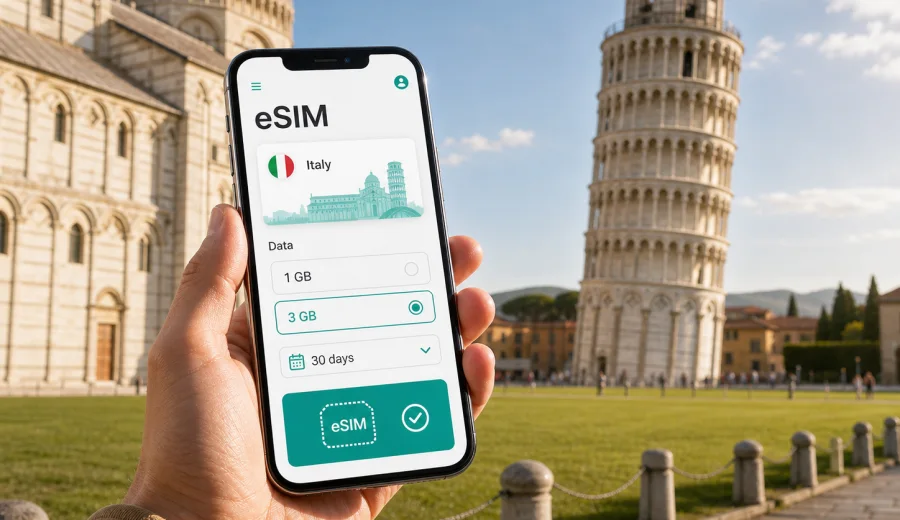
Pisa eSIM: mobile connection and internet for your trip
Pisa is a compact city, but a trip here can still depend on reliable mobile internet from the first hour. You may land at Pisa International Airport, take the PisaMover to Pisa Centrale, walk to the Leaning Tower, meet colleagues near the university district, or use the city as a base for Lucca, Florence, or the Tuscan coast. In each of these moments, an eSIM can make the practical side of travel easier because you do not need to look for a physical SIM card before you start using maps, transport apps, hotel messages, and online bookings.
This guide focuses on Pisa itself: arrival, movement around the city, short stays, business trips, day trips, and how to prepare mobile connection and internet for a visit to Italy with an eSIM. It is not a general country guide. Italy matters here because the eSIM tariff should match the country where Pisa is located, but the real use cases are city-level: getting from the airport, navigating narrow streets, checking opening hours, managing reservations, and staying reachable while you move between neighborhoods.
Why mobile internet matters in Pisa
Pisa is easy to cross on foot, yet mobile data is useful more often than many travelers expect. The airport is close to the city, but you may still need live directions to your hotel, a message from your host, or a train update if you are continuing to Florence, La Spezia, or another Tuscan city. Around Piazza dei Miracoli, the streets can be crowded, and walking routes may change depending on where you enter from. Mobile internet helps you adjust without wasting time.
Typical Pisa scenarios where an eSIM can help:
- finding the quickest route from Pisa International Airport to Pisa Centrale or your hotel;
- checking train times before a day trip to Lucca, Florence, Viareggio, or Cinque Terre routes via La Spezia;
- using maps in the historic center, where small streets and pedestrian areas can be confusing;
- messaging your hotel or apartment host when your arrival time changes;
- opening digital tickets, museum bookings, restaurant confirmations, or work documents;
- using ride-hailing, taxi, or local transport information without relying on public Wi-Fi;
- sharing live location with travel companions during busy sightseeing hours.
Public Wi-Fi can be helpful in hotels, cafes, and some public spaces, but it is not a complete travel plan. You may need internet while you are outside, in a station, near the river, in a taxi, or walking between the tower area and the city center. An eSIM gives you a way to prepare mobile data before the trip, then use the selected eSIM profile on a compatible device when you need it.
Arrival in Pisa: airport, station, hotel
Pisa International Airport, also known as Galileo Galilei Airport, is one of the most convenient arrival points in Tuscany because it is close to the center. This short distance is comfortable, but it also means decisions happen quickly: which transport to take, where to meet a driver, whether to go straight to a meeting, and how to find the correct entrance to your accommodation.
If you arrive by air, mobile internet can help with:
| Moment | What you may need online | Why eSIM is useful |
|---|---|---|
| Passport control and baggage wait | Messages, hotel address, onward plans | You can check details before leaving the terminal |
| Airport exit | Maps, taxi location, PisaMover information | You avoid guessing the best route under time pressure |
| Transfer to Pisa Centrale | Train connections and platform checks | Helpful if Pisa is only the first stop |
| Hotel arrival | Booking confirmation, door code, host messages | Useful for apartments and late arrivals |
If you arrive by train at Pisa Centrale, the first mobile-data need is usually navigation. The station is close to the historic center, but different hotels and guesthouses may sit in narrow side streets, near the Arno, around San Francesco, or closer to the Leaning Tower. A live map is more practical than a printed route when you are carrying luggage or arriving after dark.
For a short stopover, mobile internet is even more important. Travelers often plan a fast route from the station to Piazza dei Miracoli, take photos, eat nearby, and return to the station. With an eSIM ready, you can check walking time, avoid unnecessary detours, and keep an eye on the return train without searching for Wi-Fi.
How much data do you need for Pisa?
Pisa does not require a special city-only tariff. Since it is in Italy, you should choose an eSIM tariff that covers Italy, or a regional option if your itinerary continues through several European countries. The right amount of data depends on how you travel, not only on the number of days.
Use this practical estimate:
| Trip style | Likely mobile data use | What to consider |
|---|---|---|
| One-day Pisa stop | Low to moderate | Maps, messaging, tickets, train checks |
| Weekend in Pisa | Moderate | Navigation, restaurants, hotel messages, photo sharing |
| Business trip | Moderate to high | Email, documents, calls through apps, tethering if allowed |
| Pisa plus Tuscany | Higher | Train planning, day trips, maps between cities |
| Remote work stay | High | Video calls and large files can consume data quickly |
Maps, messengers, email, and booking apps usually use less data than video streaming, cloud backups, or long video calls. Before departure, download offline map areas, save hotel addresses, and pause automatic media backups if you want your data package to last longer. If you plan to use your phone as a hotspot, check whether the selected tariff allows tethering and choose a larger package if necessary.
Choosing an eSIM tariff for Pisa
The most important rule is simple: choose coverage for Italy, because Pisa is an Italian city. If your route includes only Pisa and nearby Tuscan cities, an Italy tariff is usually the natural starting point. If you are combining Italy with France, Switzerland, Spain, Germany, or other countries in one trip, a regional Europe tariff may be more convenient, depending on the available options and conditions.
Before selecting a tariff, check four details:
1. Destination coverage: Italy should be included for a Pisa trip.
2. Data allowance: match it to your expected use, especially maps, calls through apps, and work files.
3. Validity period: choose a duration that covers the full stay, including arrival and departure days.
4. Activation rules: read when validity starts and whether any setup step must be completed before travel.
Kaspersky eSIM Store is an app and website where you can quickly choose, arrange, and activate an eSIM with a suitable mobile-internet tariff for an international trip. For Pisa, the relevant country page is Italy, where you can review available options and choose an eSIM tariff for your trip to Pisa when it fits your itinerary.
This link is useful at the planning stage, but do not choose only by city name. Think about the full route. A traveler staying near the tower for two days has different needs from someone flying into Pisa, working in the city, then taking trains to Florence and Bologna. The eSIM should match your real data use and the countries where you will need mobile internet.
Pisa travel situations where eSIM is especially practical
A fast visit to the Leaning Tower
Many visitors come to Pisa for a few hours. They arrive by train, walk or take local transport to Piazza dei Miracoli, take photos, visit the cathedral area, then return to the station. Mobile internet helps with timing: checking the walking route, confirming ticket windows, finding a less crowded path back, and watching train updates. When the stay is short, each wrong turn costs more.
A university or business trip
Pisa has an active university and research environment, so business and academic travelers often need more than tourist navigation. You may be joining a meeting, receiving a last-minute room change, opening a presentation, or using messaging apps with colleagues. An eSIM can reduce dependence on venue Wi-Fi, especially when you move between a hotel, campus area, conference space, and restaurant.
A base for Tuscany
Pisa is a practical base because train connections make day trips possible. Lucca, Florence, Livorno, Viareggio, and other Tuscan destinations can be part of the same journey. In this case, mobile data supports station decisions, route changes, restaurant searches, and messaging between people who split up during the day. The city is small, but the itinerary may not be.
Late arrival or early departure
If your flight lands late or leaves early, you may not want to spend time looking for a SIM card or asking for Wi-Fi passwords. Having an eSIM prepared before departure can make the first and last parts of the trip calmer: open the address, contact the hotel, check the transfer, and confirm that you are heading to the correct terminal or station.
Installation and device checks before the trip
Before you buy or install any eSIM, confirm that your phone or tablet supports eSIM and is not locked to a mobile operator. You can use the internal compatibility check here: check your device. This step matters because eSIM support depends on the exact device model, region, and operator lock status.
A simple preparation checklist:
- make sure your device supports eSIM;
- check that the device is not carrier-locked;
- update the operating system if an update is pending;
- keep your primary SIM active if you still need calls or SMS on your usual number;
- read the tariff conditions, including validity, data allowance, and activation timing;
- install the eSIM while you have a stable internet connection, if the instructions recommend doing it before travel;
- keep the QR code or installation details available until setup is complete.
For setup details, follow the official guides for your device type: Android installation instructions and iOS installation instructions. The exact screen names can differ by phone model and operating-system version, so use the guide as the main reference and check your device settings carefully.
After installation, give the eSIM profile a clear label such as “Italy travel” or “Pisa trip”. This helps you avoid confusion if your phone has several SIM profiles. When you arrive, select the eSIM for mobile data and check whether data roaming must be enabled for that eSIM profile according to the tariff instructions. Keep your usual SIM for calls or SMS only if you need it, and remember that eSIM data tariffs for travel may not include a regular phone number unless this is stated in the tariff conditions.
Practical mobile-data plan for a Pisa itinerary
Use the following sequence if you want a simple, low-stress setup:
1. Before departure, choose an Italy or regional tariff that matches your route.
2. Check eSIM compatibility and operator lock status.
3. Install the eSIM while connected to reliable Wi-Fi.
4. Save your hotel address, airport details, and key bookings offline.
5. On arrival in Pisa, switch mobile data to the travel eSIM profile.
6. Test maps and messaging before leaving the airport or station.
7. Track data use during the trip, especially if you use video calls or hotspot mode.
This approach works well for both short city breaks and multi-city travel. It also keeps the eSIM task separate from other arrival tasks. Instead of trying to solve mobile internet, transport, and hotel check-in at the same time, you prepare the eSIM first and use the arrival window for moving through the city.
Neighborhoods and movement around Pisa
Pisa’s historic center is walkable, but the city is divided by the Arno and shaped by station-to-tower movement. Where you stay affects how often you use mobile data for navigation.
| Area or route | Typical traveler need | Mobile internet use |
|---|---|---|
| Pisa Centrale area | Arrival, luggage, budget hotels, onward trains | Train updates, walking routes, check-in messages |
| Santa Maria and tower area | Sightseeing, museums, short stays | Tickets, maps, restaurant searches |
| San Francesco and university areas | Student, academic, business travel | Messaging, meeting details, documents |
| Lungarni along the Arno | Walks, restaurants, evening plans | Navigation, reviews, reservations |
| Airport to center | First and last travel segment | Transfers, maps, flight updates |
Because many streets in the historic center are narrow, a live map can be more useful than a large overview. It helps you find the correct bridge, avoid unnecessary loops, and choose a route that works with luggage. If you are meeting someone, live location sharing can be practical around busy squares and station entrances.
eSIM, roaming, and local SIM cards in Pisa
There are several ways to get mobile internet in Pisa. Standard roaming may be convenient if your home operator offers good conditions for Italy. A physical local SIM can be useful for long stays, but it usually requires time, an offline purchase point, and a device with an available SIM slot. An eSIM is often practical for travelers who want to prepare before departure and avoid changing a physical card.
| Option | Strength | Limitation |
|---|---|---|
| Home roaming | Familiar number and operator | Cost and data conditions depend on your home plan |
| Public Wi-Fi | Useful in hotels and cafes | Not available everywhere and may be less convenient outside |
| Physical local SIM | Can suit longer stays | Requires purchase time and a SIM slot |
| Travel eSIM | Can be prepared digitally | Requires a compatible, unlocked device and correct setup |
Do not treat any option as universally best. For a two-hour stopover, your needs are different from a month of remote work. For a family trip, each phone may need its own setup. For a business trip, reliability during meetings may matter more than using the smallest data package. The value of an eSIM is that you can compare the tariff details in advance and choose a package that fits the trip.
Tips to make your data last longer in Pisa
Small settings can make a noticeable difference, especially on a short data package:
- download offline maps for Pisa and nearby Tuscan cities before departure;
- disable automatic cloud photo and video uploads on mobile data;
- use Wi-Fi for large app updates, operating-system updates, and streaming;
- reduce video-call quality when you are not on Wi-Fi;
- save train tickets, hotel confirmations, and museum bookings in your wallet or files app;
- close background apps that refresh too often;
- check data usage after the first day and adjust habits if needed.
For most city tasks, you do not need constant heavy data use. Maps, messaging, translation, email, and booking apps are manageable when you keep video and uploads under control. If you plan to work from Pisa, choose a larger data allowance and confirm any hotspot conditions before relying on tethering for a laptop.
Common questions about eSIM in Pisa
Do I need a Pisa-specific eSIM?
Usually, no. Since Pisa is in Italy, choose an eSIM tariff that covers Italy. If your trip includes several countries, compare Italy-only and regional options based on coverage, validity, and data allowance.
Can I install the eSIM after I arrive?
In many cases you can, but installing before travel is often simpler because you can use a stable home or hotel internet connection. Follow the setup instructions and check when the tariff validity starts.
Will an eSIM give me a local Italian phone number?
Travel eSIM data tariffs usually focus on mobile internet. They may not include a regular phone number, voice calls, or SMS unless this is clearly stated in the selected tariff conditions. You can use internet-based calling and messaging apps over mobile data.
Is eSIM useful if my hotel has Wi-Fi?
Yes, because much of a Pisa trip happens outside the hotel: airport transfer, station routes, sightseeing, restaurant plans, meeting changes, and day trips. Hotel Wi-Fi is helpful, but it does not cover the streets, trains, or airport movement.
What should I do if mobile data does not work after arrival?
Check that the eSIM profile is selected for mobile data, review whether data roaming must be enabled for that profile, restart the device if needed, and confirm that the tariff is active. If the issue continues, contact support with the device model, destination, and any error messages.
Final checklist before you travel to Pisa
Before leaving for Pisa, make sure your mobile internet plan is as ready as your accommodation and transport:
- Italy is included in the selected eSIM tariff;
- the validity period covers arrival and departure days;
- your device supports eSIM and is not carrier-locked;
- the eSIM is installed or you know exactly when and how to install it;
- mobile data settings are clear for the travel eSIM profile;
- key addresses and bookings are saved offline;
- you understand whether calls, SMS, hotspot use, or top-ups are included in the selected tariff conditions.
Pisa rewards simple preparation. The city is compact enough to enjoy on foot, but connected travel still matters: the correct train, the right bridge, the hotel message, the meeting update, the last-minute restaurant change. With an eSIM arranged in advance, you can spend less time solving mobile internet after arrival and more time moving through the city with confidence.
If Pisa is part of your Italy itinerary, Kaspersky eSIM Store can help you review available options and prepare an eSIM tariff for your trip to Italy before you arrive.