Travel connectivity guide
Play eSIM in Poland: Availability and Setup
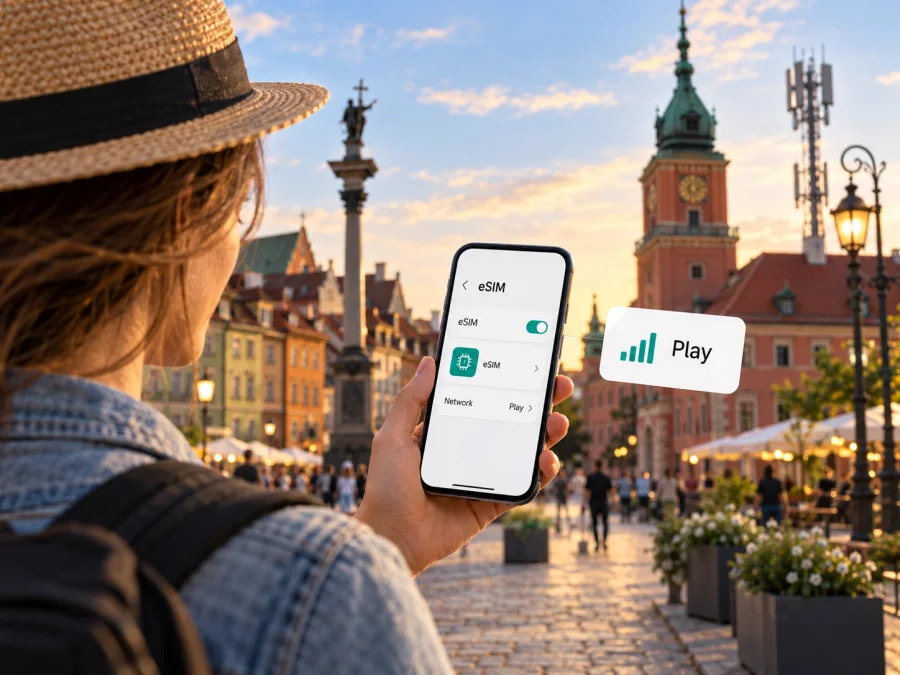
Play eSIM in Poland: availability, activation and travel checks
Play is a mobile operator brand serving customers in Poland. If you are considering a Play eSIM for a stay in the country, the essential question is not simply whether your phone has eSIM hardware: you also need an eligible Play service, a supported device variant, a working activation route and coverage at the places you plan to visit. A visitor who only needs data for a short trip may also compare a travel eSIM with a local Play service, while keeping their home number available in the phone.
This guide separates what Play currently documents from the points each traveller should verify for their own account and handset. It does not list or compare specific offers. Play’s eSIM information, eligibility FAQ, online prepaid page, newsroom announcement and coverage map were checked on 17 October 2026. The details displayed by the operator can change, so use its current customer channels to confirm account-specific steps before ordering or replacing a SIM.
What Play eSIM means in Poland
An eSIM is a digital SIM profile stored on a compatible device rather than a removable plastic card. Play describes eSIM as available to its private and business customers using postpaid, prepaid and MIX services. That is useful context for people already with Play and for visitors who are considering getting a Polish number. However, the general statement does not guarantee that every account, service type, sales channel or handset qualifies.
Play’s current eSIM help page identifies some excluded service categories, including its virtual switchboard and telemetry offer, as well as selected voice offers under other named brands. Eligibility can depend on the precise product and customer type. If you already use Play, confirm your exact account in Play24 or with Play support. If you are a new customer, check the sign-up requirements and how the number must be registered before assuming that you can complete the process from abroad.
For a new connection, Play presents ways to choose eSIM when selecting a service, and its online prepaid information shows an eSIM option with an activation QR code sent by email. Play’s newsroom has also described eSIM starter registration online and sale through its own and partner channels. Existing customers can request a SIM-to-eSIM replacement through Play24, according to the operator’s app information. The available route may differ depending on whether you want a new number, are moving an existing number, or are replacing a current SIM.
A Play eSIM should not be confused with a travel data eSIM. A local Play line is a mobile service associated with Play and may provide an ordinary phone number and the features attached to the customer’s service. A travel eSIM purchased for mobile data abroad is a separate product and may be data-only. Check the terms of each service, including calls, texts, roaming, number retention and any identity or registration requirement. A travel product does not automatically replace your Polish operator account or its phone number.
Is Play a suitable option for a visitor?
It can be worth checking if you want a Polish mobile line, need a local number, expect to stay for longer, or already have a Play account and want to convert its physical SIM. Prepaid and postpaid routes may suit different customer needs, but eligibility, identity verification, payment, account access and activation steps are operator-specific. Play’s general support information confirms eSIM across several service categories; it does not establish that every tourist can buy and register a new line using only a foreign passport or from outside Poland. Ask Play directly about accepted documents, where registration can take place, and whether the chosen process works for a non-resident.
A short-term traveller may keep a home SIM active for calls or verification while using a travel eSIM for data, if the handset supports the combination. Confirm the selected data line, roaming settings for each profile and the home carrier’s billing rules. Disabling roaming on the home line can prevent unintended data use, but does not necessarily stop charges for calls or texts.
A Play eSIM can suit someone who needs a Polish number or an existing Play line. A travel eSIM may be convenient when the main need is mobile data arranged before arrival. A physical SIM remains an option for an incompatible handset or when in-person help is preferred. Your choice depends on trip length, registration requirements, device support and whether ordinary calls or SMS matter. Do not assume that prepaid means tourist-specific or that registration can be skipped.
Check the handset and its regional variant
A device family name is not enough to establish eSIM support. The same phone model can be sold in different hardware variants, and software, carrier lock status or country of purchase can affect whether the eSIM controls are available. Play maintains a device list on its eSIM page, but the list is not a universal compatibility promise for every regional variant. Match the full model or variant number against the operator’s latest information and the phone maker’s documentation.
Before ordering or replacing a profile, check the full model identifier, including regional suffixes, against Play’s current device list and the manufacturer’s support page. Look for “Add eSIM” in cellular settings, confirm that the handset is unlocked, and verify it supports the bands and network generations needed at your destinations. eSIM capability alone does not guarantee access to a particular technology. Update the operating system, arrange Wi-Fi for setup, and confirm that a managed device permits another profile.
Do not delete an eSIM profile as a troubleshooting shortcut unless Play tells you to do so. A QR code or activation token may be single-use, and moving an eSIM to another device can require the operator to issue or enable a replacement. Ask about reissue and recovery before changing phones, resetting the handset or removing a working profile.
For Kaspersky eSIM Store, check the device compatibility guidance before purchase and make sure the device is unlocked. You can review eSIM device compatibility before choosing a travel connection. This check is separate from Play’s own supported-device list: passing one provider’s check does not guarantee eligibility with another provider.
How to request and install a Play eSIM
The exact route depends on the service you are starting with. Play’s public guidance describes choosing eSIM during a new subscription, using an eSIM option for prepaid, or replacing an existing SIM. Follow the current screens and instructions shown for your account rather than relying on a generic QR tutorial if the app or offer presents a different method.
For a new Play service
First decide whether you need a new prepaid number or another type of Play service. Review the customer eligibility and registration steps, including identity checks and any requirement to verify the number in Poland. If eSIM is offered for the selected service, choose it as the SIM format. Play’s prepaid information describes receiving an activation QR code by email; the operator’s newer starter guidance also describes QR setup after registration. Keep the confirmation message accessible on a different screen or print it, because a single phone cannot scan a QR code displayed only on itself unless it has another supported activation method.
Follow Play’s registration and payment instructions, then install the profile while connected to reliable Wi-Fi. Do not share the QR code: it is a credential for downloading your mobile profile. Use it only on the intended phone and follow prompts from the device’s system settings. If the instructions ask for a confirmation step, complete it before expecting calls or mobile data to work.
For an existing Play customer
Play’s app guidance says a customer can use Play24 and select the SIM management area, then choose the option to replace a physical SIM with eSIM. The exact labels may change with app updates and account type. Make sure you are signed in to the correct account and have an alternative way to receive verification messages if the physical SIM is disabled during replacement. If the app does not offer the option, contact Play rather than repeatedly starting a replacement request.
Add the profile to the phone
Use the installation method in Play’s current email, Play24 screen or customer instructions. If it provides a QR code, open the phone’s mobile-plan settings and scan the code using the device camera or built-in eSIM setup flow. If Play instead provides an app-driven installation flow, follow that flow. Give the profile a clear label, such as “Play Poland”, so you can distinguish it from a home SIM or travel eSIM later.
On iPhone, open Settings, then Cellular or Mobile Service, choose Add eSIM and follow the on-screen steps. Depending on the iOS version, you may be able to scan a QR code or enter the details manually if Play has supplied them. On Android, open Settings and search for “eSIM” or “SIM”; the relevant section is commonly under Network & Internet, Connections or SIM manager. Choose the add or download eSIM option and complete the provider’s prompts. Names and paths vary by manufacturer, Android version and regional software.
After installation, follow the operator’s activation guidance. Select the intended line for calls, messages and mobile data. If you keep another SIM active, review default-line and roaming settings carefully. A profile can appear in the phone before the service is fully active, so check the account status and test a basic connection before relying on it for travel.
Coverage and network technology
Play’s coverage map shows its own network footprint and separate layers for 4G LTE, 5G and 5G in the C band. Play labels the map indicative and says access depends on local coverage, a suitable device and an eligible service. The operator’s 5G information also lists network bands, but neither a map nor a technology label predicts speed or uninterrupted service at a particular address. Buildings, terrain, congestion and supported handset bands can affect reception.
Check the map around your accommodation and key destinations, and review the route if travelling beyond a city. Keep offline maps or tickets available where connectivity is important. A mapped area cannot guarantee indoor reception at every location.
The distinction between geographic status and device variant matters. Poland is the country for this article, while the phone’s regional model is a separate compatibility question. A device purchased abroad may have different radio support or software behaviour from a similarly named handset sold locally. Verify the full model before connecting; do not infer 5G or eSIM capability from a product family name or from the country where the phone is currently used.
Local Play service or travel eSIM?
A local operator service and a travel data eSIM address overlapping but different needs. A Play line can be relevant if you require a Polish number, want to keep a service with the operator, or need ordinary calls and texts under the terms of your Play account. A travel eSIM can be useful when your priority is mobile data for a trip and you would rather set up a separate profile before leaving. A data-only travel eSIM generally does not replace the number on your primary line; check the destination product’s terms for its exact capabilities.
Kaspersky eSIM Store is an app and website that helps travellers choose, purchase and activate an eSIM with a plan for mobile data abroad. It is not a mobile operator, network owner or mobile internet provider. The localized Poland page is available for checking current destination options; it should be treated as a travel-product page, not as a Play tariff page or a statement that any particular local operator plan is included. Review the current details, supported-device guidance and activation conditions before purchase.
A travel eSIM can be installed over Wi-Fi before departure and selected for data later. Keep your primary line if you need its number, but verify roaming settings for both profiles and the home provider’s charges. A local Play service may suit a longer stay, a need for a Polish number or an existing Play customer. A travel eSIM may suit a data-only trip where pre-arrival setup is useful. The right option depends on registration, device support, coverage and voice or SMS needs.
A simple decision checklist
Before choosing, answer these questions:
- Do you need a Polish number and calls or SMS, or only data?
- Have you checked Play’s registration requirements and confirmed your service and exact handset variant qualify?
- Can you access the activation method during setup, and have you checked coverage at your destinations?
- If choosing a travel eSIM, have you checked its Poland details and data-only status?
- Do you know which line is selected for data and how your home carrier handles roaming?
- Are maps, tickets and accommodation details available offline?
If several answers are uncertain, pause before replacing a SIM or deleting an existing profile. Confirm the unresolved point with the relevant provider and keep the current working service active until you know how the switch will happen.
Common setup problems
The phone has no “Add eSIM” option. Check the full model number, software version and carrier-lock status. Some devices in a series do not have the same capability across markets. Compare the variant with Play’s current list and the phone maker’s documentation. If the phone remains unsupported, use a compatible handset or ask about a physical SIM.
The QR code does not scan. Check brightness, camera focus, Wi-Fi and that the code is fully visible. If it has already been used or belongs to another device, ask Play whether it can be reissued.
The profile is installed but has no service. Confirm account activation, line settings, coverage and Play’s network instructions. Restarting may refresh registration; do not delete the profile unless support advises it.
Data uses the wrong line. Select Play or the travel profile explicitly for mobile data and review automatic switching and roaming settings for each SIM.
Your device variant is not listed. Do not infer support from a similar model. Give Play and the manufacturer the full model identifier; use a physical SIM or another compatible phone if necessary.
Frequently asked questions
Does Play offer eSIM in Poland?
Yes. Play’s current eSIM page describes the service for private and business customers across postpaid, prepaid and MIX categories, with stated exceptions for some service types. This does not mean every account is eligible. Check the exact service, handset and activation route with Play before ordering.
Can a visitor buy a Play eSIM?
Play’s public pages show eSIM options for new services and prepaid, but they do not establish that every non-resident can complete registration under every circumstance. Ask Play about accepted identity documents, registration channels, payment and whether you must be physically in Poland. Do not assume a tourist-specific offer exists unless the operator confirms it.
Can I convert my existing Play SIM to eSIM?
Play describes SIM replacement through Play24. Availability and steps can depend on account type and current app version. Make sure you can access your account and verification method, and confirm what happens to the physical SIM during the change.
Does eSIM guarantee 5G?
No. eSIM is a way to store a SIM profile; it does not itself determine the network generation. Access to 5G depends on the device, local coverage and the service conditions. Play’s coverage map and 5G information page are the appropriate places to check current geographic availability.
Can I keep my home number while using a travel eSIM?
Some dual-SIM phones support this, but the combination depends on the handset. Check its instructions, select the right line for calls and data, and remember that home-carrier roaming terms still apply.
Is a Kaspersky eSIM Store travel eSIM a replacement for Play?
It can be an alternative for mobile data during a trip, but it is a separate travel product. Kaspersky eSIM Store helps you choose, purchase and activate an eSIM plan for travel; it does not provide a Polish operator account or a regular phone number. Check the product’s current Poland details and the conditions that matter for your use.
Before you travel
Play’s official eSIM information confirms that digital SIM service is available in Poland for multiple customer categories, with exceptions and device requirements. Its public instructions describe new-service activation, QR-based installation and replacement through Play24. The operator’s coverage map provides a location-based reference for 4G LTE and 5G, while warning that mapped areas are indicative and actual access depends on the device and service.
Your final checks should be specific to your stay: confirm eligibility and registration with Play, verify the exact phone variant, keep installation details available, select the correct line for data, and check coverage at the places you will visit. If a local number is not necessary and the main need is mobile data for travel, check current eSIM options for Poland in Kaspersky eSIM Store and review compatibility before purchase.
Play is a trademark of its respective owner. Kaspersky eSIM Store is not affiliated with Play or its owner. Product names remain the property of their respective rights holders.


