Travel connectivity guide
Point Fortin eSIM: Mobile Internet in Trinidad
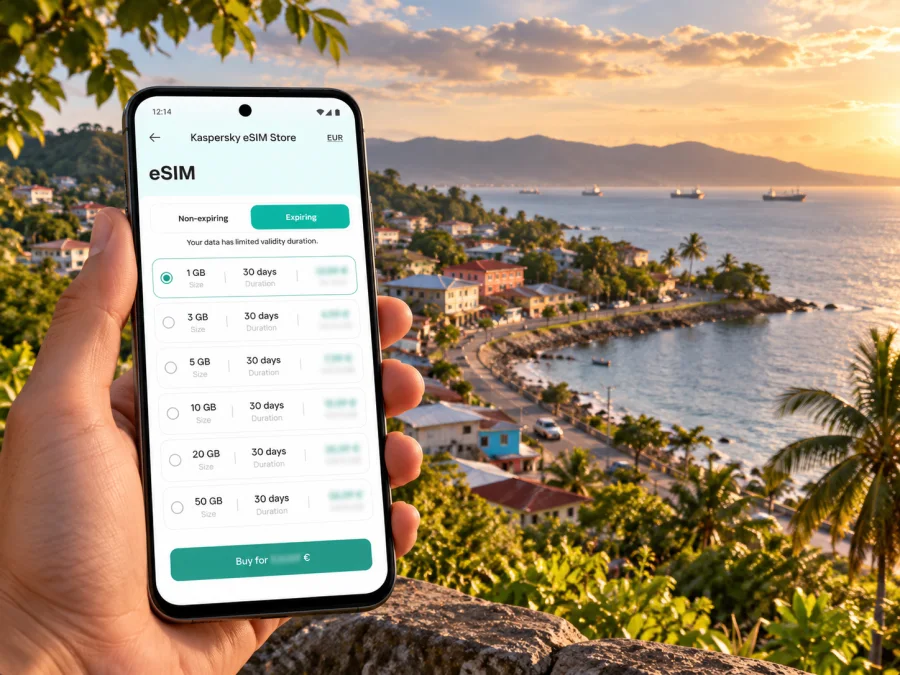
Point Fortin eSIM: mobile connection and internet for your Trinidad trip
Point Fortin is a borough on Trinidad’s southwest peninsula, with an identity shaped by its coastal setting, close-knit communities and energy industry. It is not an airport hub or a large resort city, so getting around often means planning a road journey, meeting a local contact, or travelling between the town and nearby settlements. A mobile connection can help you coordinate those details, check directions and stay in touch while you explore.
An eSIM is a digital SIM profile that can connect a compatible, unlocked device to a mobile data plan. In Kaspersky eSIM Store, you can use the app or website to choose, arrange and activate a plan for an international trip. Availability, network access and performance depend on the selected plan, its partner network and local conditions; no plan should be assumed to work at every address in Point Fortin. Check the destination, data allowance, validity and activation terms before you buy.
What to expect from Point Fortin
Point Fortin is both the borough and its principal town centre. The municipal area includes communities such as Newlands, Mahaica, New Village, Egypt Village, Techier, Guapo and Cap-de-Ville. Visitors may stay in one part of the borough and have appointments or family visits in another, so a map, saved address and a working data connection are useful even when the day’s plans are simple.
The town has a different rhythm from Port of Spain or San Fernando. You may be coming for work, a family visit, a local event, or as a base for exploring Trinidad’s southwest. Expect to arrange transport around your own itinerary rather than assume that every stop is a short walk from your accommodation. Ask your host which place name, entrance or landmark to use when entering an address: local directions can be more practical than relying on a street number alone.
| Your plan | Where mobile internet can help |
|---|---|
| Arriving from abroad | Message your host, check the onward route and confirm pickup details |
| Staying in Point Fortin | Save accommodation and meeting locations; request directions if an address is unclear |
| Visiting several communities | Recheck the route before leaving and keep key destinations available offline |
| Travelling for work | Coordinate arrival times, share updates and access cloud documents when needed |
| Continuing elsewhere in Trinidad | Check schedules and road conditions before setting out; do not rely on an old screenshot |
Arriving in Trinidad and reaching Point Fortin
If your flight lands at Piarco International Airport, Point Fortin is a road journey away on Trinidad’s southwest peninsula. Include that onward leg in your arrival plan. The airport is not in Point Fortin, and an eSIM plan does not arrange a transfer: decide in advance whether a host, pre-booked driver, rental vehicle or public transport will take you onward.
Before boarding, save the accommodation address, a contact number, the name of the person meeting you and a backup meeting point. Share your flight details with your host and agree what to do if baggage, immigration or a delayed flight changes your arrival time. At the airport, connect to Wi-Fi if available while you check the first leg, then use mobile data once your travel eSIM is ready and has registered on a supported network.
If you plan to use a bus for part of the journey, check the current Public Transport Service Corporation information close to your travel date. Routes, schedules and service levels can change, and holiday service may differ. Confirm where the service departs, where you should get off, how to complete the last leg to your accommodation, and whether you need to buy a ticket before boarding. Do not plan a tight connection around a timetable you have not rechecked.
Choosing data for a Point Fortin stay
Start with the trip rather than a headline data amount. A visitor who mainly checks messages and maps may use data differently from someone who joins video calls, uploads media or uses a phone as a hotspot. Estimate how often you will be online, how many days you will need the plan and whether Trinidad is the only destination. Then compare the package’s stated allowance, validity, supported destination and any restrictions on tethering or top-ups.
A practical way to estimate data
Think about the activities you will actually do:
- Light use: messaging, email, occasional map checks and booking confirmations. Download maps and travel documents before leaving Wi-Fi to reduce repeated data use.
- Regular use: navigation during several journeys, frequent messages, web searches and social apps. Leave a margin for route changes and unexpected coordination.
- High use: video calls, streaming, frequent photo or video uploads, or hotspot sharing. Check whether the plan’s allowance and hotspot terms fit this usage; do not assume unlimited high-speed data unless the plan explicitly says so.
One-town visit or a wider itinerary?
If you will remain in Point Fortin and make only local trips, compare plans that explicitly include Trinidad and Tobago. If the itinerary continues to another island or country, read the destination list on a regional plan carefully: geographical proximity does not mean that one eSIM package includes every island. Confirm the package’s covered locations and whether its validity continues across borders before choosing it.
Coverage, compatibility and realistic expectations
The word “coverage” is not a city-wide guarantee. Signal depends on the network associated with the selected plan, terrain, building materials, congestion, device bands and local network conditions. A phone may work outdoors and lose signal indoors, or perform differently on a road than it does in the town centre. The plan details may identify a network partner, but they do not establish service at every address. If connectivity is essential for a meeting or safety check, prepare a backup: save contact details, share your itinerary and identify a Wi-Fi location or alternate way to communicate.
Before purchasing, make sure your phone supports eSIM and is not locked to a carrier that prevents another profile from being installed. Support varies by exact device model, regional version and carrier configuration. A model name alone may not be enough to confirm eligibility, so check whether your device supports eSIM and confirm the device’s own settings or manufacturer guidance. Do not assume that a phone sold in one market has the same eSIM capability as a similarly named version elsewhere.
Keep your regular SIM active if you need its number for calls, SMS or account verification, and select the travel eSIM for mobile data when appropriate. A data-only eSIM does not automatically provide a local Trinidad and Tobago phone number, conventional voice service or SMS. App-based calls and messages work only when you have an internet connection and the relevant app account is available.
| Check before buying | Why it matters |
|---|---|
| eSIM support on the exact device variant | Hardware and regional versions can differ |
| Carrier or network lock status | A locked phone may reject a new profile |
| Trinidad and Tobago listed as an included destination | A regional label by itself may not include every country |
| Data amount and validity | The plan should cover your actual stay and use |
| Activation and validity start rules | Some plans start counting at installation or first network connection; read the specific terms |
| Hotspot, top-up and refund conditions | These vary by plan and should not be assumed |
The country page is the relevant starting point for this town. You can review available mobile data options for Trinidad and Tobago and check the live terms shown for each plan. Treat displayed prices and package details as current only when you are viewing them; they can change. A country plan is not a promise of a particular signal in a specific Point Fortin neighbourhood, building or road section.
Getting around the borough with your phone
Use the phone as a planning aid, not as the sole source of local knowledge. Before leaving, pin the destination, note the community name and confirm your route with your host or driver. Point Fortin has several named communities and connecting roads; a similar-sounding place or a dropped map pin can send you to the wrong side of the borough. If an address is ambiguous, ask for a nearby junction or a landmark that the driver recognizes.
For local public transport, verify the latest bus information and ask where the relevant stop is. A route name in a search result may not tell you whether the service is running at the time you need it or where it terminates. For a connection outside the borough, allow time to reach the next terminal and confirm the final mile to your destination. If your plans include late arrivals or multiple stops, arrange the last leg ahead of time instead of expecting a bus or taxi to be available immediately.
Maps use data for live traffic, route changes and place searches. Download the borough and surrounding area over Wi-Fi before you travel, bookmark the accommodation, and keep screenshots of the key route and pickup details. Offline maps are helpful for orientation but may not include current closures, opening hours or newly changed roads. Reconnect when possible to refresh the information.
Where to stay and how to plan your day
Accommodation in the borough is more dispersed than a single hotel district. Listings include addresses in Clifton Hill and along the Guapo–Cap-de-Ville Main Road, among other locations. Choose accommodation based on the reason for your visit and confirm the exact location with the property. Ask whether transport can be arranged, what is nearby on foot and which road name should be given to a driver. Do not infer that a listing is centrally located simply because it uses “Point Fortin” in its address.
If you are visiting around Point Fortin Borough Day, plan for a busier town and verify the programme and transport arrangements for the current year. The borough’s annual celebration is an established local event, but dates, road arrangements and activities can vary. Download tickets or event details before setting out and keep an agreed meeting point in case your group gets separated.
Install and activate your eSIM before the journey
Whenever possible, prepare the profile while you have stable internet and enough time to follow the instructions. Read the selected plan’s activation rules first: installation and the start of the plan’s validity are not always the same event. Some plans begin on first connection in the destination, while others may start under different terms. Follow the instructions shown for your plan rather than relying on a general rule.
- Check eSIM support and confirm that your device is unlocked.
- Choose a plan that lists Trinidad and Tobago and matches your data needs and dates.
- Review validity, activation timing, top-up terms and hotspot restrictions.
- Install the profile through the device settings or the QR code and instructions provided for that purchase.
- Label the profile clearly, for example “Travel data”, and keep your regular SIM identifiable.
- On arrival, select the eSIM for mobile data and enable data roaming for that eSIM only if the plan instructions require it.
- If it does not connect, check the selected data line, airplane mode, network selection and plan status; restart the device if appropriate.
Follow the Android eSIM installation guide or the iOS eSIM installation guide for the relevant device steps. Menu names vary by operating system version and manufacturer. Keep the QR code or installation details private, and do not delete a profile during troubleshooting unless the plan’s support instructions tell you to do so; some eSIMs cannot simply be reinstalled after removal.
Practical scenarios
- Pickup at Piarco: Message the driver after landing, keep the address and contact offline, and use the agreed meeting point if data is not ready.
- Visit to New Village or Mahaica: Save the exact destination and confirm the road or entrance with your host before leaving the town centre.
- Work appointment: Confirm the correct reception or gate, and keep appointment details accessible offline.
- Continuing to another town: Recheck current departure information, save the next route and confirm the final transfer.
- Crowded local event: Set a meeting point and keep important contacts saved; do not rely on live location sharing alone.
If the connection does not work
Troubleshoot in a calm order rather than changing several settings at once:
- Confirm that the eSIM profile appears in settings and is switched on.
- Check that the travel eSIM, rather than the home SIM, is selected for mobile data.
- Review whether the plan has started, has remaining data and includes Trinidad and Tobago.
- Check the plan’s instructions for data roaming and automatic or manual network selection.
- Toggle airplane mode briefly or restart the phone, then allow it time to register.
- Move outdoors or to a different location if the signal may be affected by walls or surroundings.
- Use Wi-Fi for urgent communication and contact support with your device model, plan status and a description of the steps already tried.
Do not remove the eSIM profile as a first troubleshooting step. Keep the installation email or order details accessible, and never share account passwords or one-time verification codes with someone claiming to troubleshoot the phone. If you depend on a connection for work, keep a second way to contact your host or colleague.
Frequently asked questions
Is Point Fortin a city or a borough?
Point Fortin is officially described as a borough in Trinidad and Tobago. It is also commonly referred to as a town. The municipal corporation covers the town centre and surrounding communities on Trinidad’s southwest peninsula.
Is there an airport in Point Fortin?
International visitors generally use Piarco International Airport on Trinidad and arrange a road journey to Point Fortin. Confirm your transfer separately; the eSIM is for mobile data and does not include transport.
Will an eSIM work everywhere in Point Fortin?
No city-wide guarantee should be assumed. Service depends on the particular plan, its network partner, the device and local conditions. Review the plan details and keep offline directions and a second contact method available.
Can I make ordinary calls and send SMS with a travel eSIM?
Only if the selected plan specifically includes those services. A data-only eSIM is intended for mobile internet, so ordinary calls and texts may continue through your home SIM. Internet-based calling apps require a data or Wi-Fi connection.
Should I install the eSIM before I fly?
Installing in advance can make arrival simpler, but first check when the plan’s validity begins. If installation itself starts the validity period, timing matters. Follow the specific plan instructions and keep access to Wi-Fi until the profile is ready.
What if my phone has two SIM lines?
Many dual-SIM phones let you keep a regular number for calls while selecting the travel eSIM for data. Available combinations depend on the device. Check the settings, disable automatic data switching if needed and confirm which line is being used before browsing.
What should I do before driving out of town?
Save your destination and a route in advance, check current transport or road information, charge the phone and share your expected arrival time with your host. Use navigation hands-free or ask a passenger to manage it.
Prepare your Point Fortin connection
Before you travel, confirm the device, destination, data allowance, validity and activation terms. Save your accommodation and pickup details offline, and plan the onward journey from Piarco separately. In Point Fortin, use mobile data to coordinate, navigate and adjust plans while keeping local directions and a backup contact method close at hand.
When your device and itinerary are ready, choose a suitable eSIM plan for your Trinidad and Tobago trip in Kaspersky eSIM Store on the website or in the app. Review the live plan conditions, install the profile according to its instructions and activate it when you are ready to use mobile data.


