
Travel connectivity guide
Polis eSIM for Mobile Internet in Cyprus
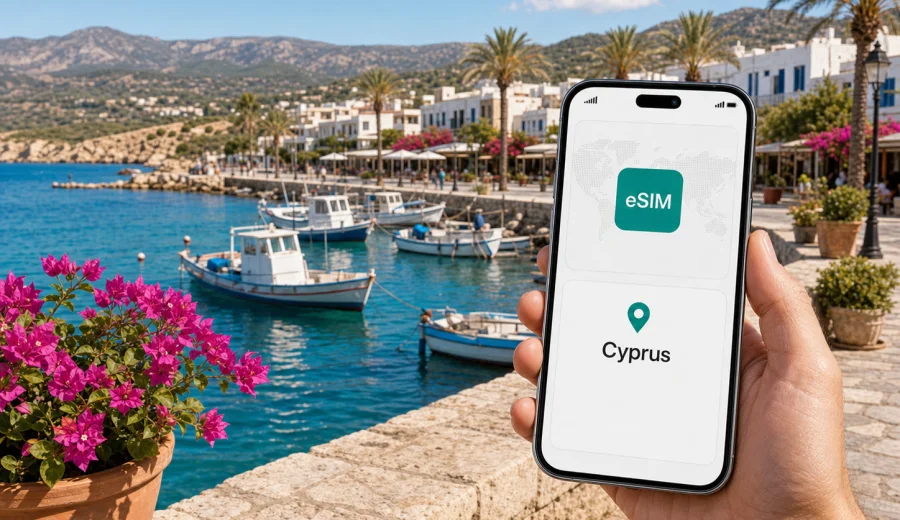
Polis eSIM: mobile connection and internet for a trip to Cyprus
Polis is the kind of Cyprus destination where mobile internet quietly becomes part of the trip. You may arrive with a rental car from Paphos Airport, check in at a small hotel near the town center, follow signs toward Latchi harbour, or drive toward the Akamas Peninsula for beaches and walking routes. In each of these moments, a stable data connection helps with maps, messages, booking details, parking information, restaurant searches, and quick changes of plan.
An eSIM is especially useful in Polis because the town is compact, but many of the best experiences are spread around the northwest coast. You might spend the morning in the municipal market area, have lunch by the harbour in Latchi, swim at beaches near the Baths of Aphrodite, and return after sunset along rural roads. Public Wi-Fi may be available at some hotels or cafes, but it is not something you can rely on while moving between the town, the coast, and the villages around it.
This guide focuses on practical mobile connection and internet planning for Polis: when to prepare an eSIM, how much data to consider, where you are likely to use it, what to check before buying, and how to keep your main SIM available while using mobile data abroad.
Why mobile internet matters in Polis
Polis is calmer than the large resort cities of Cyprus, which is part of its appeal. That also means travellers often move independently. You may not have a metro system, dense taxi ranks, or hotel staff nearby at every stop. Mobile internet helps you make ordinary decisions without turning every small task into a detour.
Common uses in Polis include:
- navigation from Paphos Airport or Paphos city to Polis;
- route checks between Polis, Latchi, Argaka, Pomos, Neo Chorio, and the Akamas area;
- messaging hotels, hosts, transfer drivers, boat tour operators, or car rental offices;
- checking opening hours and recent reviews before driving to a restaurant or beach;
- translating menus, notices, and parking information;
- using ride, map, banking, airline, and travel insurance apps;
- sharing your location with family or colleagues during solo walks or business travel.
The most important point is not speed for its own sake. In Polis, mobile internet gives you flexibility. If the beach road is busy, if a taverna is closed, if a boat trip changes time because of weather, or if you decide to continue toward a smaller village, you can update the plan while you are already outside the hotel.
Arrival scenarios: when an eSIM helps first
Most international visitors reach Polis through Paphos International Airport, although some may arrive through Larnaca and cross the island by car. The first useful moment for an eSIM is often before you reach the town.
| Travel moment | Why data helps | Practical tip |
|---|---|---|
| Airport arrival | Maps, messages, rental car documents, transfer coordination | Install the eSIM before departure and activate it when you are ready to use data in Cyprus. |
| Drive to Polis | Navigation, fuel stops, route changes | Download an offline map too, because rural roads can make wrong turns time-consuming. |
| Hotel check-in | Booking details, host messages, digital keys, payment confirmations | Keep your booking email available offline in case mobile signal varies indoors. |
| First evening | Restaurant search, walking route, messaging | Avoid relying only on public Wi-Fi once you leave the hotel. |
| Day trips | Maps, weather, beach and boat updates | Track data use if you stream music or upload many photos. |
For many travellers, the cleanest setup is to keep the physical SIM or primary eSIM active for calls and banking messages, while using the travel eSIM for mobile data. Your phone settings usually let you choose which line handles data and which line remains the default for calls or SMS.
How Polis travel patterns affect data use
Polis is not a destination where you need constant heavy streaming to enjoy the trip. Most data use comes from navigation, messaging, restaurant searches, route checks, and photo sharing. That said, the area encourages movement, and movement increases the value of having data available.
A typical day may involve several small online tasks:
1. Checking the route from Polis to Latchi harbour.
2. Opening a map for a walking route near the Baths of Aphrodite.
3. Messaging a boat tour operator or hotel.
4. Looking up a lunch spot after a beach stop.
5. Uploading photos over mobile data because the hotel Wi-Fi is slow.
6. Checking the drive time back before evening.
These are not huge tasks individually, but they add up over a week. If you use cloud backup, video calls, or social media uploads on mobile data, your consumption can grow quickly. If you mainly use maps and messaging, a smaller data package may be enough.
Choosing a data amount for Polis
There is no single correct data amount because travel habits differ. Use your itinerary as the starting point. A traveller staying mostly at one hotel and walking around town will need less data than someone driving daily between beaches, villages, and hiking routes.
| Trip style in Polis | Likely data needs | What to watch |
|---|---|---|
| Weekend break | Low to moderate | Maps, restaurant searches, messaging, boarding passes |
| One-week beach stay | Moderate | Photo uploads, music streaming, day-trip navigation |
| Road trip around northwest Cyprus | Moderate to high | Long navigation sessions, route changes, cloud backup |
| Remote work plus leisure | High | Video calls, file sync, hotspot use, app updates |
| Family trip | Variable | Several phones, shared hotspot, children streaming video |
Before choosing a package, check three things: the data volume, the validity period, and whether the plan fits your route in Cyprus. If you will also spend time in Paphos, Limassol, Nicosia, or Larnaca, you still need a Cyprus plan rather than a Polis-only solution, because the mobile plan is selected by country or region.
Districts, nearby places, and common online tasks
Polis has a quiet town center, nearby coastal areas, and rural routes that lead toward beaches and villages. Mobile data is useful in different ways depending on where you spend the day.
In the town center, you may use data for restaurant searches, walking navigation, digital payments, taxi coordination, and messaging your accommodation. The distances are short, but small streets and similar-looking turns can make maps useful, especially after dark.
Around Latchi, data helps with harbour parking, boat trips, waterfront restaurants, beach access, and sharing your location if your group separates. Many visitors go back and forth between Polis and Latchi, so having data available outside the hotel is more convenient than waiting for Wi-Fi.
Toward Neo Chorio and the Akamas Peninsula, mobile internet is useful for route checks, weather, walking directions, and emergency communication. You should still prepare offline maps and avoid depending on a single app, because natural areas can have variable signal conditions.
Along the coast toward Argaka and Pomos, data supports navigation, fuel planning, restaurant searches, and changes of plan. These areas feel relaxed and open, but services are more spread out than in a large resort city.
Preparing before you travel
The best time to prepare mobile internet for Polis is before the travel day. Airport arrivals, car rental desks, and late check-ins are easier when your phone is already ready.
Use this checklist before departure:
- confirm that your phone supports eSIM;
- check that it is not locked to one mobile operator;
- decide which SIM will handle mobile data in Cyprus;
- keep your primary SIM available if you need banking SMS or calls;
- download offline maps for the Polis and Akamas area;
- save hotel, car rental, and flight details offline;
- turn off automatic cloud backup and large app updates on mobile data;
- understand when the selected eSIM tariff starts counting validity and data use.
You can use Kaspersky eSIM Store as an app or website to choose, arrange, and activate an eSIM with a suitable data package for an international trip. For Polis, the relevant destination is Cyprus. If you want to prepare before arrival, you can choose a mobile internet option for Cyprus and then use the eSIM on a compatible device during your stay in Polis and nearby places.
Device compatibility: check before you buy
Not every phone supports eSIM, and some compatible models may still be restricted by operator lock, region, or device settings. This check matters more than the destination itself: if the device cannot install an eSIM profile, the travel plan will not help.
Before purchase, check your device and confirm that eSIM is available in the settings. On many phones, you can look for options such as "Add eSIM", "Add cellular plan", or "SIM manager". The exact wording depends on the device and operating system.
Also consider these details:
- eSIM usually provides mobile data for travel, not a local phone number;
- voice calls and SMS are not included unless the selected tariff explicitly says so;
- messenger calls can work over mobile data;
- some devices may require data roaming to be enabled for the travel eSIM;
- once activated, an eSIM profile may not be transferable to another device.
Installing an eSIM for Cyprus
Installation is easier when you are on a stable connection, so do it before leaving home or while connected to reliable Wi-Fi. You usually scan a QR code or follow an in-app installation flow, then select the eSIM for mobile data when you are ready to use it.
If you need step-by-step setup help, use the Android installation guide or the iOS installation guide. The exact menus can vary by phone model, but the practical sequence is usually the same: install the eSIM profile, label it clearly, choose it for mobile data, and keep your main line available if you need calls or SMS.
A simple setup approach for Polis:
1. Install the eSIM while you still have stable Wi-Fi.
2. Name the line "Cyprus travel" or another clear label.
3. Keep your main SIM for calls and messages if needed.
4. Select the travel eSIM for mobile data after arrival.
5. Open a map and messaging app to confirm that mobile data is working.
6. Monitor data use during the first day, especially if you upload photos.
Transport and navigation in and around Polis
Polis rewards independent movement. Many visitors rent a car because beaches, villages, viewpoints, and walking areas are spread along the northwest coast. Mobile internet supports this style of travel, but it should complement good preparation rather than replace it.
If you drive, use mobile data for live navigation, but download offline maps for backup. Rural roads can be narrow, and small route mistakes can add time. Keep the phone mounted safely, avoid changing routes while driving, and check parking options before reaching busy harbour or beach areas.
If you use buses, transfers, or taxis, data helps with schedules, pickup messages, and route checks. In a quieter town, transport options may not feel as immediate as in a large city, so a working connection can reduce uncertainty when plans change.
If you walk, data helps with short routes between the town center, hotels, and restaurants. For coastal paths or Akamas-area walks, do not rely only on mobile signal. Carry water, save the route offline, and tell someone where you are going if you head into less busy areas.
Hotels, apartments, and public Wi-Fi
Accommodation Wi-Fi in Polis can be useful for video calls, streaming, and large uploads, but it should not be your only internet plan. Speeds and reliability vary by property, room location, season, and the number of guests online.
An eSIM is useful when:
- the room Wi-Fi is weak but you need messaging or maps;
- you arrive before check-in and need to contact the host;
- you leave the hotel early for a beach or boat trip;
- you need internet in a rental car;
- you prefer not to enter sensitive accounts on public Wi-Fi;
- you want a backup connection for work messages.
If you plan to work from Polis, test both Wi-Fi and mobile data before an important call. For longer video meetings, use Wi-Fi when it is stable and keep mobile data as a backup. If you use hotspot mode, check whether your selected tariff allows tethering and track data consumption carefully.
Managing data during the trip
Good data habits help you avoid running through a package too quickly. This is especially relevant in a scenic area where photo and video sharing can consume more data than maps.
Useful settings before a Polis trip:
- pause automatic photo and video backup on mobile data;
- disable app auto-updates over mobile data;
- download playlists, podcasts, and maps before leaving Wi-Fi;
- reduce video quality in streaming apps;
- set data warnings if your phone supports them;
- use hotel Wi-Fi for large uploads when it is reliable;
- check the remaining allowance in your eSIM account or app.
Maps and messaging are usually moderate. Video uploads, cloud sync, hotspot use, and long video calls are the main data-heavy activities. If several people share one phone's hotspot, agree when to use it and when to switch it off.
Quick reference: eSIM planning for Polis
| Question | Practical answer |
|---|---|
| Do I need a city-specific eSIM for Polis? | No. Choose a suitable Cyprus destination plan or regional option if your route requires it. |
| Should I install it before arrival? | Usually yes. Installation is simpler on stable Wi-Fi before the trip. |
| Can I keep my normal number? | In many phones, yes. Use your main SIM for calls or SMS and the travel eSIM for data. |
| Is public Wi-Fi enough? | It can help indoors, but it is not reliable for roads, beaches, harbour plans, or day trips. |
| What should I check first? | eSIM support, operator lock, tariff validity, data amount, and whether your route matches the selected destination. |
FAQ
Is eSIM useful for a small town like Polis?
Yes, because the town is only one part of the trip. Many useful places are outside the center: Latchi harbour, beaches, villages, and routes toward Akamas. Mobile internet helps while you are moving between them.
Can I use an eSIM immediately after landing in Cyprus?
You can prepare the eSIM before travel and switch mobile data to it when you are ready to use it after arrival. Activation timing and validity depend on the selected tariff, so read the conditions before starting.
Will an eSIM give me a Cyprus phone number?
Usually travel eSIM options focus on mobile data. Voice calls and SMS are not included unless the tariff specifically states otherwise. For calls, you can use internet-based messengers when data is available.
Is eSIM better than relying on hotel Wi-Fi?
It is more flexible for movement. Hotel Wi-Fi may be useful in the room, but it will not help when you are driving, walking near the harbour, checking routes, or changing plans away from the property.
How should I choose between small and large data packages?
Base it on trip length and behaviour. Maps and messaging use less data than streaming, cloud backup, hotspot sharing, and video calls. If you are staying longer or working remotely, choose a package with more margin.
Prepare mobile internet for Polis before you go
Polis is relaxed, but the trip is easier when your phone is ready before you arrive. A prepared eSIM can help you navigate from the airport, coordinate check-in, move between Polis and Latchi, plan Akamas-area days, and stay reachable without depending on public Wi-Fi.
Before purchase, confirm device compatibility, read the tariff conditions, and choose a data amount that fits your real route. For a Polis trip, use Cyprus as the destination and select a package that matches your dates, data habits, and travel style. You can prepare an eSIM option for your Cyprus trip through Kaspersky eSIM Store and keep your mobile internet plan ready for Polis, nearby beaches, and onward travel around the island.