
Travel connectivity guide
Polotsk eSIM: Mobile Connection and Internet
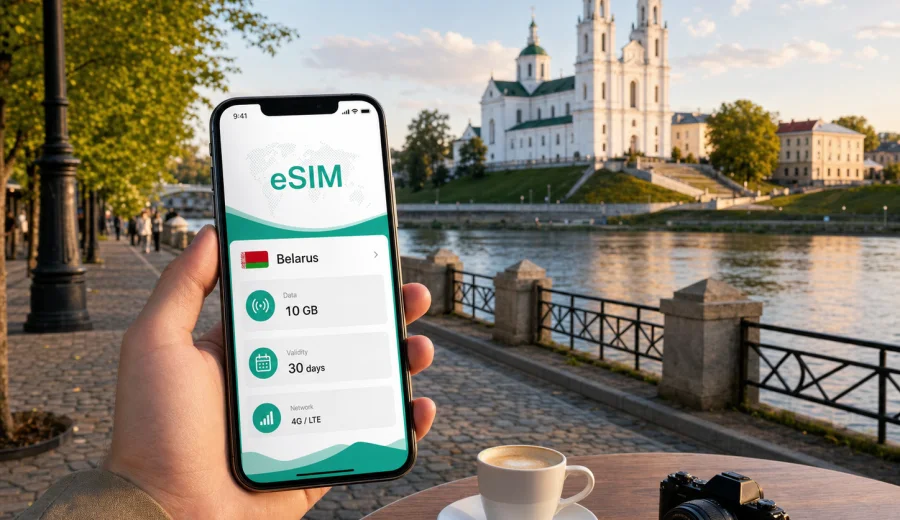
Polotsk eSIM: mobile connection and internet for a city trip
Polotsk is one of the most historic cities in Belarus, but a trip here still depends on very modern habits: maps, hotel messages, taxi apps, train schedules, translation, banking notifications, and quick checks of opening hours. A reliable mobile connection can make the difference between a calm city break and a trip where every small task depends on finding public Wi-Fi.
For many visitors, eSIM is a practical way to prepare mobile internet before arriving in Belarus. You do not need to look for a physical SIM card after a long transfer, and you can keep your main SIM in the phone for calls or banking messages while using a travel data plan for navigation and everyday online tasks.
This guide focuses on Polotsk, not just Belarus in general. It covers arrival routes, movement around the city, the historic center, hotels, business visits, short stopovers, day trips, and the small details that make mobile data useful in a compact but culturally rich destination.
Why mobile internet matters in Polotsk
Polotsk is easy to enjoy on foot, especially around the central streets, the riverfront, churches, museums, and historic sites. At the same time, many travel decisions happen on the move. You may need to confirm a guesthouse address, check a bus connection, share your location with a driver, translate a menu, or compare walking routes between landmarks.
Mobile internet is especially helpful in Polotsk for:
- navigation between the railway station, hotels, the Western Dvina embankment, Saint Sophia Cathedral, and museum areas;
- messaging hosts or colleagues when arrival times change;
- checking transport connections to Vitebsk, Minsk, Novopolotsk, or nearby towns;
- using translation tools in cafes, ticket offices, and local shops;
- keeping access to email, cloud documents, and work chats during business travel;
- avoiding repeated logins to public Wi-Fi in hotels, cafes, and transport hubs.
Polotsk is not a huge city, so you may not need constant heavy data use. The important point is continuity. A working data plan helps you move confidently from one practical step to the next.
What is eSIM for a trip to Polotsk?
An eSIM is a digital SIM profile that can be installed on a compatible smartphone or tablet. Instead of inserting a plastic SIM card, you add a mobile data profile through the device settings, usually with a QR code or in-app instructions. For travel, the main benefit is preparation: you can choose a data plan for the destination before you need it.
In the context of Kaspersky eSIM Store, eSIM is intended for mobile internet in foreign trips. It normally does not include a regular phone number, standard voice calls, or SMS unless the selected tariff terms say otherwise. For calls and messages, travelers usually use internet-based apps once mobile data is active.
Kaspersky eSIM Store is an app and website where you can choose, arrange, and activate an eSIM with a suitable tariff for mobile internet in an international trip. It helps you review the destination, traffic amount, validity period, and price before you travel, while the mobile service itself depends on the selected tariff and local operator conditions.
Arrival scenarios: when eSIM helps first
Polotsk is usually reached by land rather than by a direct international flight. Many visitors arrive in Belarus through Minsk, then continue by train, bus, car, or organized transfer. Others come from Vitebsk, Novopolotsk, or regional routes. In each case, the first hour after arrival is when mobile data is most useful.
| Arrival situation | What you may need online | Why eSIM helps |
|---|---|---|
| Train arrival in Polotsk | Map to the hotel, taxi or walking route, messages to the host | You can leave the station without searching for Wi-Fi |
| Bus or private transfer | Driver contact, location sharing, route checks | You can coordinate changes while still on the road |
| Arrival from Minsk | Long-distance navigation, connection updates, hotel check-in time | You keep data active between cities |
| Business visit | Email, calendar, meeting address, document access | You avoid depending on venue Wi-Fi before the meeting |
| Short stopover | Fast route to the center and back | You spend less time solving connection problems |
If your itinerary includes a late arrival, eSIM can be particularly convenient. Shops, counters, and reception desks may not always match your schedule, while a prepared data plan can help you reach your accommodation and contact people immediately.
Moving around the historic center
Polotsk rewards slow movement. The main visitor experience often combines the riverfront, churches, museums, quiet streets, and local cafes. Even if you prefer paper maps, a live map on your phone helps with distances, weather changes, and detours.
A practical walking day may look like this:
1. Start from your hotel or apartment and check the walking route to the historic center.
2. Save the first destination offline, then keep mobile data on for live adjustments.
3. Use maps to move between Saint Sophia Cathedral, riverside viewpoints, museum locations, and central streets.
4. Share your location with a travel companion if you split up.
5. Check transport or taxi options before returning in the evening.
In compact cities, people often underestimate data use because distances are short. The issue is not only volume. It is availability when you need a quick decision: where to turn, whether a museum is nearby, how long the walk takes, or whether a cafe is still open.
How much data to plan for Polotsk
Your data needs depend on the trip style. Polotsk is not a destination where every traveler needs a very large package, but underestimating video calls, cloud photos, and map use can create pressure near the end of the trip.
| Travel style | Typical online tasks | Practical data approach |
|---|---|---|
| One-day visit | Maps, messages, translation, ticket checks | A small short-validity plan may be enough |
| Weekend city break | Navigation, restaurant searches, photo backups on Wi-Fi, messaging | Choose a plan with a modest buffer |
| Business trip | Email, documents, calls in messenger apps, map routes | Prioritize stable validity and enough traffic for work |
| Regional route | Polotsk plus Vitebsk, Minsk, or other Belarus stops | Choose a Belarus plan that fits the whole route |
| Family travel | Several devices, shared photos, navigation, entertainment | Consider higher data needs or separate plans |
Video streaming, long video calls, cloud backups, and hotspot use can consume data quickly. If you want to use mobile internet mainly for maps and messaging, your needs will be different from a traveler who works from a laptop through a phone hotspot.
Before the trip, review the available tariff conditions, validity period, and data amount. For Belarus travel that includes Polotsk, you can choose a suitable eSIM tariff for your Belarus trip before you arrive, then install it when you still have a stable connection.
Districts, hotels, and everyday routes
Accommodation choice changes the way you use mobile internet in Polotsk. If you stay near the center, you may walk to most places. If your hotel or apartment is farther from the historic core, you may rely more on maps, taxi coordination, and public transport information.
For a central stay, mobile data helps with exact entrances, walking times, hotel messages, translation, and nearby errands. For a stay outside the most walkable areas, it also helps with transport checks, return routes after dinner, pickup points, and updates to family or colleagues.
Hotel Wi-Fi is useful for heavier tasks such as laptop work, uploading many photos, or downloading offline maps. Mobile data is better for the gaps between Wi-Fi zones: station platforms, river walks, cafe terraces, taxi pickup points, and short errands.
Business travel in Polotsk
Polotsk and nearby Novopolotsk can appear on business itineraries connected with regional industry, education, logistics, or local partners. For business travelers, mobile internet is less about sightseeing and more about predictability.
Useful online tasks during a work trip include:
- opening meeting addresses from calendar invitations;
- confirming arrival time with a host or driver;
- accessing cloud documents before a meeting;
- joining a short call if plans shift;
- checking the route back to the hotel.
If you are traveling for work, choose a tariff with enough validity for the full stay, not only for the first day. Keep key documents available offline too, because any mobile connection can depend on device settings, signal conditions, and selected tariff terms.
eSIM versus roaming and local SIM cards
There is no single best option for every traveler. Standard roaming may be simple if your home operator offers suitable terms for Belarus. A local SIM can be useful for longer stays if you are ready to handle the purchase process in person. eSIM is often attractive when you want to prepare before arrival and avoid changing physical SIM cards.
| Option | Strength | What to check |
|---|---|---|
| eSIM travel data plan | Can be prepared before or during the trip, no physical SIM needed | Device compatibility, data amount, validity, destination |
| Home roaming | May keep your usual number and settings | Roaming prices, speed limits, included data, billing rules |
| Local SIM card | Can suit longer stays or local calling needs | Where to buy it, registration rules, language, opening hours |
| Public Wi-Fi | Useful for heavy downloads at hotels or cafes | Availability, login process, security, reliability |
An eSIM plan can be a practical middle path for a city trip: enough independence for maps and communication, less dependence on public Wi-Fi, and no need to remove your main SIM card. Still, check the details before purchase and avoid assuming that every plan includes calls, SMS, or unlimited traffic.
Check device compatibility before buying
Before you choose a tariff, make sure your phone or tablet supports eSIM and is not locked to a specific mobile operator. Device support can depend on the model, region of sale, and carrier restrictions. Some phones with the same commercial name may have different eSIM support in different markets.
Use this quick checklist:
- confirm that your exact device model supports eSIM;
- check that the device is not carrier-locked;
- keep access to a stable internet connection for installation;
- make sure you can receive the QR code or open your profile after purchase;
- decide which SIM or eSIM will be used for mobile data.
If you are unsure, check your device before selecting a plan. This is especially important if Polotsk is only one stop in a larger route and you will not have much time to troubleshoot after arrival.
How to install eSIM before or during the trip
Installation is usually easiest when you are still on a stable Wi-Fi connection, such as at home, in a hotel, or at the office. After you choose and arrange a tariff in Kaspersky eSIM Store, follow the instructions shown in your profile or sent with the eSIM details.
General installation flow:
1. Check that your device supports eSIM and is unlocked.
2. Choose Belarus as the destination and review the data amount, validity period, and tariff conditions.
3. Complete the order and open the eSIM details in your profile or email.
4. Add the eSIM to your device using the QR code or the device flow.
5. Name the profile clearly, for example "Belarus travel", so you can find it later.
6. Select the eSIM for mobile data when you are ready to use it.
7. If required by the device or tariff conditions, enable data roaming for that eSIM profile.
For device-specific steps, use the Android installation guide or the iOS installation guide. Keep your primary SIM active if you need to receive banking messages or calls, but check your home operator's roaming settings to avoid unwanted charges.
Practical settings for arrival in Polotsk
Before leaving for Belarus, take a few minutes to prepare the phone. This is faster than solving everything at the station or in a hotel lobby.
Recommended setup:
- download offline maps for Belarus or the Polotsk area as a backup;
- save your hotel address in English and, if useful, in the local format;
- keep the eSIM QR code or profile access available;
- disable automatic cloud backups on mobile data if your plan is limited;
- label your SIM profiles so you know which one handles calls and which one handles data;
- check whether hotspot use is allowed by the selected tariff if you plan to connect a laptop.
After activation, test a simple webpage, a map search, and a message. If data does not start immediately, wait a few minutes, check the selected data line, and confirm whether data roaming should be enabled for the eSIM profile.
Short stopovers and day trips
Polotsk can be part of a wider Belarus itinerary. Some travelers visit from Vitebsk, combine Polotsk with Novopolotsk, or include it on a route from Minsk. In these situations, mobile internet helps you avoid losing time between connections.
For a short visit, prioritize the route from your arrival point to the historic center, the return schedule, one or two key landmarks, a backup taxi or transfer contact, and enough battery for maps and photos.
If you are moving between cities, choose a plan for Belarus rather than thinking only about the city center. A country-level tariff is more suitable for a route where mobile data is needed on the way to Polotsk, during the visit, and on the next leg of the trip.
To keep data under control, use mobile data for maps, messages, translation, tickets, bookings, and quick searches. Use Wi-Fi for system updates, full photo uploads, streaming, and large downloads. Also check background app data, because photo sync and automatic video playback can spend more traffic than navigation.
FAQ about eSIM and mobile internet in Polotsk
Can I use eSIM for maps in Polotsk?
Yes. A suitable eSIM data plan can support maps, route searches, messaging, translation, and other online tasks, subject to the selected tariff and local network conditions.
Does eSIM give me a Belarus phone number?
Usually no. Travel eSIM plans in this context are intended for mobile internet. Standard voice calls, SMS, and a local number are not included unless the tariff terms clearly say so.
Should I install eSIM before arriving in Belarus?
It is often more convenient to install it while you still have stable Wi-Fi. You can then select the eSIM for mobile data when you are ready to use it, following the instructions for your device and tariff.
Is eSIM enough for a Polotsk weekend?
For many travelers, yes, if the plan matches the trip length and expected data use. Maps, messaging, translation, and booking checks usually need much less data than streaming, hotspot work, or cloud backups.
What if Polotsk is one stop in a Belarus route?
Choose the destination and validity period for the whole route, not just the city. If you travel through Minsk, Vitebsk, Novopolotsk, or other Belarus locations, a Belarus plan can cover the mobile internet scenario more naturally than a city-only mindset.
Prepare your Polotsk connection before the trip
Polotsk is a city where mobile internet quietly supports the best parts of the visit: finding the river viewpoint, reaching the cathedral area, coordinating with a hotel, checking a regional train, translating a short phrase, or answering a work message between meetings.
Before you travel, check your device, choose a data amount that fits your route, install the eSIM on a stable connection, and keep the setup simple. Kaspersky eSIM Store helps you choose, arrange, and activate an eSIM with a suitable tariff for mobile internet in an international trip, so you can arrive in Polotsk with one less practical problem to solve.
If Belarus is your destination, you can prepare an eSIM tariff for your trip to Polotsk and Belarus before departure and use it for maps, messages, transport checks, and everyday travel tasks once the plan is active.