Travel connectivity guide
Ponce eSIM for Mobile Internet | Puerto Rico
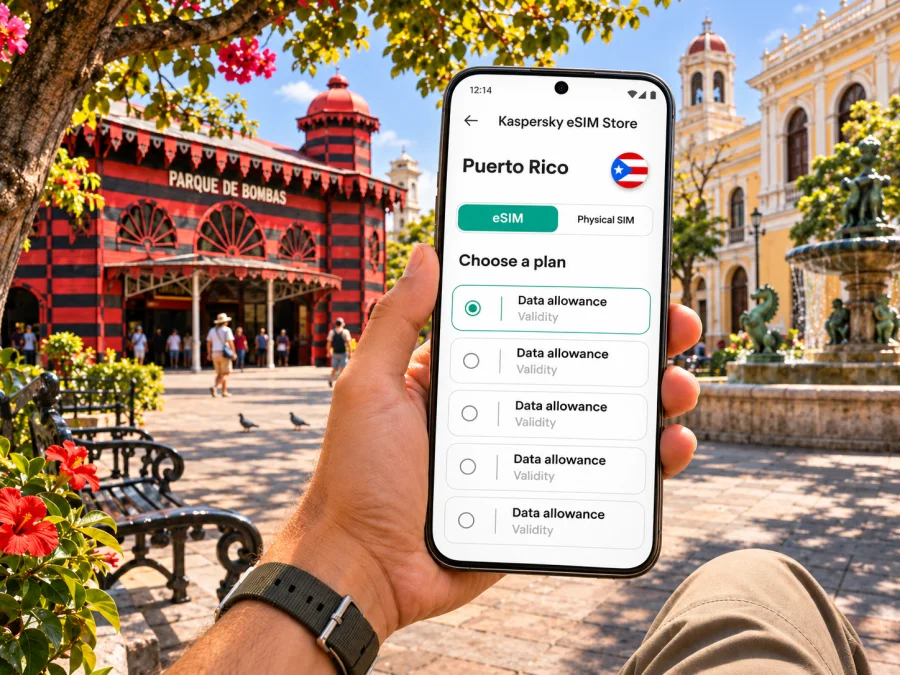
Ponce eSIM: mobile connection and internet for your trip
Ponce is a practical base for exploring Puerto Rico’s south coast, with historic streets, museums and coastal excursions within reach. A mobile data connection can help you check directions, coordinate a ride, confirm opening hours and keep travel documents accessible while you move around the city. An eSIM is a digital SIM profile, so you can prepare it on a compatible, unlocked device without removing your regular physical SIM.
Ponce is in Puerto Rico, a U.S. insular area in the Caribbean. That geographic and political status does not by itself tell you which travel eSIM tariff applies: providers may list Puerto Rico separately from the United States. Check the destination and coverage terms shown for the specific plan before you pay. This guide focuses on using mobile internet in Ponce and planning a reliable setup; it does not promise a particular network, speed or signal at every address.
When mobile data helps in Ponce
Ponce is a city to explore on foot in some areas and by road for others. An online map is useful for finding a hotel, a museum entrance or a meeting point, but a route saved for offline use is a sensible backup. Search results, ride coordination and last-minute changes can all use data, especially when a short visit leaves little time to return to a hotel for Wi-Fi.
Common moments when a working connection is useful include:
- Arrival: confirm your pickup point, message your host and check the route from Mercedita International Airport (PSE) or another arrival point.
- City orientation: follow walking directions around Plaza Las Delicias and the historic centre, and save the names of nearby landmarks.
- Changing plans: check current opening information before crossing town for a museum, historic house or excursion.
- Work travel: join a video call from reliable hotel Wi-Fi where possible, then use mobile data for messages, authentication and navigation between appointments.
- Day trips: check the return plan and meeting instructions before leaving central Ponce, where public Wi-Fi may be less convenient.
Data access is not the same as a local phone number. A travel data eSIM may not include ordinary calls or SMS; read the selected tariff details. Messaging and voice apps can work over data when the other person can use the same service. Keep your usual SIM enabled if you need its number for calls, texts or verification codes, and confirm roaming charges with your home carrier.
Arriving through Mercedita and getting into town
Mercedita International Airport, identified by airport code PSE, serves Ponce. The Puerto Rico Ports Authority describes it as handling passenger and charter flights as well as cargo. Flight schedules and routes can change, so confirm the airport on your booking and check live travel information close to departure. Some visitors may arrive through another airport and continue overland; do not assume the route, travel time or transport availability without checking your itinerary.
Before landing, save your accommodation address, reservation details and any pickup instructions offline. If your eSIM is already installed, you can select it for mobile data after arrival, subject to its activation rules and local network availability. If you plan to install it at the airport, first make sure you can access the required setup information and a stable internet connection. Keep a copy of the QR code or installation details on a second device or printed page when the provider allows it; a QR code displayed on the same phone cannot usually be scanned by that phone’s camera during manual installation.
The airport is outside the central historic district, so arrange how you will continue before the flight rather than relying on an unverified walk or public-transit option. Use a locally available taxi, ride service, hotel transfer or rental-car arrangement that you have confirmed. A data connection can help you coordinate pickup, but it does not guarantee that a particular ride service or driver will be available at your arrival time.
First-hour checklist
- Check the airport code and terminal or pickup instructions in your booking.
- Keep your hotel address and reservation number available offline.
- Confirm whether the eSIM is installed and when its validity begins.
- Set the travel eSIM as the mobile-data line only when you are ready to use it.
- Keep your home SIM’s roaming settings under control to avoid unexpected charges.
- If data does not connect, use Wi-Fi where available, review the profile settings and contact the plan provider through its stated support channel.
Exploring the historic centre without losing your route
Plaza Las Delicias is a useful point of reference in central Ponce. The square includes Plaza Muñoz Rivera and Plaza Degetau, and the surrounding historic zone brings several landmarks into a compact area. The red-and-black Parque de Bombas, the cathedral and historic civic buildings make this an easy place to orient yourself before continuing to a museum, café or hotel.
A map app can reduce friction, but keep a little context in your route plan. Save the exact name of the destination, its address and a nearby landmark; map pins can be imprecise around large buildings or pedestrian spaces. If you are meeting someone, agree on a visible spot such as a named plaza entrance rather than relying only on a moving location dot.
Some cultural sites have changing hours, access arrangements or renovation work. For example, official visitor information has listed Parque de Bombas as closed for renovation until further notice; check current local information before making it the centrepiece of a tight schedule. This is a good reason to use connectivity for verification rather than assume a search result saved weeks earlier is still current.
A simple walking plan
- Start with the plaza and identify your next stop before setting off.
- Download an offline map area or save a screenshot of the route.
- Check the destination’s current opening details and entrance location.
- Carry water and leave enough time for heat, rain or a slower pace.
- Keep your phone charged; a small power bank can be useful on a full day out.
- If you leave the central area, confirm the return transport before you go.
Choose a tariff for your Ponce itinerary
A city name alone is not enough to choose an eSIM plan. First confirm that the plan explicitly covers Puerto Rico, then match its validity and data allowance to your dates and expected use. Kaspersky eSIM Store is an app and website where you can choose, purchase and activate an eSIM with a suitable tariff for mobile internet during an international trip. The available destination and tariff terms are the details to rely on; they can change, so review them before checkout.
If you want to review the destination options, browse eSIM tariffs for Puerto Rico. Treat this as the Puerto Rico destination page, not a promise that every listed option works in every part of Ponce. Check each plan’s stated coverage, data amount, validity period, activation instructions, hotspot policy and any limits. If your journey also includes another island or country, verify that each leg is covered rather than assuming a Puerto Rico plan includes the whole Caribbean.
| Trip pattern | What to prioritize | A practical way to estimate data |
|---|---|---|
| One-day stop in central Ponce | Short validity and clear activation timing | Maps, messages and a few searches; use Wi-Fi for large downloads |
| Several days with museum visits | Enough validity for the full visit, including arrival and departure | Add navigation, reservations and photo sharing to your estimate |
| Work meetings and hotspot use | Terms for tethering, stable indoor Wi-Fi alternatives and a reserve | Video calls can consume data quickly; avoid assuming a small allowance is enough |
| Ponce plus a wider island route | Explicit coverage for every destination and transport leg | Include days spent outside Ponce, not only nights in town |
Check your device before you travel
An eSIM requires both device support and a device that is not restricted to another carrier. Support varies by manufacturer, model, country or regional variant, and sometimes by the exact configuration. A model name alone may not settle the question. Check the manufacturer’s specifications for your exact device and region, look for an option to add an eSIM in cellular settings, and ask your carrier whether the phone is unlocked. Check whether your device supports eSIM before purchasing.
Do not delete an installed eSIM just to troubleshoot unless the plan provider’s instructions say that it can be reinstalled. Some profiles cannot be transferred or downloaded again after removal. Keep your regular number available if you rely on it, and understand which line is selected for calls, messages and mobile data. Dual-SIM controls differ across devices, so review the instructions for your exact operating-system version.
Install and activate the eSIM
If possible, install the profile before travel while you have a stable Wi-Fi connection. Follow the provider’s steps and the plan’s activation conditions: installation and activation are not always the same event, and validity may start at a specific point described in the plan terms. Avoid guessing when the timer begins. The detailed steps differ by operating system; see the Android eSIM installation guide or the iPhone eSIM installation guide.
A clear setup sequence is:
- Confirm device compatibility, carrier unlock status, destination coverage and tariff validity.
- Purchase the selected plan and read its activation instructions before leaving the checkout flow.
- Install the eSIM profile on the device that you intend to use in Ponce.
- Label the profile “Puerto Rico” or another name that is easy to recognize.
- Before departure, keep your usual line selected for calls and messages if needed; set the travel profile for data at the appropriate time.
- After arrival, enable the travel eSIM and follow the plan’s network or data-roaming instructions if required.
- Test a simple webpage or message. If it fails, check the selected data line, airplane mode, profile status and provider instructions before deleting anything.
Some travel eSIMs require data roaming to be enabled for that eSIM profile. This setting does not automatically mean that you should enable roaming on your home SIM. Check which line the setting applies to, and confirm the home carrier’s charges. If the profile registers but data is unavailable, switch airplane mode off and on once, allow time for registration, and use the provider’s troubleshooting steps. Repeatedly toggling settings or removing the profile can make recovery harder.
Mobile coverage, Wi-Fi and offline backups
Signal can vary by building, terrain, network load and local conditions. A connection that works outdoors may be weaker inside a thick-walled historic building, a hotel room or a crowded venue. The eSIM’s actual service depends on the network and plan specified by its provider, so no city guide can guarantee reception at a particular address. For an important call, keep a Wi-Fi alternative or arrange a backup location.
Use public Wi-Fi as a convenience rather than the only plan for navigation or arrival coordination. Save maps, tickets, hotel details and essential addresses before leaving. If you need to send a large set of photos or download an operating-system update, wait for trusted Wi-Fi when practical. These small habits reduce data use and make a short outage less disruptive.
| If this happens | Try this first | Keep in mind |
|---|---|---|
| No data after landing | Confirm the travel eSIM is enabled and selected for data | Follow the plan’s activation instructions; the profile may not be active yet |
| Signal appears but pages do not load | Check mobile data, the applicable roaming setting and plan status | Do not change home-SIM roaming without checking its charges |
| Maps stop updating | Use saved offline maps or a route screenshot | Reconnect when service returns and verify the route before continuing |
| The QR installation screen is unavailable | Use a second screen or the provider’s supported manual method | Do not delete an existing profile unless reinstallation is confirmed |
| Your allowance is running low | Pause backups, video and automatic updates; use Wi-Fi | Check whether top-up or a new plan is offered under current terms |
Ponce beyond the plaza
Ponce is also a starting point for south-coast experiences and nearby rural attractions. A trip to a coffee hacienda, a viewpoint or a coastal departure point usually involves more planning than a walk around the centre. Before leaving, save the destination pin and return details, check whether advance reservations are needed, and confirm what transport is available for the complete route. Coverage may vary outside built-up areas; download directions and essential information while you have a dependable connection.
For a day with several stops, keep the itinerary flexible. Mobile data can help compare route options or notify a host if you are delayed, but it cannot replace checking operating hours, weather or transport directly. Keep addresses in both English and Spanish when supplied by the venue, since a driver or local service may recognize one form more readily than another. Carry enough battery for maps and photos, and avoid streaming or cloud uploads when you need the phone for navigation later.
For a short port stop, save the meeting point, return time and ship details offline; for a longer stay, include arrival and excursion days when checking plan validity.
Questions travelers ask
Is Ponce in Puerto Rico or the United States?
Ponce is a city in Puerto Rico. Puerto Rico is a U.S. insular area, not one of the fifty states. For eSIM purchasing, use the destination and coverage wording in the specific plan; the political relationship does not establish that a United States tariff includes Puerto Rico.
Does an eSIM for the United States automatically cover Ponce?
Do not assume so. Check whether the tariff explicitly lists Puerto Rico and review any coverage exclusions. If it lists only the United States or does not clearly explain Puerto Rico coverage, ask the provider before purchase.
Can I keep my regular number?
Usually you can leave a physical SIM or another eSIM profile on the phone while using a travel eSIM for data, if your device supports dual SIM. Settings vary. Calls, texts and roaming charges on your regular line remain governed by your home carrier and plan.
Will the travel eSIM give me a local phone number?
A data-only travel plan may not include a regular phone number, voice calls or SMS. Check the tariff details. Internet messaging and voice apps can be used over data when supported by the service and the people you contact.
When should I install it?
Installing before departure can make setup easier, but follow the tariff’s instructions for installation, activation and validity start. Some plans begin their validity only when they connect in the destination; others may have different terms. Read the exact plan description rather than relying on a general rule.
What should I do if the connection is slow?
Check the signal, selected data line, remaining allowance and any speed or usage conditions stated in the plan. Try moving outdoors or using reliable Wi-Fi for the task. Local congestion, building materials and the specific network can affect performance; a speed cannot be guaranteed from the city name alone.
A simple preparation checklist
Before leaving for Ponce, make sure you can answer these questions:
- Is Puerto Rico explicitly included in the selected eSIM plan?
- Does the tariff’s validity cover arrival, your stay and departure?
- Does your exact device variant support eSIM, and is it carrier-unlocked?
- Do you know when the plan activates and which settings it requires?
- Have you saved the airport, accommodation and first meeting point offline?
- Is your home SIM configured so that unexpected roaming charges are avoided?
- Do you have a charging plan and an offline alternative for navigation?
- If you will travel beyond Ponce, have you checked transport, reservations and coverage for those stops?
The useful setup is the one that matches your actual route: verify Puerto Rico coverage, choose data and validity for your plans, install the profile carefully, and keep maps and bookings available offline. That leaves you free to focus on Ponce’s plazas, museums and south-coast excursions instead of troubleshooting at the curb.
Prepare your eSIM for Ponce
When your device and route are confirmed, use Kaspersky eSIM Store’s app or website to review the available destination terms, choose a suitable tariff, and follow its activation steps. Check the final details before purchase, especially Puerto Rico coverage, validity, data allowance and any tethering conditions. Explore eSIM options for your Puerto Rico trip and install the profile before departure when the plan instructions allow it.


