Travel connectivity guide
Ponta Delgada eSIM: Mobile Internet in the Azores
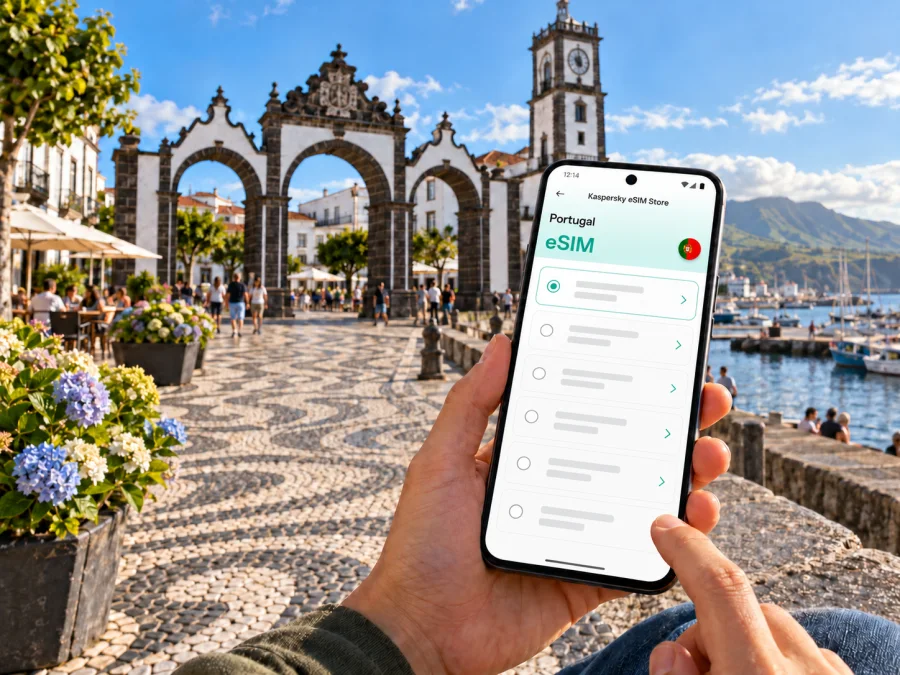
Ponta Delgada eSIM: mobile connection and internet for your city trip
Ponta Delgada is the main urban gateway to São Miguel, the largest island in Portugal’s Azores archipelago. A reliable mobile data plan can make the first hours easier: check your arrival details, find your accommodation, message your host, follow a map through the historic centre and look up transport as plans change. An eSIM can provide a convenient way to get mobile internet without swapping a physical SIM, provided your device supports it and the selected plan covers your destination.
This is a practical guide to staying connected in Ponta Delgada and using the city as a base for São Miguel. It explains what to check before travelling, how to plan for the airport and waterfront, what affects data use, and how to avoid common setup surprises. Mobile coverage and performance depend on the local network, location, device, weather, congestion and the terms of the plan; no single connection can be assumed to work identically in every street or building.
First, place Ponta Delgada on the map
Ponta Delgada is a city on São Miguel Island, in the Autonomous Region of the Azores, which is part of Portugal. It is not on mainland Portugal. That distinction matters when you choose a travel data plan: check that the plan’s destination list explicitly includes Portugal and confirm any regional or island-specific terms before paying. A country name on a product page is a starting point, not a promise about a particular signal, speed or indoor reception.
The city faces the Atlantic on São Miguel’s south coast. Portas da Cidade, the three-arched city gates at Praça Gonçalo Velho Cabral, are a helpful landmark in the centre. The waterfront promenade and Portas do Mar marina mark another clear reference point. The main central streets, squares, churches, shops and places to eat are relatively close together, so walking is a practical way to explore the core. For longer journeys, especially outside town, routes and timing need more planning.
Think of your connection in two layers:
- In the city: use data for maps, messages, restaurant research, accommodation details and transport information.
- Across the island: check route, return options and any reservations before leaving the urban area; mobile data can help with live decisions but does not replace a plan for getting back.
An eSIM is a digital SIM profile installed on a compatible device. A travel eSIM plan is usually intended for mobile data. Do not assume it includes a Portuguese phone number, ordinary voice calls or SMS unless the individual plan says so. Internet-based calls and messages may work through apps when you have data and the other person can receive them there.
Arriving at João Paulo II Airport
João Paulo II Airport serves Ponta Delgada on São Miguel. The airport is about 3 km from the city centre, so the transfer is short in distance, although the time you need depends on traffic, your exact destination and how you travel. Official airport information lists taxis at arrivals and other transfer options; check the current arrangements and availability for your arrival time rather than relying on an old schedule copied into a travel note.
Your first connection tasks are often simple: open a hotel message, confirm the address, book or find a transfer, and tell someone you have landed. Prepare for these before boarding where possible. Save your accommodation name and address offline, download an offline map of the central area, and keep the booking reference accessible without data. These steps are useful if airport Wi-Fi is unavailable, crowded or inconvenient.
If you plan to use a travel eSIM, decide before departure whether to install it at home or wait until you arrive. Installation commonly needs an internet connection, so completing it over a trusted connection before the flight can avoid searching for Wi-Fi after landing. However, follow the plan’s own instructions: some profiles have specific installation or activation conditions, and data validity may begin at a defined point. Read those terms before installing or switching the line on.
At the airport, pause before changing settings. Confirm which line is selected for mobile data, that your home SIM remains configured as intended, and that data roaming is enabled only for the line whose plan requires it. The menu labels vary between iPhone, Android models and software versions. If you are uncertain, use your device maker’s current instructions and the plan’s setup guide rather than changing several settings at once.
Getting oriented around the centre and waterfront
Start with a map that has an offline fallback. Portas da Cidade at Praça Gonçalo Velho Cabral, the harbourfront, Portas do Mar and Campo de São Francisco are useful reference points. The historic core has narrow streets and uneven paving; a route that looks short on screen may include slopes or steps. Check the route before setting off with luggage or mobility needs.
A first walk could link the central squares, the three-arched city gates and the waterfront along Avenida Infante Dom Henrique. If you are meeting someone, share a pin or named landmark rather than “by the harbour.” Move to an open square if your map places you on the wrong side of a building, and keep the accommodation address as well as its map pin.
Before a longer walk, check the return route and save it offline. Map data may not reflect temporary closures or changed entrances, so follow posted signs and ask locally when needed.
Where mobile data helps most
In Ponta Delgada, mobile data is most useful for small decisions at the right time: confirming a meeting point, checking accommodation messages, finding a route, researching a restaurant or updating someone about a delay. Download maps and booking details before leaving Wi-Fi so that a weak signal does not interrupt the basics.
| Travel moment | Useful online task | Offline backup |
|---|---|---|
| Airport arrival | Open a host or transfer message | Save address and booking reference |
| First walk | Navigate to the hotel or centre | Download a map and pin the hotel |
| Waterfront | Share a meeting point | Agree on a named landmark |
| Work trip | Retrieve a file or join a call | Keep essential files available offline |
| Island excursion | Check route details | Save return plans and addresses |
Navigation, messaging and email often use less data than video streaming, cloud photo backups, large downloads and hotspot use. Actual consumption varies by app and settings, so check your device’s data usage during the trip.
You can check eSIM plans for Portugal and compare the destination, allowance, validity, price and activation terms shown for each option. Choose according to your route and habits, not only the largest data allowance.
Choosing a plan for a city stay and island excursions
A few days in the centre and a longer stay with regular island trips create different data needs. Before comparing plans, consider your dates, time outside the city, map use, calls and messages through apps, work requirements and possible hotspot use.
Check the following on the plan page:
- Destination: confirm Portugal is included and review any regional conditions.
- Data allowance and validity: match them to your likely use and travel dates.
- Activation: check when the plan becomes active and when validity starts.
- Tethering: confirm hotspot use is allowed if you need it.
- Restrictions: read any speed, fair-use, top-up or device limitations.
Do not infer reception from a map of Portugal alone. A plan may connect through a local partner network; performance can differ between the airport, streets, buildings and rural São Miguel. Terrain, congestion, maintenance and your handset also matter. Coverage maps are estimates, not guarantees.
Kaspersky eSIM Store is an app and website where you can choose, arrange and activate an eSIM with a suitable plan for mobile internet during an international trip. Review the selected destination and plan terms before deciding.
Device compatibility and regional variants
Check eSIM support for the exact device in your hand before purchasing. A product family may include models with different capabilities depending on model number, country or regional variant. A familiar retail name alone does not confirm support. Also check that the phone is not carrier-locked in a way that prevents adding another eSIM profile, and confirm that the device can store or use the profile as you expect.
Use the maker’s support page or device settings to verify the exact model and its eSIM capability. You can also check whether your device is compatible. If you have a dual-SIM setup, decide which line should handle calls and texts and which line should use mobile data. Menu names and available options vary by manufacturer and software version.
Compatibility does not guarantee that every plan will suit every device or location. The selected plan’s conditions still apply, and the device needs to support the bands and network technology used by the local partner. Because exact regional model variants matter, do not rely on a generic list that omits the model number or market version.
Installing and activating an eSIM
Install the profile over a stable internet connection and allow time to follow each screen. Keep your regular SIM available if you need its number for calls or verification messages. Before starting, check that the phone is unlocked, compatible and charged; have the QR code or guided installation flow ready. The plan’s own instructions take precedence because activation conditions vary.
A typical setup is:
- Open the order or installation instructions.
- Add the eSIM profile in mobile or cellular settings, or follow the guided flow.
- Label the new line so you can recognize it.
- Select the line for mobile data.
- Enable data roaming for the travel eSIM only if instructed.
- Wait for registration and test a simple webpage.
Use the Android eSIM installation guide or the iPhone eSIM installation guide. Screens vary by device and software. Do not delete a profile as a first troubleshooting step; some cannot be reinstalled after removal.
If you install before departure, follow the plan’s instructions about when to switch the line on. If installing after arrival, arrange a reliable internet connection first. Installation and the start of data validity are not necessarily the same event.
Data habits for work, maps and messaging
A city visit and an island day trip can use data differently. Maps load as you move; photo apps may upload automatically; video calls and streaming can use data quickly. For remote work, ask your accommodation about Wi-Fi and keep mobile data as a backup rather than assuming one connection will suit every task.
To manage your allowance, download maps and work files on Wi-Fi, limit automatic photo backups, choose lower video quality and check your device’s data screen. If using a hotspot, confirm it is allowed, connect only the devices you need and disable automatic updates or backups on the laptop. Device usage counters and the plan balance may update at different times.
Ponta Delgada as a base for São Miguel
Visitors often use Ponta Delgada as a starting point for São Miguel. Depending on your route, you may use a rental car, booked excursion or public transport. Check schedules, access and reservations for your specific date; seasonal services and timetables change. Live navigation is useful, but it cannot guarantee rural reception or a late return option.
Before leaving town, save your route, accommodation contact, reservations, return time and an offline map. Set navigation before driving and let a passenger handle changes. Roads can be winding and weather can change; follow signs if a map signal drops.
For an inter-island ferry, confirm route, date, terminal and ticket details with the current transport operator. Portas do Mar is a passenger and waterfront landmark, but sailings depend on the itinerary and date. Keep ferry, flight and transfer confirmations available offline.
Short stopovers and busy arrival days
For a brief layover, keep the plan simple. Confirm that your luggage and onward flight arrangements allow you to leave the airport, check transfer time both ways, and leave a comfortable margin for security and boarding. A short distance to the city centre does not guarantee a short round trip at every hour. If your connection is tight, a meal or walk near the airport may be a lower-risk choice than crossing town.
If you do go into the centre, save the airport location and your return route. Keep transport details and boarding information available offline. Mobile data can help you check a change, but airport and airline notifications should not be your only record of the onward journey.
On cruise-call days or during local events, meeting points and waterfront areas may be busier than usual. Agree on a precise location, keep your phone charged and download a map before leaving the hotel or ship. If a call does not go through, a short message with a named square or landmark can be easier to act on.
Troubleshooting when the connection does not work
If data is unavailable, check one setting at a time:
- Confirm the eSIM profile is installed and switched on.
- Check that it is selected for mobile data.
- Review whether the plan requires data roaming.
- Confirm airplane mode is off and mobile data is enabled.
- Move to an open area and wait briefly for registration.
- Check the plan’s destination, validity and remaining data.
- Follow the plan’s troubleshooting steps or contact support.
Avoid deleting the profile or repeatedly changing network settings without guidance. If you use your home SIM for data, check its roaming conditions first. A travel eSIM may be data-only; retain access to a suitable primary line if you need ordinary calls, SMS or a number for verification.
A simple preparation checklist
Before flying to Ponta Delgada, review this list:
- [ ] Confirm that the destination coverage is Portugal and read the plan conditions.
- [ ] Verify eSIM support for your exact device and regional model.
- [ ] Check that the phone is not restricted by a carrier lock.
- [ ] Compare data allowance and validity with your dates and likely use.
- [ ] Read when the plan activates and whether roaming must be enabled.
- [ ] Install the eSIM over a stable connection if the instructions allow it.
- [ ] Save accommodation, airport transfer and onward travel details offline.
- [ ] Download a map for central Ponta Delgada and the areas you expect to visit.
- [ ] Decide which SIM handles calls and which line uses mobile data.
- [ ] Pack a charger or power bank and check your data balance during the trip.
The most useful preparation is to know what the plan covers, what it does not include and how you will navigate if data briefly drops. You do not need to keep searching for a signal while walking through the historic centre if you have already saved your map and hotel details.
Frequently asked questions
Is Ponta Delgada in mainland Portugal?
No. It is on São Miguel in the Azores, an autonomous region of Portugal in the Atlantic. Confirm that your plan’s destination includes Portugal and review regional terms.
Is the airport close to the city?
João Paulo II Airport is about 3 km from the centre. Transfer time depends on traffic, your destination and current availability; check options for your arrival time.
Will an eSIM work across São Miguel?
Reception is not uniform. It depends on the plan, local partner coverage, location, buildings and device. Keep offline navigation available.
Can I make calls and send SMS?
Many travel eSIMs are data-only. Check the selected plan if you need a number, conventional calls or SMS. App-based calls require data.
Should I install before arriving?
Installing over a stable connection is often convenient, but follow the plan’s activation instructions. Installation and the start of validity may be separate steps.
What if data drops while I explore?
Use saved maps and addresses, then check the eSIM settings when safe. Move to a more open location and follow the plan’s troubleshooting steps.
Get ready before you go
A little preparation makes mobile internet more useful in Ponta Delgada: confirm Portugal coverage, check your exact device, compare the plan’s data and validity, save the city map and keep your arrival details offline. Kaspersky eSIM Store lets you use its app or website to select, arrange and activate an eSIM plan for an international trip. When you are ready, review the available Portugal options and choose one whose stated terms fit your dates and route.


