Travel connectivity guide
Popayan eSIM: Mobile Internet in Colombia
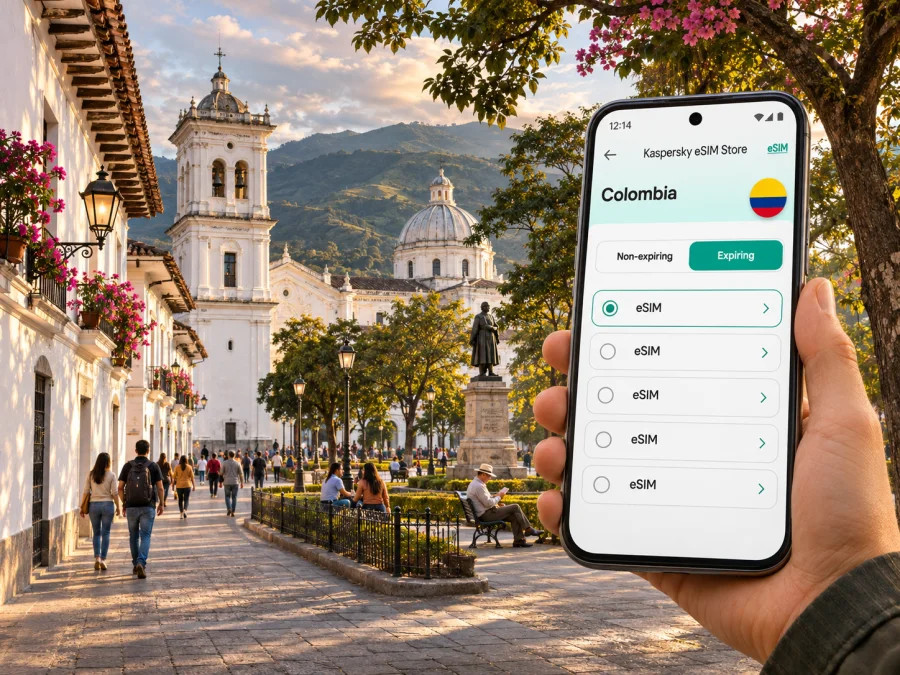
eSIM in Popayan: mobile connection and internet for your trip
Popayan is a compact city in southwest Colombia, known for its white colonial buildings, churches, university life and food traditions. A reliable mobile data plan can make arrival and everyday logistics easier: you can check a hotel address, message your host, look up a walking route or confirm a departure without relying on an unfamiliar public Wi-Fi network. An eSIM is a digital SIM profile installed on a compatible, unlocked device; it can be prepared before travel, while your regular SIM remains available if your phone supports dual SIM use.
This guide focuses on practical connectivity for Popayan itself: the airport and bus terminal, the historic center, local transport, work visits and trips out of town. Network availability depends on the local operator, the plan and the place you are using the phone. Do not assume a signal indoors, on every road or in the surrounding countryside. Check the selected plan’s destination, validity, data allowance and activation conditions before paying.
What to plan for in Popayan
Popayan is the capital of Cauca department in southwest Colombia, in the Pubenza Valley between the Western and Central Cordilleras. The historic center is a major draw, with white facades, churches, plazas and cultural venues close enough to make walking practical. A map still helps when streets and destinations have similar names.
Your data needs depend on the trip. A visitor near Parque Caldas may mainly need walking directions and messages; someone arriving with luggage may need a ride and hotel directions. A business traveler may use email, documents and calls, while a road traveler needs the bus terminal, ticket and onward route. Save key addresses, tickets and an offline map before leaving Wi-Fi. Mobile coverage varies by place and conditions, so keep essential details accessible without a connection.
| Situation | Prepare | Why |
|---|---|---|
| Airport arrival | Save accommodation address and pickup point | Maps or messages may take time to load |
| Bus arrival | Save terminal location and onward route | Airport and bus terminal are separate arrival points |
| Historic-center walk | Download an offline map | It remains useful if data drops |
| Work visit | Estimate calls, files and hotspot use | Video can use far more data than messaging |
| Day trip | Check transport and route in advance | Service and signal can vary outside town |
Arriving: airport, road and first connection
Guillermo León Valencia Airport is north of the city. The municipal tourism office describes air access to and from Bogotá and notes that airport taxis are available; it advises travelers to verify that a taxi belongs to the airport’s registered service. Flight schedules and arrangements can change, so confirm your own booking and current transport details.
Before leaving the terminal, make sure your accommodation details are available. If you installed an eSIM in advance, confirm that its profile is present and follow its activation instructions. Installation and activation may be separate events; some plans start validity at first connection. Do not delete a profile if it does not connect immediately. Check the plan’s start conditions, data-line selection and settings first.
Popayan’s intercity bus terminal is near the airport area and serves overland travel. The city is also crossed by the Pan-American Highway. Confirm your carrier, boarding point, ticket conditions and departure time directly with the transport provider; road conditions and local events can change a journey.
At arrival: confirm whether you are at the airport or bus terminal; open the saved hotel address; select the travel eSIM for data only after checking its instructions; keep home-SIM roaming under control; verify your ride and pickup details; and retain a second way to contact your host.
Getting around the historic center
The historic center is the natural starting point for a short visit. The municipal tourist map marks Parque Caldas, the clock tower, churches, museums and Puente del Humilladero, with neighborhoods including La Pamba, El Empedrado and Barrio Bolívar nearby. These landmarks help with orientation, but check opening times and access close to your visit: some buildings have active religious, academic or administrative uses.
For a walking day, pin Parque Caldas and add each destination separately. Check the route against street signs, save the way back to your accommodation and download the central map before leaving Wi-Fi. When events fill the center, crowds or temporary street changes can affect pickup points; agree on a meeting place with companions.
Short walks may be easier than arranging transport between nearby sights, depending on weather, mobility, luggage and time of day. Keep your phone charged: navigation, photos and network searches can drain the battery. Mobile data helps with live directions and last-minute changes, while screenshots and offline maps provide a fallback.
Choosing an eSIM plan for Popayan
For a visit to Popayan, check that a plan is intended for Colombia and that its terms meet your travel dates and expected data use. The city does not have a separate country-level mobile plan category: the relevant destination is Colombia. A plan’s listing may identify a local network or partner arrangement, but that does not establish service at every address. Coverage and speed can differ between buildings, streets and routes, and can change with congestion or network conditions.
Match the plan to your actual use
Estimate how you will use data rather than choosing by habit. A short city stay with maps, chat and occasional browsing is different from a work trip with video meetings, cloud files and hotspot use. If your route includes other Colombian cities, check that the plan’s destination terms cover the full itinerary. If you will cross a border, confirm regional eligibility separately; a Colombia plan should not be assumed to include another country.
| Use pattern | What to consider | Practical check |
|---|---|---|
| Light use: messages, map lookups, email | Smaller data allowance may be sufficient, depending on duration | Keep photo backups and app updates on Wi-Fi where practical |
| Regular sightseeing: navigation, social posts, browsing | Allow room for repeated map searches and uploads | Review data consumption after the first day |
| Work travel: calls, documents, hotspot | Higher or more flexible data capacity may be needed | Confirm hotspot is permitted and estimate video-call use |
| Multi-city road itinerary | Destination coverage and duration matter as much as volume | Read the country and regional scope of the plan carefully |
| Backup connectivity | Keep a second connection option if a critical task depends on data | Save key information offline and know how to contact your host |
The data allowance is only one part of the comparison. Confirm whether validity begins at purchase, installation or first connection; whether the plan can be topped up; whether hotspot use is allowed; and what happens when included data runs out. Read the current terms instead of inferring them from the product name or a plan shown in an older screenshot.
You can review available Colombia eSIM options for your trip and compare the details shown for each option. Kaspersky eSIM Store is an app and website where travelers can select, purchase and activate an eSIM with a suitable data plan for an international trip. Check current price, data volume, validity, destination and activation requirements at the time of purchase.
Understand the difference between data and a phone line
Travel eSIM plans are commonly designed for mobile data. Do not assume that a data plan includes a Colombian phone number, ordinary cellular voice calls or SMS unless the specific terms say so. Internet-based messaging and calling apps can work over data, but you may need to tell contacts how to reach you and maintain access to verification codes sent to your regular number. Keep the original SIM active only if you understand its roaming charges and your phone can manage both lines as intended.
Install and activate before you need directions
If your device and plan support it, installing the eSIM before leaving home gives you time to follow the setup steps while you have stable internet and access to your account. Installation and activation are not always the same event: a profile may be installed before the plan’s validity starts, but the exact behavior depends on the plan. Follow the instructions provided with your purchase and avoid deleting the profile as a troubleshooting shortcut.
Before purchasing, check whether your device supports eSIM. Support varies by exact model, region and carrier configuration. The same phone family can have different regional variants, and a device can also be locked to a home carrier. Check the manufacturer or carrier information for your precise model and confirm that it is unlocked. Do not rely only on a generic model name or an online list for another market.
Setup sequence
- Check the phone. Confirm eSIM support for the exact regional variant and confirm that the phone is not carrier-locked.
- Choose the plan. Review destination, data allowance, duration, activation trigger, hotspot terms and any restrictions.
- Use a stable connection. Install the profile while connected to reliable Wi-Fi or another trusted internet connection, if the plan’s instructions permit advance installation.
- Label the lines. Give the travel profile a clear name such as “Colombia data” so it is easy to distinguish from your regular SIM.
- Set data deliberately. Select the travel eSIM for mobile data when appropriate. Review the home line’s roaming settings to avoid accidental use.
- Follow the activation instructions. Some plans require a data-roaming setting for the travel line; enable it only when the plan’s instructions say to do so.
- Test calmly. Once in Colombia, allow the phone time to register, confirm the correct line is selected and restart only if the plan guidance recommends it.
For device-specific steps, use the Android eSIM installation instructions or the iOS eSIM installation instructions. Menu names can differ by operating-system version and manufacturer. Keep the QR code or activation details available on a second screen or printed copy if the setup method requires scanning it; a phone generally cannot scan a QR image displayed only on its own screen.
If the eSIM does not connect
Start with the most likely settings rather than removing the profile. Confirm that the eSIM line is switched on, selected for mobile data and allowed to connect according to the plan instructions. Check that airplane mode is off, restart the device if appropriate, and allow a short period for network registration. If the plan specifies manual network selection or an access point name, follow the supplied instructions exactly.
If service still does not start, check whether the plan has reached its activation date or connection trigger, whether the data allowance is active, and whether the location is within the plan’s destination. Contact the plan’s support channel with the order details and a description of your device and settings. Keep a Wi-Fi option or local assistance available for urgent needs. Avoid repeatedly deleting and reinstalling a profile unless support explicitly asks you to do so, because some activation codes are single-use.
Local mobility and connectivity choices
The city’s visitor information describes local buses and minibuses, as well as taxis. Check current routes and service locally. A data connection helps with addresses and route planning but does not replace confirming that a vehicle and pickup point are correct.
| Option | Useful preparation |
|---|---|
| Walking | Save a map and destination pin |
| Taxi | Confirm pickup point, destination and vehicle details |
| Bus or minibus | Verify the route locally and keep the destination written down |
| Intercity coach | Save the ticket and check terminal and departure details offline |
If you use a ride-hailing app, check its availability and payment method before you travel, and keep an alternative in mind. For airport transfers, municipal guidance recommends checking that a taxi is registered with the airport service. Keep enough battery for the journey and share trip details with someone you trust if that is part of your routine.
Neighborhoods, accommodation and daily plans
Staying in or near the historic center can put sights, cafés and cultural venues within manageable reach. A quieter residential location or a place near a university may suit a different trip. Compare walking distance, accessibility, noise, arrival time and transport rather than assuming one area fits everyone.
Save the exact lodging address, not only the property name. Ask the host for a map pin, recognizable meeting point and late check-in instructions. For a museum or event, verify hours and save the address and booking details. Work travelers should test the hotel or workspace connection before a scheduled call, keep files offline and check whether their mobile plan allows hotspot use; an eSIM should not be treated as guaranteed broadband for a meeting.
Short stays, festivals and onward routes
A stopover in Popayan can still involve several connectivity tasks: meeting a driver, finding a room, checking a meal reservation and confirming the next departure. For a brief visit, prepare only what you need: one saved map area, accommodation and terminal addresses, ticket details, and a small amount of mobile data for changes. Do not spend your limited time comparing every plan feature if your essential requirements are already clear.
The city is known for its Holy Week processions and cultural events, and the municipal tourism information describes major processional routes through the historic center. Event dates and arrangements vary by year. During busy periods, crowds or temporary street changes may affect walking routes and pickup locations. Check current municipal or event information before travelling, set a meeting point with companions, and download or screenshot details you will need while moving through a crowd.
For onward travel, Popayan connects by road with destinations along the Pan-American corridor and other parts of southwest Colombia. The trip may involve long distances and changing road conditions. Check your carrier’s latest departure and arrival details, preserve a copy of your ticket offline and download the map for the first part of the route. Mobile signal beyond town can vary; plan for stretches where live navigation, messaging or data access is unavailable.
If your itinerary includes Cali, Pasto, Neiva or another Colombian destination, make sure the plan’s validity lasts for the full trip and that Colombia remains within its stated coverage. The place name on a city guide does not determine network coverage; the plan’s own destination terms do. If crossing into another country, select a plan that explicitly lists that destination or arrange a separate option.
Questions travelers ask about eSIM in Popayan
Is there a separate eSIM for Popayan?
The relevant destination is Colombia. Choose a plan whose terms include Colombia; the plan’s network arrangements and local conditions determine service, which should not be assumed everywhere.
Can I install an eSIM before I fly?
Often, but follow the plan’s instructions and check when validity begins. Install over a stable connection and keep the profile unless support tells you otherwise.
Will an eSIM work on every phone?
No. Support depends on exact model, regional variant, carrier lock and sometimes software configuration. Check your precise device and confirm it is unlocked. If it does not support eSIM, consider home-carrier roaming or a physical local SIM, subject to local requirements and availability.
Does a data eSIM include calls and SMS?
Do not assume so. Check the plan terms. Internet calling apps use data; your regular number may remain available for conventional calls or verification codes, depending on your device, carrier and roaming settings.
Can I count on data outside Popayan?
No plan guarantees service on every road or in every rural area. Download maps, save tickets and confirm transport details before departure. Network performance depends on local coverage and conditions.
A final preparation checklist
Before leaving, confirm your arrival point and lodging address; plan destination, data, validity and activation conditions; verify exact-device compatibility and unlock status; save installation instructions, maps, bookings and tickets offline; decide which line will use data; and keep enough battery for arrival and navigation.
Prepare your Colombia eSIM
Choose a data plan that matches your dates, route and expected use, then install it according to the instructions for your device. Kaspersky eSIM Store is an app and website for selecting, purchasing and activating an eSIM plan for international travel; availability, network service and plan terms depend on the selected offer and local conditions. Compare the current Colombia options before departure, confirm the details that matter to your trip, and keep your key Popayan addresses and tickets saved offline.


