Travel connectivity guide
Poprad eSIM: Mobile Data for Slovakia Travel
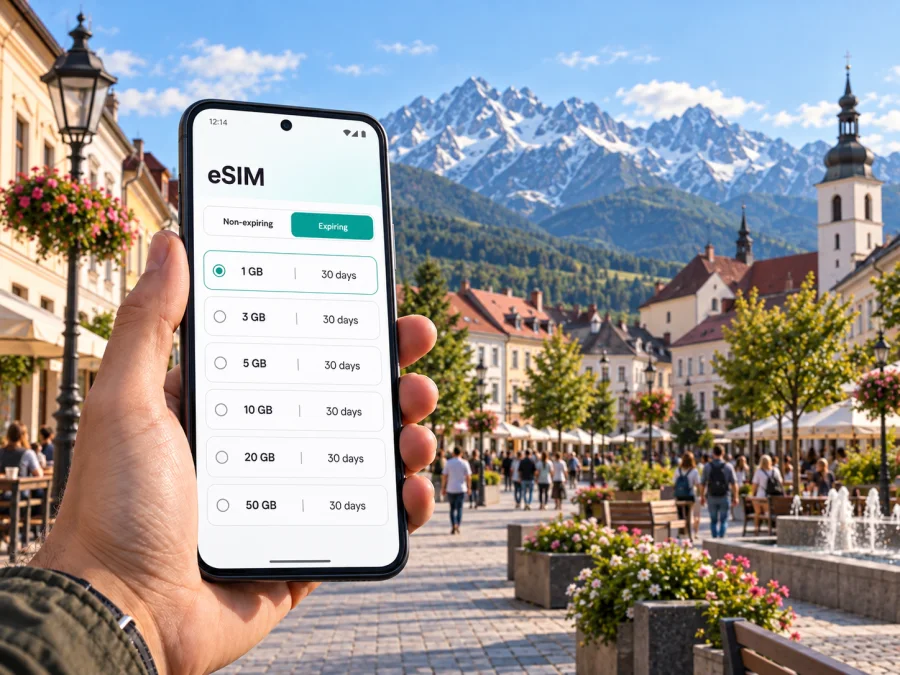
Poprad eSIM: mobile connection and internet for your trip
Poprad is a compact city in northern Slovakia and a practical starting point for journeys into the High Tatras. A working mobile connection can help from the first moments after arrival: check a transfer, find your accommodation, follow a walking route through the centre or look up a train onward to the mountains. An eSIM lets you prepare mobile data without replacing your physical SIM, provided your phone supports eSIM and the selected plan suits your trip.
This guide focuses on the moments when internet access is useful in Poprad itself and on short routes from the city. It also explains what to check before choosing a plan, how to prepare an eSIM and how to keep your usual number available if your device supports dual SIM.
When mobile internet is useful in Poprad
The city works both as a destination and as a transport base. You may spend a few days exploring its historic quarters, arrive for work, or stay overnight before heading toward the High Tatras. In each case, mobile data can make small transitions easier: opening a booking confirmation, checking a map, contacting a host or comparing your onward options.
At Poprad-Tatry Airport
Poprad-Tatry Airport is close to the city, but the final leg still needs planning. Before you leave the terminal, check the address and entrance details of your accommodation, confirm how your transfer is arranged and save the destination in your map app. If you are meeting someone, a messaging app can help coordinate a change in arrival time.
Airport transport arrangements and schedules can vary. Check current information before departure rather than relying on an old screenshot, especially if your flight arrives late or you have onward plans. If you intend to use a taxi, confirm the pickup point and fare with the provider before travelling. For a rental car, keep the booking details accessible offline as a backup.
A useful arrival routine is simple:
- Connect to a trusted Wi-Fi network if you need to complete the eSIM setup after landing.
- Check that the eSIM line is enabled for mobile data and that data roaming is set as required by its instructions.
- Open your accommodation details and confirm the route before leaving the airport.
- Keep the hotel address available offline in case coverage or battery becomes an issue.
Between the railway station and the centre
Poprad-Tatry railway station is an important interchange for trips into the High Tatras as well as journeys elsewhere in Slovakia. If you arrive by train, maps and live journey details can help you orient yourself and decide whether to walk, take local transport or arrange a taxi. The centre is not a substitute for a mountain base: check the exact location of your hotel and the time needed to reach it before choosing how to travel.
Poprad is made up of several distinct parts, including the central area and Spišská Sobota. If your accommodation is outside the immediate station area, check the route all the way to its entrance, not just to the neighbourhood name. This is particularly useful when carrying ski equipment, hiking gear or luggage after a long journey.
Exploring the city at your own pace
In the centre, a map helps connect the station, accommodation, cafés and places you have planned to visit. You can use it to check walking directions, opening details and the distance between stops. If your day includes Spišská Sobota, the old square and its historic buildings make it a distinct part of the city to plan for rather than treating Poprad as only a station on the way to the mountains.
A connected phone is also useful for the practical details of a city break: confirming a restaurant reservation, translating a short message, sharing your location with a travel companion or checking whether a museum or gallery is open. These are modest tasks, but they often happen while you are already on the move.
Work trips and short stopovers
For a business visit, mobile data can support a video call, calendar updates, email and directions between a hotel and a meeting. Download large files or join long calls over reliable Wi-Fi when available; a mobile plan is better treated as a flexible connection for travel tasks than as a guarantee of uninterrupted high-bandwidth service.
On a short stopover, prioritise the essentials: a route to the hotel, the next departure, a message to your host and one or two nearby places to eat. Avoid building a tight itinerary around assumptions about transfer times. Leave room for delays and check current transport information as you go.
Plan your data around your Poprad itinerary
Start with the route, then choose the plan. A visit limited to Poprad may use data differently from a week split between the city and mountain settlements. Consider how often you will use maps, upload photos, stream audio or video, work remotely, and rely on messaging. The right amount depends on your habits, the trip length and whether you will have Wi-Fi at your accommodation.
Before you decide, check the plan details in the store:
| Trip pattern | What to estimate | Practical preparation |
|---|---|---|
| One or two nights in Poprad | Maps, messages, bookings and occasional browsing | Save the hotel address and key confirmations offline |
| Poprad plus day trips | Navigation and timetable checks while moving | Check that the plan's coverage fits your full route |
| Several days with remote work | Calls, email, shared files and hotspot use | Review data allowance and tethering terms carefully |
| A short airport or rail stop | A few essential checks and messages | Prepare the eSIM in advance and keep a backup route |
The table is a planning aid, not a promise about how much data a particular person will use. Video calls, photo backups and streaming can consume more data than maps and text messaging. If you are unsure, review your phone's recent mobile-data use and leave some margin for unexpected route changes.
Kaspersky eSIM Store is an app and website where you can choose, purchase and activate an eSIM with a suitable mobile-data plan for an international trip. To compare options for this itinerary, explore eSIM plans for Slovakia. Check the plan's validity period, data allowance, supported destination and activation conditions before purchase; availability and terms are shown with the selected offer.
A simple way to estimate usage
Think about a typical day rather than choosing by destination name alone. Ask yourself:
- Will you use navigation for a few short walks, or keep directions open for most of the day?
- Will you mostly send messages, or also make frequent voice and video calls?
- Do you plan to upload photos and videos while away from Wi-Fi?
- Will you use your phone as a hotspot for a laptop or another device?
- How many days will you need mobile data, including arrival and departure days?
The answers make it easier to compare plans on their actual terms. If your stay combines Poprad with places in the High Tatras, check that your chosen plan covers the entire route and not just the city. Coverage depends on the available partner network and local conditions; no mobile service should be treated as guaranteed in every location, building or outdoor area.
Getting around Poprad and travelling onward
Poprad's transport choices depend on where you are going. The city has a railway station, local transport and road connections. The Tatra Electric Railway connects Poprad-Tatry with mountain destinations such as Starý Smokovec and Štrbské Pleso; routes, operating times and ticket arrangements can change, so check current schedules before setting out. A map and journey planner are useful for comparing the station you need with the address of a trail, hotel or attraction.
For a day trip, plan the return as carefully as the outbound leg. Mountain weather and activity times can alter your pace, while the final service of the day may not fit a flexible itinerary. Save the relevant timetable or ticket details where you can access them without data. Keep mobile internet available for updates, but have a second way to find essential information.
Choose your base with the route in mind
A hotel near the railway station can be convenient if most of your plans involve trains. Staying in the central area may make it easier to reach restaurants and city sights on foot. Spišská Sobota offers a different setting and may suit visitors who want to stay near its historic core. These are general planning considerations, not a ranking of neighbourhoods: compare the exact property address, check-in arrangements and the route to your main destinations.
When a booking uses a street name that is unfamiliar, enter the complete address into a map before travelling. Confirm the building entrance and reception hours with the accommodation. This matters especially for late arrival, self check-in or a property where the entrance is not directly on the main street.
Driving beyond the city
If you are renting a car, mobile navigation can help with route planning, traffic updates and locating a parking area. Download an offline map before leaving Wi-Fi, keep the rental company's contact details accessible and check the local rules that apply to your route. Slovakia requires a motorway vignette for use of its motorways; verify current requirements and purchase arrangements through official channels before driving. Do not let map use distract you while driving: set the route before you move or ask a passenger to manage it.
A car can make some regional stops easier to combine, but do not assume every mountain trailhead or attraction has convenient parking or a suitable road. Check access and any seasonal restrictions for the specific destination. If your plans include only Poprad and the established rail corridor into the mountains, compare train options before deciding that a rental car is necessary.
Set up your eSIM before the trip
If possible, complete installation while you have stable Wi-Fi and enough time to follow the instructions. The exact process can vary by device and plan, so use the setup details supplied with your purchase. An eSIM profile may need to be installed before travel while activation or first use follows separate plan conditions; read those conditions rather than assuming installation starts the validity period.
- Check that your phone supports eSIM and is not restricted from using another carrier's eSIM.
- Choose a plan whose coverage, validity and data allowance match your stay in Poprad and any onward stops.
- Install the eSIM using the instructions provided for your device. Keep the QR code or activation details available until setup is complete.
- Label the new line clearly, for example “Slovakia data,” so you can identify it in your mobile settings.
- Decide which line should handle mobile data and which should remain available for calls or messages. Check possible roaming charges on your regular SIM with your home provider.
- When you reach Slovakia, enable the eSIM line and follow the plan's directions for data roaming or network selection.
For step-by-step help, see the Android eSIM installation instructions or the iOS eSIM installation instructions. Menu names differ across phone models and software versions, so follow the instructions displayed on your device.
What to check before buying
Compatibility is device-specific. Some phone versions support eSIM while other versions of the same model may not, and a carrier lock can affect whether another eSIM can be used. Check the manufacturer's device information and your mobile settings before selecting a plan. You can also check whether your device supports eSIM.
Read the plan conditions closely. Confirm the destination, duration, data amount, supported network arrangements and when validity begins. If you need calls or SMS, verify whether the selected plan includes them; many travel eSIM offers are designed for mobile data. Keep your usual number active only if your device allows it and you understand your home provider's roaming charges.
A pre-departure checklist:
- eSIM compatibility and any carrier-lock restriction checked;
- plan destination and validity reviewed;
- installation completed or activation steps saved;
- eSIM labelled clearly in phone settings;
- mobile-data line selected as intended;
- data roaming setting checked against the plan instructions;
- hotel address, transport details and key tickets saved offline;
- battery pack or charging option packed for a long day out.
Practical Poprad scenarios
Arriving late in the day
Before boarding, save the accommodation address, check-in instructions and the route from Poprad-Tatry Airport or the railway station. If you expect to need a taxi, confirm the pickup arrangement and payment method with the provider. Once you arrive, use mobile data to message your host if plans change, but retain the address and booking details offline in case the phone loses signal or battery.
A day in the city before the mountains
Use the morning to orient yourself around the centre and confirm the location of your next departure from Poprad-Tatry station. If you want to visit Spišská Sobota, check how it fits with your other stops and leave time to return to your accommodation or the station. Keep your route flexible: opening times and local transport schedules should be checked for the day you travel.
A workday with a meeting and an evening train
Save the meeting address and contact details in advance. Use mobile data for directions and messages between appointments, then check the evening train before the meeting ends. If you need to share a presentation or make a long call, use a trusted Wi-Fi connection where practical and confirm that your plan allows hotspot use before relying on it.
A mountain excursion with a Poprad base
Check the complete journey from your accommodation to the starting point, including any transfer between rail services. Download route information and tickets before departure. Mobile coverage and battery availability can vary along outdoor routes, so do not depend on a live map as your only navigation method. Carry the information and equipment appropriate for your chosen activity and conditions.
Common questions
Is an eSIM useful if I am staying only in Poprad?
It can be useful if you want mobile data for maps, messages, bookings and local transport while away from Wi-Fi. Whether it suits you depends on your device, data needs, travel dates and the plan conditions.
Can I use the same eSIM in Poprad and the High Tatras?
Check the selected plan's stated coverage for Slovakia and review its conditions. Actual service can depend on partner-network availability, terrain, buildings and other local factors. For a mountain trip, save essential travel details offline and do not rely on continuous coverage.
Should I install the eSIM before I arrive?
Installing it before departure can give you time to follow the setup steps on Wi-Fi. Activation timing varies by plan, so read the purchase details to understand when validity starts and when to enable the line.
Will an eSIM replace my regular phone number?
Not necessarily. Many devices let you keep a physical SIM and add an eSIM, but the available options depend on the phone. You choose which line handles mobile data and whether the regular line remains active. Check your home provider's roaming terms if you keep it enabled.
Does a travel eSIM always include calls and text messages?
No. Check the selected plan's description. If it is data-only, use internet-based messaging and calling apps where appropriate, and keep a separate way to contact accommodation or transport providers if needed.
What if the eSIM does not connect after setup?
Confirm that the eSIM line is switched on, that the correct line is selected for mobile data and that the settings match the plan instructions. Restarting the device may help in some cases. If the issue continues, consult the setup details and support route provided with the offer. Avoid deleting an installed profile unless the instructions or support team tell you to do so.
Prepare for a smoother stay
For Poprad, the useful question is not simply how much data a city break needs. Consider whether you will stay in the centre, travel through the railway interchange, visit Spišská Sobota, work between meetings or continue toward the High Tatras. Those details shape the data allowance, validity and coverage you should look for.
Before leaving, save your first address and the next transport connection, review your eSIM's conditions and set the correct mobile-data line. During the trip, use online maps and updates as practical tools while keeping essential tickets and directions available offline. This balance makes it easier to move between the airport, station, city neighbourhoods and regional routes without planning every step around a Wi-Fi connection.
When your dates and itinerary are clear, choose an eSIM plan for your trip to Slovakia through Kaspersky eSIM Store. Review its coverage, data allowance and validity, then install and activate the eSIM according to the instructions for your device.


