Travel connectivity guide
Porlamar eSIM: Mobile Data in Venezuela
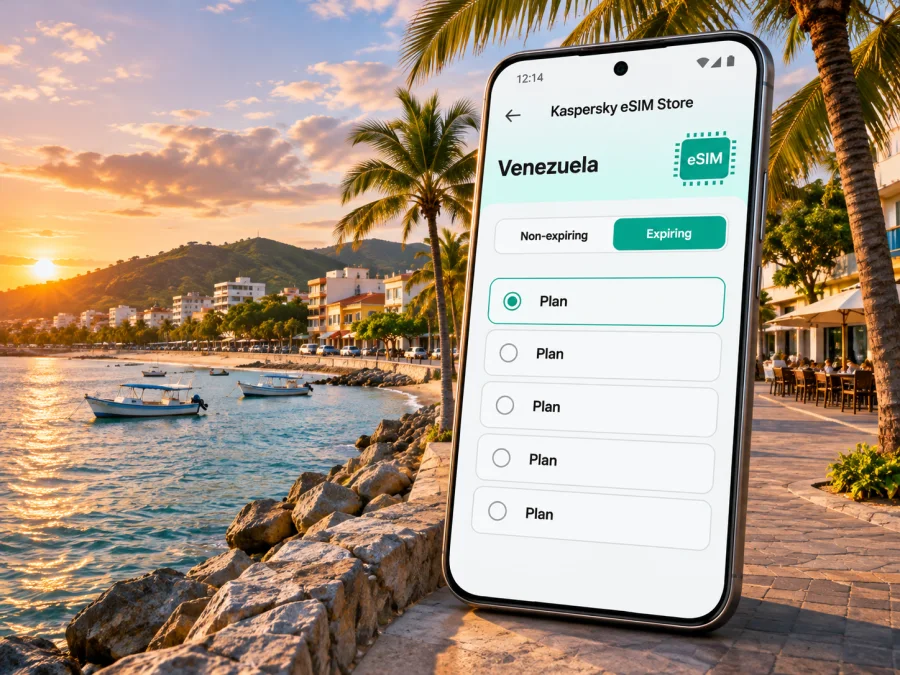
Porlamar eSIM for mobile connection and internet in Venezuela
Porlamar is a useful base for exploring Margarita Island, handling an arrival, or spending a few days between beach visits and city errands. A travel eSIM can give a compatible, unlocked phone a separate mobile data line without replacing your physical SIM. That can make it easier to check a transfer, message your accommodation, open a map, or confirm a booking as you move around.
Porlamar is on Margarita Island in Nueva Esparta state, Venezuela. The island’s airport is the Caribbean International Airport General in Chief Santiago Mariño, commonly identified by the code PMV. Your actual arrival point and onward connection depend on your ticket: check the airport and transfer details in your itinerary before you travel. Mobile data is useful for the first leg, but it does not replace a confirmed pickup, offline directions, or a backup plan if a signal is unavailable.
Where a travel eSIM helps around Porlamar
The value of data is often practical rather than dramatic. It can help you coordinate the small steps that connect an arrival to a hotel or the next stop on Margarita:
- At the airport: retrieve a hotel address, tell your host that you have landed, or confirm a pickup. Save the address and driver or property contact details before departure as well, so you can still find them without a signal.
- On the way into Porlamar: follow a route, check a map, or share your estimated arrival time. Keep the destination written down in Spanish when possible; a screen with a saved address can be more useful than trying to explain it from memory.
- Around the city: look up opening hours, restaurant details, meeting points, and reservation messages while walking between stops. Download maps or save key places in advance to reduce dependence on a live connection.
- For work: reach email, meeting links, cloud documents, and messaging tools when you are away from hotel Wi-Fi. If a call matters, check its connection quality before the meeting and keep a Wi-Fi option available.
- For an island day trip: share plans with your group and check the return arrangements. A Venezuela plan may be relevant beyond Porlamar, but do not assume that every plan has the same coverage or terms at every point on an island or on a boat.
A data eSIM is not normally a replacement for your usual phone number. The Store’s Venezuela destination page describes its eSIM offers as data service; confirm the terms shown for the particular option you are considering. Keep your home SIM active if you need its number for calls, texts, or account verification, and check roaming charges with your home provider. Internet-based calls and messages can work through apps when you have data, but they depend on the app, account, and connection.
Think about the trip, not only the city name
Porlamar is a city destination, while the airport, hotel, beaches, and other stops may be in different parts of Margarita Island. Before selecting a data option, compare the plan’s stated destination coverage with your full itinerary. If you are arriving in Venezuela elsewhere first, then flying or travelling onward to Margarita, check that the same country plan applies throughout the route. A country label is a starting point for checking eligibility; it is not a promise of identical signal strength in every neighbourhood or building.
The current Venezuela page in Kaspersky eSIM Store lists offers for Venezuela and identifies MOVISTAR as the local network associated with the displayed country plans. That is a detail for those listed offers, not a guarantee of service at a specific address in Porlamar, nor a statement about every Venezuelan operator or every device. Network availability can vary with location, indoor conditions, congestion, maintenance, and the specific plan. Review the current plan details before paying, and ask your accommodation whether it has dependable Wi-Fi if you will need a reliable connection for work.
Choosing a plan for a Porlamar stay
Estimate your use based on what you will actually do. Navigation and short messages usually need less data than frequent video calls, streaming, uploading photos, or using a phone as a hotspot for a laptop. Wi-Fi can reduce mobile data use, but availability and quality vary from one property to another.
| Travel pattern | What to consider | Preparation |
|---|---|---|
| Short stop with airport transfer and one hotel | Enough data for maps, messages, booking details, and basic browsing | Save your address, pickup instructions, and check-in contact offline |
| Several days in Porlamar | Your typical daily data use and the plan’s validity period | Turn off automatic app updates and large cloud uploads on mobile data |
| Work trip | Video meetings, document access, and backup connectivity | Ask the hotel about Wi-Fi; test a meeting app before relying on it |
| Island itinerary | Whether the plan covers every destination in your route | Confirm the plan’s country or regional coverage and keep offline maps |
| Group travel | Whether each person needs their own connection | Do not assume one phone’s eSIM can be transferred or shared as a profile |
Read both the data amount and validity rules. A larger allowance may suit a trip with video meetings or frequent uploads; a smaller one may be enough if you mostly use maps and messages and connect to trusted Wi-Fi. Check when the validity period begins, whether activation is scheduled or immediate, how top-ups work, and what happens when the data allowance runs out. These terms depend on the particular plan. Do not select solely by a “Venezuela” label if your itinerary includes other countries; a regional option may have different coverage and conditions, which you should check for every stop.
Before you buy: device and line checks
An eSIM needs more than a recent-looking phone. Device support can differ by exact model, sales region, software version, and carrier lock status. A phone with the same retail name may have different capabilities depending on where it was sold. Search the settings on your own device, consult its manufacturer’s official support information for the exact model or regional variant, and confirm that it is not locked to a carrier. Check your device’s eSIM compatibility before checkout.
Use these checks before selecting a plan:
- The device has an eSIM option in its cellular or SIM settings, and the exact regional model supports it.
- The device is unlocked for use with another service provider. If you are unsure, ask the carrier or retailer that supplied it.
- The operating system is up to date enough for the installation method described with the eSIM.
- You can connect to Wi-Fi during installation, especially if you plan to install before departure.
- You know which line will handle mobile data and whether data roaming needs to be enabled for the travel eSIM.
- You have a copy of the setup instructions and the support details available offline.
Do not delete a working eSIM profile to troubleshoot unless the instructions or support team tell you to. Some activation codes are one-time use, and a profile may not be transferable to a different phone after installation. Check the plan’s rules before changing devices. If you are buying a phone for travel, verify the exact model variant and whether it is carrier-unlocked before purchase; broad model-family claims can miss regional exceptions.
Set up before departure or after landing
Installing before departure gives you time to read each prompt and resolve an issue while you still have access to your regular connection. Whether the eSIM should be switched on immediately or only after arrival depends on its activation terms. Follow the instructions supplied with your plan rather than assuming installation and the start of paid validity are the same event.
A straightforward preparation sequence is:
- Connect to reliable Wi-Fi and confirm that the phone is unlocked and eSIM-compatible.
- Choose Venezuela as the destination and read the selected plan’s coverage, data allowance, validity, activation, and top-up terms.
- Complete checkout, then open the eSIM installation instructions in the app or on the website. Keep the confirmation and any QR code accessible on another screen or printed page if needed.
- Add the eSIM using the method provided. Label it “Venezuela” or “Travel” so you can recognise it in the phone’s line settings.
- Before travel, check which line is selected for mobile data. Leave the home line configured for calls or texts if you need it, and review its roaming settings to avoid unwanted charges.
- At the destination, enable the travel line as directed. If the plan requires data roaming for that eSIM, switch it on for that line only and allow a little time for network registration.
- Open a simple web page or messaging app to confirm that data works. If it does not, check the selected data line, coverage terms, airplane mode, and the plan’s activation instructions before reinstalling anything.
For more detailed steps, follow the Android eSIM installation instructions or the iPhone eSIM installation instructions. Menu names vary across phone brands and software versions, so the on-screen wording may differ from a guide.
Getting around with less dependence on a live signal
Use mobile data as one part of your navigation setup. Before leaving the airport or hotel, save the name and address of your next stop, the map pin, and the contact number or message thread for your host. If you arrange a driver, agree on the meeting point and the name or description to look for before separating from your group. Confirm any transfer price and payment method directly with the provider rather than relying on an app estimate.
Porlamar can be a base for trips across Margarita, and distances, roads, and transport options differ by destination. Check return timing before you leave for a beach or another town. A map can help you see the route, but it cannot confirm that a service is running at the time you travel. For a ferry or flight onward, rely on your booking and the carrier’s current instructions; do not treat an island data plan as evidence that a connection or timetable exists.
Review the current eSIM options for a trip to Venezuela when you are ready to compare the destination and terms. The page can change, so use the information displayed at the time of purchase rather than an old screenshot or a quoted price in a travel article.
A simple offline kit reduces stress if the battery runs low or mobile data drops:
- hotel name and full address, saved in a note;
- airport and transfer details, including the agreed pickup point;
- a map of Porlamar and the parts of Margarita you expect to visit;
- reservation confirmations and check-in instructions;
- contact details for your accommodation and travel companions;
- a power bank and the charging cable that fits your phone.
Use public Wi-Fi carefully. Prefer networks confirmed by the hotel, café, or venue, and avoid entering sensitive account details on a network you cannot identify. A travel eSIM can provide another way to get data, but it does not make every app, site, or network risk-free. Keep your phone updated, use screen locking, and use your normal account security protections.
If mobile data does not connect
A failure to connect does not immediately mean that the eSIM is damaged. Work through simple checks in order and avoid deleting the profile as a first response:
- Confirm that the travel eSIM is enabled and selected for mobile data.
- Check whether the plan is active for the destination and whether its validity has started.
- Make sure airplane mode is off, then briefly toggle it on and off or restart the phone.
- Check the plan instructions for any required data-roaming setting on the travel line.
- Move to an open area or another location and allow the phone time to register; indoor coverage can differ from outdoor signal.
- Confirm that the plan includes the place you are in and that the data allowance has not been used.
- If the issue remains, contact support through the channel supplied with your purchase and share the device model, software version, location, and the steps already tried.
If the trip depends on being reachable, keep a second option: hotel Wi-Fi details, a saved address, a companion’s connection, or the contact information for your transfer. This is especially useful during arrival, when you may not yet know the area or have a local routine.
Questions travellers ask
Is a Porlamar-specific eSIM required?
Not necessarily. Check the coverage terms for the Venezuela destination plan and the rest of your itinerary. Porlamar is within Venezuela, but an eSIM listing for a country does not by itself prove a particular signal level at every address or on every route.
Will the eSIM give me a Venezuelan phone number?
The Store’s Venezuela page describes the listed plans as data options. Do not expect an ordinary voice number or SMS unless the terms of the exact offer explicitly include them. You can use supported internet calling or messaging apps over data, subject to your account and connection.
Can I leave my regular SIM in the phone?
Often, a compatible phone can keep a physical SIM or another line active alongside an eSIM, but the available combinations vary by model and regional variant. Check your device settings and manufacturer guidance. Choose the eSIM for mobile data if that is your intention, and review home-line roaming charges before departure.
Should I install the eSIM before travelling?
Installing over Wi-Fi before departure can give you time to follow the steps and resolve setup questions. Activation and the start of plan validity are separate details that depend on the specific offer. Follow the plan’s instructions about when to switch it on.
Does a country plan guarantee coverage throughout Margarita Island?
No plan description should be treated as a promise of uninterrupted signal in every location. The listed destination and network identify where the offer is intended to work; terrain, buildings, local network conditions, and the plan’s current terms still matter. Keep offline information and a backup connection option.
What if my phone was bought in another country?
Check the exact model number and sales region, not just the product family name. Some eSIM capabilities differ among regional versions, and a carrier lock can prevent a device from using another service. Verify both points with the manufacturer or original carrier before checkout.
A practical checklist
Before purchase
- Confirm eSIM support on the exact phone variant and check that the device is unlocked.
- Compare Venezuela coverage with every stop on your route.
- Review data amount, validity, activation timing, top-up rules, and any hotspot conditions.
- Decide whether your home SIM must remain available for calls or verification messages.
Before departure
- Install using Wi-Fi and the supplied instructions; keep the confirmation accessible.
- Save your accommodation address, arrival plan, essential contacts, and offline map.
- Check your home provider’s roaming settings and charges.
- Pack a charging cable and power bank if you have one.
After arrival
- Select the correct line for mobile data and follow the eSIM’s activation instructions.
- Test basic browsing and messaging before leaving your arrival area.
- Monitor data use, especially with video, photo backups, and laptop tethering.
- Keep important addresses and the return plan available offline.
Porlamar travel is easier to manage when your destination details, transport plan, and mobile data are prepared together. Kaspersky eSIM Store is an app and website where you can choose and activate an eSIM with a suitable plan for an international trip. Compare the current terms for Venezuela, check your device, and choose an eSIM option for your trip to Venezuela before departure. Install it over Wi-Fi, follow the activation instructions for that plan, and keep essential travel details available offline as you explore Porlamar and Margarita Island.


