Travel connectivity guide
Port Elizabeth, Bequia eSIM: Mobile Data Guide
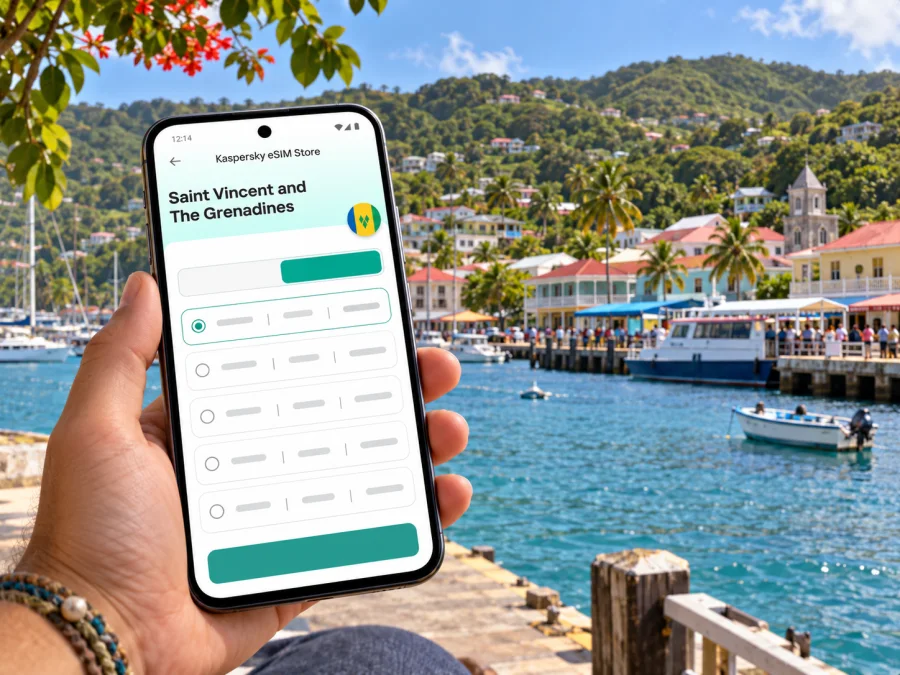
Port Elizabeth eSIM: Mobile Connection and Internet on Bequia
Port Elizabeth is a small harbor town on Bequia, in Saint Vincent and The Grenadines. Its ferry dock, shops, cafés and services cluster around Admiralty Bay, and the Belmont Walkway follows the shoreline south from the center. For visitors, mobile internet is most useful for coordinating the arrival, finding accommodation, checking onward transport and staying in touch while exploring the island.
An eSIM can help you prepare mobile data for the trip without replacing the physical SIM in your phone. Its usefulness in Port Elizabeth depends on the specific plan, its supported local network, the phone’s compatibility and the signal available at your location. Treat the plan details as the source of truth: a country name on a plan does not promise identical reception at every beach, road or part of the harbor.
First, distinguish the destination
This guide is about Port Elizabeth on Bequia, one of the Grenadine islands in Saint Vincent and The Grenadines. It is not about the much larger Port Elizabeth in South Africa. Bequia’s town is a compact waterfront settlement and the island’s main ferry arrival point. Visitors often reach it by sea from Kingstown, on the main island of Saint Vincent, or by a regional flight to J. F. Mitchell Airport on Bequia.
That geography shapes how you should plan connectivity. You may use mobile data first at an airport or ferry terminal, then move across water or along island roads. Coverage can change between the mainland and the Grenadines, and between settled areas and quieter coves. An eSIM should therefore be treated as one practical tool for maps, messages, bookings and updates—not as a substitute for checking ferry times, arranging a pickup or saving key information offline.
What mobile internet is useful for in Port Elizabeth
The town is easy to explore on foot once you reach the central waterfront, but a connection can still make a short stay smoother. You can confirm a guesthouse’s location, message a host if a ferry is delayed, check a route before walking uphill, translate a menu, or look up a water-taxi meeting point. If you are travelling with others, messaging apps are useful for coordinating where to meet after someone stops at a shop or café.
Port Elizabeth also functions as a practical service center for Bequia. The Bequia Tourism Association describes Front Street and the harbor area as places to find groceries, a market, pharmacies, banks, shops, restaurants, the post office and local services. The exact opening hours of individual businesses can vary; do not rely on a live map listing as a guarantee that a counter is open, particularly around lunchtime or on a holiday.
A data connection is helpful for checking current details, but it is sensible to keep essentials accessible without it. Save your accommodation name and directions, the ferry company and departure information, the address of your next stop, and any booking confirmation. Keep a screenshot or offline map for the harbor and the road to your lodging. These small preparations matter if your signal is weak, your battery is low or you are between network areas.
Arriving by ferry from Saint Vincent
Many visitors connect through Argyle International Airport on Saint Vincent, travel by taxi to the Grenadines Wharf in Kingstown and continue by ferry to Port Elizabeth. The Bequia Tourism Association notes that the taxi transfer from the airport takes around 40 minutes, though traffic, road conditions and the time of day can affect the journey. Its travel information also warns that late-afternoon arrivals may not connect with a same-day ferry.
Ferry operators and schedules can change. Check the current departure time directly with the ferry company before travelling, and leave a generous buffer between your flight and the boat. If a missed connection would disrupt your plans, consider arriving earlier or spending a night on Saint Vincent. Do not plan around an old timetable copied into a blog or saved months ago.
At the Kingstown wharf, mobile data may help you contact your driver, accommodation or travel companions. During the crossing, reception may vary; avoid assuming that data will remain available throughout the route. Before boarding, download maps and messages you may need, keep your ticket details easy to find, and agree on a meeting point at the Port Elizabeth dock in case your group is separated.
When the ferry reaches Bequia, the central dock places you close to the town’s main streets and harbor businesses. If your lodging is on another part of the island, confirm in advance whether a host will meet you or whether you should take a taxi, local van or water taxi. A pin shared in a message is useful, but a clear property name and written directions are a good backup.
Moving around the harbor and nearby neighborhoods
Port Elizabeth is compact, and many visitors spend time between the ferry dock, Front Street, the market area and the waterfront. Belmont lies along the southern side of Admiralty Bay. The Belmont Walkway links the town with small accommodations, restaurants, cafés, shops and dive businesses along the water. A stroll there is a straightforward way to orient yourself after arrival, though you should still check where a particular property sits relative to the walkway and any steep inland road.
Princess Margaret Beach is beyond the Belmont area. The tourism association describes access by water taxi, a steep road or track, and the coastal trail extending from the walkway. Choose your route based on weather, footwear, luggage and mobility. If you have bags, ask your host about a transfer rather than assuming the walking route is suitable. Use a map to understand the general direction, then follow local signs and advice for the final stretch.
Local “dollar vans” can be picked up in Port Elizabeth; their routes and stops are worth confirming with the tourism office or the driver before boarding. Water taxis are commonly used to cross Admiralty Bay or reach nearby beaches. These options operate differently from a fixed urban bus grid, so do not depend on an app to show every departure or stop. Ask about the destination and fare before setting off, and carry a little cash for local transport.
| Trip task | Helpful use of mobile data | Useful backup |
|---|---|---|
| Finding a guesthouse from the dock | Open the host’s pin and message them | Save the property name and directions |
| Walking along Belmont | Check the route and locate a turn | Screenshot the map before leaving |
| Taking a dollar van | Confirm the general route or contact your host | Ask the driver whether it goes your way |
| Reaching a beach by water taxi | Coordinate the dock and pickup point | Agree on a return meeting point |
| Connecting with a ferry | Check the operator’s latest notice | Confirm times directly and keep the ticket details offline |
Choosing an eSIM for this island itinerary
Start with the geography in your itinerary. If Port Elizabeth is one stop among Saint Vincent and other Grenadine islands, check that the plan explicitly covers every country or territory you will visit. A plan for Saint Vincent and The Grenadines does not automatically include neighboring islands or countries. If you will also pass through Barbados, Saint Lucia or Grenada, read the included destinations and roaming terms rather than inferring regional coverage from a Caribbean label.
Next, look at the plan’s practical terms: data allowance, validity period, activation rules, supported network, hotspot use if relevant, and whether validity starts at installation, first connection or another stated event. Match the allowance to how you use your phone. Messaging, maps and email generally need less data than frequent video calls, large photo uploads or streaming. Download entertainment and offline maps over Wi-Fi before travelling if you want to conserve mobile data.
Kaspersky eSIM Store is an app and website where you can choose, complete and activate an eSIM plan for mobile internet during an international trip. The plan itself is subject to its displayed terms and participating network arrangements. Before purchase, review the current destination listing and the provider information shown for the plan. For a trip centered on Bequia, the relevant country page is the Saint Vincent and The Grenadines travel-plan page; use it to review available options, then confirm that the selected plan’s coverage and conditions fit your route.
A simple plan comparison
| Your travel pattern | What to prioritize | What to verify |
|---|---|---|
| A short visit based in Port Elizabeth | A modest data allowance and a validity period that covers arrival and departure | The exact start time and whether the plan activates on arrival |
| Several days exploring Bequia | Enough data for maps, messages and occasional browsing | Whether the stated destination and network apply on Bequia |
| Island hopping | A plan that names each destination you will visit | Any exclusions, fair-use limits or separate regional terms |
| Remote work or frequent video calls | A larger allowance and reliable Wi-Fi at your lodging | Hotspot rules, speed management and backup connectivity |
| A brief ferry stop | A small allowance may be sufficient if you mainly need messages and maps | Whether you can install beforehand and activate only when needed |
This table is a decision aid, not a guarantee of a particular plan or signal. Availability, price, included data, validity and local network access can change. Check the current offer in the app or website immediately before purchase and save its terms for reference.
Check your phone before you travel
An eSIM only works when the phone supports eSIM and is not restricted by a carrier lock that prevents another profile from being used. Support varies by manufacturer, model, regional variant and sometimes the exact hardware version. A device name alone may not be enough to confirm eligibility, especially when a model has separate versions for different markets. Check your device’s eSIM compatibility before choosing a plan, and confirm the model variant in the phone settings or manufacturer documentation.
Before departure:
- Update your operating system while you have a stable connection.
- Confirm that the phone is unlocked for use with another mobile plan.
- Check that you can add an eSIM in the phone’s cellular or SIM settings.
- Keep access to the email or account used for the purchase.
- Make sure you can open the installation instructions while online.
- Do not delete an installed eSIM profile unless the plan instructions tell you to; reinstallation may not be available.
If your device does not support eSIM, check whether your home carrier offers roaming for the destination or whether a physical local SIM is a suitable option. Confirm the price and coverage with the provider before relying on it. A second phone, portable hotspot or accommodation Wi-Fi can also serve as a backup, but each has its own battery, access and cost considerations.
Install and activate without losing your primary number
You can usually install an eSIM before departure when you have Wi-Fi, then choose when to enable it according to the plan’s instructions. The exact sequence differs by device and plan. Some profiles begin validity when installed; others begin when they first connect to a supported network or when activated in another way. Read that detail before scanning a QR code or tapping an activation button.
Keep your existing SIM enabled if you still need your usual number for calls or verification messages, but set the travel eSIM as the mobile-data line when appropriate. Turn off data roaming on your home SIM if you want to avoid accidental roaming charges, and enable it on the travel eSIM only if its instructions require it. Menu names differ by phone, so check the relevant device guide: eSIM installation instructions for Android or eSIM installation instructions for iOS.
After installation, label the line clearly—for example, “Travel data”—so it is easy to select. When you arrive, check that the eSIM is switched on, selected for mobile data and allowed to connect to the supported network. If data does not start, toggle airplane mode briefly, restart the phone if needed, and compare your settings with the plan’s instructions. Avoid deleting the profile as a first troubleshooting step.
Arrival checklist
- Before departure, confirm eSIM support, plan validity, activation rules and the destinations included.
- Save the ferry or flight details, accommodation address and offline map.
- At the airport, wharf or Port Elizabeth dock, use data to coordinate only if the line is active and connected.
- Before a crossing or beach trip, message your host and save the next route offline.
- During the stay, monitor data use, keep the phone charged and ask locally about transport routes and return arrangements.
Port Elizabeth situations where planning helps
Late arrival through Saint Vincent: Verify the final ferry connection before booking. If the times do not align, arrange an overnight stay and save the next departure details offline.
One night in town: Prioritize maps, messages and reservations. Save directions from the dock to your room before setting out.
Beach day: Decide in advance whether you will walk, take a van or use a water taxi. Confirm the return plan and share it with someone in your group.
Remote work: Ask your accommodation about Wi-Fi and power. Video calls and hotspot use can consume more data and depend on a steady signal; download key files in advance.
Short ferry stop: Keep tickets, onward plans and a map available offline. Use data for messages or updates, not as the only way to find the dock.
If the connection does not work
A phone can show signal without having usable data, or it may take time to register on a supported network. Check the plan’s destination, the data line selected in settings, the profile status and any required roaming setting. Move to an open area and retry; walls, terrain, distance from a site and local network load can affect reception. If you are near the waterfront, do not assume the same result will hold inland or on another part of Bequia.
Use this troubleshooting order:
- Confirm that the plan is active and has remaining validity and data.
- Check that mobile data is assigned to the travel eSIM.
- Check the plan instructions for roaming and network-selection requirements.
- Toggle airplane mode, wait briefly and try again.
- Restart the phone if the connection still does not register.
- Contact the plan’s support channel using Wi-Fi if needed.
Keep your home SIM settings and the eSIM settings separate while troubleshooting. Avoid changing multiple network options at once; otherwise it becomes harder to tell which adjustment helped. If you have a ferry or flight to catch, use available Wi-Fi, ask your accommodation or transport provider for help, and do not let repeated phone setup delay a confirmed departure.
Frequently asked questions
Is this Port Elizabeth on the main island?
No. This town is on Bequia. Many visitors arrive via Saint Vincent and continue from Kingstown by ferry.
Will an eSIM work everywhere on Bequia?
Do not assume so. Reception varies with the supported network, terrain, location and device. Check plan terms and expect differences between the harbor, hills, beaches and ferry route.
Does a travel eSIM include calls and SMS?
Not necessarily. Check the selected plan; data-focused plans may not include a local number, voice calls or SMS. Messaging apps can use data but do not replace every ordinary call.
Can I install the eSIM before arrival?
Often yes, over Wi-Fi, but validity may begin at installation, first connection or another event. Follow the selected plan’s instructions.
Is mobile data enough for local transport?
It helps with maps and messages, but confirm routes, fares and return arrangements with local drivers or boat operators.
Prepare for Port Elizabeth with a clear plan
For a Bequia visit, good connectivity planning is simple: identify whether you arrive via Kingstown or J. F. Mitchell Airport, check the current ferry or flight details, confirm the places your eSIM covers, and save essential information offline. Use data for maps and coordination around the harbor, Belmont and the island’s transport connections, while allowing for variable reception away from settled areas.
Before departure, review the plan conditions, confirm your phone is compatible, and install the profile according to its instructions. Kaspersky eSIM Store’s app and website let you select, complete and activate an eSIM plan for an international trip. Review eSIM options for Saint Vincent and The Grenadines and choose only after checking the included data, validity, supported destinations and activation rules for your itinerary.


