Travel connectivity guide
Port Louis eSIM: Mobile Internet in Mauritius
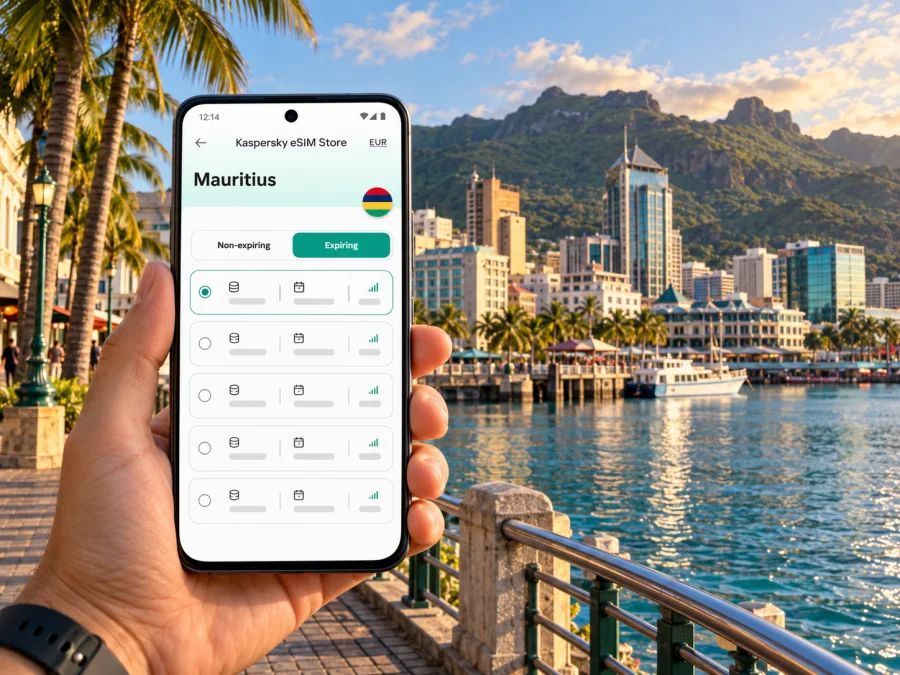
Port Louis eSIM: Mobile Connection and Internet for Your Visit
Port Louis is Mauritius’s compact capital, working harbour and busiest urban centre. A phone with mobile data can make a city day easier: you can check directions between the waterfront and the central market, message a driver, confirm a meeting address, or look up onward transport without relying on a café connection. An eSIM is one way to prepare that access before you set out.
The key planning detail is that the city and the international airport are not the same stop. Sir Seewoosagur Ramgoolam International Airport is in Plaine Magnien, in the southeast of Mauritius; Port Louis is on the island’s northwest coast. Your first connection decision may therefore happen at the airport, on the bus journey across the island, or once you reach your hotel. Think about the whole route, not only the time spent downtown.
This guide focuses on using mobile internet around Port Louis: arriving, finding your way through the centre, getting between districts, and planning a short city visit or a workday. It also explains what an eSIM can and cannot replace, how to prepare it, and what to check before choosing a plan for Mauritius.
Why mobile data is useful in Port Louis
Port Louis is a working city as well as a visitor destination. The same day may include a walk around the historic centre, a lunch stop, an appointment near the administrative district, and a transfer onward to another part of Mauritius. Mobile data is most useful in the transitions between those places.
With a working data connection, you can:
- load a map and save a walking route before leaving your accommodation;
- check a bus or Metro Express journey and confirm the station or terminal name;
- share a live location or send a message if a pickup point changes;
- translate a menu, read a booking confirmation, or contact a hotel;
- use online maps and transport information when plans shift;
- check opening details before crossing town to visit a museum, market, or heritage site.
These are everyday conveniences, not guarantees of reception at every indoor location. Signal strength and data performance depend on the selected plan, its partner network, your device, local conditions, and where you are in the city. A connection can also be affected by building interiors, congestion, or maintenance. Keep an offline map and essential booking details available as a backup.
A practical city map in words
The central visitor area is compact enough to combine several stops on foot, but Port Louis is not a single pedestrian plaza. The harbour and Le Caudan Waterfront sit beside the central business district; the market, Chinatown, government buildings, and heritage sites lie within the broader downtown area. Streets can be busy, and a short distance on a map may take longer in midday heat or traffic.
| If you are going to… | What mobile data can help you do |
|---|---|
| Le Caudan Waterfront | Find a restaurant, meeting point, or the next stop along the harbour |
| Central Market | Locate the market and nearby streets; check your route back to the waterfront |
| Aapravasi Ghat | Confirm the site location and plan a visit around its current opening arrangements |
| Fort Adelaide | Navigate the uphill approach and keep a map available for the return walk |
| Victoria station or bus terminal | Check which interchange or departure point matches your onward journey |
| A hotel or office outside the centre | Share an accurate pickup pin and verify the address before setting off |
Use the place name shown in your booking or by your local contact. Similar names can refer to a district, a building, a station, or an entrance on the other side of a large block. When arranging a taxi or meeting, send a pin and a written landmark rather than relying on “near the centre.”
Arriving from SSR International Airport
The airport is in the southeast, while Port Louis is northwest. The airport’s passenger information lists bus 198 between Port Louis Victoria Square Bus Station and Mahebourg Bus Station via the airport, with an approximate journey time of 85 minutes and a published frequency of every 15 minutes. These are the airport operator’s current public-transport details; schedules and journey times can change, so check the latest information on the day. The bus stop is in the airport car park.
For a public-bus arrival, mobile internet is useful for confirming that you are boarding the service towards Port Louis, sharing your expected arrival time, and finding the route from Victoria Square to your accommodation. If you are taking a pre-booked transfer or taxi, use the driver’s agreed meeting point and confirm it directly. Do not assume the airport is a short hop from the city centre: allow time for the cross-island journey, traffic, and any wait for transport.
Before landing, save your hotel address, booking reference, and an offline map. At the airport, confirm the bus or transfer stop and the latest departure details. If you use bus 198, its city endpoint is Port Louis Victoria Square Bus Station; plan the final leg from there according to your address and luggage. For a late arrival, check whether public transport is still running or arrange a transfer in advance. Keep enough battery for maps and messages.
Walking, transit, and route changes
A connected phone helps most when it supports a simple plan. Before leaving your accommodation, look at the route and the area around your destination. Save the return route as well as the outbound one, particularly if you are visiting a museum or viewpoint and intend to leave after business hours.
Port Louis is served by buses and the Metro Express, whose route links the city with Curepipe. Check the official journey information for current operating hours and ticketing, especially around public holidays, disruptions, or evening connections. Victoria and Immigration are useful city station names, but the right stop depends on your address.
For any bus, verify the route number, direction, and final stop. Before setting out, search the exact venue, compare its pin with your booking, and download an offline map. A line on a map does not guarantee that the entrance is beside the stop. Avoid tight transfers based only on estimated times; traffic and waiting can change the trip. When leaving a busy venue, confirm the pickup point before calling a taxi.
Choose a plan for the whole Mauritius itinerary
Port Louis may be only one stop on a longer stay. You might arrive through SSR, spend a few hours downtown, then continue to a coastal hotel or visit another town. Choose a data plan for the places and dates on your itinerary rather than assuming a city-specific package is needed. The country is the relevant destination for plan selection; the city name helps you plan how you will use data once there.
If you want to review current options, see eSIM plans for a trip to Mauritius. The page can show current plan details for the country, but availability, partner network, price, data allowance, and validity are subject to change. Read the terms shown for the exact option before you purchase. Kaspersky eSIM Store is an app and website that helps you choose, arrange, and activate an eSIM with a suitable data plan for an international trip; mobile service is supplied by the relevant telecommunications provider identified in the plan details.
Use this short comparison to decide what to check:
| Your trip pattern | Plan details to consider |
|---|---|
| A single day in Port Louis | Whether a small data allowance covers maps, messages, and booking checks |
| Several city days | The validity period and how much data you expect to use each day |
| Port Louis plus other parts of Mauritius | Whether the plan applies across the country, not only to a named city or region |
| Video calls or frequent uploads | The data allowance, any speed or usage limits, and whether Wi-Fi will be available where you stay |
| Work travel | Whether tethering is permitted, how much data your laptop may consume, and whether calls need a separate line |
| A short stopover | When the plan activates and whether its validity covers the time between landing and departure |
Estimate usage from your habits: navigation and messaging usually need less data than video streaming, photo uploads, or video meetings. Download maps and large files over Wi-Fi. If the plan has a fixed allowance, check how to monitor usage and whether top-ups are available.
Keep data and calling needs separate
Many travel eSIM plans are designed for mobile data. Do not assume that a data plan includes a local telephone number, conventional voice calls, or SMS. Check the plan description. If you need to call a hotel, supplier, or local business, you may need your regular SIM, a local voice option, or an internet calling app. Messaging and voice calls through an app use data and depend on the other person being reachable through that service.
You can often keep your home SIM active for calls or texts while using a travel eSIM for data, but exact dual-SIM behaviour varies by device. Review the settings before travel: select which line handles mobile data, check data roaming for the intended line, and understand whether your home carrier charges for calls, texts, or background data abroad. Turn off data roaming on your home line if you do not want it used for mobile data, and confirm the instructions from your carrier.
Before you install an eSIM
An eSIM is a digital SIM profile stored on a compatible device. Support is not universal: it depends on the model, the regional version, and whether the phone is carrier-unlocked. Check the manufacturer’s information and your carrier status before purchase. Some devices with similar names differ by market, so verify the exact model code and region. Check whether your device supports eSIM before you choose a plan.
Prepare these items:
- an eSIM-compatible, unlocked phone or tablet;
- internet access during purchase and installation, usually Wi-Fi;
- access to the email or app profile containing the installation details;
- enough battery to complete setup and test the line;
- your travel dates and a clear understanding of when plan validity begins.
If installation uses a QR code, display it on another device or print it so you can scan it with the phone that will use the eSIM. If the provider offers direct installation, follow the prompts on that device. Avoid deleting an eSIM profile as a troubleshooting shortcut: some profiles cannot be installed again after removal. First check the plan’s installation instructions and support information.
Install and activate at the right time
Timing depends on the plan: validity may begin at installation, activation, or first connection in the destination. Read its terms before installing. Setting up before the flight can save time after landing, provided the instructions allow it and you understand when validity begins.
A general installation flow is:
- Connect to stable Wi-Fi and open the eSIM installation instructions in your order or app.
- In your phone settings, choose the option to add a mobile or cellular plan.
- Scan the QR code or follow the direct installation prompt, then label the profile so you can identify it later.
- Keep your home line selected for calls and texts if that is what you want; choose the travel eSIM for mobile data when appropriate.
- At the destination, enable the travel line and follow the plan’s directions for data roaming and network selection.
- Open a web page or map to check that data works. If it does not, confirm the selected data line, roaming setting, and plan validity before making further changes.
For device-specific steps, read the Android eSIM installation guide or the iPhone and iPad eSIM installation guide. Menu labels differ across software versions, so follow the current on-screen prompts on your device.
If mobile data does not connect
If data does not connect, confirm that the eSIM is enabled and selected for mobile data, and that the plan is active for Mauritius on that date. Follow the plan’s instructions for data roaming; some travel profiles require it. If the issue continues, use Wi-Fi to contact support with your device model, location, and the steps you tried. Do not share QR codes or account details publicly.
Make a Port Louis day easier to navigate
A city visit often involves a cluster of nearby destinations, but the most comfortable order depends on opening hours, weather, and your onward plans. The government tourism page describes the Central Market, Le Caudan Waterfront, Aapravasi Ghat, the Jummah Mosque, and Fort Adelaide among Port Louis points of interest. Treat hours and access arrangements as details to recheck before the day; historic sites and places of worship may have visitor rules or closures.
A practical morning-to-afternoon route is to start near Victoria Square, visit the Central Market early, walk towards Le Caudan Waterfront, then add Aapravasi Ghat if its current visiting hours fit. Fort Adelaide offers a different perspective but involves an uphill approach, so allow time and water or arrange a vehicle. Check opening details and visitor rules before setting out. In hot or rainy weather, shorten walking legs; pause somewhere safe to check directions and keep valuables secure in crowds.
Accommodation and work trips
For a business visit, save the full office address and ask which entrance to use. A map pin and nearby landmark can prevent a missed pickup or meeting. If you stay outside the centre, plan the return route and note a taxi alternative; traffic and transfer waits can make estimates unreliable. For video meetings, check the hotel connection and keep mobile data as a backup only if your plan allows the expected use.
For a short layover, remember that SSR and Port Louis are far apart. The airport bus operator lists an approximately 85-minute journey to the city, before waiting, traffic, luggage, and the return trip. Confirm airline check-in requirements and leave a generous margin. If time is tight, consider staying near the airport instead of attempting a downtown visit.
Frequently asked questions
Is Port Louis the airport arrival point for Mauritius?
No. Port Louis is the capital on the northwest coast. SSR International Airport is at Plaine Magnien in the southeast. Bus 198 connects the airport with Port Louis Victoria Square, but the trip takes time; check the current schedule before travelling.
Do I need a separate eSIM for Port Louis?
Usually, you should choose a plan for Mauritius and check that its stated coverage and terms suit your itinerary. The city itself does not determine whether a plan is valid. If you travel beyond Port Louis, confirm that the plan applies to those parts of the country too.
Will an eSIM give me a local phone number?
Not necessarily. Many travel eSIM plans are data-only. Check the selected plan’s terms for calls, SMS, and a phone number. Keep another calling option available if you need to contact a local business or make a conventional call.
Can I install the eSIM after reaching Port Louis?
Often, installation can be completed after arrival if you have Wi-Fi and the plan has not expired or activated under different rules. Installing before the trip can be more convenient, but first check when validity begins and follow the instructions for that exact plan.
What if my phone has two SIM lines?
Choose the intended line for mobile data. Your home carrier may still charge for calls, texts, or data abroad, so check its settings and rates before leaving.
Is public Wi-Fi enough for a city visit?
Wi-Fi can help in a hotel or café, but may not be available as you move around. Mobile data supports maps and messages between stops; an offline map is a useful backup.
Can I use a travel eSIM for emergency calls?
Do not assume a data eSIM supports ordinary or emergency calls. Check its terms and retain an appropriate voice-capable option.
A final preparation checklist
Before leaving for Port Louis, confirm that:
- your exact device model and regional variant support eSIM and are unlocked;
- your selected plan is valid in Mauritius for your travel dates;
- you understand the data allowance, validity, activation trigger, and any usage limits;
- you know whether calls, SMS, tethering, and top-ups are included or permitted;
- you have installed the eSIM according to its instructions and saved its support details;
- your phone is set to use the intended line for mobile data;
- your accommodation address, airport transfer, and key city locations are saved offline;
- your route from SSR to Port Louis and your return connection have been checked against current transport information.
Port Louis is easier to explore when your route, data plan, and arrival transfer are planned together. Use Kaspersky eSIM Store to choose an eSIM plan for your Mauritius trip, review its current conditions, and follow the setup instructions before you travel. Then keep an offline map and the key details you need close at hand for your time in the city.


