Travel connectivity guide
Port Moresby eSIM: Mobile Internet for Travel
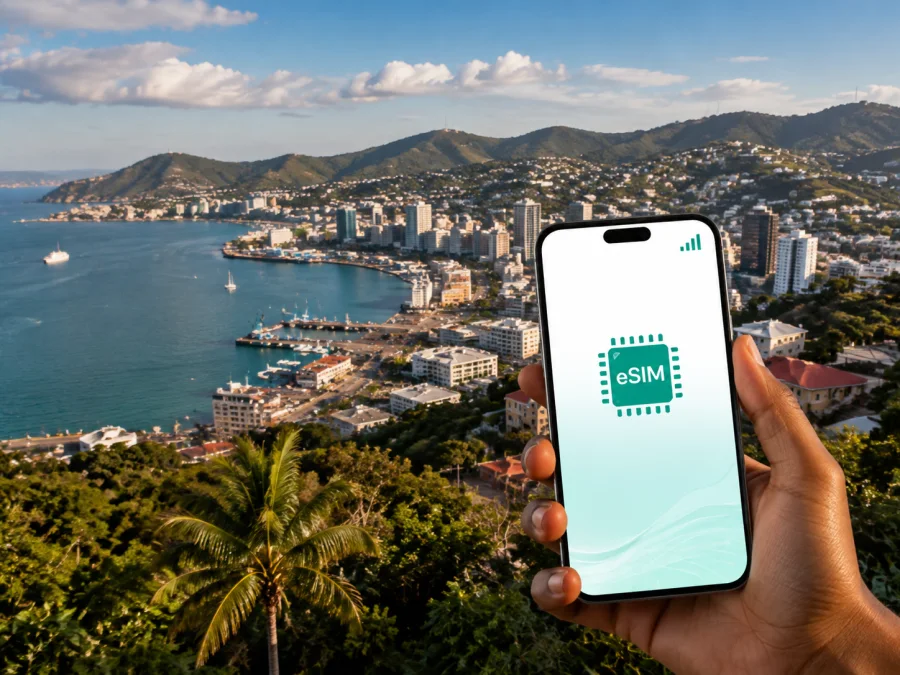
Port Moresby eSIM: mobile connection and internet for your trip
Port Moresby is often the first stop in Papua New Guinea: you may arrive through Jacksons International Airport, continue to a hotel or meeting, and then decide whether to stay in the capital or travel onward. In those first hours, mobile internet is useful for checking a transfer, opening a map, messaging a host, or confirming a reservation without looking for a physical SIM card.
An eSIM, or digital SIM, lets you prepare a mobile-data profile for a compatible device before you leave or after you arrive. Kaspersky eSIM Store is an app and website that helps you choose, arrange, and activate an eSIM with a suitable plan for mobile internet during an overseas trip. The right option depends on your dates, data habits, and route.
Why mobile internet matters in Port Moresby
Port Moresby combines an airport gateway, a commercial centre, government and business districts, residential areas, and coastal places such as Ela Beach. A visitor can cover several different travel situations in a single day. You might land, travel to a hotel, move to a meeting in Waigani or the central business area, and finish with dinner or a walk near the waterfront. Having a planned data connection makes each change easier to manage.
At the airport and during the first transfer
After a flight, you may need to find the arranged pickup, read a transfer instruction, or send your arrival time to a colleague. Agree on a meeting point in advance and keep the hotel’s phone number and address in your booking details as a backup.
Your actual journey depends on traffic, the time of day, and the location of your accommodation. Save the destination and pickup details before leaving the terminal, and ask the accommodation to confirm the transfer arrangement.
For navigation and short urban journeys
Maps are helpful when an address uses a hotel name, a business complex, or a local landmark rather than a street number that you recognise. Data also supports messages about a changed meeting point, translation tools, weather checks, and online booking confirmations. Download an offline map area when practical, but keep mobile data available for information that changes during the day.
Do not improvise a long walk between unfamiliar areas. Plan each leg, use a pre-arranged transfer or an option recommended by your accommodation, and verify the vehicle and pickup point. An eSIM makes it easier to receive and send local travel advice while you are moving.
For hotels, meetings, and remote work
Business travellers often need data before the hotel room is ready: a message to a host, a document sent to a colleague, or a calendar update can be time-sensitive. A separate eSIM data line can help you keep your primary SIM available for account messages while using the travel profile for data, subject to your device settings and the conditions of the selected plan.
If you work from Port Moresby, download essential files, keep addresses and invitations available, and ask the venue about its own connection. Include video calls, backups, and attachments in your data estimate.
In brief: an eSIM is most useful in Port Moresby when you need data immediately after landing, while arranging transport, moving between business and hotel areas, or coordinating a short stopover. It is a data solution for a travel device, not a replacement for a local phone number or local transport guidance.
Choosing an eSIM plan for Port Moresby
Start with the route, then estimate the data. Port Moresby may be your only destination, or it may be the first point in a wider Papua New Guinea itinerary. Write down the arrival date, departure date, number of active days, and any trips outside the capital. The plan’s validity may begin at installation, activation, or first network use depending on its terms, so read that condition carefully.
Four questions to answer before selecting
- Where will you use data? Confirm that the plan is intended for Papua New Guinea and fits Port Moresby and any onward stops.
- How long will you need it? Count the days for maps, messages, bookings, and work. Check validity and renewal conditions rather than assuming an extension.
- How much data will you use? Video meetings, streaming, hotspot use, and backups need more than text, maps, email, and occasional photos.
- What will the eSIM do? It is intended for mobile internet. A separate number, ordinary calls, and SMS are not included unless the plan says so; apps may work over data.
A practical planning table
| Travel pattern in Port Moresby | Data use to consider | What to check in the plan |
|---|---|---|
| Airport transfer and one or two days | Maps, messages, bookings | Short validity, activation timing, and data for arrival |
| Several days of city meetings | Navigation, email, chats, documents | Validity across the schedule and allowance for work |
| Hotel stay plus organised outings | Maps, reservations, messages | Whether the service area covers each stop |
| Port Moresby followed by other PNG destinations | Flights and communication on the move | Country or regional scope rather than a city-only assumption |
Read the data amount, validity, price, activation rules, top-up conditions, and any fair-use or tethering notes shown for the direction. Costs and options can change.
When you are ready, you can choose an eSIM plan for a trip to Papua New Guinea and compare the available conditions for your dates and route. The service helps you choose and activate an eSIM plan; the underlying mobile service is subject to the selected offer and its local network conditions.
Port Moresby areas and connection scenarios
The place where you stay changes how you organise each day. Plan around your own movements and the information you will need between them.
Downtown, Ela Beach, and the waterfront
If your hotel or meeting is near the central business area, you may use data for a transfer, booking, itinerary, or appointment message. At Ela Beach and the waterfront, keep your accommodation address offline and arrange the return journey before leaving a familiar pickup point.
Waigani and nearby business or government appointments
For a Waigani appointment, ask for the exact building or gate, save the arrival instructions, and use data to confirm a last-minute change rather than guessing from a broad district name.
Markets, parks, and cultural sites can be part of a Port Moresby itinerary, but opening hours, access arrangements, and transport details should be confirmed for the day of your visit. Use data for directions, messages, and reservations, and follow local guidance about where to go, when to return, and what to carry. If you travel beyond the urban area, confirm that the plan’s service area covers the destination.
Prepare before flying to Port Moresby
An eSIM is easiest to use when the administrative steps are separated from the arrival rush. Complete what you can at home while you have a reliable internet connection, but do not activate data earlier than the plan’s conditions require.
Pre-departure checklist
- Confirm that your phone is eSIM-compatible and is not locked to another operator. Check your device compatibility before selecting a plan.
- Confirm that the selected destination is Papua New Guinea and that the plan duration matches your dates.
- Read the data allowance, validity, activation point, top-up rules, and refund conditions.
- Keep the purchase confirmation or QR code accessible in your profile and, where appropriate, in a secure offline note.
- Make sure you know which SIM will handle calls and SMS and which line will handle mobile data.
- Save your hotel address, airport transfer details, emergency contacts, and meeting instructions offline.
eSIM support can differ by model and region of sale. Check the phone and plan information rather than relying on a device name alone.
How to install and activate an eSIM
The exact menu names vary between phones, but the sequence is consistent: obtain the profile, add it, select it for data, and confirm the settings. Before starting, connect to the internet, charge the phone, and have the QR code or account profile ready. For detailed device-specific steps, use the Android installation instructions or the iOS installation instructions.
Step 1: Check the conditions
Make sure the device supports eSIM, is not operator-locked, and has an internet connection for the installation. If needed, check device compatibility before scanning the QR code. Review whether the plan should be installed before departure or activated after arrival.
Step 2: Open mobile network settings
Open the phone’s settings and find the section for mobile service, mobile network, or cellular plans. Choose the option to add an eSIM or mobile plan. The wording depends on the operating system and manufacturer.
Step 3: Add the profile
Scan the QR code from the purchase flow or email, or follow the in-app setup process if that option is shown. Keep the screen steady and use a second screen for the QR code when the phone cannot scan a code displayed on itself.
Step 4: Name and select the line
Give the new profile a clear label such as “Papua New Guinea trip.” Keep your primary line available if you need its number for calls or SMS, then select the travel eSIM as the line for mobile data when you are ready to use it.
Step 5: Configure data and roaming
Turn on mobile data for the intended eSIM profile. Some devices or plans may require data roaming to be enabled for that eSIM. Follow the selected plan’s instructions and avoid changing the primary line’s data setting by mistake.
Step 6: Allow time for connection
The eSIM may take a few minutes to register, depending on the device and local network conditions. If you install it before the flight, follow the plan’s activation method until you want validity to begin. In Port Moresby, check the signal indicator, open a small webpage, and send a test message.
Do not delete a profile because it does not connect on the first attempt. Restart the device, review the data line and roaming setting, and follow the plan’s troubleshooting steps. Transfer to another device may be restricted after activation, so contact support before deleting or moving it.
What eSIM does—and does not—replace
An eSIM avoids handling a physical travel SIM and helps prepare mobile data before a trip. It does not replace a transfer, guarantee access in every building, or provide a new phone number unless the plan includes one.
Remember these boundaries:
- Mobile data and voice service are different: calls and SMS are not included unless the plan says so, while apps may have their own requirements.
- Local performance can vary by location, device, congestion, and the selected offer.
- An unlocked device is required; support can differ between regional versions. Read installation, activation, validity, transfer, top-up, and refund conditions before purchase.
If the phone shows no data in Port Moresby, first confirm that the travel profile is enabled and selected for mobile data. Then check whether data roaming is required, restart the device, and review the plan’s instructions. If the issue remains, contact support with the device model, the profile status, and the steps already tried.
Frequently asked questions
Is an eSIM useful for a short visit to Port Moresby?
Yes, it can be useful when you need data for an airport transfer, a hotel check-in, maps, and messages for only a few days. Choose a plan whose validity and activation rules fit the stopover rather than paying for data you will not use.
Can I use the eSIM for ordinary calls and SMS?
Usually not. The eSIM described here is intended for mobile internet and does not include a separate telephone number, voice calls, or SMS unless those features are explicitly stated in the selected plan. Keep your primary SIM active for its number if your device and roaming settings allow it, or use messaging apps over data.
How do I decide between a smaller and larger allowance?
Estimate your own tasks. Maps, text messages, email, and occasional photos generally require less data than video calls, streaming, hotspot use, and automatic backups. Check the allowance and top-up conditions shown for the selected Papua New Guinea plan, then choose a level that leaves room for your busiest travel day.
A calm final check before departure
Use this short sequence on the day before your flight:
- Confirm the dates, route, validity, and activation condition.
- Confirm that the phone is compatible and unlocked.
- Keep the QR code or profile and key airport, hotel, and meeting details accessible.
- Decide which line handles calls and SMS and which handles mobile data.
- Charge the phone and, after arrival, test a small connection before relying on it.
Port Moresby rewards practical preparation: a clear transfer plan, saved addresses, realistic data expectations, and a phone configured before the first busy day. Kaspersky eSIM Store brings the choice, purchase, and activation steps together in an app and website; the selected plan’s conditions determine its validity, data allowance, and use in Papua New Guinea.
Prepare your mobile internet for Port Moresby
Review the current destination options, compare the allowance and validity, and choose a suitable eSIM plan for Papua New Guinea before you travel. Install and activate it on your unlocked device according to the plan instructions, then keep airport, hotel, and onward-journey details close at hand.


