
Travel connectivity guide
Port Said eSIM: mobile internet in Egypt
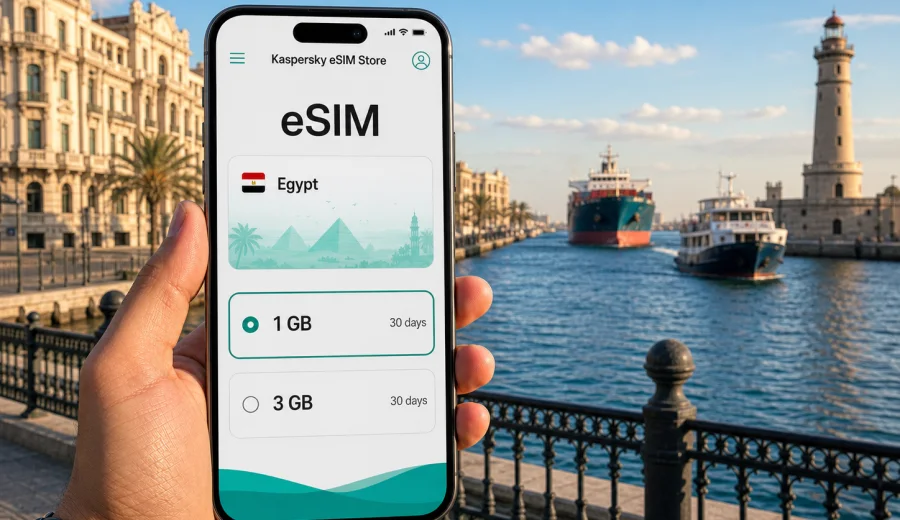
Port Said eSIM: mobile connection and internet for a trip to Egypt's canal city
Port Said is a practical city for travelers who need reliable orientation from the first hour. It sits at the northern entrance of the Suez Canal, faces the Mediterranean, and works as a gateway between Cairo, the canal cities, Port Fouad, beaches, hotels, business meetings, and short regional trips. That makes mobile internet more than a convenience: you may need it for maps, ride coordination, ferry timing, hotel check-in, messaging, translation, and quick changes to your route.
An eSIM can help you prepare mobile internet before you arrive in Egypt. Instead of looking for a physical SIM card after a long transfer, you can set up a digital SIM profile on a compatible phone and use a data plan for the country during your stay. For Port Said, this is especially useful because many visitors do not arrive through a large international airport in the city itself. You may reach Port Said after landing in Cairo, taking a bus or private transfer, arriving for port-related work, or combining the city with Ismailia, Damietta, Alexandria, or the Suez Canal area.
This guide focuses on Port Said rather than Egypt in general: how mobile data fits into arrival, local movement, waterfront walks, business schedules, ferry crossings, hotel stays, and trips out of the city.
Why mobile internet matters in Port Said
Port Said is easy to understand on a map, but the details of a real trip often depend on live information. The waterfront, the old European-style streets, the port area, the ferry to Port Fouad, bus stations, hotel districts, and road connections to Cairo or Ismailia can all be part of one itinerary. A working data connection helps you keep those pieces together.
Common mobile internet tasks in Port Said include:
- checking a route from your hotel to the Corniche, the ferry terminal, or a meeting point;
- messaging a driver after a transfer from Cairo or another canal city;
- translating menus, signs, and short conversations;
- confirming hotel details and digital booking references;
- checking opening hours before visiting museums, markets, or waterfront areas;
- sending location pins to colleagues or family;
- managing work calls over messaging apps when Wi-Fi is not convenient;
- planning a same-day trip to Port Fouad, Ismailia, Damietta, or Cairo.
Port Said also has a particular rhythm. A traveler may spend the morning near the canal, cross to Port Fouad, return for lunch, walk the Corniche near sunset, then arrange a road transfer in the evening. Each step is easier when your phone can load maps and messages without depending only on hotel Wi-Fi.
Arrival scenarios: Cairo first, Port Said next
Many international travelers reach Port Said through Cairo. The distance makes the city suitable for a planned transfer rather than a casual airport hop, so your phone may become your main trip organizer before you even see the Mediterranean. After landing, you may need to message the driver, share your live position, confirm the destination address, or follow the road route as you leave the capital.
For this route, prepare mobile data before the transfer if possible. Airport Wi-Fi may help for a few minutes, but it is not a full travel setup. Once you are in the car or bus, you may want data for:
| Moment | Why data helps |
|---|---|
| Airport exit | Send your pickup location and terminal details. |
| Road transfer | Follow progress and estimate arrival time. |
| Hotel approach | Confirm the exact entrance, district, or landmark. |
| Late arrival | Message reception or a host if timing changes. |
| First evening | Find food, exchange services, or a short walking route. |
If your trip starts from another Egyptian city, the same logic applies. Port Said can be part of a coastal or canal route, and transport details may change during the day. A prepared eSIM plan gives you a simpler way to keep maps and messaging available while you move between cities.
Moving around the city
Port Said is a city for walking in some areas and using local transport in others. The waterfront, central streets, hotels, and ferry points may be close enough for short walks, but heat, luggage, business clothing, family travel, or evening timing can change the decision. Mobile internet helps you compare walking time with a taxi or arranged car, send a location pin, and avoid confusion when street names are written or pronounced differently.
In daily city movement, mobile data is most useful for four practical tasks:
1. Navigation: keep an offline map downloaded, then use mobile data for live positioning and route checks.
2. Communication: message drivers, colleagues, hotel staff, or tour contacts without waiting for Wi-Fi.
3. Translation: handle short questions in shops, cafes, transport points, and reception desks.
4. Backup planning: change plans if a waterfront area is crowded, a meeting moves, or you decide to cross to Port Fouad.
Port Said's central areas can feel compact, but the port and canal context means not every road is equally useful for visitors. If you are near working port infrastructure or security-controlled zones, follow local signs and official instructions. Use maps to navigate public streets and tourist-friendly areas, but do not assume that every road near the water is a public shortcut.
Port Fouad, the ferry, and short crossings
One of Port Said's distinctive travel moments is the connection with Port Fouad across the canal. For visitors, the crossing can be part of a short excursion, a waterfront walk, or a practical route to accommodation or meetings. A live connection helps because small trips often involve timing decisions: when to cross, where to meet, where to return, and how long to spend on each side.
Before crossing, check:
- your return plan, especially if you have a transfer or meeting later;
- the exact point where you will meet a driver or companion;
- whether your phone battery is high enough for photos, maps, and messaging;
- whether you have saved your hotel address in both English and Arabic if available;
- whether your data plan has enough traffic left for navigation and calls through apps.
For a brief crossing, you do not need a complicated digital setup. You need the basics to work: maps, messaging, translation, and access to booking information. This is where an eSIM can be a quiet travel tool rather than a visible part of the trip.
Districts, hotels, and everyday travel tasks
Port Said has different traveler profiles. Some visitors come for canal-related business, logistics, shipping, engineering, or meetings. Others come for Egyptian coastal atmosphere, architecture, family visits, a stop on a broader route, or a short break after Cairo. Your ideal data plan depends on which profile fits your stay.
| Traveler type | Typical data needs in Port Said |
|---|---|
| Business visitor | Email, messaging, map links, video or audio calls over apps, document access. |
| Weekend traveler | Maps, translation, restaurant search, photos, family messaging. |
| Family trip | Several navigation checks, ride coordination, entertainment for children, hotel communication. |
| Stopover visitor | Fast setup, low friction, enough data for one or two busy days. |
| Regional traveler | More data for Cairo, Ismailia, Damietta, Alexandria, or onward travel. |
Hotels can reduce your data use, but they should not be your only plan. Wi-Fi quality varies by building, room location, guest load, and time of day. In Port Said, you may also spend much of the day outside: along the Corniche, near the canal, in cafes, at offices, or on local transfers. Mobile data fills the gap between fixed Wi-Fi points.
How much data to prepare for Port Said
There is no single correct amount of data for every traveler. A calm weekend with maps and messaging uses much less data than a business trip with cloud files and long video calls. The safest approach is to match the plan to your actual behavior rather than choosing only by trip length.
Use this simple estimate:
| Use case | Light day | Busy day |
|---|---|---|
| Maps and messaging | 100-300 MB | 300-600 MB |
| Translation and web search | 100-250 MB | 300-700 MB |
| Social media uploads | 200-500 MB | 1-2 GB |
| Work apps and files | 300 MB-1 GB | 1-3 GB |
| Video calls or streaming | 1 GB+ | Several GB |
If you are in Port Said for one or two days and will mostly use hotel Wi-Fi, a smaller plan may be enough. If you are traveling through Egypt for a week, working remotely, sharing photos, or using maps heavily between cities, choose more data and a validity period that covers the full route.
A useful rule: plan for the days when Wi-Fi is inconvenient, not only for the hours when Wi-Fi is available. Road transfers, ferry crossings, outdoor walks, and check-in moments are exactly when mobile data matters most.
Choosing an eSIM plan for Port Said
For a city trip, choose the country plan that matches Egypt, then check the data amount, validity period, activation rules, and device compatibility before you travel. In Kaspersky eSIM Store, you can use the website or app to select the destination and prepare a suitable eSIM plan for mobile internet abroad. For this itinerary, the relevant country page is Egypt, not a separate Port Said page, so you can choose an eSIM plan for Egypt and use it while staying in Port Said if the selected plan terms match your trip.
When comparing plans, look at:
- data size: enough for navigation, messaging, translation, and work if needed;
- validity: long enough for arrival, the Port Said stay, and onward travel;
- activation timing: understand when the plan starts according to its conditions;
- hotspot use: check whether tethering is allowed if you plan to connect a laptop;
- destination coverage: make sure Egypt is included in the plan you choose;
- device readiness: confirm that your phone supports eSIM and is not locked to another carrier.
Avoid choosing only by the lowest price. A plan that is too small can become inconvenient if you need navigation during a transfer or a work call outside the hotel. A plan that is much larger than your trip requires may be unnecessary. The right choice is the one that fits your route, data habits, and validity window.
Device compatibility before you travel
Before relying on an eSIM in Port Said, check that your phone or tablet supports eSIM and that the device can use it on your trip. Some models differ by region, and some devices may be locked by a carrier. It is better to check this before departure, while you still have time to adjust your plan.
Use this checklist:
- confirm that your exact device model supports eSIM;
- check that the device is not carrier-locked;
- update the operating system if an update is pending;
- keep your primary SIM active if you need bank messages or calls;
- save installation instructions in case Wi-Fi is weak during setup;
- make sure you know which line is used for mobile data after installation.
You can also check your device before choosing a plan. This is especially important if you are traveling with a work phone, a regional phone model, or a device that was purchased through a mobile operator.
Installing and activating your eSIM
Install the eSIM when you have a stable connection and enough time to follow the steps carefully. Many travelers prefer to install the eSIM before departure and activate it according to the plan instructions, while others complete setup after arriving at the hotel. The best moment depends on the activation rules of the selected plan and your comfort with phone settings.
For setup guidance, use the official installation pages for your device type: Android installation instructions or iOS installation instructions. Keep the instructions open or saved before you start changing settings.
A practical installation sequence:
1. Choose the Egypt plan that matches your trip.
2. Confirm your device compatibility.
3. Install the eSIM profile while connected to stable Wi-Fi.
4. Label the eSIM line clearly, for example "Egypt data".
5. Set mobile data to the eSIM line when you are ready to use it.
6. Keep your usual SIM available for calls or SMS if you need it.
7. Monitor data use during the first day in Port Said.
Remember that eSIM plans for travel are usually focused on mobile data. A regular phone number, voice calls, and SMS are not included unless the plan conditions say otherwise. For calls and messages, you can use internet-based apps when your data connection is active.
Practical Port Said scenarios
A short Port Said stay can still be data-heavy. A one-day visitor may arrive from Cairo, leave luggage at a hotel, walk near the waterfront, cross to Port Fouad, and arrange an evening transfer. In that schedule, timing matters more than total data volume. Install the eSIM before the busy part of the day, save the hotel address, download offline maps, and keep enough battery for photos, maps, and messages.
For business travelers, Port Said is connected to shipping, logistics, canal operations, trade, and regional movement. A workday may include office visits, port-adjacent meetings, document checks, calls, and transfers between districts. Mobile data is useful between Wi-Fi points, especially for map links, messaging, small document updates, and audio calls over apps. If you need a laptop connection, check whether hotspot use is allowed under the selected plan and watch background updates.
Port Said can also be a base for onward travel to Ismailia, Damietta, Cairo, Alexandria, or other parts of Egypt. In that case, choose a plan whose validity covers the whole Egypt route, not only the nights in Port Said. Before leaving the city, check the next address, estimated travel time, remaining data, and offline map area for the next stop.
Common mistakes are easy to avoid: do not arrive with an uninstalled eSIM profile, do not choose a plan that expires before the return transfer, and do not forget to set the eSIM as the mobile data line. If plan instructions require data roaming for the eSIM, make sure the setting is correct. Do a short test before the day becomes busy: open maps, send a message, and confirm that mobile data is working as expected.
Quick answers about eSIM in Port Said
Is Port Said a good city for using an eSIM?
Yes, if your device supports eSIM and the selected plan includes Egypt. Port Said involves transfers, waterfront movement, ferry plans, and route changes where mobile data is useful.
Do I need a separate Port Said eSIM?
Usually you choose a plan for Egypt rather than a city-specific plan. The city is the travel focus, but the mobile data plan should match the country and the plan conditions.
Can I keep my regular SIM active?
In many phones, yes. You can keep your usual SIM for calls or SMS and use the eSIM for mobile data, depending on your device settings and carrier conditions.
Will an eSIM replace hotel Wi-Fi?
It can reduce your dependence on Wi-Fi, but it does not make Wi-Fi irrelevant. Use Wi-Fi for large downloads when available and mobile data for movement, maps, messaging, and time-sensitive tasks.
When should I install the eSIM?
Install it when you have stable Wi-Fi and time to follow the instructions. For a transfer-heavy trip, setting it up before arrival in Port Said is often more convenient.
Final preparation before Port Said
A smooth Port Said trip depends on small practical choices: save your hotel address, download offline maps, keep a charger nearby, understand your ferry or transfer plan, and prepare mobile data before you need it. For many travelers, an eSIM is the simplest way to keep navigation, messaging, translation, and booking access ready throughout the city stay.
Before departure, check your device, compare plan validity and data size, and make sure Egypt is the selected destination. Then use Kaspersky eSIM Store to prepare an eSIM plan for your trip to Port Said through the Egypt country page, install it on a compatible phone, and travel with a clearer mobile internet plan from arrival to your final transfer.