Travel connectivity guide
Port-Salut eSIM: Mobile Internet in Haiti
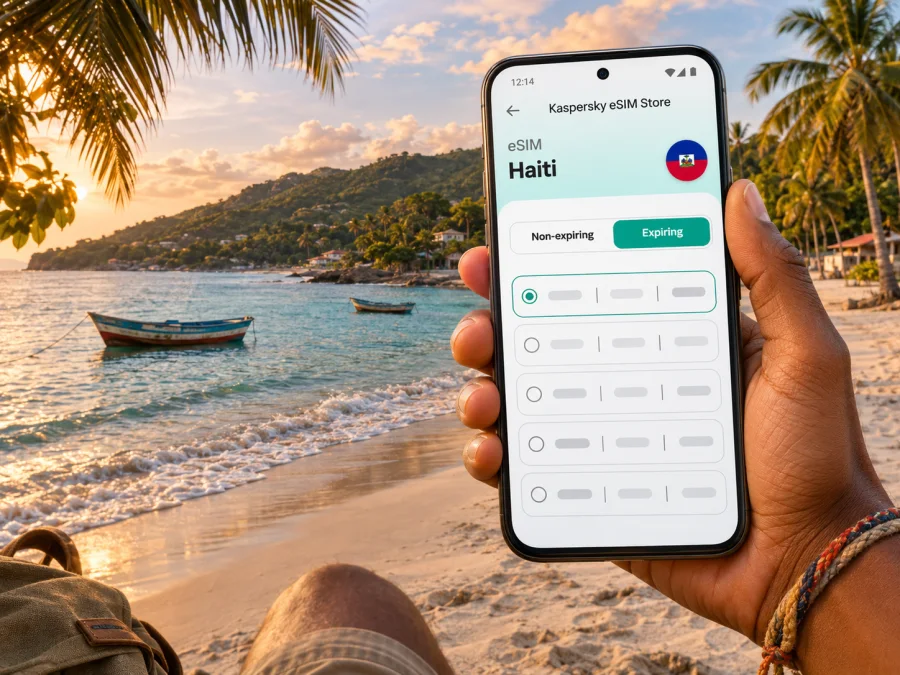
Port-Salut eSIM: mobile connection and internet planning for Haiti’s southern coast
Port-Salut is a coastal commune in Haiti’s Sud department and the administrative seat of the Port-Salut arrondissement. It is associated with the southern coastline and Pointe Sable, a local beach area. If your work, family visit or other essential travel takes you there, planning mobile internet is one practical part of a much wider journey: road access, accommodation, safety conditions and current local advice need to be checked independently and close to departure.
Travel advisory first: as checked for this article on 4 November 2026, the U.S. Department of State’s Haiti advisory is Level 4, “Do not travel,” citing crime, kidnapping, terrorism, unrest and limited health care. Conditions can change, and national advisories do not provide a Port-Salut-specific assessment. Read the current guidance issued by your own government, consult trusted local contacts and reconsider travel if advised. A working data connection can help with messages and route information, but it is not a substitute for a safe, confirmed travel plan, emergency support or reliable local transport.
This guide focuses on connectivity if travel is necessary and confirmed. It does not claim a particular eSIM, phone model or network works in Port-Salut. Service depends on the plan, underlying operator, local network, device configuration and current conditions.
Why mobile internet planning matters in Port-Salut
A small coastal destination asks different questions from a large airport city. You may need to coordinate the final part of a journey, tell a host when you expect to arrive, check a map, translate a message or contact someone if plans change. In a less urban setting, the practical question is not simply whether a phone has data somewhere in Haiti. It is whether the exact plan and the local network it uses are suitable for your route and the places where you expect to stay.
Port-Salut is not Haiti’s capital, and a country-level plan page does not guarantee local signal at a particular hotel, beach, road or indoor location. Ask your accommodation or trusted local contact what mobile operators and network conditions they have recently observed. Then check the chosen eSIM plan’s country coverage and supported network details, if those are shown, before paying. If exact operator or coverage information is not available, treat that as unknown rather than assuming continuous service.
A digital SIM can provide mobile data without removing the phone’s physical SIM. Depending on the device, your usual line may remain active for calls or texts while the travel eSIM handles data. Confirm voice, SMS, hotspot and tethering terms; a data eSIM does not necessarily include a local number.
Port-Salut’s geography and the arrival question
Port-Salut is a commune in the Sud department, in the south of Haiti. The name is also used for the arrondissement whose seat is Port-Salut. In everyday trip planning, you may see references to the town, the wider commune, the arrondissement and the coastline; these labels describe different geographic scales, not interchangeable service areas. A phone’s map pin marked “Port-Salut” is not proof that every nearby road, property or coastal stretch has the same mobile coverage.
Pointe Sable is a familiar coastal reference associated with Port-Salut. Beyond the coast, visitors may use Les Cayes as a regional reference point when arranging travel in the south. Exact journey times, road condition and currently usable routes should be confirmed shortly before travel with the people arranging your transport. Avoid building a plan around an old map estimate or a generic route suggestion: route access can change, and online maps may not reflect temporary closures or local restrictions.
Do not infer that Port-Salut has a commercial airport, a direct flight or a routinely available transfer simply because an online map shows an airfield symbol or a route. Confirm any air or ground transport directly with the airline, carrier, accommodation or trusted travel coordinator. If your arrival is through another Haitian city, establish the full onward itinerary before relying on mobile navigation. Save the host’s phone number, accommodation address and meeting details offline as well as in messaging apps.
Before setting out: a practical planning table
| Question | What to verify | Why it matters for your phone |
|---|---|---|
| Is travel currently advisable? | Your government’s latest Haiti guidance and trusted local updates | A plan can be changed or cancelled even after connectivity is arranged. |
| How will you reach Port-Salut? | Confirmed departure point, carrier or driver, route and meeting arrangements | Navigation alone cannot confirm that a road or transfer is operating. |
| Where will you stay? | Exact address, check-in contact and recent information about local connectivity | Signal can differ by property, terrain and indoor location. |
| Which eSIM plan are you considering? | Haiti is explicitly included, validity dates, data allowance and any network details | A regional label or a plan for another destination may not cover this trip. |
| What is your backup? | Offline map, written contacts, power bank and a second way to communicate | Mobile data may be unavailable, delayed or intermittent. |
Use cases for a connection in and around Port-Salut
Arrival coordination. If you have an agreed transfer, data can help you message the driver or host and share an updated arrival estimate. Arrange the meeting point and contact method before travel. Do not rely on finding a ride through an app unless your local contact has confirmed that the specific service is available and appropriate.
Navigation between a regional arrival point and your stay. A map can help you understand the route and orient yourself, but it is only one input. Download the relevant map area while you have a dependable connection, save the destination pin and confirm the route with the person arranging transport. A navigation app cannot verify present safety conditions, roadblocks or whether a driver should proceed.
Staying in touch with a host. Messaging apps can be useful for check-in details, changes to a meeting time and basic coordination. If you need ordinary phone calls or SMS, retain access to a working voice line or arrange another verified method; data-only eSIM service does not automatically include voice or texting.
A work visit. Before promising a video meeting or remote-work session, ask the accommodation about recent connectivity and whether there is a stable connection at the exact location. Keep key documents and meeting details available offline. For important work, arrange a second connection method in advance and avoid treating mobile data as guaranteed broadband.
A coastal day or a move between locations. If your schedule includes the beach, an inland stop or a different lodging, download directions and contact details first. Signal can vary with distance from populated areas and the local network. Carry a charged phone, protect it from heat, moisture and sand, and use it discreetly in public.
Choosing an eSIM plan for Port-Salut
Port-Salut is a city-level search, but eSIM plans are generally described by country, region or travel route. Begin with Haiti as the destination and check that the plan’s stated service area actually includes the country. If the plan lists a network or local operator, compare that information with recent advice from your host or another reliable local contact. Do not treat the name of a destination page as a promise of signal at a specific address.
Then compare the plan’s allowance and validity against how you will use your phone. Navigation, text messages and occasional web searches usually call for a different allowance from frequent video calls, photo uploads or tethering a laptop. The amount consumed depends on app settings, media quality, background syncing and the time spent online. Estimate conservatively and check the plan’s rules for top-ups, expiry, speed management and hotspot use.
| Your likely use | Questions to ask before choosing |
|---|---|
| Maps and messages | How many days must the plan remain valid? Can you download maps offline before leaving? |
| Regular browsing and coordination | Is the included data allowance sufficient for the trip length? What happens when it is used? |
| Video calls or work | Has the accommodation confirmed service at your room, and does the plan permit the expected use? |
| Several destinations in Haiti | Does the plan cover every stop, not just the first city or a neighboring country? |
| A route crossing a border | Is there an appropriate multi-country plan, and are both countries explicitly listed? |
Kaspersky eSIM Store is an app and website that helps travelers choose, arrange and activate an eSIM with a suitable plan for mobile internet abroad. The available plan details can change, so review the destination, network information, data amount, validity, price and restrictions shown for the specific offer before completing an order. To review current plan options for Haiti, browse the Haiti destination page. That page is a country-level starting point; it should not be read as confirmation of coverage in Port-Salut or of a specific operator’s availability there.
Estimate the data you need
There is no universal daily allowance. Navigation and text messages consume less than repeated video calls, photo uploads or tethering. Check app settings, pause automatic updates and backups when appropriate, allow for unexpected route changes, and compare your estimate with both the plan’s validity and data limit. Actual use depends on your settings and app activity.
Check device compatibility before buying
Your phone must support eSIM, be able to add another mobile plan and be unlocked for use with a different provider. A model name alone may not settle compatibility: regional variants can differ, and carrier restrictions may apply. Check the manufacturer’s specifications for your exact model and confirm the device’s status with the carrier that supplied it. Check whether your device supports eSIM before selecting a plan.
Also check whether the phone can keep your home line active while using the travel eSIM for data. Dual-SIM behavior differs by model and operating system. If you depend on calls or SMS to your existing number, understand which line will handle voice, texts and data, and whether your home carrier charges roaming fees while that line remains active.
Install and activate the eSIM with a fallback in mind
Install while you have a stable internet connection and enough time to follow the instructions. Some plans can be installed before departure and activated later; others have specific start conditions. Read the plan’s activation rules carefully. Do not remove or erase an installed eSIM unless the instructions or support team tell you to do so, because reinstalling may not be possible under every plan.
- Confirm compatibility, carrier unlock status and plan validity.
- Open your order or the app/site account and follow the installation method provided for that plan, such as an in-app flow or QR code.
- Label the new line “Haiti” or “Travel” so it is easy to identify in your phone settings.
- Set the travel eSIM as the mobile-data line when you are ready to use it. Keep your home line configured according to your needs and carrier charges.
- Follow the plan instructions about data roaming. Some travel eSIMs require roaming to be enabled on that eSIM; this setting is separate from blindly enabling roaming on every line.
- Allow time for registration. If data does not work, check the selected data line, plan status, network selection and the eSIM-specific settings, then contact support while you still have Wi-Fi or another way to connect.
See the Android eSIM installation instructions or iOS eSIM installation instructions for device-specific steps. Menu names may differ between manufacturers and software versions, so follow the instructions displayed on your device as well.
If the eSIM does not connect
Start with simple checks rather than repeatedly deleting the profile. Confirm that the plan is active and valid for Haiti, that the eSIM is selected for mobile data and that the phone shows the correct line enabled. Check whether the plan requires data roaming for that eSIM. If the phone offers manual network selection, use it only as directed by the plan or support instructions. Restarting the device may help it register again, but it cannot create coverage where no compatible network is available.
If service remains unavailable, connect to trusted Wi-Fi if available and contact the eSIM provider’s support with the order details, device model and a description of the settings you checked. Keep a separate way to reach your host or travel coordinator. Avoid assuming that a failed data connection means the device is faulty; the issue may also relate to the plan, local network, account status or temporary service conditions.
Offline preparation is part of the connection plan
Connectivity planning for Port-Salut should include a usable offline option. Downloading files while connected does not replace a current local briefing, but it reduces dependence on a signal for routine details.
- Save an offline map covering the arrival point, confirmed route, lodging and any agreed destinations.
- Store the accommodation address and host’s name in a note that is available without data. Keep a copy in the format your driver or local contact can use.
- Write down essential telephone numbers and meeting details; do not keep them only inside a messaging app.
- Save boarding, booking and insurance documents for offline access, while protecting personal information on the device.
- Carry a charged power bank and charging cable. A phone with a data plan is of little help if its battery is depleted.
- Agree how to communicate if mobile data, Wi-Fi or the planned transport is unavailable.
- Keep a second device or trusted person informed of the itinerary where appropriate.
These steps are useful anywhere; exact coverage at a Port-Salut road or property has not been verified here.
A short-trip checklist
Use this checklist after you have confirmed the travel decision and arrangements:
- [ ] Recheck your government’s travel advice and trusted local updates shortly before departure.
- [ ] Confirm each leg of the journey with the carrier, accommodation or travel coordinator.
- [ ] Verify the eSIM plan explicitly covers Haiti and review the full plan terms.
- [ ] Ask a local contact about recent operator availability at your specific lodging and route.
- [ ] Check that your exact phone variant supports eSIM and is not carrier-locked.
- [ ] Install the profile with stable internet, following the plan’s activation timing.
- [ ] Save maps, addresses, reservations and essential contacts for offline use.
- [ ] Understand which line handles data, calls and SMS, and check possible charges from your home carrier.
- [ ] Prepare a backup communication and power option.
Frequently asked questions
Is Port-Salut a city or a region?
Port-Salut is a commune in Haiti’s Sud department and also the seat of the Port-Salut arrondissement. “Port-Salut” can therefore refer to a town or a wider administrative area, depending on the context. For travel and connectivity, use the exact lodging address and route rather than relying on the place name alone.
Does an eSIM plan for Haiti guarantee service in Port-Salut?
No. A destination listing identifies the plan’s stated country or region, but it does not guarantee signal at every location. Confirm the plan’s network details where available and ask a trusted local contact about recent connectivity at your exact accommodation. Local service can vary by operator, location, device and conditions.
Will a travel eSIM give me a Haitian phone number?
Not necessarily. Many travel eSIM plans are designed for mobile data and do not include a local number, ordinary voice calls or SMS. Check the exact offer terms. You can keep a compatible home line for calls if it is active, while reviewing your carrier’s roaming charges.
Can I use the same eSIM across Haiti and another country?
Only if the plan’s terms explicitly include all the destinations on your route. A plan that covers one country does not automatically cover a neighboring country. Verify each destination, validity period and any network restrictions before relying on a multi-country itinerary.
Does Kaspersky eSIM Store operate the mobile network?
No. Kaspersky eSIM Store is an app and website that helps travelers choose, arrange and activate an eSIM plan for mobile internet abroad. The underlying service and coverage depend on the selected plan and its network arrangements.
Choose a plan only after the trip is confirmed
First make sure the trip itself is appropriate and the route is confirmed. Then compare a plan’s destination, network information, data allowance, validity and restrictions with your actual needs. Kaspersky eSIM Store can help you review and activate an eSIM for mobile internet during an international trip; it does not replace local travel advice or guarantee service at a particular Port-Salut location.
When your plans are settled, review eSIM options for Haiti and choose only a plan whose stated terms match your route and dates. Install it using the instructions for your device, save important details offline and keep a backup method for reaching your local contact.


