Travel connectivity guide
Port Sudan eSIM: Mobile Data for Your Trip
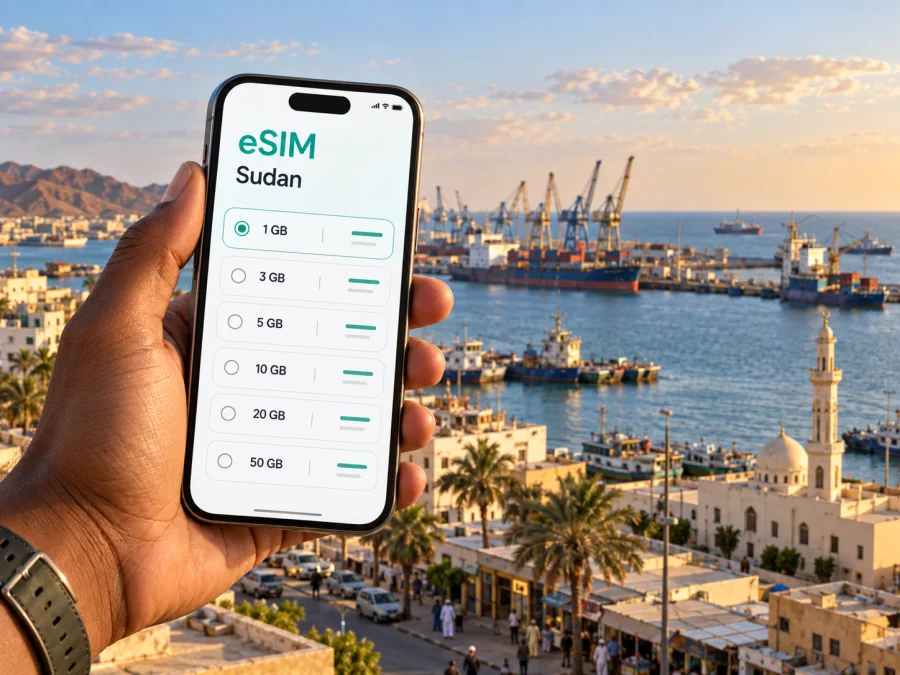
Port Sudan eSIM: mobile connection and internet for a city trip
Port Sudan is a Red Sea port city where a phone can be useful from the first practical step of a visit: confirming an arrival, contacting a host, checking a meeting location, or coordinating a ride between the airport, accommodation, and the waterfront. A prepared mobile data option can make those tasks easier to manage without relying on a public Wi-Fi network at every stop.
An eSIM is a digital SIM profile installed on a compatible device. For a trip to Port Sudan, it can be used for mobile internet when the selected tariff supports the destination and your phone can connect to a partner network there. It is worth checking the tariff’s country coverage, data allowance, validity period, activation conditions, and any device requirements before you travel. Conditions and local connectivity can change, so treat the plan details shown at purchase and current on-the-ground guidance as decisive. Travel and transport conditions in Sudan can change quickly. Before booking or setting out, check current official travel advice and confirm arrangements directly with your local host, employer, or travel coordinator; a port or airport’s role does not guarantee that a route or service is operating.
Kaspersky eSIM Store is an app and website where you can choose, arrange, and activate an eSIM with a suitable tariff for mobile internet abroad. It helps you prepare the digital profile and review the tariff conditions; the local network connection itself depends on the networks and service conditions available at your destination.
Why mobile data matters in Port Sudan
Port Sudan’s identity is tied to the Red Sea coast and its working harbor. A visitor may move between an airport arrival, a hotel or work location, the commercial center, and a port-related meeting without following a conventional sightseeing itinerary. Those are exactly the kinds of transitions where a current map, a message thread, and a saved address are more useful than trying to remember directions from a long email.
Mobile internet is useful for several distinct tasks:
- sharing your arrival time and confirming who will meet you;
- opening a map and checking the route to your accommodation or appointment;
- messaging a driver or colleague if a pickup point changes;
- translating a short message or reading information saved online;
- keeping work documents, calendars, and meeting details available while you are away from a reliable connection;
- contacting your travel coordinator before setting out for another part of the city or a journey beyond it.
A data eSIM should be understood as an internet connection option, not automatically as a replacement for every feature of a home SIM. Unless the selected tariff explicitly says otherwise, do not assume that it includes a local phone number, ordinary voice calls, or SMS. Keep your regular number available if you need calls or one-time codes, and use internet messaging or voice apps only where they suit your needs and the service conditions.
Plan the arrival before leaving the airport
Port Sudan International Airport is outside the central city area, so the last leg to a hotel, office, or meeting point should be arranged in advance rather than improvised after landing. Exact journey times, operating arrangements, and available transport can vary. Confirm your pickup with your host, employer, hotel, or travel coordinator, and ask them to send the destination name and a clear location description before your flight.
Before departure, save the information you may need even if data is temporarily unavailable:
- The accommodation or office address in the form your local contact uses.
- A phone number or messaging contact for the person meeting you.
- The pickup point and the agreed way to identify the driver or vehicle.
- A map area or route saved for offline reference, if your mapping app supports it.
- A copy of your booking and any essential travel instructions.
Once you can connect, send a short arrival message and confirm the pickup point. If the plan changes, avoid relying on a vague pin alone: share a nearby recognizable building or entrance as well as the map location. For a work trip, ask your organization to confirm which transport arrangements are current and appropriate before you move away from the airport.
A simple arrival sequence can reduce avoidable confusion:
| Moment | Useful action | Why it helps |
|---|---|---|
| Before boarding | Install the eSIM if the tariff instructions allow it, and keep the profile settings accessible | You can review setup without having to search for instructions after landing |
| After landing | Check the agreed pickup message and contact your local host | The host can confirm the current meeting point |
| On the way into town | Keep the destination and contact details available offline as well | A temporary interruption in data does not erase the basic plan |
| At the hotel or office | Confirm the next address before setting out | It reduces the chance of navigating to an outdated location |
The table is a planning aid, not a promise about airport services or network availability. Follow instructions from your host and local authorities, and confirm current travel conditions before each movement.
Moving between the harbor, central streets, and your base
Port Sudan is not a single attraction district with one obvious route. The tasks of a visitor may involve the port and business areas, central streets with everyday services, a market or waterfront stop, and a hotel or office elsewhere in the urban area. Treat each as a separate leg. Confirm the exact destination and a return plan before you leave, especially when visiting for a meeting rather than an open-ended walk.
For a short city journey, ask a local contact which transport arrangement is appropriate that day. Do not assume that an app, a taxi stand, a regular timetable, or a particular road is operating in the same way on every visit. If someone arranges a driver, use the agreed contact channel and verify the vehicle details directly. A map is valuable for orientation, but a local contact can help interpret a route, a closed access point, or a change in arrangements.
Use your phone as a navigation aid rather than your only source of directions:
- Pin the entrance you actually need, not just the name of a large complex.
- Ask your host to write the destination in a locally recognizable form.
- Check that the map’s starting point reflects your real location before following a route.
- Keep enough battery for messages and calls; use a power bank if you have one.
- Download or screenshot essential details where your apps permit it.
- If a route or pickup seems unclear, stop somewhere appropriate and confirm with your contact instead of continuing on guesswork.
This approach is useful around working waterfronts as well as in central streets. Port facilities are operational areas, not automatically visitor spaces. A map may show a road or gate without indicating whether a visitor can enter. Follow access instructions from your host and do not treat proximity to the harbor as permission to enter restricted locations.
For a visit centered on Port Sudan, choose a data plan according to the places and tasks in your confirmed itinerary. You can review eSIM options for Sudan and compare the destination, data allowance, validity, and activation conditions before you travel.
Use data deliberately
A short stopover built around messages and map checks uses data differently from a work visit with calls, file transfers, and cloud backups. Estimate your usual use and compare it with the selected tariff’s allowance and validity. App settings, media quality, and background activity can change consumption, so treat these categories as relative rather than fixed measurements.
| Phone activity | Practical data habit |
|---|---|
| Messages, email, maps | Save key addresses offline and avoid repeatedly refreshing routes |
| Photo backup and large files | Pause automatic uploads until you have suitable Wi-Fi |
| Audio or video calls | Check app quality settings and use audio when it meets the need |
| Updates and streaming | Disable automatic downloads while using a limited allowance |
Monitor use in your device settings. For a brief stopover, prioritize pickup coordination, one confirmed destination, and onward travel updates instead of planning around unconfirmed opening times or transport.
Prepare an eSIM before the trip
Start with the tariff conditions. Confirm that Sudan is included, the validity fits your dates, and the data allowance suits your expected use. Check the plan’s installation and activation rules: these steps may be separate, and validity begins according to the conditions shown for that eSIM.
Before selecting a plan, check whether your device supports eSIM. Compatibility can depend on the exact model, regional version, carrier lock, and software configuration. Confirm the device is unlocked and can add another profile, particularly if it came from a mobile operator or another market.
Use this short checklist:
- Check destination, data amount, validity, price, and activation conditions.
- Review device compatibility and the eSIM installation instructions.
- Decide which line will handle mobile data and keep your regular number available if needed.
- Save the confirmation and setup steps where you can access them offline.
Kaspersky eSIM Store is an app and website for choosing, arranging, and activating an eSIM with a suitable tariff for an overseas trip. The tariff terms explain its data and destination; review them before completing your selection.
Installing and activating the profile
Menu names vary by phone, so use the instructions for your device and selected eSIM. You will generally need an internet connection during setup and access to the eSIM details. Review whether installation and activation are separate steps before beginning.
Follow the guide for your phone: eSIM installation instructions for Android or eSIM installation instructions for iOS. After installation, label the travel profile so it is easy to distinguish from your regular SIM. Set the eSIM as the data line only when you intend to use it and according to its instructions. Your usual line’s charges remain subject to your home operator’s terms.
If data does not work, check the selected data line, the tariff’s activation conditions, and any required settings. Avoid deleting and reinstalling the profile without checking the instructions, since some profiles have limited installation options.
Stopovers and onward journeys from Port Sudan
If Port Sudan is one leg of a longer trip, treat every departure as a separate plan. Confirm that the next service is operating, the correct departure point, and the time needed to transfer. Do not rely on an old search result or a schedule from a previous visit.
For road travel beyond the city, confirm the route, timing, stops, contact arrangements, and delay procedure with the organization, host, or carrier responsible. A Sudan tariff may not cover another destination or every part of a long-distance route, so check the listed coverage for each country or region. Keep the departure details, onward contact, and essential tickets or instructions available offline, and follow current local guidance.
Frequently asked questions
Is an eSIM useful for a visit focused on Port Sudan?
It can help with maps, messages, and work coordination between locations if the chosen tariff includes Sudan and is compatible with your device. The city name alone does not determine coverage or local network conditions.
Does a data eSIM replace my regular number?
Not automatically. Unless the tariff says otherwise, treat it as mobile data rather than a local number, ordinary voice service, or SMS. Check its terms and your home operator’s conditions.
Should I install it before arrival?
Review the plan’s instructions in advance. Installation and activation may be separate, and validity can begin according to the tariff’s specific rules; do not assume every plan works the same way.
What if I continue beyond Port Sudan?
Check destination coverage and conditions for every part of the route. A Sudan plan should not be assumed to cover another country or a long-distance route. Confirm onward schedules and transport directly with the responsible host or provider.
Choose a plan around the way you will use the city
Before departure, list the tasks that will actually require data: airport coordination, map checks, messages with colleagues, or occasional document access. Compare that list with the tariff’s destination, data allowance, validity, and activation conditions. Check your device, save the installation steps, and agree your first pickup and destination with a local contact.
When the trip details are settled, review eSIM options for Sudan and choose a tariff that matches your itinerary. Kaspersky eSIM Store helps you select, arrange, and activate the eSIM for mobile internet abroad; the tariff conditions and local network availability determine how it can be used in Port Sudan. Keep your host’s contact information and essential travel details available offline, and confirm local arrangements before each journey.


