Travel connectivity guide
Porto eSIM: Mobile Internet for Your City Trip
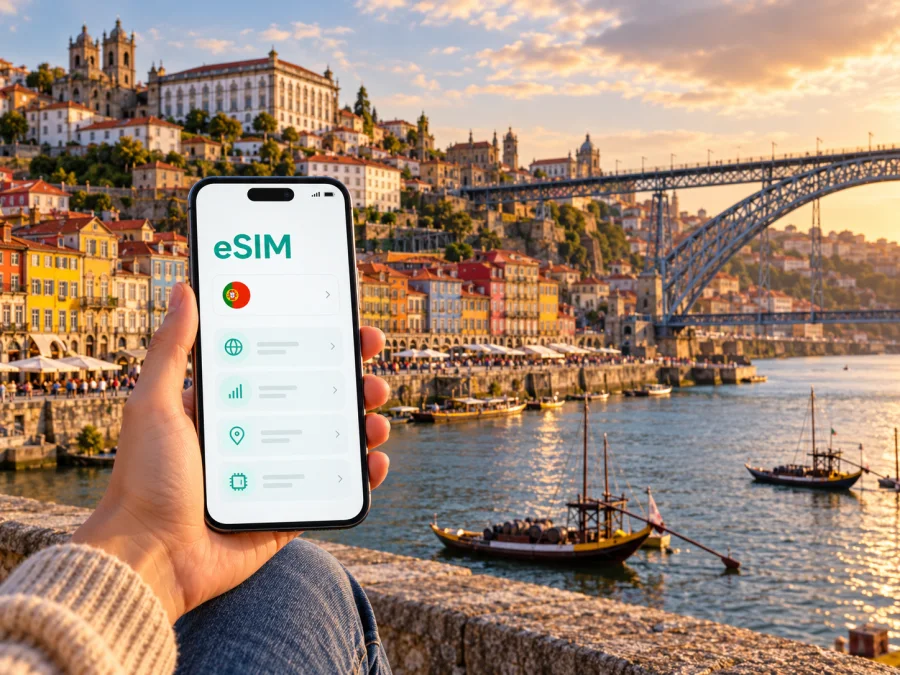
Porto eSIM: mobile connection and internet for your city trip
Porto is a city where a short walk can turn into a steep climb, a riverside detour or a ride out to the Atlantic. A dependable way to check maps, tickets, opening details and messages helps you adapt as the day changes. An eSIM can provide mobile data without replacing the physical SIM in your phone, provided your device supports eSIM and is unlocked for another network.
This guide focuses on using mobile internet around Porto: from landing at Francisco Sá Carneiro Airport to finding your accommodation, crossing the historic centre, visiting Foz and planning a rail trip beyond the city. It also explains what to check before choosing a travel eSIM for Portugal, since a Porto trip uses the Portuguese mobile market rather than a separate city network.
Before you travel: what an eSIM does
An eSIM is a digital SIM profile installed on a compatible device. A travel data plan can connect you to mobile data through a network available under that plan’s terms. It can be useful for maps, ride bookings, online translation, messaging, reservation details and work calls made through internet apps.
A data-only plan does not automatically give you a Portuguese phone number, ordinary voice calls or SMS. Keep your usual line active if you need calls or verification messages, and check your home operator’s roaming terms before using it for data. You can generally select which line supplies mobile data in your phone settings; the names and menus differ by device and operating system.
For Porto, the practical question is not simply “Does this eSIM work in Europe?” Check that the plan explicitly includes Portugal, whether it covers only Portugal or a wider region, its data allowance and validity period, and how activation begins. A regional plan may include Portugal, but the country list and terms for the specific plan are what matter. Do not assume that a Europe label includes every destination or that a plan’s coverage is identical across the country.
Check the device and plan before paying
Compatibility is specific to the device model and sometimes to its market variant. Some phones sold for particular regions do not support eSIM, even when a similarly named version sold elsewhere does. A carrier lock can also prevent a phone from using another provider’s profile.
Before choosing a plan:
- Check whether your device supports eSIM. Confirm the exact model or regional variant in the manufacturer’s documentation and in the phone’s settings.
- Check that the device is not carrier-locked. On an iPhone, Apple’s current guidance says to look under Settings → General → About → Carrier Lock; “No SIM Restrictions” indicates that it is unlocked. Android menus vary by maker and software version.
- Read the plan’s Portugal coverage, data amount, validity, activation conditions and any stated network or speed limitations.
- Confirm whether the plan starts on installation, first connection or another defined event. Install at a time when you have reliable Wi-Fi if the instructions require an internet connection.
- Keep access to the email address, app account or QR code used for installation until you have confirmed the profile is on the device.
The selected plan’s partner network determines which Portuguese mobile network the eSIM uses. Kaspersky eSIM Store is the app and website where you can select, arrange and activate an eSIM with a suitable travel data plan; it does not operate a mobile network. Network availability and performance can vary with the plan, local partner, location, building, terrain and congestion. A signal in central Porto does not guarantee the same experience inside a stone building, on a train or along the coast.
Landing at Francisco Sá Carneiro Airport
Porto’s airport is officially named Francisco Sá Carneiro Airport and is located in Maia, outside Porto municipality, about 11 kilometres northwest of the city. That distinction is useful when comparing an airport location with an address in central Porto: the airport is the gateway for the city, but it is not a neighbourhood within it.
The airport has public transport connections. The airport authority identifies Metro line E, the violet line, as a connection between the airport and Porto, and lists bus services as another option. Check the live timetable, service notices and ticket requirements for your arrival time before setting out; schedules can change. A taxi, pre-booked transfer or rental car may suit a late arrival, heavy luggage or an onward journey, but traffic and the exact drop-off address affect journey time.
Mobile data is most useful here for checking the route to your accommodation, confirming a meeting point and receiving last-minute messages. Before leaving the arrivals area, make sure you can open the route you saved, read your accommodation address offline and identify the correct public transport stop. If the eSIM profile is installed but data is not working, use airport Wi-Fi if available while you check line selection and plan activation.
Getting around a steep, layered city
Porto’s historic centre is compact enough to explore on foot, but “nearby” can still mean a sharp uphill walk. The official tourism guide describes Baixa as walkable and also served by metro, buses and tram. Around Ribeira and the Douro waterfront, narrow lanes and changes in elevation make a live map useful for checking entrances and routes. A route that looks short on a map may involve stairs or a steep slope, so use walking directions as a guide and allow time for the climb.
Metro, bus, tram and urban rail serve different parts of the trip. Check the current route and ticket rules with the transport operator before travel. A phone connection is useful for comparing a planned route with a service update, but do not assume that every vehicle or underground section will have uninterrupted reception. Download maps or save key addresses in advance, particularly if you have an appointment or need to change lines.
| Porto travel situation | What mobile data helps with | A useful backup |
|---|---|---|
| Airport to accommodation | Checking the airport connection and final walking route | Saved address and a screenshot of the route |
| Ribeira and the historic centre | Finding a specific lane, entrance or meeting point | Offline map and a recognisable nearby landmark |
| Baixa and São Bento | Checking walking directions and nearby stops | Note the station name and direction before leaving |
| Boavista and Casa da Música | Coordinating a meeting or checking bus and metro options | Save the venue address and a return route |
| Foz and the Atlantic waterfront | Planning a longer trip across the city and checking weather or opening details | Confirm the return service before you set off |
| Campanhã and rail connections | Checking a departure, platform information and onward journey | Keep your ticket or booking details available offline |
Ribeira, Baixa and São Bento
Ribeira sits beside the Douro and is one of Porto’s best-known waterfront areas. It is a natural place to orient yourself by the river, but the old streets rise quickly away from the water. If your hotel or restaurant is uphill, check the actual entrance and choose a route that suits your luggage or mobility needs. A pin placed on the wrong side of a block can send you towards steps or a narrow lane.
Baixa and the area around Avenida dos Aliados work well as a base for walking between central sights, shops and transport. São Bento is both a landmark and a useful point of reference when planning a route through the centre. The station area links naturally with a day on foot, but it is worth checking whether your route starts from São Bento or from another rail station before leaving your accommodation.
Boavista, Cedofeita and Foz
Boavista is a more spread-out part of the city, associated with Casa da Música, Avenida da Boavista, business activity and cultural venues. It is a practical area for meetings and events, but a route that is easy by metro or bus may be a long walk from the historic centre. Save the venue address and check whether the closest stop is actually convenient for your entrance.
Foz marks the western side of Porto, where the Douro meets the Atlantic. The city tourism service points to buses 200 and 500 for reaching the area and describes the waterfront, gardens, beaches and City Park as local highlights. Those routes and details can change, so verify the current journey before you go. Foz is better treated as a half-day or planned excursion than as a quick walk from the central riverfront. Check the return option before settling in for sunset, especially if you are travelling outside the busiest hours.
Choosing a travel data plan for Portugal
Choose a plan around the way you expect to use your phone, rather than choosing by the city name alone. Porto is in Portugal, so a plan for Portugal is the relevant destination selection. If your itinerary also includes another country, confirm whether the same plan includes it; do not infer cross-border coverage from a regional name alone.
Before checkout, compare the total data amount and its validity with the length of your trip. Consider whether your hotel has dependable Wi-Fi and whether you will stream or upload large files on mobile data. The exact terms and price are shown for the plan available at the time you check; they can change. For an overview of current options, browse eSIM plans for Portugal and review the displayed destination and conditions before selecting one.
This is a Portuguese-market destination, but it does not mean every travel plan uses the same Portuguese operator or has identical access. The actual network partner is determined by the specific plan. Check the plan details for any named network information and remember that coverage can vary between Porto’s centre, the airport, indoor locations and the route beyond the city. If network identity or 5G access matters to you, confirm it in the plan terms rather than assuming it from the eSIM brand or from another traveller’s experience.
Install and activate before you need directions
If your device is compatible and unlocked, installing the profile before travel can make arrival simpler. Follow the instructions supplied with the selected plan: the installation method and activation trigger can differ. Keep the phone connected to Wi-Fi during setup if required, and do not delete an eSIM profile simply because it has not connected yet. Removing a profile may make it difficult or impossible to reinstall, depending on its terms.
- Check the plan details. Confirm Portugal is included and note when validity begins.
- Prepare a connection. Use reliable Wi-Fi if the installation process requires internet access.
- Add the eSIM. Follow the plan’s QR-code or in-app steps on the device that will use it.
- Label the line. Choose a clear name such as “Portugal data” so it is easy to distinguish from your regular SIM.
- Choose mobile data. Set the travel eSIM as the data line when you are ready to use it. Keep your home line’s data roaming settings consistent with your own operator’s instructions to avoid unexpected charges.
- Check activation. Follow the plan’s directions for data roaming or manual network selection, if applicable. Allow a few minutes for registration and restart the phone only if the instructions or troubleshooting steps recommend it.
- Test a basic page. Confirm that a simple webpage or map loads before relying on the connection outside.
See the Android eSIM installation guide or the iPhone and iOS eSIM installation guide for device-specific steps. Menu names vary between manufacturers and software versions, so use the instructions that match your phone. If the profile is installed but you have no data, check that the eSIM is enabled, selected for mobile data and configured as the plan requires. Then check the plan status and contact support through the service you used if the issue persists.
Porto itineraries where a connection helps
A short city break: Save your hotel address, airport route and a map of the historic centre before departure. Use data for turns and opening details, but keep a screenshot of the route back to your accommodation. A route through Ribeira can include steep streets, so leave extra time rather than scheduling every stop tightly.
A business meeting in Boavista: Save the venue entrance, organiser’s number and the return route. Check your transport option before the meeting begins, when you have time to switch routes. If you need to join a video call, use a connection you have tested and have a backup location or dial-in method ready.
An afternoon by the ocean: Check the route to Foz and the return service before travelling west. Bring a battery pack if you will use maps and take photos for several hours. If mobile coverage becomes weak at a particular point, use the offline map and follow signed public routes rather than refreshing repeatedly.
A rail day trip: ## If mobile data does not connect
If data does not connect, check the plan and phone settings in order:
- Make sure the eSIM is installed, enabled and selected for mobile data.
- Check that the plan is active and that its validity has begun.
- Follow its instructions for data roaming or network selection, if required.
- Move to a clearer-signal location and wait briefly for registration.
- Use Wi-Fi to check the plan or contact support if service does not return.
Do not delete the eSIM profile as a first troubleshooting step. If you rely on your regular SIM for calls or authentication, check which line is active before changing settings. A different street, building or transport segment can also have different reception because the selected plan relies on its partner network and local radio conditions.
Frequently asked questions
Is Porto a separate eSIM destination from Portugal?
Porto is a city in Portugal, not a separate mobile-market destination for travel eSIM selection. Choose a plan that explicitly includes Portugal. If a plan also covers other countries, confirm each one in its destination list.
Is Francisco Sá Carneiro Airport inside Porto?
No. The airport’s address is in Maia, northwest of Porto. It serves Porto, and public transport connects it with the city, but the airport itself is outside Porto municipality.
Will an eSIM give me a Portuguese number?
Not necessarily. Many travel eSIM plans are data-only. Check the individual plan’s terms for voice, SMS and phone-number support. Internet calling and messaging apps can work over data, subject to the app and recipient’s access.
Can I use the same eSIM outside central Porto?
That depends on the plan’s Portugal coverage and partner network, along with local conditions. Check the coverage terms for the full itinerary. Reception may differ indoors, at the coast, on trains and in other parts of the country.
Do all versions of my phone support eSIM?
No. Support can vary by exact model, regional variant and carrier-lock status. Verify the full model number with the manufacturer and check the device before purchase using the eSIM compatibility check.
Should I install the eSIM at the airport?
You can install it earlier if the plan’s instructions allow and your phone is compatible. This lets you troubleshoot over Wi-Fi before you travel. If you wait until arrival, use Wi-Fi for setup where available and follow the plan’s activation instructions; installation does not always mean that the validity period starts immediately.
A simple Porto connectivity checklist
Before departure, save your airport-to-hotel route, accommodation address, rail details and key meeting points. Confirm that your exact phone variant supports eSIM and is unlocked. Select a plan whose terms include Portugal and suit your data needs, then note its validity and activation rules. Install it using the matching Android or iOS instructions, test it while you still have Wi-Fi and keep important booking details offline.
During the trip, use mobile data for directions and updates while keeping a backup for indoor or low-signal stretches. Recheck transport information before longer trips, and verify plan and line settings before changing a profile.
Get ready for your trip
Kaspersky eSIM Store is an app and website where you can choose, arrange and activate an eSIM with a suitable travel data plan. Review the Portugal destination, data amount, validity and activation conditions that are currently shown, then choose an eSIM plan for your Portugal trip. Install the selected eSIM on a compatible, unlocked device and follow its instructions so you can use mobile data for the streets, stations and waterfronts of Porto.


