Travel connectivity guide
Portobelo eSIM: Mobile Internet for Your Trip
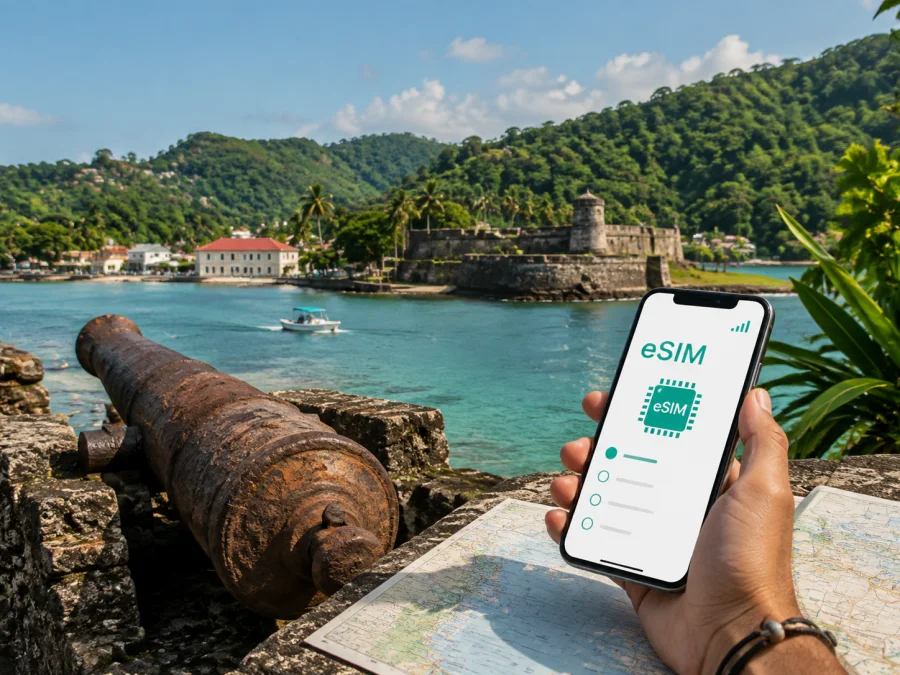
Portobelo eSIM: mobile connection and internet for a Caribbean trip
Portobelo is a small Caribbean town in Panama’s Colón Province, but a visit can involve several very different connection situations. You may arrive by road from Panama City or Colón, walk between the waterfront and historic fortifications, stay in a small guesthouse, join a boat or nature excursion, and return to the city later the same day. A mobile data plan that is ready for the journey helps you use maps, contact a host, coordinate a pickup, check transport information, and share travel details without depending on every café or hotel network.
The practical question is not simply whether your phone can connect in Panama. It is how you will use mobile internet in Portobelo: lightly for messages and navigation, regularly for photos and research, or intensively for work and a longer stay. An eSIM, or digital SIM, can be prepared before departure and used alongside your existing physical SIM when the device and selected plan support that setup.
Why mobile data matters in Portobelo
Portobelo rewards a flexible itinerary. The historic core is compact, while points of interest, accommodation, beaches, trails, and boat departure locations may be separated by roads or water. A connection is useful at the transitions between those places, not only when you are standing in front of a monument.
You may need data to:
- open a map and confirm the location of a fort, church, lodging, restaurant, or meeting point;
- message a host when your arrival time changes;
- translate a short phrase or review practical information while walking;
- request or coordinate a taxi or private transfer where that service is available;
- share your location with a travel companion;
- check a reservation, digital ticket, or itinerary stored online;
- send work messages during a short business stop in the Colón area;
- download a map or save key addresses before leaving a stronger connection.
The historic landscape takes you between indoor and outdoor settings. Download essential information before a day trip and keep a written accommodation address as a backup.
Portobelo in brief: the places your route may connect
Portobelo is best understood as a town around a bay rather than as a dense urban destination with one central transport hub. The historic area, waterfront, local services, and surrounding natural sites create a sequence of short stops. Planning data use around that sequence makes the trip calmer.
| Part of a Portobelo visit | What you may use mobile internet for | Useful preparation |
|---|---|---|
| Arrival from Panama City or Colón | Route checks, messages, confirming the final destination | Save the lodging address and a map area before leaving |
| Historic centre and waterfront | Walking directions, opening information, photos, translation | Keep the phone charged and use a small day bag |
| Fortifications and heritage sites | Orientation between sites and sharing meeting points | Wear practical shoes; do not rely only on a live signal |
| Guesthouse or small hotel | Arrival coordination, payments or booking messages, work calls | Ask about Wi‑Fi and keep mobile data as a backup |
| Boat, beach, or nature outing | Meeting-point messages and return coordination | Agree on a time and place before leaving the town |
| Trip onward to Colón or Panama City | Navigation, transport coordination, itinerary updates | Keep a reserve of data for the return journey |
The fortifications around the bay form part of the UNESCO World Heritage property Fortifications on the Caribbean Side of Panama: Portobelo-San Lorenzo, inscribed in 1980. The structures reflect construction from the late sixteenth through the eighteenth centuries. Follow local access instructions, respect barriers, and do not treat every ruin or shoreline path as unrestricted.
Portobelo’s identity also includes Caribbean and Afro-Panamanian cultural traditions, as well as the protected natural setting around the bay. A good plan leaves room for weather, tide, site conditions, and the availability of local services. Your phone can support those decisions, but it cannot replace local guidance or a backup plan.
Choose an eSIM plan around your Portobelo itinerary
Start with the length and rhythm of the trip rather than with a generic amount of data. A visitor who spends one afternoon in the town has a different requirement from someone staying several nights and using a phone for navigation, photo backup, and work.
Light use: a day trip or short stopover
For a short visit, data is often concentrated in maps, messaging, ride coordination, translation, and occasional browsing. Downloading a map and accommodation details in advance can reduce live usage. Avoid automatic photo backup and video playback over mobile data if the plan is small.
Regular use: several days around the bay
If Portobelo is a base for heritage visits, coastal outings, and trips toward Colón, allow for repeated map checks and messages. Social media, photo uploads, and navigation can use more data than expected, especially when apps refresh in the background. A plan with a longer validity period may be easier to manage than repeatedly arranging connectivity during the trip; compare the actual duration and allowance shown for each option.
High use: work, tethering, or frequent media
Remote work, video calls, hotspot use, and cloud photo synchronization can consume a larger allowance. Check whether tethering is permitted under the selected plan and whether your laptop can connect reliably. Keep large downloads for a trusted Wi‑Fi network when possible. A larger package is not automatically the right choice: estimate the tasks you will perform and review the plan conditions before payment.
For a clear starting point, you can choose an eSIM plan for a trip to Portobelo and compare the available allowance, validity period, destination, and price shown for Panama. The catalogue conditions can change, so use the details displayed at the time of selection as the basis for your decision.
Prepare your phone before leaving
An eSIM is useful only when the device can install it and the phone is not restricted by another operator. Check this before you pay, while you still have your usual connection. In the settings, look for an option to add a mobile plan or eSIM; wording varies by model and software version.
When reviewing the device, check whether your phone supports eSIM and confirm that it is unlocked for another mobile plan. Also check dual-SIM behavior. Some phones keep a physical SIM active for calls and messages while the eSIM handles data, but the available combinations differ.
Before purchase:
- install pending updates on a trusted network;
- keep your regular SIM active until the travel setup is tested;
- choose the data line and control automatic data switching;
- save the lodging address, host contact, and return plan offline;
- charge the phone and pack a power bank;
- read activation, validity, usage, and refund conditions.
The eSIM is intended for mobile internet, not necessarily a regular phone number. Voice calls and SMS are not included unless the selected plan says otherwise. Keep your primary number available for essential calls if your operator’s terms allow it.
Arrival from Panama City or Colón
Many Portobelo visits begin elsewhere. Panama City is a common starting point for international travellers, and Colón can be a practical stop before continuing along the Caribbean coast. The final road segment may use landmarks, accommodation names, or nearby communities rather than a dense street grid.
Before leaving the larger city, send your host or driver an arrival window and confirm the exact meeting point. Save the conversation, check the route while online, and keep a screenshot or offline map for the final segment. A map pin alone may not show where a vehicle can safely stop.
On arrival, verify the accommodation name, use a battery-saving mode that still permits navigation, and tell a companion the plan if you are travelling alone. Keep enough data and battery for a return message; weather, road conditions, or a longer stop can change a day-trip schedule.
Moving through the town and the bay
The central part of Portobelo suits a walking route joining the waterfront, church, heritage landmarks, and nearby fortifications. Walking reveals surfaces, shade, traffic, and barriers that a map does not explain. Use navigation to orient yourself, then look up.
For longer distances, ask your accommodation about current taxis, private drivers, or locally arranged boats. Confirm the price, meeting place, passenger count, and return arrangement before setting out. Keep the host’s contact or driver’s number in your messages. Mobile data helps coordinate a trip, but it does not guarantee that a vehicle, guide, boat, or attraction is available at a particular time.
For a compact heritage day, use this sequence:
- Save the first destination and accommodation address.
- Start with any fixed meeting time or opening period.
- Walk between nearby landmarks while daylight and weather are comfortable.
- Keep a reserve of data and battery for the return route.
- Confirm onward transport before leaving the historic area or waterfront.
For sites outside the core, plan separate legs rather than assuming one continuous walk.
Accommodation, work, and daily data use
For visitors, distinguish lodging near the historic waterfront from properties farther along the coast or in greener surroundings. Ask how far the lodging is from planned visits and how you will return after a boat trip or after dark.
Near the core, walking may reduce transport coordination. Farther away, save the property name, a landmark, and the preferred route. If you need to work, test Wi‑Fi, the eSIM data line, charging, and any hotspot setting before the first call; schedule important meetings indoors.
Portobelo’s forts, churches, bay, and natural surroundings deserve attention. Use downloaded maps, postpone large photo backups, ask before photographing people or community activities, and follow instructions at protected sites. A protective phone cover, water, battery, and suitable clothing matter as much as data.
Install and activate your eSIM
Complete the installation on stable internet before departure or at your accommodation. The usual sequence is:
- Select a Panama plan whose allowance and validity fit the Portobelo route.
- Open the profile or app where the eSIM details are provided after payment.
- Follow the on-screen flow, which may use a QR code or device settings.
- Label the line “Panama travel” and choose it for mobile data when ready.
- If required by the plan, enable data roaming for this line only.
- Test a simple page or message, then review balance and validity.
For device-specific steps, use the Android eSIM installation instructions or the iOS eSIM installation instructions. Menus vary by model, so do not delete your primary line while troubleshooting. An activated profile may not be transferable to another device when the plan or profile conditions do not allow it.
If installation stops, confirm that the phone is online, use the activation details exactly as instructed, and check the eSIM profile limit. Support can help with installation questions; keep the purchase information available.
Manage the plan while travelling
Review balance and validity before a long transfer, work session, or day away from town. Video, cloud backups, automatic updates, and hotspot use can turn light use into heavy use, so make navigation and messaging priorities and postpone large files on trusted Wi‑Fi. If top-ups are available, use the conditions shown in the app or profile. Activation and data use can be separate events, so read when validity starts, what counts as use, and whether an unused profile can be refunded.
Frequently asked questions
Is an eSIM suitable for Portobelo?
It can be, provided the phone supports eSIM, is unlocked, and the selected plan covers Panama. It is designed for maps, messages, and other mobile-data tasks.
Can I keep my usual number active?
Many dual-SIM phones can configure a physical SIM and an eSIM together, but behavior varies. Choose the data line deliberately and review your regular operator’s roaming terms.
Does it replace a local phone number?
No. The travel eSIM is for mobile internet. Voice calls and SMS are included only when the particular plan explicitly says so.
What is Kaspersky eSIM Store?
Kaspersky eSIM Store is an app and website that helps you choose, arrange, and activate an eSIM with a suitable plan for mobile internet during an international trip. It is not the mobile network; details depend on the selected offer.
Final checklist before Portobelo
- the phone supports eSIM and is not operator-locked;
- the selected plan is for Panama and covers the route duration;
- installation details are available in the profile or app;
- the eSIM data-line settings are understood;
- lodging, host, meeting point, and return details are saved offline;
- the regular SIM’s roaming settings are understood;
- the phone, power bank, and charging cable are ready;
- balance, validity, and support options can be found.
Portobelo is easier to enjoy when the practical parts are prepared in advance. Choose a plan around your route, keep a reserve for the return trip, and leave space for local conditions. When ready, prepare an eSIM plan for Panama and your Portobelo journey, then install it on a compatible, unlocked device.


