
Travel connectivity guide
eSIM Portugal: mobile internet for travel
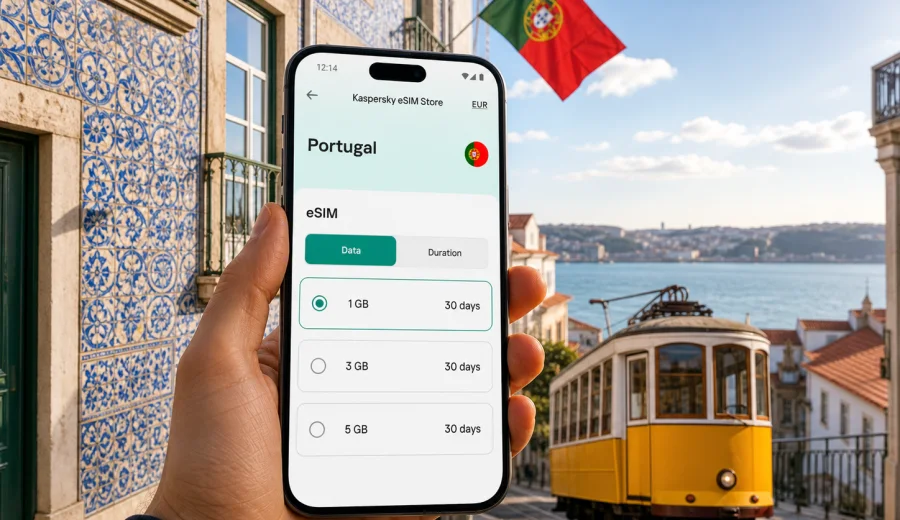
eSIM for Portugal: mobile connection and internet for your trip
Portugal is an easy country to travel through with a smartphone: maps help you move between Lisbon's hills, train apps simplify routes to Porto or the Algarve, and restaurant, hotel and taxi confirmations often arrive in messengers. A prepared eSIM can make that first online moment much simpler because you do not need to look for a physical SIM card after landing or depend only on public Wi-Fi.
This guide explains how to plan mobile internet for Portugal with eSIM, what to check before you buy a data plan, how much traffic different travel styles may need, and how to install and activate the eSIM on a compatible device.
Why eSIM is useful for Portugal
An eSIM is a digital SIM profile built into a compatible phone or tablet. Instead of inserting a plastic card, you add a mobile data profile through the device settings or by scanning a QR code. For travel, the practical value is simple: you can prepare mobile internet before the trip, keep your main SIM in the phone and use a separate data plan for Portugal.
For many travellers, eSIM is especially useful in Portugal in these moments:
- after arriving at Lisbon, Porto or Faro airport and needing maps, messages or ride-hailing;
- when moving between cities by train, bus or rental car;
- while using online tickets, hotel check-in pages, banking apps and translation tools;
- during day trips to Sintra, Cascais, Braga, Coimbra, Evora, the Douro Valley or the Algarve coast;
- when you want to reduce dependence on open Wi-Fi in cafes, stations and holiday apartments.
eSIM does not turn your phone into a local Portuguese voice line unless a specific plan says that calls or SMS are included. In most travel scenarios, it is best to treat it as mobile internet. Calls, messages and video meetings can usually go through internet-based apps, while your regular SIM can stay available for banking codes or incoming calls if your device settings allow it.
Portugal travel scenarios and data use
The right data volume depends less on the country and more on how you travel. Portugal is compact, but a short city break and a two-week road trip are not the same from a mobile internet perspective.
| Travel scenario | Typical online needs | Practical eSIM choice |
|---|---|---|
| Weekend in Lisbon or Porto | Maps, tickets, taxis, messaging, restaurant search | A small data package may be enough if hotel Wi-Fi is reliable |
| One week across Lisbon, Sintra and Porto | Navigation, train apps, photos, social media, cloud documents | Choose more data and a validity period that covers the whole route |
| Algarve holiday | Beach navigation, bookings, car routes, family messaging | Allow extra traffic if several people use one phone as a hotspot |
| Madeira or Azores trip | Maps, weather, hikes, ferry or flight updates | Pick a plan with enough validity and check device settings before arrival |
| Remote work stay | Video calls, email, shared files, backup connection | Use eSIM as a mobile data layer, but keep fixed Wi-Fi for heavy calls where possible |
As a rough planning method, light use means messaging, maps and occasional browsing. Medium use adds social media, many photos and more transport apps. Heavy use includes video, hotspot sharing, large file sync and frequent video calls. If you are unsure, choose a plan that leaves a margin rather than one that only covers the minimum estimate.
Before you buy: checks that prevent most problems
The most important eSIM check is device compatibility. Not every smartphone supports eSIM, and some phones are locked to a mobile operator. Before choosing a plan, confirm that your exact model supports eSIM and that it can add a new mobile data profile. You can check your device before continuing.
Also review these points:
- Unlocked device: a carrier-locked phone may reject a travel eSIM profile.
- Dual SIM settings: decide which line will handle mobile data and which line will receive calls or SMS.
- Validity period: make sure the plan lasts through your arrival and departure dates.
- Data allowance: match the package to your route, not only to the number of days.
- Activation timing: read the plan conditions so you know when the validity period starts.
- Roaming data setting: some eSIM profiles may require data roaming to be enabled for that eSIM line.
- One-device use: after activation, many eSIM profiles cannot be moved to another device.
These checks take only a few minutes, but they are easier to do at home than in an airport queue with low battery and weak Wi-Fi.
How to choose an eSIM data plan for Portugal
Start with the basics: destination, trip length, expected data volume and device compatibility. Then think about your route. If you stay only in Portugal, a Portugal plan is the clearest option. If your itinerary continues into Spain, France or another European country, compare country-specific and regional options, and read the coverage area in the plan details.
Use this simple decision path:
1. Write down your exact travel dates, including arrival and departure days.
2. List the places where you expect to use mobile data most: airport, hotel transfers, road routes, islands, beaches, business meetings.
3. Estimate whether you are a light, medium or heavy data user.
4. Check if you will share hotspot with another device.
5. Choose a plan whose validity and data allowance fit the whole trip.
6. Save installation details before travelling, so you can set up the eSIM calmly.
For a short holiday, you may not need a large data package if you mostly use hotel Wi-Fi in the evening. For a car trip through the Algarve or northern Portugal, navigation alone can be a strong reason to choose a larger allowance. For remote work, avoid relying on mobile data as your only connection for long video calls; it is better as a flexible backup and travel layer.
A quick rule for estimating data
No estimate is perfect because apps compress data differently, background sync may vary, and video quality changes traffic quickly. Still, this table helps set expectations.
| Use case | Data impact | Planning note |
|---|---|---|
| Messaging and email without large attachments | Low | Good for small packages |
| Maps and route planning | Low to medium | Download offline maps before travel if possible |
| Social media browsing | Medium | Video-heavy feeds can increase use quickly |
| Cloud photo backup | High | Pause automatic backup on mobile data |
| Video streaming | Very high | Use Wi-Fi where possible |
| Hotspot for a laptop | High to very high | Choose extra data and monitor usage |
The most common mistake is forgetting background activity. Cloud photos, app updates and automatic downloads can use more traffic than maps or messages. Before leaving for Portugal, set your phone to update apps only on Wi-Fi, pause media auto-downloads in messengers and disable automatic cloud backup over mobile data if you want to protect your allowance.
Preparing mobile internet for arrival in Portugal
Portugal's main international arrivals are Lisbon Airport, Porto Airport and Faro Airport, with additional travel to Madeira and the Azores by air. The first hour after landing is often when mobile internet matters most. You may need to message your hotel, open a boarding or transport app, check a transfer meeting point, call a ride, follow walking directions or confirm a rental car desk.
You can reduce friction by preparing the eSIM before the trip. In Kaspersky eSIM Store, you can choose the destination, review available data packages, check the data volume and validity, and prepare the eSIM on a compatible device. When you are ready to compare options, you can choose an eSIM plan for Portugal and keep the installation details available before departure.
This does not mean you must activate data too early. Read the conditions of the selected plan and follow the installation flow carefully. In many cases, travellers install the eSIM profile before travel and turn on the eSIM line or data roaming for that profile when they arrive, but the exact timing depends on the plan terms and device behaviour.
How to install and activate eSIM
Installation is usually a short sequence: choose a plan, complete the order, add the eSIM profile to your compatible device, and select it for mobile data. The details vary between iOS and Android, so follow the instructions for your operating system.
Use the relevant guide when setting up your device:
A practical setup checklist:
1. Connect to stable Wi-Fi before installing the eSIM profile.
2. Keep the QR code or installation details open on another screen if needed.
3. Add the eSIM profile in your device settings.
4. Give the eSIM a clear label, such as "Portugal data".
5. Keep your main SIM for calls or SMS if you need it.
6. Set the eSIM as the mobile data line when you are ready to use it.
7. Enable data roaming for the eSIM line if the plan instructions require it.
8. Test mobile data after arrival and check that the correct line is being used.
Do not delete the eSIM profile unless you are sure you no longer need it. Many eSIM profiles cannot simply be reinstalled after removal. If something does not work, check the setup instructions first and then contact support instead of repeatedly deleting and adding profiles.
Portugal-specific travel tips for mobile internet
Portugal is friendly to app-based travel, but your route changes what "enough internet" means. In Lisbon and Porto, maps, tickets and restaurant bookings are common data tasks. In the Algarve, driving directions and beach searches can matter more. In Madeira and the Azores, weather, hiking routes and flight updates can become important.
Good habits for a smoother trip:
- download offline maps for any city, island or road route you plan to visit;
- keep hotel addresses saved offline in case you lose signal indoors or underground;
- save airline, rail and car rental details in your wallet or email app;
- use Wi-Fi for large uploads and video streaming when available and trusted;
- monitor data usage daily during the first two days to understand your pace;
- keep a power bank available on long day trips because navigation can drain battery quickly.
Public Wi-Fi can be helpful, but it should not be your only plan. Airports, hotels and cafes may require forms, passwords or social login, and quality can vary. A prepared eSIM gives you another way to get online when you need maps, messages or booking details without waiting for a Wi-Fi login page.
eSIM compared with roaming, Wi-Fi and physical SIM cards
There is no single perfect option. The best choice depends on trip length, your home operator's roaming offer, your device and how much flexibility you need.
| Option | Strengths | Things to check |
|---|---|---|
| Travel eSIM | Can be prepared before the trip, no physical card, keeps main SIM in place | Device compatibility, data allowance, validity period |
| Home roaming | Uses your existing number and operator relationship | Daily fees, data limits, speed rules and roaming settings |
| Public Wi-Fi | Useful in hotels, offices and some cafes | Login friction, variable quality, limited availability on the move |
| Physical local SIM | May suit long stays or users who need a local number | Store hours, language barrier, SIM slot availability, registration rules |
For many short and medium trips, eSIM is practical because you prepare it digitally, see the plan conditions and use it as a dedicated mobile data layer. For long stays or special voice requirements, compare all options carefully.
FAQ: eSIM and mobile internet in Portugal
Can I use eSIM for calls and SMS in Portugal?
Most travel eSIM use cases focus on mobile data. Calls and SMS are included only if the selected plan explicitly says so. Otherwise, use internet-based calling and messaging apps over mobile data.
Should I install the eSIM before flying to Portugal?
Installing before travel can be convenient because you can use stable Wi-Fi and avoid airport pressure. Check the selected plan's activation rules so you understand when validity begins.
Can I keep my normal SIM card active?
On many compatible dual SIM devices, yes. You can often keep your main SIM for calls or SMS and use the eSIM for data.
What if mobile data does not work after arrival?
Check that the eSIM is selected for mobile data, data roaming is enabled for that eSIM line if required, airplane mode is off, and the device has restarted if the instructions recommend it.
Final checklist before your Portugal trip
Use this checklist a day or two before departure:
- your phone supports eSIM and is not carrier-locked;
- the Portugal plan covers your full travel dates;
- you understand when the data validity period starts;
- installation instructions are saved;
- your main SIM and eSIM labels are clear;
- app updates and cloud backups are limited on mobile data;
- offline maps and key bookings are saved;
- you know which SIM will handle mobile data after arrival.
Planning mobile internet is not the most exciting part of visiting Portugal, but it affects many practical moments: finding your apartment in Lisbon, checking train times in Porto, navigating coastal roads in the Algarve or staying in touch from Madeira. A little preparation gives you more control over the first hours and the everyday details of the trip.
Before you travel, open Kaspersky eSIM Store, review the available data options and prepare an eSIM plan for Portugal that fits your route, device and data habits.