Travel connectivity guide
Porvoo eSIM: Mobile Internet in Finland
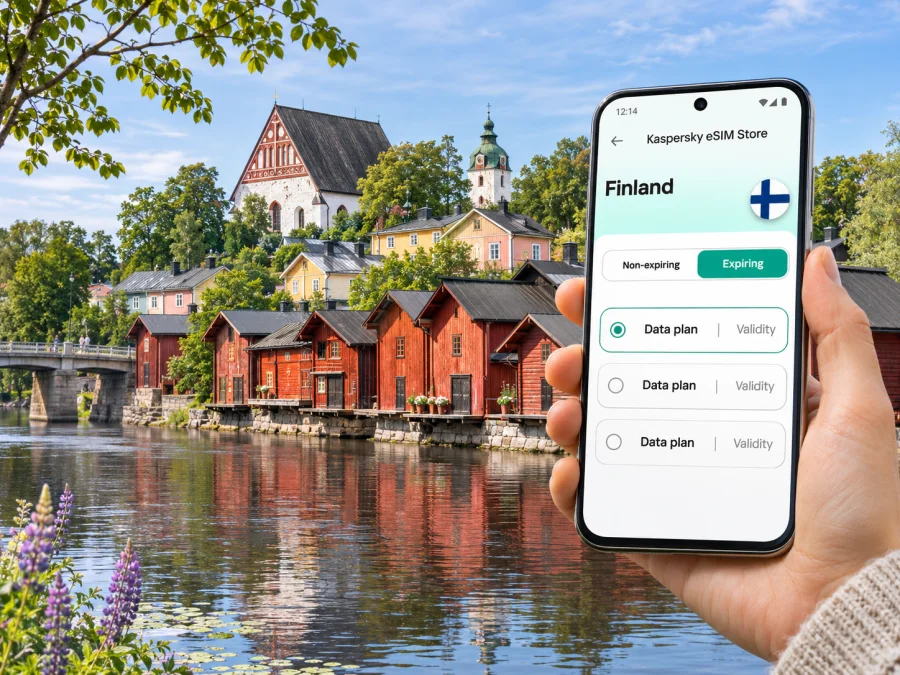
Porvoo eSIM: Mobile Connection and Internet for Your Visit
Porvoo is a compact riverside city where a short walk can take you from the old wooden town to cafés, museums, the market square and the riverfront. Mobile internet is useful here for checking the route from your arrival point, confirming bus times, finding an open place to eat and keeping bookings or messages at hand. An eSIM can help you prepare data access for Finland without changing the physical SIM in your phone, provided your device supports it and the selected plan covers your trip.
Porvoo is about 35 kilometres east of Helsinki, and its centre sits beside the Porvoonjoki River. The city also includes countryside and archipelago areas, so a day focused on the historic centre has different connectivity needs from an outing to the islands. Plan for the places you will actually visit, and check the current terms of your chosen data plan before you travel.
Why mobile internet helps in Porvoo
The city centre is easy to explore on foot, but useful trip details are spread across maps, transport schedules, opening-hour pages, reservation messages and translation tools. A working data connection lets you check those details as your plans change. It can also be useful when you arrive with luggage, need to contact your accommodation or want to share your location with someone.
A few typical moments when data can save time:
- Finding your first stop: open a map to locate your hotel, the bus station, the market square or the riverfront.
- Checking a departure: compare a bus departure with your walking route to the stop, especially when connecting between regional and local services.
- Exploring Old Porvoo: save a route to the cathedral, riverside warehouses, a museum or a café, then adjust it as you wander the cobbled streets.
- Handling a booking: retrieve a confirmation, contact a host or check an updated arrival instruction without searching for public Wi-Fi.
- Staying in touch: use messaging and internet calls through your existing accounts while keeping your home SIM available if your phone supports dual SIM.
Mobile data does not replace a local telephone number. A travel eSIM is generally intended for data; regular calls and SMS are not included unless a specific plan states otherwise. Keep your usual number active if you need calls or text messages from home, and check your home operator’s roaming terms separately. Messenger calls and chats can use the eSIM’s data connection.
Start with the arrival route
Porvoo has no commercial airport in its centre. If your journey begins at Helsinki Airport, treat the airport-to-Porvoo leg as a separate transfer to plan rather than assuming that a city-centre bus route starts at the terminal. Helsinki Airport has local and long-distance bus services, and connections to Porvoo can involve a change or a route through Helsinki or another transport hub. The best option depends on your arrival time, ticket and current timetable.
Before leaving the airport:
- Check the live journey planner for the whole trip to your accommodation, not just the first bus or train.
- Confirm the departure stop and the destination stop shown on your ticket.
- Allow time for collecting baggage, finding the stop and changing vehicles.
- Save your accommodation address and booking details for offline access as a backup.
- Keep the phone charged and use mobile data for live changes only when needed.
Porvoo’s regional connections and local buses are not one interchangeable timetable. The city publishes separate information for local, regional and archipelago services; commercial operators set the schedules and fares for some longer-distance routes. Check the relevant operator’s current departure information on the day of travel. A map connection can help you find a stop, but it cannot guarantee a seat or show every disruption in advance.
If you arrive by bus, the marketplace is a useful orientation point for the centre. From there, you can walk toward the Old Town and the river. For a hotel outside the historic core, compare the final walk with a local bus or taxi option before setting off. A map pin can land on the wrong side of the river or at a nearby entrance, so read the street name and accommodation instructions rather than relying on the pin alone.
Getting around: centre, river and outlying areas
The most recognisable visitor area is Old Porvoo: cobbled lanes, colourful wooden buildings, small shops, cafés, the cathedral and the red-ochre warehouses along the river. It is a rewarding place to explore slowly. Walking is often the simplest way to move between these central sights, but uneven paving and slopes can make some routes slower or less comfortable. If you have limited mobility, luggage or a tight schedule, check accessibility details and choose a route with fewer cobbled sections.
The Market Square is a practical point to orient yourself. Local bus routes connect the marketplace with residential districts and other city destinations. Porvoo’s current route maps list local services such as lines 1, 2, 3 and 5, with additional variants and seasonal timetable changes. Do not rely on a route number remembered from an earlier visit: check the current route and stop before boarding. If a trip continues to a rural district or the archipelago, look up that service separately because departures may be less frequent than in the urban centre.
| Trip in Porvoo | What to check on your phone | Practical approach |
|---|---|---|
| Bus station to accommodation | walking time, stop name, check-in message | Compare the direct walk with a local bus or taxi, then keep the address available offline. |
| Old Town walking loop | map orientation, museum or church opening information | Save the places you want to see, but leave room to explore side streets without staring at the screen. |
| Centre to a farther neighbourhood | route number, direction, departure time | Confirm the direction and stop in the current timetable before boarding. |
| Visit to the archipelago | service day, return departure, connection details | Plan the return first; do not assume that a late bus will be available. |
| Short business visit | meeting address, calendar, route and contact details | Download or save essential documents before leaving reliable Wi-Fi. |
Use mobile data for live directions and transport updates, then lock the phone when you are not checking it. For a walking day, download an offline map in advance if your preferred maps app supports it. An offline copy will not provide live traffic or service changes, but it can still show streets when coverage is weak or your data allowance is low.
Old Porvoo: use the phone as a helper, not a route plan
Old Porvoo is small enough to enjoy without following turn-by-turn directions every minute. A useful sequence is to begin around the Market Square, walk into the historic lanes, visit Porvoo Cathedral if it is open to visitors, and continue down toward the river warehouses. From the riverbank, cross toward the newer centre or continue along the water. The best order depends on opening times, weather and where you are staying.
The historic streets have uneven cobblestones, narrow passages and changes in level. Check the map before starting if you need step-free access, and verify accessibility at individual sights. Mobile internet makes it easier to look up a current entrance or contact a venue, but it does not make every old building accessible. Respect residential yards and private spaces when taking photographs; the old town is a lived-in neighbourhood as well as a visitor attraction.
A short visit can be simple:
- Save the Market Square and your next destination in the map.
- Check whether the cathedral, museum or gallery is open before walking there.
- Keep one route that returns to your accommodation or transport stop.
- Use the riverfront as a visual reference, but check crossings before following a straight line on a map.
- If it is raining, use your connection to find a nearby café or indoor attraction and check its hours before you go.
Choosing data for a Porvoo trip
Choose a plan around your travel pattern, not the number of attractions on your list. A short city break with maps, messages and occasional browsing uses data differently from a work trip with video calls or an itinerary that includes several days of streaming. Estimate how often you will use mobile data, whether your accommodation has Wi-Fi, and whether you expect to travel beyond Porvoo.
Before choosing, compare these points in the plan details:
- Destination coverage: confirm that the plan includes Finland. If your itinerary crosses another country, check whether that country is covered too; a Finland plan should not be assumed to work across borders.
- Data allowance: choose enough for navigation, messaging, bookings and any work use. Video, hotspot sharing and photo backup may use data more quickly.
- Validity period: make sure the term covers the days when you expect to use the plan. Read when the validity begins and whether activation can be scheduled.
- Network and service terms: review the plan conditions, including any fair-use limits, supported features and activation instructions.
- Device support: confirm that your phone supports eSIM and is not carrier-locked. Models sold under the same name can differ by market or variant, so verify your exact device.
Kaspersky eSIM Store is an app and website where you can choose, purchase and activate an eSIM with a suitable data plan for an international trip. To review current Finland options and their terms, see the available plans for Finland. The page is for the country; it does not represent a Porvoo-specific tariff or promise identical service at every address. Coverage and performance depend on the local network, device, surroundings and current conditions.
A practical data estimate begins with your normal habits. Maps, email and messages use data differently from video calls, streaming, hotspot sharing or photo uploads. Check your phone’s data-usage screen before departure and leave a margin for an unplanned route change.
eSIM preparation before you leave
Check the exact phone model and regional variant, not just the product family name. An eSIM option may vary by market, and some devices are locked to a home operator. Review your manufacturer’s or carrier’s device information and check whether your device is compatible with eSIM before purchase. If the device is incompatible or locked, use another supported device or ask your home operator about the available options.
Install the eSIM while you have stable internet access and enough battery. Follow the purchase confirmation and on-screen instructions; keep the QR code or installation details accessible on another screen if you need to scan them. Avoid deleting an eSIM profile to troubleshoot unless the instructions or support team tells you to do so: a one-time activation code may not be reusable. The exact activation and data-start rules depend on the selected plan, so read them rather than assuming the timer starts only when you arrive.
A simple setup sequence
- Check compatibility. Confirm eSIM support and remove any carrier lock that prevents use of another profile.
- Choose the destination and plan. Select Finland for a Porvoo-only stay, or check a regional plan if your route crosses borders.
- Read the conditions. Note the data allowance, validity, activation timing and any device settings mentioned in the plan.
- Install the profile. Use the app or website instructions and a reliable internet connection; installation can take a few minutes.
- Label the line. Give the eSIM a clear label such as “Travel data” so you can distinguish it from your regular SIM.
- Set mobile data deliberately. Choose the travel eSIM for mobile data when you want to use the travel plan. Keep calls and texts on your usual line if that is your preference, and check its roaming settings and charges.
- Connect on arrival. Follow the plan instructions for selecting a network and data roaming. Some devices require data roaming to be enabled for the travel eSIM; this does not itself change the plan terms, so check the selected offer.
For platform-specific steps, see the Android eSIM installation instructions or the iOS eSIM installation instructions. If you prefer to wait until arrival before using data, install beforehand only if the plan permits it, keep mobile data assigned to your usual line until you are ready, and follow the plan’s activation rules. Do not delete the profile just because you have not connected yet.
A realistic day plan
On arrival, confirm the route to your accommodation and save its address. For an Old Town visit, check opening hours before crossing the centre for a museum, then use maps for orientation rather than following every turn. For work or an outing beyond the centre, save meeting details or check both the outbound and return timetable before leaving; consider Wi-Fi for long calls and downloads.
Connectivity habits that help
- Save essential details offline and restrict large backups or app updates to Wi-Fi if you want to conserve data.
- Check the selected SIM line for mobile data, calls and SMS to avoid unintended home-line roaming.
- Carry a charged phone for navigation, tickets and messages; check the street, bridge or entrance on arrival instead of relying only on a map pin.
Mobile internet is a tool, not a substitute for checking service conditions. A signal may vary indoors, in a vehicle, near the coast or in more rural parts of the municipality. If an app stops updating, refresh it when you have a connection, switch to an offline map or ask your accommodation for local directions.
Common questions
Is Porvoo a city in Finland?
Yes. Porvoo is a city in Finland, east of Helsinki. Its centre is beside the Porvoonjoki River, while the municipality also includes rural and archipelago areas.
Is there an airport in Porvoo?
No commercial airport serves the city centre. Visitors arriving by air usually need to plan a ground transfer from an airport elsewhere in Finland, often Helsinki Airport. Check live long-distance connections for your arrival date and time.
Can I use an eSIM in Porvoo?
A Finland eSIM plan may be suitable if it includes the destination and your device supports eSIM. Actual service depends on the plan’s local network arrangements, your phone and location. Check current plan details and your precise device variant before purchase.
Will a travel eSIM give me a Finnish phone number?
Usually, a data-only travel eSIM does not include a regular phone number, voice calls or SMS unless the plan explicitly says otherwise. You can keep your usual number for calls and use internet-based messaging or calls over data.
Do I need mobile data all day in Old Porvoo?
Not necessarily. You can download maps and save key addresses before setting out, then use mobile data for live updates, messages and changes to your plans. Your daily need depends on your habits and whether you use Wi-Fi.
Is the old town easy to navigate?
The central sights are close enough for a walking visit, but Old Porvoo has cobbled streets, slopes and uneven surfaces. Use a map to orient yourself and check accessibility information for your route and individual venues.
Can I use one plan for Porvoo and Helsinki?
A Finland plan is intended for the country, but confirm the actual coverage and terms shown for the plan. A country plan is not a guarantee of service at every specific location, and a regional plan should be checked if your trip continues outside Finland.
When should I install the eSIM?
Install it before departure when you have stable internet and time to follow the instructions, unless the plan says to wait. Activation, validity and data-use timing can differ, so read the selected plan’s details carefully.
Before you set out
A little preparation makes a Porvoo visit easier: save the address you need first, check the route and return departure, download an offline map, and decide which SIM line will use mobile data. Confirm that your phone supports eSIM and review the destination, allowance, validity and activation rules of the plan. That gives you a practical connection for navigating the city without relying on a single app or public Wi-Fi spot.
When you are ready, choose a Finland eSIM plan for your Porvoo trip in Kaspersky eSIM Store, review its current conditions and install it on a compatible device. Keep your usual number available if you need voice calls or SMS, and use the travel eSIM for data according to the plan you select.


