Travel connectivity guide
POST eSIM in Luxembourg: setup and travel guide
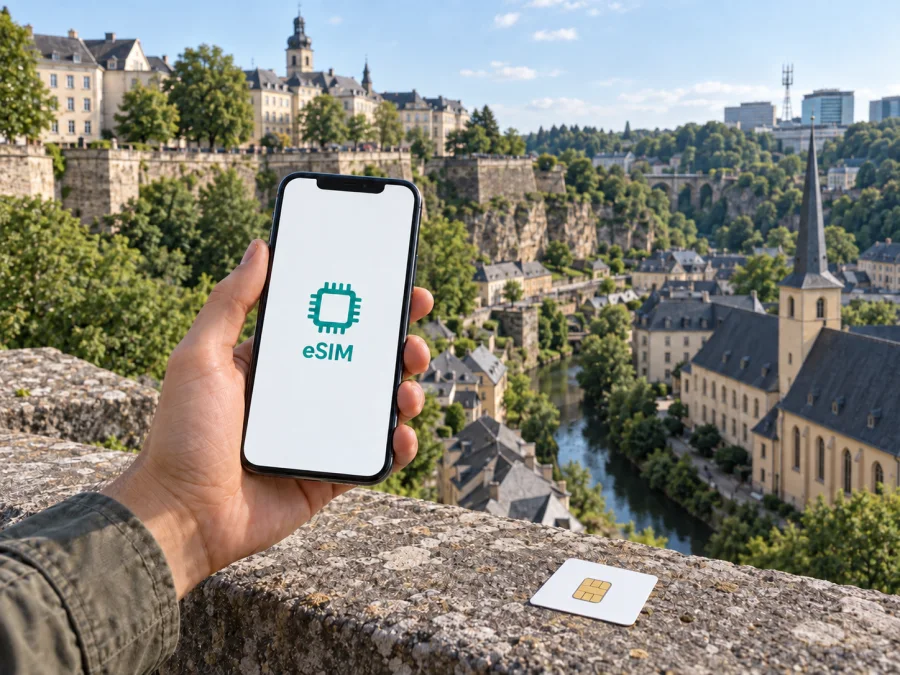
POST eSIM in Luxembourg: activation, coverage and travel considerations
POST and related names are the property of their respective rights holders. Kaspersky eSIM Store is an independent service and is not affiliated with POST, nor an official POST partner or distributor.
If you are travelling to Luxembourg, a POST eSIM may be relevant if you want a local mobile subscription on a compatible device. POST publicly confirms eSIM availability and explains how to request and install it. That does not make every POST offer a tourist product, or mean a prepaid option can be activated as an eSIM. Confirm eligibility, signup steps and coverage for your itinerary before relying on it.
This guide summarizes POST’s public information about eSIM, activation, compatibility and general mobile service. It does not list or compare plans. Procedures can change, so check the terms that apply to you with POST.
What POST eSIM means
An eSIM is a digital SIM profile installed on a device with an embedded SIM. Instead of inserting a removable card, you add the operator profile in the phone’s mobile settings. POST describes remote eSIM activation using a QR code. Its English eSIM page says customers can request an eSIM at a POST sales outlet, by contacting POST, or online with a new subscription.
POST lists selected mobile subscriptions as eSIM-compatible. This is not a promise that every account, device or customer can use eSIM in the same way. Existing customers should ask whether their current service can be converted or whether they need a new request. Visitors should confirm that they can sign up for the relevant service and receive a profile. POST’s public pages do not describe a separate tourist eSIM or confirm that all prepaid service can be issued digitally.
POST’s iOS and Android activation instructions say to connect to Wi-Fi before setup. If you ordered online or through the contact centre, they advise contacting customer service before installing the profile so it can be enabled in POST’s system. The eSIM page says the QR code is supplied when the eSIM is obtained. POST also says the QR code can be scanned once; if you need to download the profile again, a new voucher is required. Keep the code private and do not scan it repeatedly.
These details are from POST’s English “eSIM” page, including “Our eSIM offer”, “How to activate your eSIM”, “Which devices are compatible with the eSIM?” and its QR-code FAQ, checked on 26 September 2026. The general availability is also stated in POST Group’s “POST launches eSIM” announcement. Setup details appear in POST Support’s “How do I activate eSIM on Android?” and “How do I activate the eSIM on iOS?”, checked the same day.
Is POST eSIM suitable for a visitor?
A local operator subscription and a travel data eSIM meet related but different needs. A POST eSIM is a digital way to use an eligible POST mobile service. A travel eSIM is generally intended to provide mobile data for a destination without taking out a full local subscription. Your choice depends on whether you need a Luxembourg number, voice and messaging service, local account management, or only internet access while travelling.
POST describes eSIM activation as part of obtaining a mobile subscription and directs customers to its online service, contact centre and sales outlets. Its public pages do not confirm whether a short-term visitor without a POST account can complete every step remotely. Do not assume that scanning a QR code is enough to qualify for service. Before ordering or visiting a shop, ask POST what identification, address, payment or account information is required for your circumstances. The public pages reviewed do not enumerate the documents a visitor must present, so confirm the current process directly with POST.
POST’s “Our Mobile offers” page and Support’s “Do you have a prepaid plan?” FAQ describe prepaid service (checked on 26 September 2026). This confirms prepaid service in general, but does not establish that it is tourist-specific or eSIM-compatible. The eSIM page lists selected compatible subscription categories, so a traveller considering prepaid should confirm whether the current prepaid product can be supplied as an eSIM or requires a physical SIM. Do not assume the two options are interchangeable.
Compatibility and device checks
POST publishes a model list for its eSIM that includes selected phones and tablets. The list can change, so check POST’s latest information and the exact model variant sold in your country. A device-family name alone may not establish support; eSIM availability can differ by market or software version.
Before requesting a profile, confirm that your exact device supports eSIM, is not restricted by another carrier, and can connect to Wi-Fi during installation. An “Add eSIM” or “Add mobile plan” option in cellular settings can be a useful indication, but POST’s current device list is the definitive check for its service. You also need an eSIM-compatible subscription. Device support does not prove that your account is eligible, and an eligible subscription cannot make an incompatible device work.
POST’s support pages provide separate iOS and Android steps. Follow the instructions shown on your phone and stop if the profile details do not match the information POST provided. Do not erase an installed profile as a troubleshooting shortcut: POST says a new voucher is required to download the profile again after the QR code has been used.
How to order and activate a POST eSIM
POST says an eSIM can be requested online with a new eligible subscription, through its contact centre, or at an Espace POST sales outlet. Existing customers should ask whether their current service can move to eSIM. Visitors should first confirm signup eligibility and any identification or payment requirements. A QR code is not a substitute for completing account or service activation.
A careful setup sequence is:
- Confirm that your exact device supports eSIM and is not carrier-locked.
- Ask POST whether your intended subscription is eSIM-compatible and available to you as a visitor.
- Request the profile through a POST channel and retain the QR code or voucher securely.
- If you ordered online or through the contact centre, contact POST as instructed before installing the profile.
- Connect the device to Wi-Fi, open mobile or cellular settings, choose the option to add an eSIM or mobile plan, and scan the code when prompted.
- Confirm that the profile appears, then follow POST’s remaining directions for selecting the line and completing setup.
- Test the service before relying on it for maps, transport information or messages.
The iOS and Android support articles both specify Wi-Fi and prior contact with customer service for online or contact-centre orders. Menu wording varies by handset. Distinguish installing the eSIM profile from enabling the mobile service: POST may need to complete a service-side step as well.
Mobile coverage and supported technologies
POST directs users to check its mobile coverage through the Luxembourg Regulatory Institute (ILR) map or the national geoportal. Consult the map for the places on your itinerary rather than relying on a broad statement about national coverage. Service can vary between neighbourhoods, buildings, roads and indoor locations; a map is an estimate, not a promise of reception at every point.
POST describes mobile service using 5G and provides a support page on checking 5G availability by location. The ILR “Réseaux mobiles” page, updated in July 2026, provides operator-specific 4G and 5G coverage layers. POST Support says its 3G network was shut down in 2022. Actual access depends on the device, subscription, software, local radio conditions and network availability at the time. A 5G-capable phone may use another available technology where 5G is not available. Having an eSIM profile does not ensure a particular technology or speed.
POST’s “Are you in an area covered by 5G?” support page points to the ILR map and Géoportail. Its “Our Mobile offers” page describes mobile service in Luxembourg and references 5G. POST’s “Are you in an area covered by 5G?” and “Is the 3G network still available?” support pages, and the ILR “Réseaux mobiles” coverage page (map data updated July 2026), were checked on 26 September 2026. Consult the coverage map for current local information; it is not a comparative ranking of network quality.
Local subscription or travel eSIM?
A POST eSIM can be useful if you need a local line without a removable SIM. Confirm supported subscriptions, identification requirements, whether your account can use eSIM and how to get help directly with POST. Treat a travel eSIM as a separate service: it may not provide a Luxembourg telephone number, ordinary calls or SMS, and its network access and support process may differ from POST’s. Read the service description before purchase.
Kaspersky eSIM Store is a website and app for selecting, ordering and activating an eSIM with a mobile-data offer for an international trip. Its “Luxembourg” destination page provides a travel-data selection flow; the conditions and network provider are shown with the option during selection (checked on 26 September 2026). Kaspersky eSIM Store is not a mobile operator, does not own a mobile network and does not itself provide radio coverage. It is not a POST product and should not be described as using POST’s network unless the current offer specifically says so.
If you want to explore that route, view eSIM options for Luxembourg. Check device compatibility and the current destination details before ordering. A travel data eSIM and a local POST subscription may have different network access, number availability, activation rules and customer support. Choose according to how you intend to use the connection rather than assuming the services are interchangeable.
Practical checklist before departure
- Confirm the exact device model, eSIM support and carrier-unlocked status.
- Ask POST whether the service you want is eSIM-compatible and available to you as a visitor.
- Check what identification, address, payment or account information is required.
- Confirm whether POST’s prepaid service is available as eSIM before treating it as a digital option.
- For online or contact-centre orders, contact POST as instructed before scanning the code.
- Keep Wi-Fi available for installation and store the single-use QR code securely.
- Check the ILR coverage map for your accommodation and planned routes.
- Decide which SIM will handle data, calls and messages; review roaming settings for each line.
- Save offline maps and essential bookings in case mobile service is temporarily unavailable.
Common questions
Can I get a POST eSIM before travelling?
POST says an eSIM can be requested online with a new subscription, through the contact centre, or at a sales outlet. For online or contact-centre orders, its activation instructions say to contact customer service before installing. Public information does not confirm that every non-resident can complete the process remotely. Ask POST about your eligibility, required information and timing.
Does POST eSIM work with prepaid service?
POST confirms prepaid service, but its eSIM page lists selected compatible subscription categories. The public pages checked do not clearly establish that prepaid is currently available as an eSIM. Confirm this directly with POST.
Is a tourist eSIM listed by POST?
The POST pages reviewed explain eSIM and mobile subscriptions but do not describe a separate tourist-only eSIM. A visitor may be able to request an eligible service, depending on current signup rules. Contact POST to check your situation.
Does the QR code work more than once?
POST says the QR code can be scanned once. Its FAQ says a new voucher is required if you need to download the profile again. Keep the confirmation and ask about recovery before deleting or moving the installed profile.
Final note
POST confirms that it supports eSIM, provides QR-based installation guidance and publishes compatibility information. It also describes prepaid service generally, while the public eSIM information reviewed does not establish that prepaid is eSIM-enabled or that POST has a dedicated tourist eSIM. Visitors should check current eligibility, identification, signup and activation requirements directly with POST.
Kaspersky eSIM Store can be considered separately as an app and website for choosing, ordering and activating a travel eSIM for mobile data. It is not POST, a local operator, a network owner or the source of mobile coverage. Product availability and service details can change, so verify the current conditions before travel.
This article reflects public information checked on 26 September 2026. Operator availability, device compatibility, activation procedures and coverage can change. Confirm current details with POST and consult the applicable coverage map before making arrangements.


