Travel connectivity guide
Presov eSIM: Mobile Internet for Your Slovakia Trip
Presov eSIM: Mobile Connection and Internet for Your Visit
Presov is a regional centre in eastern Slovakia, with a walkable historic core and neighbourhoods that spread beyond it. A phone with mobile data is useful from the first leg of the journey: to check a train or bus connection, find your accommodation, navigate between the station and Hlavná Street, or look up an onward trip across the Presov Region. An eSIM can be a practical way to arrange travel data before you arrive, provided your phone supports it and the selected plan covers Slovakia.
This guide focuses on the places and travel decisions that matter in Presov: arriving through Košice or by rail and coach, getting around the centre and outer districts, staying connected during a short visit, and planning a day trip. It also explains what to check before choosing a travel eSIM, since plans, supported devices and network performance can vary.
What to expect from a city visit
Presov is in north-eastern Slovakia and is the administrative centre of the Presov Region. Its historic centre is compact enough to explore on foot, while Solivar and residential districts sit farther out. The High Tatras, Bardejov and other towns are separate journeys with their own schedules and coverage conditions.
Hlavná Street runs through the old town, with St Nicholas Cathedral, historic façades, small squares and cafés along the way. The railway and bus stations sit at the edge of the centre; trolleybuses and buses connect them with central and residential areas. A map app helps when an address uses unfamiliar Slovak spelling.
Presov is not an airport city. Many international visitors use Košice Airport and continue overland, while others arrive by train, coach or car. That distinction matters when planning connectivity: you may need data for the airport-to-station transfer and intercity leg before you reach Presov, not only once you check in.
Arrival: plan the journey in stages
If you land at Košice Airport
Košice Airport is the main nearby airport for this itinerary. Its published passenger information describes city bus 23 as connecting the airport with central Košice, including the railway and bus stations. The airport page gives an approximate journey time of 20 minutes for that local bus, but it is not a direct airport-to-Presov service. From Košice, continue to Presov by a separately booked or scheduled train, coach, taxi or car transfer. Confirm current departure times and where to board before travelling; timetables and service arrangements can change.
Save the route offline if possible. Mobile data helps compare connections, check delays, contact your accommodation or use a ride-hailing app. For a late arrival, check the last onward departure and arrange a backup transfer if needed.
If you arrive by train or coach
Presov’s railway station and bus station are useful reference points for arrival and departure. Save your accommodation address in both its written form and on a map before leaving the station. If you are carrying luggage, a direct taxi or a local public-transport ride can be easier than walking an unfamiliar route; check the stop name and direction before boarding.
Connection searches may depend on exact stop spelling. Use the Slovak diacritics shown on your ticket and verify the departure station for your return; trains and coaches may use different locations.
Staying connected across the historic centre and outer districts
Hlavná Street and the central squares
The central area is the easiest part of Presov to explore on foot. Use mobile data for walking directions, opening hours, translation, restaurant reservations and messages, then put the phone away while enjoying the street. The old town’s street pattern is straightforward once you reach Hlavná, but a map helps you find an exact entrance or turn toward a side street. Historic buildings and courtyards can have entrances that are not obvious from the main road, so check the pin and the street number rather than relying only on a venue name.
Solivar and places beyond the centre
Solivar is part of the wider city area, rather than a separate destination in another region. It is farther from the central walking zone, so check local transport routes and service times before setting out. The same applies when visiting a hotel, campus, event venue or residential district away from Hlavná. A journey planner can help compare walking with a trolleybus or bus ride, but allow time for transfers and confirm the return service before you leave.
Meetings, campus visits and longer stays
For a business appointment, save the building name, street address and contact details together. A mobile connection can help you message a host if a meeting room is difficult to find, but do not depend on a live map as your only copy of the address. Visitors coming to a university, hospital or office outside the centre should check which entrance and stop are closest; large sites may have several access points.
If you are staying several nights, connect to trusted accommodation Wi-Fi for large downloads or software updates, and reserve mobile data for navigation, messaging and tasks on the move. This can make a limited data allowance last longer. Keep an eye on automatic photo backups, video playback and app updates, which may use data in the background.
Choosing a travel eSIM for Presov
A travel eSIM is a digital SIM profile installed on a compatible, unlocked device. The plan is associated with its stated destination or coverage area, not with a particular city address. Before choosing one for Presov, make sure Slovakia is included and read the details for validity, data allowance, activation timing, hotspot use and any speed or fair-use limits. Availability and terms can change, so use the current plan information at the time you book.
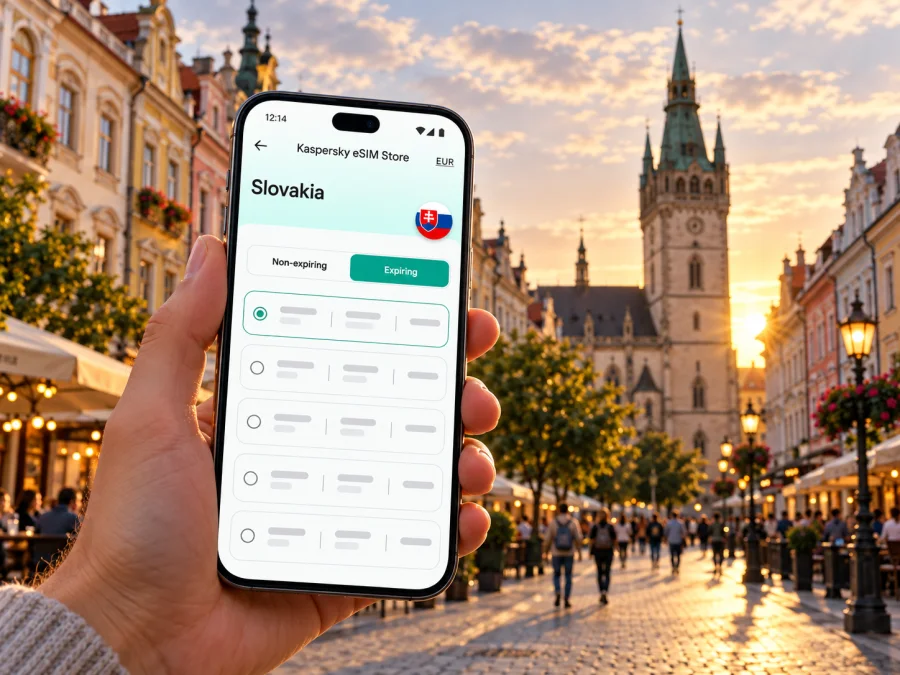
Kaspersky eSIM Store is an app and website where travellers can choose, arrange and activate an eSIM with a suitable plan for mobile internet abroad. It is a way to prepare your travel data option; mobile service itself depends on the plan’s supported network and coverage in the places you visit. The store does not replace your home operator for your usual number, and a data plan may not include voice calls or SMS. If you need regular calls, keep another suitable option available and check the plan description carefully.
For a Slovakia visit, you can review the current options for a trip to Slovakia. Treat the destination page as a starting point for checking current plan details; it is not a promise of coverage at every address in Presov or elsewhere in the country.
Compare the plan with your itinerary
| Your travel pattern | What to check before choosing |
|---|---|
| Weekend in central Presov | Enough data for maps, messages, bookings and occasional browsing; validity that covers arrival through departure |
| Arrival via Košice | Whether the plan can be installed before the flight and when its validity starts; data access for the transfer and onward connection |
| Several days with day trips | Whether the destination coverage includes all places on your route, not just the city name |
| Work trip with video calls | Hotspot allowance, data limits and whether your accommodation has dependable Wi-Fi for heavier use |
| Keeping your usual number reachable | Dual-SIM settings, incoming-call costs and roaming rules from your home operator |
Do not select a plan solely by the largest data allowance or the lowest displayed cost. Match the stated validity period to your dates, estimate how much data you actually use, and check the terms that could affect your routine. If you are travelling onward to Poland or Ukraine, verify those destinations separately: a Slovakia plan may not include them, and border proximity does not establish that a plan covers a neighbouring country.
Device and SIM checks before you leave
Not every phone supports eSIM, and some devices that do support it may be locked to a particular operator or have regional hardware differences. Support can depend on the exact model number, country or region of purchase, software version and carrier status. Check your manufacturer’s specifications for your precise variant and confirm that the phone is unlocked. You can also check whether your device is compatible before selecting a plan.
If you have a physical SIM for your normal number, many compatible phones can keep it available while using an eSIM for data, but dual-SIM behaviour differs by device. Decide which line should handle mobile data, calls and text messages. Disable data switching if you want to avoid accidental data use on the home line, and review your operator’s roaming charges. Keep access to your home number if you need bank verification messages, but do not assume that incoming texts or calls are free abroad.
Estimate your data needs
Base your allowance on your own recent usage and the activities planned for the trip. Maps and text messages usually use less data than streaming, photo uploads or video calls. Move large downloads to Wi-Fi where practical, and check how to monitor usage and what happens if you reach the plan limit. Offline maps can help with basic orientation, but live traffic and route changes need a connection.
Install and activate with a little preparation
If your device is compatible, set up the eSIM while you have a reliable internet connection and enough time to follow the on-screen steps. Use the instructions for your platform: eSIM setup for Android or eSIM setup for iPhone. The exact menu names and installation flow can vary by operating-system version and plan.
A sensible sequence is:
- Read the plan’s installation and activation instructions before starting.
- Install the profile over stable Wi-Fi, if the plan permits advance installation.
- Label the new line clearly, for example “Slovakia data.”
- Set that eSIM as the mobile-data line when you want to use it.
- Check the plan’s instructions for data roaming settings; only change settings required for that plan.
- Keep the home SIM’s data setting under control to avoid unintended roaming use.
- Once you reach the destination, allow the phone to register and test a basic web page or map.
Some plans begin their validity at installation, while others start at first network connection or another activation event. Follow the specific plan wording rather than assuming one rule applies to every eSIM. Do not delete an installed profile to troubleshoot unless the instructions say to do so; a removed profile may not be recoverable through the same QR code. If activation does not complete, check the plan’s troubleshooting guidance and use its support route while you still have Wi-Fi access.
Getting around Presov without losing your route
The city’s public transport system includes trolleybuses and buses. The local transport operator publishes route maps, timetables and journey-search tools. Search with your actual origin and destination rather than memorising a line number, because routes and timetables can change. Look at the direction shown on the vehicle and stop display, and check whether a journey crosses into a different fare zone or requires a particular ticket.
Mobile data is useful for a last-minute route check, but save the essentials before setting off: the stop where you plan to get off, the name of the return stop and a rough walking route. A screenshot of a ticket or route can help if coverage drops temporarily. Use a current ticket source and validate or present the ticket as its rules require; having an internet plan does not itself provide a public-transport ticket.
For walking around Hlavná Street, start with landmarks and then use a pin for the final turn. For a late return from Solivar or an outer district, check the last scheduled service before your visit. A taxi can be a useful alternative where public transport is less convenient, but confirm the pickup point and fare details in the relevant booking app before confirming.
When the connection is slow or unavailable
A brief loss of signal can happen in buildings, crowded areas, transport or places outside the city centre. Try these checks in order:
- Confirm that the eSIM line is enabled and selected for mobile data.
- Check that airplane mode is off and restart the data connection.
- Verify the plan has started and still has data and validity remaining.
- Follow the plan’s guidance for network selection and roaming settings.
- Move outdoors or nearer a window and retry a basic page.
- Use trusted Wi-Fi for urgent tasks and contact plan support if the issue continues.
Avoid changing several network settings at once; note the original settings so you can restore them. Do not assume an eSIM malfunction when an app or a particular website is the only service that fails. Try a simple page or map first, then check the app’s own status and your plan details.
Regional trips from Presov
Presov can be a destination or a base for exploring eastern Slovakia. A visit to Bardejov, the High Tatras or another regional destination involves a separate transport plan. Check the day’s rail or coach schedule before leaving, and save route information in advance. If your itinerary crosses into Poland or Ukraine, verify that the selected plan includes the country you are entering; a network signal across a border does not establish plan coverage there.
A compact checklist for the day before travel
- Confirm the exact phone model variant supports eSIM and is unlocked.
- Check Slovakia in the selected plan’s destination and read current terms.
- Match the plan’s data allowance and validity to your actual dates and use.
- Install the profile only according to its instructions; note when validity begins.
- Decide which SIM handles data, calls and messages.
- Review home-operator roaming settings and charges.
- Save your hotel address, station details and first route offline.
- Check the latest train, coach and local transport information.
- Carry a charging cable or power bank if you will navigate throughout the day.
Frequently asked questions
Is Presov the capital of Slovakia?
No. Presov is a city in eastern Slovakia and the administrative centre of the Presov Region. Slovakia’s capital is Bratislava. Presov is a regional destination with its own historic centre and transport network.
Is there an airport in Presov?
For most international itineraries, plan to arrive through a nearby airport such as Košice and continue overland. Check the route and schedule for your own travel date; the local bus connection from Košice Airport to the city of Košice is not the same as a direct service to Presov.
Will an eSIM work everywhere in Presov?
No plan can be assumed to work at every address or indoors in every building. Service depends on the plan’s coverage, the underlying network, your device and local conditions. Review current plan details and keep an alternative such as trusted Wi-Fi for important tasks.
Can I keep my regular number?
Possibly, if your phone supports dual SIM and your home operator allows your line to remain active. Settings and roaming charges vary. Choose the line for mobile data deliberately, and check call and SMS costs with your home operator before departure.
Does a travel data eSIM include calls and texts?
Not necessarily. Read the plan details to see whether it provides data only or includes voice or messaging services. Apps that use internet data can support calls and messages when both parties can use them, but they do not replace every service tied to your regular phone number.
Should I install the eSIM before travelling?
Often it is convenient to install it in advance over reliable Wi-Fi, but the right timing depends on the plan’s activation rules. Read whether validity begins on installation, first connection or another event. Keep the QR code and instructions accessible until setup is complete.
Prepare your connection for Presov
A little preparation makes arrival easier: confirm the device and plan, save the first address, and check the journey from your actual arrival point. For a visit to Presov, use the Kaspersky eSIM Store app or website to check current eSIM options for Slovakia and choose a plan that fits your dates and data needs. Install and activate it according to the plan instructions, then keep your route details and a backup way to get online close at hand.


