Travel connectivity guide
Pretoria eSIM: Mobile Internet for Travel
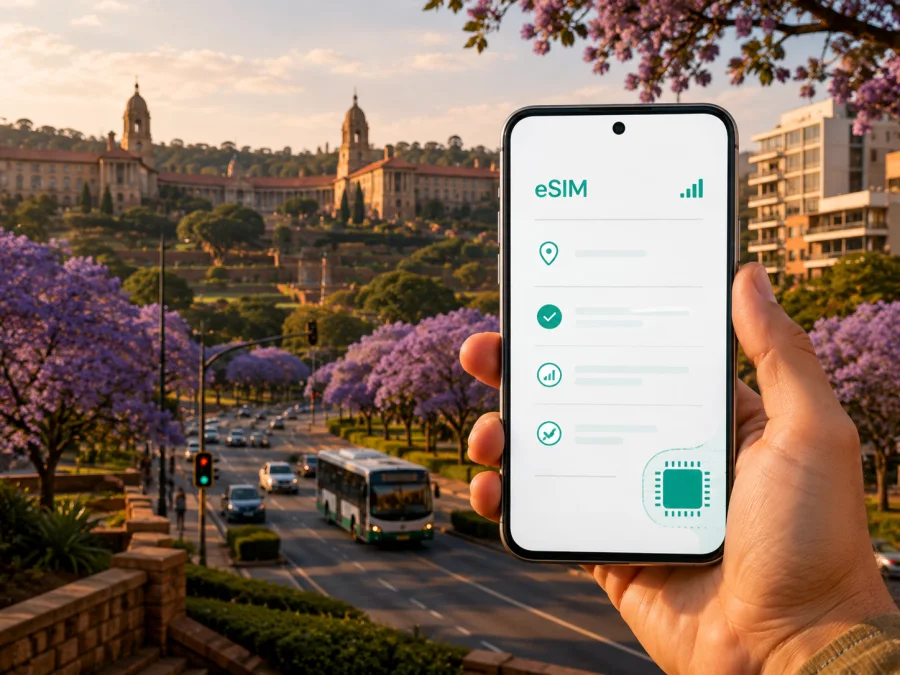
Pretoria eSIM: mobile connection and internet for your trip
Pretoria is easier to navigate when your phone can handle the small digital tasks between the major parts of your itinerary. You may arrive through O.R. Tambo International Airport, stay near the centre, attend meetings in Hatfield or Menlyn, and finish the day in another district. An eSIM can provide a practical mobile-data line while your usual SIM remains available for calls or messages.
This guide covers arrival, transport, districts, hotels, business trips, stopovers, installation and day trips from Pretoria.
The short answer
An eSIM can suit a Pretoria visit when you want data for maps, rides, messages, translation, work and travel information without making every journey depend on public Wi-Fi. Kaspersky eSIM Store is an app and website that helps you choose, arrange and activate an eSIM with a suitable tariff for mobile internet during an overseas trip.
Prepare in five steps:
- Count the days in Pretoria and note whether you will travel beyond the city.
- Estimate data use from activities, not trip length alone.
- Check eSIM support and operator-lock status.
- Review destination, allowance, validity and activation conditions.
- Install with a reliable connection, then select the eSIM for mobile data.
Travel eSIM tariffs are generally intended for data. They do not automatically include a regular phone number, voice calls or SMS unless the individual tariff says so. Messaging and calling apps can work over data, but check the conditions before relying on them.
Why mobile internet is useful in Pretoria
Pretoria is not a single compact walking district. A day can combine the Union Buildings, an appointment in the central business district, lunch in Hatfield and an evening in Menlyn. The roads, landmarks and final connections differ, and a plan can change because of traffic, a delayed meeting or a late hotel check-in.
Mobile data helps with practical decisions:
- checking a route before leaving your hotel;
- comparing walking, rail, bus and car options;
- finding the correct entrance to a large office, campus or attraction;
- sharing your arrival time with a host or colleague;
- opening a booking confirmation or translating an address;
- using work chat, email or a document between meetings.
Wi-Fi can be useful, but it is better treated as a supplement. A travel eSIM separates travel data from your home plan and makes the selected tariff’s allowance and validity easier to monitor.
Arriving through O.R. Tambo International Airport
Many international visitors reach Pretoria via O.R. Tambo International Airport in Gauteng. The airport is outside Pretoria, so plan the final leg to Pretoria Central, Hatfield, a hotel or a meeting venue farther east. You may need to check the route, contact a host and coordinate the last part of the trip.
The Gautrain system connects the airport area with the wider Gauteng network. Pretoria Central and Hatfield are stations on the north–south commuter line. Depending on the current service and your destination, an interchange and then a bus, taxi, ride or walk may be needed. Check the current timetable, station information and fares when planning a specific departure; these details can change.
Mobile data is valuable from the moment you leave the terminal: review the accommodation address, message someone about your arrival, follow the route and navigate from a station to the front door. Treat the transfer as a sequence:
| Stage | Useful mobile-data task |
|---|---|
| Before departure | Save the hotel or meeting address and the planned route. |
| At the terminal | Check pickup details, contact your host and locate the next transport point. |
| During the transfer | Confirm the station sequence, interchange and final destination. |
| On arrival | Navigate from the drop-off point to reception, an office or an apartment. |
If permitted, set up the eSIM before departure while your phone is charged and on stable Wi-Fi. If you activate after arrival, keep the QR code accessible and do not delete a profile merely because it is not selected for data.
Pretoria’s districts and what they mean for data use
Pretoria Central is a reference point for city-centre appointments and the main rail station. Arcadia is close to central institutions and attractions. Hatfield is associated with the University of Pretoria, restaurants and a Gautrain station. Brooklyn, Waterkloof and Menlyn are useful markers for accommodation, offices, shopping and evening plans.
These areas do not require separate eSIM purchases. They help you estimate how often you will move:
| Pretoria itinerary | Typical data tasks | Planning note |
|---|---|---|
| Central sightseeing | Maps, messages, bookings and occasional photos | Limit video if your use is mainly navigation. |
| Hatfield or Arcadia stay | Walking directions, restaurant searches and venue details | Allow for repeated map checks over several days. |
| Meetings across districts | Email, documents, work chat, video calls and rides | Choose for work use, not just nights in the hotel. |
| Hotel in the east with city visits | Frequent route checks and changing transfers | Include a reserve for an unplanned return journey. |
| Pretoria plus regional travel | Maps, bookings and messages outside the city | Confirm that the tariff covers the complete route. |
A short stopover can consume more data than a relaxed week in one neighbourhood if every transfer includes live navigation, video meetings or photo uploads. Estimate by activity.
Getting around without losing the route
Pretoria travel can combine Gautrain, municipal buses, taxis, ride services, a hired car and walking. The best option depends on your hotel, luggage, appointment and time of day.
Gautrain and station connections
The Gautrain network includes Pretoria Central and Hatfield, with the route continuing toward Centurion, Midrand and Johannesburg. Its airport service connects O.R. Tambo International Airport with the wider system through airport and interchange stations. Use current operator information, then plan the last connection to your address. A station is rarely the entrance to a hotel or office.
Buses, taxis and rides
Bus services can suit a planned daytime route; a taxi or ride may be more practical with luggage, a late arrival or an address away from a station. Compare the displayed destination with the written address and confirm the suburb or street.
Walking and short visits
Walking can be convenient around a hotel, campus, attraction or cluster of cafés. Pretoria’s districts are varied, so keep navigation available between landmarks. Offline map features can reduce data use where supported.
Choosing a tariff for Pretoria
Kaspersky eSIM Store helps you choose and activate a tariff for an eSIM used during an overseas trip. Base the choice on your itinerary and habits. Compare these fields before selecting:
- Destination: confirm that South Africa is included and that the tariff fits any route beyond Pretoria.
- Validity: check when the period starts; the condition may refer to installation, activation or first connection.
- Data allowance: estimate maps, messaging, email, work, social media, music and video separately. Video and automatic photo backup use more data than text.
- Tethering and renewal: if you will connect a laptop or need extra data, check the conditions for hotspot use, top-ups, balance management and expiration.
- Activation limits: review the conditions for installation, activation and use on another device. An activated eSIM profile may not be transferable.
For many visitors, a sensible choice is enough data for navigation and communication, with a reserve for an unexpected day. A conference attendee with video calls needs a different amount from someone visiting one district and using hotel Wi-Fi.
Once your itinerary is clear, choose an eSIM tariff for South Africa and compare its allowance, validity and conditions with your Pretoria plans.
Installing an eSIM before departure
Installation is usually easier when the phone is charged and connected to stable Wi-Fi. Menu names vary, but the general sequence is:
- Check eSIM support and operator-lock status. Check your device compatibility before completing the purchase.
- Keep the QR code or activation details available on another screen if you need to scan them with the phone camera.
- In mobile-network settings, choose the option to add a mobile plan or eSIM.
- Scan the QR code or follow the method shown for the selected tariff.
- Label the new line clearly, for example “Pretoria trip”.
- Keep your regular SIM as the default for calls and messages if you still need your home number.
- Select the travel eSIM for mobile data at the appropriate time and review the required data-roaming setting.
For device-specific steps, use the Android installation guide or the iOS installation guide. Follow the wording on your own phone because menus vary by model and software version.
Installation and activation are not necessarily the same event. The tariff conditions determine when validity and data use begin, so read them and avoid deleting the profile while troubleshooting.
Managing data during your stay
Set automatic app updates and cloud photo backup to use Wi-Fi where possible. Avoid large downloads, and remember that a laptop hotspot can consume data through background updates. Lower-quality streaming leaves more allowance for navigation and work.
On a dual-SIM phone, inspect which line is selected for mobile data. You may be able to keep the home number active while the eSIM handles data, but controls differ. A setting that permits automatic data switching can change the active line, so review it before a busy travel day.
If data does not work, check in this order:
- Confirm that the eSIM line is switched on and selected for data.
- Make sure airplane mode is off, then move to an open location if you are inside a thick-walled building or underground area.
- Review the remaining allowance, validity and required data-roaming setting.
- Restart the phone only after saving information you need, then contact support with your order and device details if the issue continues.
The result can depend on the tariff, device and local network conditions. Change one setting at a time.
Business trips and short stopovers
For a conference, administrative appointment or one-day meeting, plan for email, calendars, authentication, work chat, documents, maps and perhaps a video call—not only the airport transfer. Save the meeting address, organiser’s contact and start time before leaving the hotel. Venue Wi-Fi may help, but mobile data is useful when a room or meeting location changes.
For a short stopover, prioritise a route from the airport or station, a way to contact the next person and enough data for a delay. A large allowance may not be necessary, but the setup details should be clear before the connection becomes important.
Day trips from Pretoria
If Pretoria is a base for nearby attractions or onward travel elsewhere in South Africa, confirm that the selected tariff covers the whole route and that its validity matches the itinerary. Do not infer coverage simply because two places are in the same country. Save return routes before leaving.
Frequently asked questions
Is an eSIM useful for a short Pretoria visit?
It can be, if you need data for navigation, messages, bookings, work or rides and prefer not to depend on public Wi-Fi. Base the decision on your use rather than the number of nights.
Can I keep my usual number active?
On a compatible dual-SIM phone, you can often keep the physical SIM enabled for calls or messages and select the eSIM for mobile data. Exact behaviour depends on the device and home operator. Check which line is selected for data and understand your home plan’s roaming conditions.
Does the eSIM include a local phone number?
Not necessarily. Many travel tariffs are intended for data, so voice calls and SMS may not be included. Check the individual tariff details.
Can I move the eSIM to another phone?
Do not assume that you can. Transfer depends on the profile and tariff conditions, and an activated profile may not be transferable. Check before changing devices.
Final preparation checklist
Before departure, confirm that:
- South Africa is the selected destination and Pretoria is covered by your itinerary;
- your airport transfer, hotel and first appointment have complete addresses;
- the phone passes the compatibility check and is not operator-locked;
- the eSIM details are available and the device is charged;
- you know which line will handle calls, messages and mobile data;
- the allowance, validity, activation, top-up and refund conditions are understood;
- automatic updates and backups will not silently consume the allowance;
- you have a plan from the airport or station to your address.
Pretoria becomes easier to handle when mobile internet supports the itinerary without taking over the trip. Use it for arrival, navigation, communication, work and changes of plan, while keeping the tariff conditions visible and the home line under control.
Prepare your eSIM for Pretoria
When you are ready, use Kaspersky eSIM Store to review the available option for South Africa, choose a tariff that fits the length and data needs of your Pretoria visit, and follow the installation instructions for your device. Check compatibility before payment, read the activation details and keep the eSIM profile available until your journey is complete.


