Travel connectivity guide
Prilep eSIM: Mobile Internet in North Macedonia
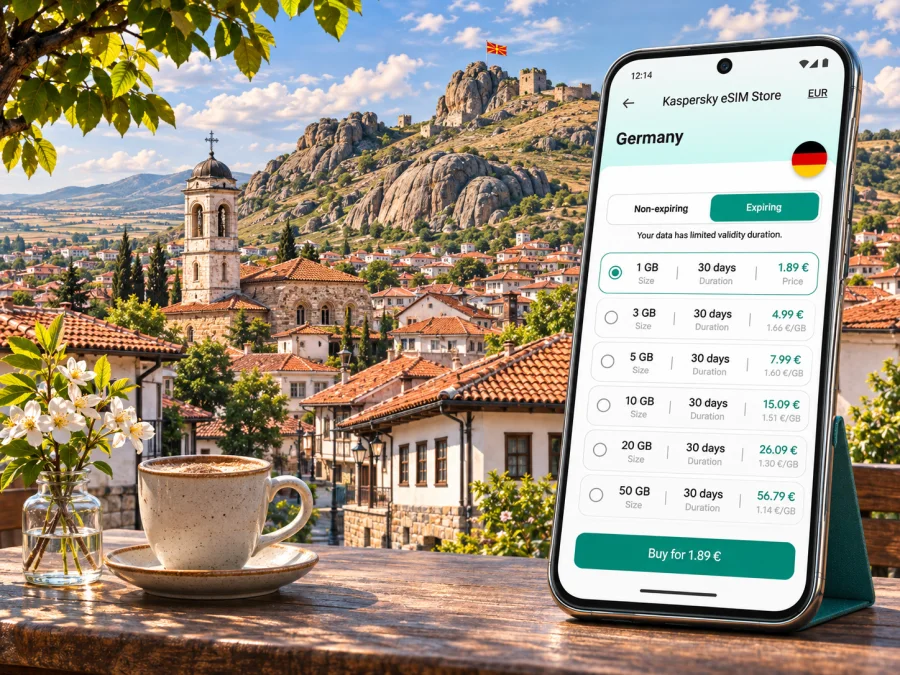
Prilep eSIM: mobile connection and internet for your trip
Prilep rewards a traveler who can move between its compact center, the historic Varoš area and the rocky slopes of Markovi Kuli without having to stop and search for directions. Mobile internet can make that day easier: use a map to find a guesthouse, check a bus departure, translate a menu, message your host or share a meeting point. An eSIM is one way to prepare data access before you travel, provided your device and the plan you choose support the trip.
This guide covers arrival, moving around Prilep, eSIM preparation and onward travel in North Macedonia. Coverage and speed depend on location, phone, local network and the terms of the plan you choose.
Why mobile data helps in Prilep
Prilep sits in the Pelagonia region, in a broad landscape that feels different from the capital’s dense urban center. The town’s recognizable rocky skyline is formed by Markovi Kuli, also known as Marko’s Towers, above Varoš. The Old Bazaar and the central streets are useful reference points for a first walk, while museums, churches and the hillside sights make it easy to change plans during the day. A live map is useful when names appear in Latin and Cyrillic spellings, or when a pin is more reliable than a translated street name.
Data is useful for everyday tasks: confirming check-in, sharing a pickup point, checking a bus departure, translating a menu or messaging that a walk is taking longer than expected. For a short stay, these brief map and messaging sessions may matter more than streaming.
Prilep is a city and a useful base for nearby Pelagonia. On day trips beyond town, connectivity can vary along open roads and higher ground. Download directions in advance and keep your address and return arrangements offline.
Quick orientation
| Travel need | Where mobile internet is useful | A simple preparation |
|---|---|---|
| First arrival | Finding the right street, lodging entrance or pickup point | Save the accommodation pin and address before leaving the station or vehicle |
| Old Bazaar walk | Checking walking routes between the center and nearby landmarks | Keep a map open only when needed and note a familiar return point |
| Varoš and Markovi Kuli | Following a route that climbs away from the central streets | Download a map area and carry water; do not rely on uninterrupted signal on the hillside |
| Work visit | Email, calendars, maps and a meeting message | Confirm whether your plan allows hotspot use if a laptop will connect |
| Journey onward | Checking a bus or rail connection and coordinating at the station | Verify the departure with the carrier and retain an offline copy of your ticket |
The table is a planning aid, not a coverage promise. A phone can change from 5G to 4G or another available service as you move, and indoor reception may differ from the street outside. If a map stops updating, step to a safe open spot, refresh the route or use a saved offline map rather than assuming that the destination has moved.
Arriving in Prilep
Most international visitors enter North Macedonia through an airport elsewhere and continue to Prilep by road or rail. The Civil Aviation Agency lists Skopje International Airport and Ohrid St. Paul the Apostle Airport among the airports open to international air traffic; Prilep itself is not listed. Check the airport and onward transport that fit your itinerary, and do not assume the airport is a short urban transfer from town.
From Skopje or Ohrid, the intercity leg is a separate part of the journey. Bus and rail timetables, transfers and travel times can change, so confirm current details for your travel date with the transport operator. Save your ticket, accommodation address and onward directions offline before leaving a reliable connection. If traveling by car, share the exact destination pin with the driver and ask your host about vehicle access; the last stretch to a central lodging may be on a narrow street or pedestrian route.
At the station, compare the map with the exit and street signs you actually see. If you are tired, it is useful to have your host’s written address and a nearby landmark ready instead of relying on a live map search.
Getting around the center, the Bazaar and Varoš
Prilep’s center is a good place to orient yourself on foot. Use a saved pin for the Old Bazaar and a second one for your accommodation, then treat them as anchors when exploring the nearby streets. A map can help distinguish a direct route from one that climbs toward Varoš. Street names may be displayed differently across apps, maps and local signs; if a search fails, try the place name in another spelling or navigate to a saved point instead of repeatedly searching.
The Old Bazaar, including the Clock Tower area, is a natural starting point for a relaxed central walk. Shops and opening hours can vary, and a map listing may be out of date, so check locally before making a special trip for a particular business. Mobile data can help you look up a place while you are nearby, but it should not replace asking a shopkeeper or your host when directions are unclear.
Varoš sits below the Markovi Kuli formations and offers a different kind of outing from a central street walk. The route includes a change in elevation and may involve uneven surfaces. Wear suitable shoes, check weather and daylight, and use navigation as a guide rather than walking with your eyes fixed on a screen. Before leaving the center, load the route, note where you plan to turn back, and message someone if you are hiking alone.
Rocky terrain, buildings and the shape of a hillside can affect reception. Even where a carrier lists 5G service for a region, that does not promise a 5G signal on every trail or inside every structure. Let the map finish loading before you climb, and keep a screenshot or offline map for the approach and return. If service disappears, follow your saved route and local wayfinding; avoid taking an unfamiliar shortcut simply because the map tile has not loaded.
Use a map without draining your battery
Before leaving, save the day’s main destination and download an offline map if available. Reduce screen brightness, close background apps and carry a power bank for longer outings. Check directions at a safe stop, then follow local signs rather than walking with your eyes on the display. Offline maps do not replace current trail conditions or local advice, so check those before a longer walk.
Choosing connectivity for your own itinerary
Start with what you need to do rather than with a headline data allowance. A traveler who mainly messages, searches maps and checks transport may use much less data than someone who joins video meetings, uploads large photo files or shares a connection with a laptop. Estimate the number of travel days, the number of connected devices and whether your lodging will have reliable Wi-Fi. Then compare the plan’s data amount, validity period, supported destination, activation timing, hotspot rules and any usage limits.
Kaspersky eSIM Store is an app and website where you can choose, arrange and activate an eSIM with a suitable plan for mobile internet on an international trip. The available destination and terms are determined by the specific plan displayed at the time of purchase. For Prilep, look for the North Macedonia destination and read the full details before checkout. A page for the country is a place to review current options; it is not a guarantee that a particular plan uses a named local network or has identical service in every part of the country.
If you want to review current destination options, you can check eSIM plans for North Macedonia. Compare the live plan details with your dates and expected use. Do not treat a country selection, a sample screen or a general technology label as confirmation of local coverage, speed, calls, SMS or tethering. Those details belong to the individual plan terms and can vary.
What to compare before choosing
| Check | Why it matters in a Prilep trip |
|---|---|
| Destination coverage | The plan must include North Macedonia; a regional plan may have its own country list |
| Data allowance | Maps and messages are light tasks; video calls, cloud backup and hotspot use can consume much more |
| Validity | Confirm when the validity clock starts and that it covers arrival, the Prilep stay and onward travel |
| Network information | Check what the plan itself states; local operators’ eSIM offers do not prove which network an international plan uses |
| Calls and SMS | Travel data plans may not include a regular phone number or conventional voice and text service |
| Hotspot | If you plan to connect another device, verify that tethering is allowed and any limits that apply |
| Activation and support | Keep the installation steps and support route available before you leave home Wi-Fi |
Choose by written terms: a large allowance is of little use if validity is too short, while a light-use plan may not suit remote work. Review your recent phone data use and allow a margin for navigation and changes.
Check the phone and the plan before departure
An eSIM needs a compatible device that is not restricted from using another carrier’s SIM profile. Support can depend on the exact model, the country or market for which the phone was made, its software and its carrier-lock status. Similar model names can have different hardware variants. Check the settings or manufacturer information for your exact device and confirm that it is unlocked; a general list of eSIM-capable models is not proof for every regional variant. Check whether your device supports eSIM before you choose a plan.
North Macedonia’s local mobile operators and a travel eSIM are separate considerations. Apple’s current carrier information lists A1 and Makedonski Telekom as carriers with eSIM support in North Macedonia. A1’s 5G information names Prilep among regions where it reports 5G coverage. These references describe those local carriers and their own services. They do not identify the network used by every international travel plan, guarantee service at a particular address, or establish that a visitor can obtain a local plan on the same terms as a resident. If a particular network is essential, check the exact plan and provider terms before purchase.
Also decide whether you want to keep your usual SIM available. Many travelers leave it active for calls or one-time codes while selecting the travel eSIM for data. This can be convenient, but settings vary by phone and charges from your home carrier may still apply. Review your home plan’s roaming terms, select the correct default line for mobile data, and disable data roaming on the home SIM if you do not intend to use it.
Install and activate with care
Installation is easiest while you have stable Wi-Fi, enough battery and time to follow the plan’s instructions. Some eSIM profiles can only be installed once or may not transfer automatically to another phone. Do not remove an installed profile just to troubleshoot unless the plan’s help guidance tells you to do so. Keep the order details and QR code or in-app installation instructions accessible on a second device or in a secure saved location.
The exact menus differ across phone models and software versions, so follow the steps intended for your device: eSIM installation instructions for Android and eSIM installation instructions for iOS. In general, the sequence is to add the profile, label it so you can recognize it, select it for mobile data when appropriate, and apply the plan’s activation instructions. Some plans start when installed; others start on connection or on a specified action. Confirm the rule shown for the plan you selected.
Before departure, verify that the profile appears in your phone’s SIM settings and that you know how to switch data lines. If activation is intended for the destination, leave the profile installed and follow the plan’s timing instructions rather than repeatedly toggling settings. Once in North Macedonia, allow the phone a little time to register. If it does not connect, check airplane mode, the selected data line, the plan’s roaming setting and the provider’s troubleshooting steps. Restarting the phone can help after settings are corrected, but it will not fix an expired plan, a locked device or a plan that does not cover the destination.
A practical setup sequence
Before buying: Check compatibility and unlock status; confirm destination, data, validity, activation timing and hotspot terms.
Before travel: Install when instructed over stable Wi-Fi, label the profile, save its details and download maps and bookings.
After arrival: Select the travel eSIM for data, follow its roaming instructions, wait for registration and test a map or message.
If it does not connect: Check the plan is active and covers North Macedonia, verify the selected line and required settings, then contact support. Do not delete the profile unless instructed.
Keep data use predictable
Maps and messages use short bursts of data; video, cloud photo sync, app updates and tethering can consume much more. Download maps and entertainment in advance, restrict backups and updates to Wi-Fi, and check both your phone’s data screen and the plan account. The phone’s estimate is a guide; use the plan account for its stated allowance.
If mobile data is slow or unavailable
Check whether the phone has a signal, whether the travel eSIM is selected for data, and whether the plan is within its validity and allowance. Compare roaming settings with the plan instructions. If reception is weak indoors, try a safe outdoor location; hillside reception may differ from the center. Toggle airplane mode once or restart after checking settings. Do not force a network selection unless the plan provider directs you to, and do not delete the profile as a first troubleshooting step.
If service remains unavailable, contact the plan’s support with your location, phone model, network indicator and steps already tried. Keep essential tickets, addresses and contact details offline. A trusted accommodation connection can help with urgent tasks, but do not rely on public Wi-Fi as the only way to navigate.
Frequently asked questions
Is there an airport in Prilep?
Prilep is not listed among North Macedonia’s airports open to international air traffic by the Civil Aviation Agency. Travelers generally plan an arrival through another airport, such as Skopje or Ohrid, then arrange onward transport. Check the current airport and route that apply to your ticket.
Does an eSIM guarantee 5G in Prilep?
No. A1 reports 5G coverage in Prilep, and Apple lists eSIM capability for A1 and Makedonski Telekom, but those facts concern local carrier networks and devices. They do not prove that a particular international travel eSIM uses either network or that 5G is available at every location. Check the selected plan’s terms and expect the phone to use whatever service is available and supported where you are.
Does a travel eSIM include a phone number?
Do not assume that it does. A travel eSIM focused on data may not include a regular phone number, conventional voice calls or SMS unless its terms explicitly say otherwise. Internet messaging and calling apps can work over data, subject to their own requirements.
Can I keep my regular SIM in the phone?
Many dual-SIM phones allow a physical SIM and an eSIM profile to remain available, but the exact options depend on the device. You can often choose one line for mobile data and another for calls or messages. Check your phone’s settings and your home carrier’s roaming charges before relying on this arrangement.
Will the eSIM work on a phone bought in another country?
Possibly, but do not decide from the family name alone. eSIM support can vary by regional model and the phone must also be unlocked for the relevant service. Check the exact model and manufacturer guidance before purchase, and use the compatibility check linked above.
Can I use the same plan outside Prilep?
Only if the plan’s destination list and terms include the places on your route. Check the listed countries and validity rather than assuming that neighboring or nearby destinations are covered. Service can also vary by location and network conditions.
How much data should I choose?
Estimate by activity and duration. Messaging, occasional maps and ticket checks differ from video meetings, hotspot use and photo backup. Review your normal usage, disable avoidable background syncing and choose a plan whose allowance and validity fit the whole itinerary.
A simple plan for a connected visit
Before leaving home, check your device, unlock status and home carrier charges. Choose an eSIM plan only after confirming North Macedonia is covered and the data, validity, activation, network and hotspot terms fit your trip. Install it over stable Wi-Fi when directed, label the line and save the important setup details. In Prilep, use mobile data for the tasks that benefit from it, keep a map available offline and expect service to vary between the center, buildings and surrounding hills.
When ready, review eSIM options for North Macedonia in Kaspersky eSIM Store. Compare current terms, then choose a plan for your travel dates and data needs. The app and website help you select, arrange and activate an eSIM for mobile internet abroad; coverage and service conditions are those stated for the plan.


