Travel connectivity guide
Prizren eSIM: Mobile Internet for Your City Trip
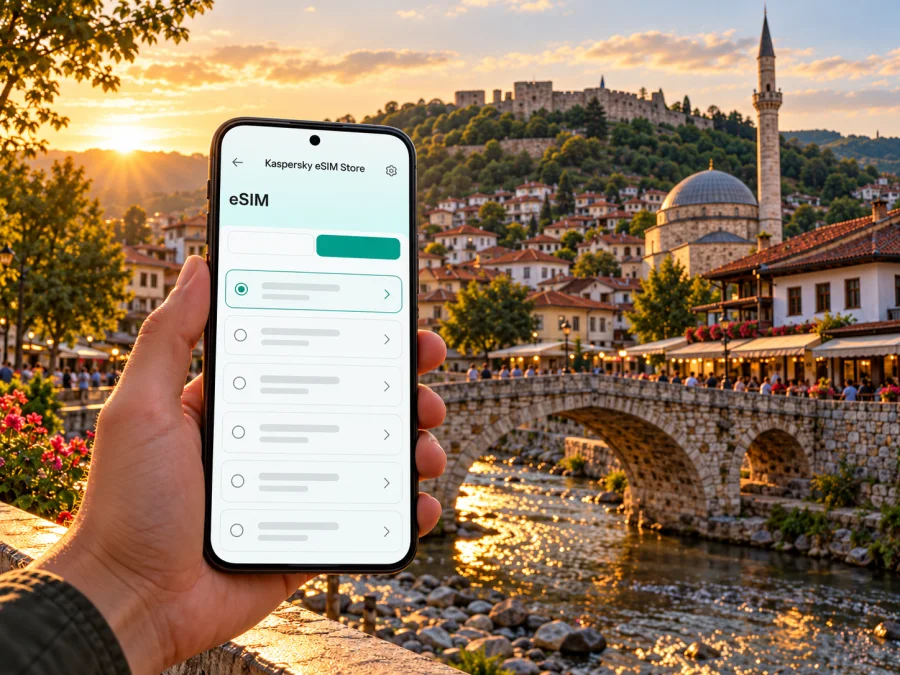
Prizren eSIM: mobile connection and internet for your city trip
Prizren rewards a slower arrival. The old town is compact enough to explore on foot, but a phone is useful from the first transfer: to keep your accommodation address handy, check a route, message a host, translate a sign, or let someone know your plans. An eSIM can be a practical way to prepare mobile internet for Kosovo without changing the physical SIM in your phone, provided your device supports eSIM and a suitable destination plan is actually available for your dates.
This guide focuses on using mobile data around Prizren: planning the arrival, finding your way between the bus station and historic center, walking by the Lumbardhë, and deciding whether an eSIM fits your stay. Coverage, local network access, plan availability and device compatibility depend on the selected service, local operator and exact device version. Check the current terms before purchase; do not assume that a regional plan includes Kosovo just because it is described as European.
What to expect from a visit to Prizren
Prizren sits in southern Kosovo, near the Sharri Mountains. The municipality’s profile describes the city along the Lumbardhë river and identifies the historic center as a concentration of cultural and tourist sites. Among the places it lists are Prizren Castle, Shadervan, the Sinan Pasha Mosque, the Gazi Mehmet Pasha Hamam and the League of Prizren complex. That gives a first-time visitor a useful mental map: many central walks connect the river, old streets, squares and heritage landmarks, while the castle is uphill and calls for more time and effort.
Kosovo declared independence in 2008, and its statehood is not recognized by every country. The United Nations continues to use status-neutral language in its work. For a traveler, the practical point is to use the destination name and entry details shown on your own travel documents, check current border and carrier requirements for your route, and choose an eSIM destination only when the provider explicitly lists the territory you will visit. The wording used in a plan menu is a service classification; it does not settle political status.
Prizren is a city rather than an airport destination. Many international visitors arrive through Prishtina International Airport and then travel onward, while some itineraries enter Kosovo by road from elsewhere in the region. The airport-to-city journey is a separate leg from exploring Prizren itself. Transport options and timetables can change, so confirm the current transfer with the airport, transport operator or accommodation before you travel. If you arrive late, have a backup plan for the final leg and save the address of your lodging offline.
Your first connection: from arrival to the old town
Before leaving the airport or crossing into Kosovo, download your boarding pass, accommodation details and booked tickets. Save an offline map and write down the stop or meeting point so you can show it to a driver. Mobile data can help with live changes and messages, but keep essential details available offline too.
From the Prizren bus station, check the final walking or taxi leg to your accommodation before setting off. The old-town lanes can be easier to navigate when you know a nearby landmark as well as a street address. If your lodging is near Shadervan or the river, use that as a meeting reference; if it is farther uphill, confirm whether the last section is walkable with your bags. A short local ride may be more comfortable after a long transfer, especially in hot weather or after dark.
| Arrival situation | Useful preparation | Why mobile data can help |
|---|---|---|
| You have a pre-booked transfer | Save the driver’s name, pickup point and accommodation address | Contact the driver if a flight or meeting time changes |
| You plan to continue by bus | Check the departure location and current timetable in advance | Recheck updates and coordinate the onward walk |
| You reach the city late | Confirm how to reach the lodging before boarding | Message your host if your arrival is delayed |
| You are travelling with a group | Agree on one meeting landmark and share it in a message | Find one another if the group separates |
A live map pin may not identify the final turn clearly in narrow lanes. Keep the street name, nearby landmark and lodging contact together. If you take a taxi, confirm the destination and preserve enough battery for the arrival message.
Getting around: walk, orient, then go uphill
The central sights are best approached as a sequence rather than as isolated map searches. Start at the river or Shadervan, cross through the historic streets, and leave the climb to Prizren Castle for a time when you have daylight, water and comfortable shoes. The exact time required depends on your pace and starting point. A map helps you choose turns, but the city’s street pattern is part of the visit: pause at recognizable squares and bridges instead of staring at the screen for every block.
A simple way to keep a half-day flexible is to pin three kinds of places before leaving your accommodation:
- A fixed meeting point: your lodging, a central square or the bus station.
- The main places you want to see: for example, the riverfront, Shadervan and the castle approach.
- A practical stop: a café, pharmacy or place where you can sit and recharge your phone.
Keep the phone secure in crowded areas and avoid looking at a map while crossing traffic or walking over uneven paving. Step aside at an intersection to check the next turn; this is safer and saves battery.
The castle viewpoint is a more demanding outing than a riverside stroll. Check route and access conditions, allow time for the climb and return, and carry water in warm weather. Keep enough battery for navigation and contact, or choose a lower viewpoint if the climb does not suit your group.
Choosing mobile internet for a Prizren trip
The right data setup depends on your itinerary, not on the word “eSIM” alone. A short city break may need maps, messaging and occasional searches. A longer stay or remote-work visit may use video calls, cloud files and hotspot sharing, which can consume much more data. A road trip through nearby countries adds another question: whether the selected plan covers every border you expect to cross.
Before choosing a plan, check the following details on its current product page:
- Destination coverage. Confirm that Kosovo is named explicitly, or that the listed regional plan includes it in the included-destinations list. Do not infer inclusion from a broad label such as “Europe” or “Balkans.”
- Data allowance. Estimate your everyday use. Maps and messaging are usually lighter than video streaming, large uploads or frequent hotspot use. Download media and maps over Wi‑Fi when practical.
- Validity and activation. Check when the plan’s validity begins and whether activation can be scheduled. Installing a profile and starting data use may be separate steps, depending on the product terms.
- Network and device requirements. Read any network-selection or roaming instructions. eSIM support can vary by exact model and the market where a device was sold.
- Calls and texts. A travel data eSIM may provide data only, without a new phone number or conventional voice and SMS service. Keep your usual SIM active for calls if that suits your plan and your home operator’s roaming terms.
- Tethering and top-ups. If you expect to share data with a laptop or a travel companion, confirm that the plan and your device permit hotspot use. Check how remaining data and any top-up are handled.
A destination listing may not be available for every territory or at every moment. If Kosovo is not clearly listed, do not buy a plan on the assumption that it will work in Prizren. Check the plan’s included destinations and ask the service’s support team if the wording is unclear. A nearby-country plan is not a substitute unless Kosovo appears in its terms. The exact network partner for a selected plan should be confirmed in that plan’s details; the presence of a mobile operator in Kosovo does not establish that it is included in a particular travel eSIM.
If you want to browse current options, the Kaspersky eSIM Store homepage lets you select a destination and review available plans. It is a general destination selector, not a Kosovo tariff page; confirm Kosovo’s inclusion and all plan conditions before checkout. Kaspersky eSIM Store is an app and website that helps travelers choose, arrange and activate an eSIM with a suitable data plan for an international trip. The service is not the mobile network operator: actual service depends on the selected plan and its local provider.
Check your device before you travel
An eSIM is embedded in a device rather than inserted as a removable card, but not every phone supports it. Support can differ between otherwise similar model names, regional versions and carrier-locked devices. Check the exact model number in your phone settings or original documentation, confirm that the handset is unlocked if necessary, and use the device compatibility checker before purchase. If you are unsure, ask the device manufacturer or your home carrier about that precise version.
Also check whether your phone can keep your usual SIM and an eSIM active together, and decide which line should handle mobile data. Dual-SIM behavior varies by device. Your regular number may remain useful for account verification or incoming calls, but using it abroad can trigger roaming charges under your home plan. Review those terms before departure and disable data roaming on the home line if you do not intend to use it.
A practical pre-trip checklist:
- [ ] Confirm eSIM support for the exact regional device variant.
- [ ] Confirm that the device is not carrier-locked.
- [ ] Make sure you can access email or your account while travelling.
- [ ] Keep the installation QR code or setup instructions available on another screen or printed copy.
- [ ] Review destination, validity, data allowance, top-up and hotspot terms.
- [ ] Save essential maps, addresses, tickets and contacts for offline access.
- [ ] Charge the phone and carry a power bank for a long transfer day.
Install before departure, activate when appropriate
Complete the setup while you have stable Wi‑Fi and time to read each screen. The exact menu names vary by device and operating system. Follow the provider’s current instructions, and do not delete an installed eSIM profile as a troubleshooting shortcut unless support tells you to do so; some activation codes can only be used once.
- Check that the phone supports eSIM and that the selected plan includes the destination.
- Open the purchase confirmation or your account and locate the installation method, such as an in-app setup flow or QR code.
- Add the eSIM in your phone’s mobile-network settings and label it clearly, for example “Travel data.”
- Choose which line will provide mobile data. Keep your home line’s settings consistent with your roaming preferences.
- Follow the plan’s activation instructions. Some plans can be installed before travel and used later; others begin according to their stated activation rules.
- After arrival, enable the travel eSIM for mobile data and follow any network or data-roaming directions specified for that plan.
- Open a lightweight webpage or messaging app to confirm that data works. If it does not, check the selected data line, airplane mode, network selection and the plan’s instructions before contacting support.
You can also follow the Store’s Android eSIM installation instructions or iOS eSIM installation instructions. Keep your purchase details and a way to contact support accessible in case setup needs troubleshooting. If installation requires an internet connection, complete the download before leaving reliable Wi‑Fi or keep another way to get online for the setup step.
If the connection does not work
Troubleshooting is easier when you check one setting at a time. First confirm that the destination is included in the plan and that the plan is active under its terms. Then confirm that mobile data is assigned to the travel eSIM rather than the home SIM. Restarting the device or briefly toggling airplane mode may prompt it to register again, but follow the provider’s instructions and avoid deleting the eSIM profile.
If the phone shows signal but pages do not load, check the plan’s data balance and any required APN or roaming settings. Only use settings supplied by the plan provider; do not copy network settings from an unrelated guide. If there is no service, try the recommended automatic network selection first. Manual selection is appropriate only when the provider’s instructions specify it. Coverage can vary indoors, in dense streets and outside the city, and no travel plan should be assumed to work in every location.
For help, note your device model and software version, the time and place of the issue, the eSIM label, and any error message. Contact support through the channel shown in your account or purchase confirmation. Do not post QR codes, activation codes or account details in public forums.
Frequently asked questions
Is an eSIM available specifically for Prizren?
eSIM coverage is generally described by country or region, not by city. Check the current destination selector and plan details, and proceed only if Kosovo is explicitly included. The general homepage is for browsing destinations and is not evidence that a Kosovo plan is available.
Does a plan for Europe automatically include Kosovo?
No. A regional name does not confirm every territory is included. Read the plan’s included-destinations list and verify Kosovo specifically. If the list is unclear, ask the provider before purchasing.
Will my current phone support eSIM?
That depends on the exact model, regional version and carrier lock. Check the manufacturer’s specifications for your model number and use a compatibility checker. Do this before selecting or paying for a plan.
Can I keep my normal number?
Often, a compatible dual-SIM phone can retain a physical SIM while an eSIM is installed, but the available combinations differ by device. A data-only travel eSIM does not necessarily add a phone number or standard calls and SMS. Check your home carrier’s roaming terms for the existing line.
Can I use a travel eSIM for calls?
A data-only plan supports internet-based messaging or calling apps, but not conventional calls or SMS unless the selected plan explicitly includes those services. Keep in mind that app calls use mobile data.
Should I install the eSIM before reaching Prizren?
If the provider’s instructions permit it, installing before departure over reliable Wi‑Fi can make arrival simpler. Check when validity begins: installation, activation and data use may follow different rules. If the plan offers scheduled activation, follow the stated conditions.
What if I cross a border during the trip?
Check every country on your route against the plan’s included-destinations list. Do not assume that a Kosovo plan includes Albania, North Macedonia, Montenegro or Serbia, or that a neighboring-country plan includes Kosovo. Confirm before travel and review your home SIM roaming settings.
Prepare for Prizren with a clear data plan
For a city stay, the useful setup is simple: confirm that your exact phone version supports eSIM, verify that Kosovo appears in the plan’s current destination list, choose data and validity that fit your itinerary, and install the profile using the provider’s instructions. Save the arrival details and offline map as a backup, then use mobile data for live navigation, messages and changes on the way through Prizren.
When you are ready, browse destinations in Kaspersky eSIM Store and review the current plan conditions before selecting anything for your trip. The page is a general destination selector; it should not be treated as a Kosovo-specific offer unless Kosovo is explicitly shown in the plan details.


