Travel connectivity guide
Progresif eSIM in Brunei Darussalam: what to check
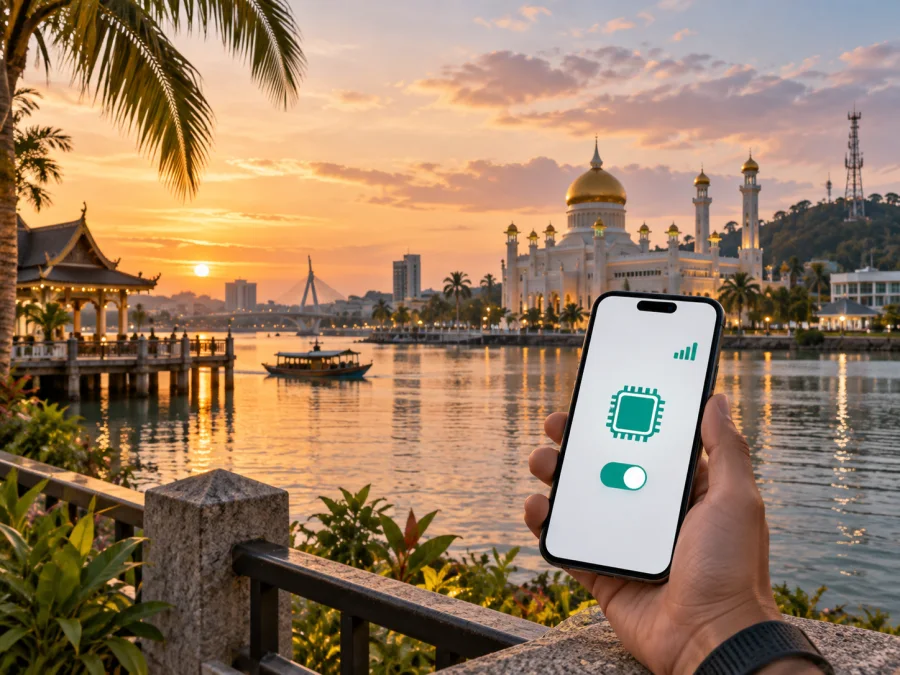
Progresif eSIM in Brunei Darussalam: connection and travel guide
If you are planning a trip to Brunei Darussalam, mobile internet can help with navigation, messages, bookings, work and travel information. Progresif is a Brunei Darussalam telecommunications company serving consumer and business customers. Its official website describes mobile service, prepaid and postpaid options, eSIM support, roaming and a separate travel eSIM option. This guide explains what to check before using Progresif eSIM in Brunei Darussalam, how activation works, and when a separate travel eSIM may suit a different trip.
This article was checked on September 20, 2026. Availability, registration, device compatibility, roaming and coverage can change, so confirm current conditions with Progresif. This article is not affiliated with Progresif, does not represent Progresif, and does not create a partnership with Kaspersky eSIM Store.
Progresif’s role in the mobile market of Brunei Darussalam
Progresif Sdn Bhd describes itself as a government-linked company under Darussalam Assets in Brunei Darussalam. Its current About page says Progresif began with cellular services and expanded into telecommunications services for consumers and businesses. Public information from Unified National Networks, or UNN, explains that network infrastructure is supplied at wholesale level while providers including Progresif offer mobile services. AITI lists Progresif among providers offering 5G to the public. Check the individual service, device and route rather than treating a network label as a guarantee.
Does Progresif support eSIM in Brunei Darussalam?
Yes. On the current Progresif eSIM page, checked September 20, 2026, the operator states that prepaid and postpaid mobile service can be used with eSIM. The same page limits eSIM to compatible devices, so every phone, regional model or customer situation may not qualify.
Progresif describes eSIM as a digital SIM embedded in a phone or tablet. A customer can request a change from a physical SIM to eSIM at a Progresif Store; new registrations and existing customer changes may involve different checks.
The same eSIM page says a Progresif eSIM can be used outside Brunei Darussalam with roaming. It also explains that a compatible phone may hold more than one eSIM profile. These details may help an existing Progresif customer who wants to keep a home line while travelling, but they do not confirm roaming conditions in every destination. Check roaming access, network selection and applicable charges with Progresif before departure.
For a visitor who needs internet only during a trip to Brunei Darussalam, confirm whether the service is local or travel-oriented, what registration is required and whether it can be obtained before arrival. A local line, roaming service and travel eSIM are not interchangeable.
Prepaid, postpaid and tourist access for visitors
Progresif publicly describes prepaid and postpaid mobile service and a travel eSIM option through its customer app. Eligibility, registration, identity checks, destination support and activation instructions may change, so confirm them before travel. This article does not reproduce plan names, prices or plan parameters.
Progresif’s online-sales terms, checked September 20, 2026, say that non-residents and visitors to Brunei Darussalam may purchase a Tourist SIM subject to registration and verification requirements. That statement concerns a Tourist SIM and should not be read as a promise that every visitor can obtain every Progresif mobile or eSIM service remotely. Ask Progresif what is available for your arrival date and what identity document is accepted.
AITI’s public prepaid-SIM registration information identifies Progresif as a participating provider. Prepaid registration can involve identity information, so use an official Progresif website, store or support channel and be cautious of unofficial messages.
Progresif’s travel eSIM page describes a CARE+ app flow with destination selection and QR-code or manual activation details. Visitors should verify account and purchase eligibility.
| Situation | What to verify before travel |
|---|---|
| You already use Progresif | Whether your existing line, eSIM profile and roaming access apply to your destination |
| You want local service in Brunei Darussalam | Visitor eligibility, identification, registration route and store or online availability |
| You want a travel eSIM before departure | Destination support, account requirements and the activation moment |
| You want travel mobile internet | Device compatibility, installation method and data-line selection |
How to activate Progresif eSIM
The Progresif eSIM page provides separate iOS and Android instructions. The labels vary by manufacturer, but the general sequence is to obtain the activation information, add a mobile plan in device settings, scan the QR code or enter details, and select the intended line for mobile data.
For iOS, Progresif’s published steps use Settings, Mobile Data or Cellular, Add eSIM and Use QR Code. After scanning the code delivered by email, continue through activation and choose the appropriate default line. For Android, the page uses Settings, Connections, SIM Manager, Add eSIM and Scan QR Code from service provider. Follow the current instructions on the phone as well as the operator’s guidance.
After installation, check that the intended profile is switched on, mobile data is assigned to it, and data roaming is enabled only when the selected service requires it. Progresif’s travel eSIM instructions also mention APN and data-roaming settings, scanning a QR code or entering details manually, and switching mobile data to the relevant eSIM.
If a QR code arrives by email, keep it accessible on another screen or use manual entry where supported. Do not scan an unverified code or forward an activation code. Installation may need a stable internet connection and a supported network.
Compatibility and restrictions to check
Compatibility has two parts: eSIM capability and network compatibility. A phone can support eSIM in general and still have a regional limitation. It can also support 5G but lack bands used in Brunei Darussalam. Progresif advises checking for an EID by dialling *#06# or looking in device information, and it publishes a compatible-device list. Check the exact model rather than only its product family.
Before leaving for Brunei Darussalam, check:
- the exact regional model supports eSIM;
- the phone is not carrier-locked;
- the operating system supports the manufacturer’s eSIM flow;
- the device can connect to Wi-Fi during installation if needed;
- you know which line will be used for mobile data;
- you can access the email, app or account containing activation details;
- the profile is not being moved between phones without operator approval;
- you have an official support route if the profile does not install.
Progresif states that its eSIM is non-transferable in the ordinary sense. If a customer changes phones, loses a device or deletes a profile, a replacement or reactivation request may be needed at a Progresif Store. Do not delete a working eSIM while troubleshooting unless support instructs you to do so. Dual-SIM behavior differs by phone, so select the intended data line and consider disabling automatic data switching.
Coverage and supported technologies in Brunei Darussalam
Coverage is a location-dependent technical fact, not a universal quality promise. UNN’s mobile-network page, checked September 20, 2026, shows 3G, 4G and 5G coverage and says the map is indicative. It warns that radio conditions, terrain, buildings and ongoing network improvements can change the result. Check the intended route, not only a national label.
UNN’s current FAQ identifies 700 MHz, 1800 MHz and 3500 MHz spectrum for 5G in Brunei Darussalam and lists n28, n3 and n78 as relevant device bands. The same FAQ says 5G is offered through providers including Progresif and that a compatible device, eligible service and coverage area all matter. A phone that lacks the required bands may fall back to another generation or fail to connect to 5G even where a map shows coverage.
AITI explains that 5G availability continues to develop and that a signal can hand over between 5G and 4G, with 3G also relevant in some areas. Do not interpret a 5G icon as a guarantee of a particular speed or uninterrupted service; keep essential travel information available offline.
Local Progresif service or a travel eSIM?
A local Progresif service may be relevant when you need a local mobile relationship, local support or an option designed for regular use in Brunei Darussalam. It may involve registration, identity verification, a store visit, an account or an operator-specific activation flow. Ask Progresif which option matches your visitor status and intended use.
A travel eSIM is a separate preparation model for mobile internet in a destination or region. It is installed on an unlocked compatible device and does not automatically replace a local number or operator support.
Kaspersky eSIM Store is an app and website that helps a traveller choose, arrange and activate an eSIM with a travel data option. It is not a mobile operator, does not own Progresif’s network, does not provide Progresif coverage, and is not the supplier of a local mobile network. The underlying connectivity comes through the selected travel eSIM arrangement and its local operator partners. Check the destination, device compatibility and conditions shown in Kaspersky eSIM Store before completing a purchase.
If you need a local line or operator account in Brunei Darussalam, ask Progresif about visitor registration and eligibility. If you primarily need travel mobile internet, review a separate eSIM’s destination support and activation steps.
Choose an eSIM plan for Brunei Darussalam
A safe setup before and after arrival
Before departure, confirm that the phone is unlocked, supports eSIM and has the correct EID and regional compatibility. Decide which service you need, confirm visitor documents with Progresif if relevant, and install the chosen profile over reliable Wi-Fi when advance installation is supported. Keep the QR code secure and download essential travel information for offline use.
After arrival, enable the intended eSIM, select it for mobile data, and apply APN or roaming settings only when the service instructions require them. Check for a network connection before testing maps or a browser. If needed, toggle airplane mode once and restart the phone. Contact the relevant provider through an official support route if registration, installation or connection still fails.
Troubleshooting Progresif eSIM
If the profile does not appear after scanning, confirm that the phone is unlocked, connected to the internet and not already using the same profile. If data is unavailable, check the selected data line, APN and roaming settings, then allow time for registration. Do not repeatedly delete and reinstall the eSIM without operator guidance. UNN describes coverage as indicative, so also test in a clearer-signal location.
If 5G is unavailable, confirm device bands, service eligibility and local coverage. UNN identifies n3, n28 and n78 for compatibility with the Brunei Darussalam 5G network, but an eSIM cannot add missing hardware support. A 4G connection may be expected outside a 5G area or on a device that does not meet the requirements.
For a visitor using a Tourist SIM or other prepaid service, registration or verification can prevent activation. Use an official Progresif channel and never send identity documents to an unverified contact.
FAQ
Is Progresif eSIM available in Brunei Darussalam?
Yes. Progresif’s current eSIM page says prepaid and postpaid mobile service is available with eSIM on compatible devices. The page was checked on September 20, 2026; verify the exact service and eligibility before purchase.
Can a visitor use Progresif in Brunei Darussalam?
Progresif’s online-sales terms say visitors and non-residents may purchase a Tourist SIM subject to registration and verification. This does not guarantee every eSIM or travel product, so confirm the current visitor route with Progresif.
How is Progresif eSIM activated?
The operator sends a QR code by email. On iOS, add an eSIM from Mobile Data or Cellular; on Android, use SIM Manager and the provider QR-code option. Then select the intended data line and follow applicable APN or roaming instructions.
Will Progresif eSIM work outside Brunei Darussalam?
Progresif says its eSIM can be used abroad with roaming. Destination availability and roaming conditions must be confirmed before departure; a separate travel eSIM may suit a trip focused on mobile internet.
Final checklist for a connected trip
Before travelling to Brunei Darussalam, confirm the exact phone model, unlocked status, EID and available eSIM space. Decide whether you need a local Progresif relationship, a Progresif roaming or travel option, or a separate travel eSIM for mobile internet. If you are a visitor, check registration and identity requirements instead of assuming that a prepaid or tourist option is automatic.
After installation, choose the correct data line, review roaming and APN settings, and keep activation instructions secure. Use coverage maps as guidance, and recheck current public information with Progresif close to departure.
Kaspersky eSIM Store can help you prepare a separate travel eSIM option for mobile internet. It remains an app and website for choosing, arranging and activating a travel eSIM, not an operator or network owner. Choose according to device compatibility, visitor status and current provider conditions.


