Travel connectivity guide
Providenciales eSIM: Mobile Internet Guide
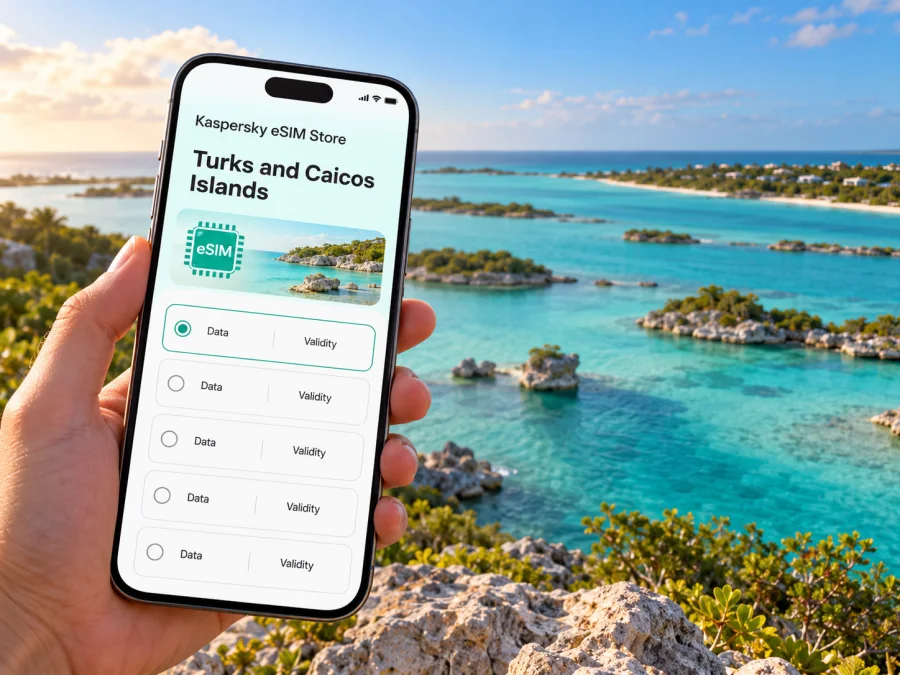
Providenciales eSIM: Mobile Connection and Internet for Your Trip
Providenciales is the best-known visitor hub in the Turks and Caicos Islands, but it is an island rather than a compact city with a single centre. Resorts, villas, shops, beaches and marinas sit across different parts of the coastline. That layout shapes how you use mobile internet: a connection can help you coordinate an airport pickup, find a property entrance, check a route between beaches and keep an itinerary close at hand.
An eSIM is a digital SIM profile installed on a compatible, unlocked device. It can be a practical way to prepare mobile data for a trip without replacing your physical SIM. The exact service, destination coverage, data allowance, validity and activation rules depend on the plan you choose. Before travelling, confirm that its terms specifically include the Turks and Caicos Islands and suit your itinerary on Providenciales.
This guide focuses on the island itself: arrival at Providenciales International Airport, getting around, choosing where to stay, planning beach days and preparing a reliable mobile-data setup without assuming every road or coastline has identical service.
Providenciales at a glance
Providenciales, often called Provo, is part of the Caicos Islands in the British Overseas Territory of the Turks and Caicos Islands. It is not the capital; Cockburn Town is on Grand Turk. Providenciales is, however, the principal international arrival point and the main visitor base for many trips. The international airport is Providenciales International Airport (PLS).
The island’s main visitor areas are spread out. Grace Bay and Leeward are on the northeast coast; The Bight and Turtle Cove sit farther west along the north shore; Chalk Sound, Sapodilla Bay and Taylor Bay are in the southwest. Downtown, Five Cays and Blue Hills have a different, more local character. A map pin can be useful, but always compare the exact address with your accommodation’s directions before setting off.
| Place or area | What it means for a visitor | When mobile data can help |
|---|---|---|
| PLS airport | Arrival point for international flights | Confirm pickup details, message your host and open your onward route |
| Grace Bay | A major resort, dining and beach area | Find a restaurant, confirm a reservation or navigate between your stay and the beach |
| The Bight | A coastal area west of Grace Bay, with accommodation and access to nearby attractions | Check an address and coordinate transport |
| Leeward | A quieter northeast area with resorts and villas | Navigate to a property or arrange a pickup |
| Turtle Cove | A marina and accommodation area on the north coast | Check meeting points for a boat outing |
| Chalk Sound | A lagoon and a more dispersed southwest area | Follow a route to a viewpoint, villa or nearby beach |
| Sapodilla Bay and Taylor Bay | Sheltered beaches in the Chalk Sound region | Save directions and confirm return transport before arrival |
| Blue Hills and Five Cays | Communities on the island’s west and southwest side | Locate a business or meet a driver at a specific address |
Mobile data is useful for directions and coordination, but it is not a substitute for confirming local details. Keep your hotel address, host’s contact information and pickup instructions somewhere accessible offline as well.
Arriving at PLS: plan the first connection
After landing, most visitors need to move from the airport to a resort, villa, rental-car desk or boat transfer. Taxis and rental vehicles are common ways to travel around the island; there is no city rail or bus network to rely on for a fixed airport-to-hotel route. Ask your accommodation or tour operator how its pickup works and whether a driver will meet you inside or outside the terminal.
Before your flight, save the following details:
- the full accommodation address, including the area or community;
- a map pin and written directions supplied by your host;
- the name and phone or messaging details of your pickup contact;
- the rental-car company’s airport instructions, if you have booked a vehicle;
- the meeting point and check-in time for any same-day excursion.
A data connection can help you check messages or reopen a map after landing, but airport Wi-Fi availability can change. If your eSIM is installed, confirm its settings before travel and select it for mobile data when appropriate. Keep your home SIM available for calls or verification messages, and check its roaming settings to avoid unwanted charges.
If you will rent a car, download an offline map of Providenciales before departure. This gives you a fallback if a map app cannot load or mobile service is temporarily unavailable. Take extra care when entering a destination: a search result may point to a nearby access road rather than the exact gate, villa entrance or beach parking area.
Choosing a base and planning everyday routes
Where you stay has a bigger effect on daily journeys than the label “Providenciales” alone suggests. Some visitors can walk between their accommodation, beach and nearby restaurants; others will need a taxi or rental car for most outings. Look at the specific property location rather than assuming all stays described as “Grace Bay” or “near the beach” are equally close to shops or transport.
Grace Bay and the northeast
Grace Bay is a common base for visitors who want hotels, dining and beach access in one general area. Leeward extends the island’s northeast visitor zone. If your plans centre on a resort, a short walking radius may cover much of the day. For a dinner reservation or an outing elsewhere, check the route and arrange the return ride in advance, especially if you do not have a rental vehicle.
The Bight and Turtle Cove
The Bight and Turtle Cove are useful reference points when comparing accommodation along the north coast. Turtle Cove is associated with a marina, so visitors meeting a boat operator should confirm the name of the dock or business rather than navigating only to the broader area. Save the operator’s instructions before leaving your accommodation.
A phone connection can support last-minute coordination, but boat trips still depend on the operator’s schedule, weather and check-in rules. Keep the booking confirmation available offline and arrive using the meeting time provided by the operator.
Chalk Sound, Sapodilla Bay and Taylor Bay
Chalk Sound is a striking lagoon area in the southwest, while Sapodilla Bay and Taylor Bay are nearby beaches. This part of Providenciales is more spread out than the Grace Bay visitor zone, and services and dining options are less concentrated. If you stay here, arrange transport for the full outing rather than assuming a convenient ride will be available at the beach when you are ready to leave.
Navigation is particularly useful for locating a villa, a beach access point or a restaurant along a less familiar road. Download the route or write down the address before setting out. At the same time, mobile coverage can vary by network, device and exact position, so keep directions and a return plan available offline.
Downtown, Blue Hills and Five Cays
Downtown and the communities around Blue Hills and Five Cays offer a more everyday view of the island than the main resort strip. If you are travelling to a shop, local business or meeting point, use the full address and confirm it with the person you are visiting. A district name alone may not be specific enough for a driver or navigation app.
For an appointment, delivery or work visit, share a precise pin only after confirming that it marks the intended entrance. If the pin and written directions disagree, ask the host or business to clarify before you leave.
Selecting an eSIM plan for Providenciales
A city article can help you plan, but the plan’s own coverage details determine whether an eSIM is suitable. Kaspersky eSIM Store is an app and website where you can choose, purchase and activate an eSIM with a data plan for an overseas trip. Available options and terms can change, so review the current destination, network details, data amount, validity period and activation conditions shown for the plan.
When you are ready to compare current options for the destination, browse the eSIM plans listed for the Turks and Caicos Islands. That page is for the country or territory, not a separate Providenciales tariff. Check the plan information to confirm that it matches your exact destination and trip dates; do not infer island-wide or specific-site coverage from the destination label alone.
Before choosing, consider what you will actually do with mobile data:
| Trip pattern | Likely data use | What to check in plan terms |
|---|---|---|
| Resort stay with occasional outings | Messaging, maps and booking checks | Validity period, destination coverage and whether data-only service is enough |
| Several beach stops in a rental car | Navigation, messages, searching for addresses | Whether the plan covers Turks and Caicos and how to manage data use |
| Remote work or frequent video calls | Calls over apps, email, cloud files and meetings | Data allowance, tethering rules, expected reliability and a Wi-Fi backup |
| Short stop before an onward flight or boat trip | Pickup messages, maps and schedule changes | When the plan activates and whether it remains valid for the full stop |
| A group travelling together | Shared location, messaging and coordination | Whether each traveller needs a separate compatible device and plan |
Data-only eSIMs generally do not replace a regular phone number for cellular calls or SMS unless the particular offer explicitly says otherwise. You can use internet-based messaging and calling apps where supported, but keep access to your usual number if you depend on bank codes, airline alerts or other verification messages. Read the chosen plan’s terms rather than assuming every eSIM has the same features.
Check your device and regional variant
Before purchase, confirm that the exact phone or tablet supports eSIM, is not locked to a carrier and can use the installation method provided with the plan. Device names can cover regional variants with different capabilities. A model sold in one market may not have the same SIM configuration as a similarly named model sold elsewhere. Check the device manufacturer’s support information for your exact model number and region, then check whether your device is compatible with eSIM.
Do not rely only on a general online list or the product family name. Also make sure the operating system is up to date, you can connect to Wi-Fi during installation, and you have access to the account or email address where installation details will be delivered.
A quick pre-purchase checklist:
- [ ] The exact device variant supports eSIM.
- [ ] The device is unlocked for use with another provider.
- [ ] The selected plan lists Turks and Caicos Islands as a covered destination.
- [ ] The plan’s data amount and validity suit the dates and activities you expect.
- [ ] You understand whether activation begins on installation, on first network connection or at another stated point.
- [ ] Your home SIM remains available if you need its number for calls or verification.
- [ ] You have saved the installation information and know how to contact support.
Install before you leave, connect when appropriate
If possible, set up the eSIM while you still have dependable Wi-Fi and time to follow the instructions. The installation sequence varies by device and plan, so use the on-screen steps supplied with your purchase. Keep the QR code or activation details accessible on a second screen or in a saved message if your phone requires them during setup.
For device-specific help, follow the Android eSIM installation instructions or the iOS eSIM installation instructions. Do not delete an installed eSIM profile as a troubleshooting shortcut unless the instructions or support team tell you to; some activation codes can only be used once.
A practical sequence is:
- Check eligibility. Confirm eSIM support and that the device is unlocked.
- Review the plan. Verify the destination, amount of data, validity and activation rules.
- Install with a stable connection. Follow the instructions for your device and save the profile as a clearly named travel line.
- Choose the data line. Keep your home SIM selected for ordinary calls or texts if needed, and set the travel eSIM as the mobile-data line when you intend to use it.
- Check the settings. Some plans or devices may require data roaming to be enabled for the travel eSIM. Follow the plan’s instructions and make sure roaming on your home SIM is configured as you intend.
- Test calmly. Once at the destination and when ready for the plan to start, check that the travel line is active and that mobile data is assigned to it. If it does not connect, use the plan’s troubleshooting steps before changing multiple settings.
Activation timing is plan-specific. Installing the profile at home does not necessarily mean that your data validity starts immediately, and connecting to a network can trigger activation for some plans. Read the exact terms before installation if you want to control when the validity period begins.
Beyond Providenciales
Providenciales can also be a starting point for travel to other islands in the Turks and Caicos Islands. Inter-island trips may involve domestic flights or passenger ferries, depending on the destination and current schedules. A country-level eSIM plan should not be assumed to work identically on every island, boat route or terminal. Check the plan’s geographic coverage and ask the transport operator about the meeting point and departure instructions.
For a day trip, download tickets and directions in advance, save the return schedule, and carry the accommodation address. If a ferry or flight is delayed, mobile data can help you contact your host or check a booking, but the operator’s current notice is the authority for timing.
If your itinerary combines Providenciales with another country, verify that every destination is included in the chosen plan or select a plan whose stated regional coverage explicitly includes each stop. A Caribbean label or a nearby island name does not by itself confirm coverage in the Turks and Caicos Islands.
When the connection is not working
A missing signal does not always mean that an eSIM is faulty. The issue may relate to the selected data line, plan activation, device settings, local network availability or a temporary outage. Try these steps in order:
- Check that the eSIM profile is still installed and enabled.
- Confirm that mobile data is assigned to the travel eSIM rather than the home SIM.
- Check the plan’s destination and activation conditions.
- Follow the provider’s instructions for network selection and data roaming; avoid changing settings that are not covered by those instructions.
- Toggle airplane mode once, wait briefly and check again in a place where you can safely stop.
- Use Wi-Fi to open the plan’s support guidance if service does not return.
Keep a screenshot of the plan details and installation status for support. Do not remove the eSIM profile unless instructed, and do not assume that a specific beach, property or road has guaranteed service. If you need urgent assistance, use local emergency contact methods available on your device or ask staff nearby; a data plan is not an emergency service.
Frequently asked questions
Is Providenciales a city or an island?
Providenciales is an island in the Turks and Caicos Islands, and a popular visitor destination commonly shortened to Provo. It has distinct communities and resort areas rather than one dense urban centre. This is why route planning should use the exact address or pickup point.
Does an eSIM for Turks and Caicos work everywhere on Providenciales?
No plan should be treated as a guarantee of service at every address or beach. Coverage depends on the plan, local network, device and conditions. Review the plan’s coverage information and keep offline directions and key contacts available.
Can I use a travel eSIM for calls and text messages?
Many travel eSIM plans are data-only and do not provide a separate phone number for conventional calls or SMS. Check the particular plan. Messaging and voice apps may work over data, while your regular SIM may remain useful for calls and verification messages.
Should I install the eSIM before flying?
Installing before departure can give you time to troubleshoot over Wi-Fi, but the right timing depends on the plan’s activation rules. Read when validity begins and follow the supplied instructions. If you are unsure, contact support before deleting or reinstalling a profile.
Prepare your connection for the trip
Providenciales is easier to navigate when your plan, accommodation address and transport arrangements are ready before you need them. Check the exact eSIM support for your device, review the plan’s Turks and Caicos coverage and activation terms, install it over a reliable connection, and save essential directions offline.
When you are ready, review the current eSIM options for a trip to the Turks and Caicos Islands in Kaspersky eSIM Store. Choose a plan only after confirming its destination, data allowance, validity and device requirements, then use the Android or iOS instructions to set it up for your journey.


