Travel connectivity guide
Puno eSIM: Mobile Internet and Connection Guide
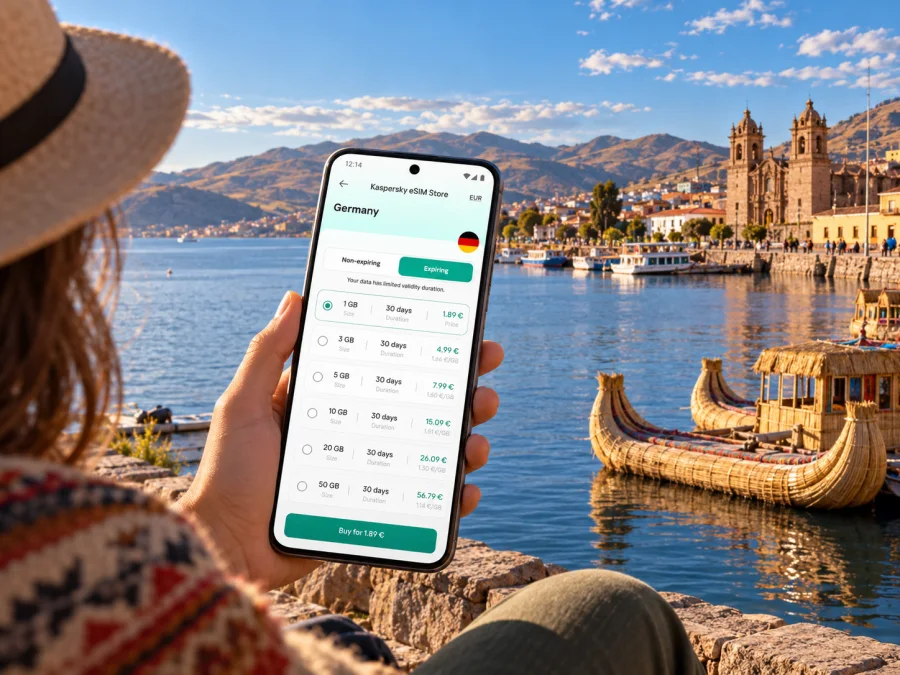
Puno eSIM: mobile connection and internet for your Peru trip
Puno is more than a stop beside Lake Titicaca. It is a working highland city, a departure point for lake excursions and a practical base for travellers crossing southern Peru. Mobile data can help you coordinate the transfer from Juliaca, find your accommodation, confirm a boat departure, translate a menu or message someone when plans change. An eSIM can make that easier without replacing the physical SIM already in your phone.
The useful question is not simply whether an eSIM is available for Peru. It is whether the selected plan covers the places on your itinerary, fits the length of your stay and works with your exact device. Puno sits at about 3,827 metres above sea level, and trips from the city often continue over the lake or across the Altiplano. Prepare for those details before you rely on mobile data for directions or bookings.
Why mobile data is useful in Puno
Puno’s compact centre is walkable for many visitors, but a trip here rarely stays within a few blocks. You may arrive by road from Juliaca, cross town to a hotel, head to the port before sunrise, or return after a day trip to the Uros Islands, Taquile or Amantaní. A working data connection is useful at the transitions: checking the meeting point, sharing an arrival update, opening a map or retrieving a reservation.
Keep these everyday tasks in mind:
- Arrival coordination: message your driver or accommodation if your flight or bus is delayed, and confirm the agreed pick-up point.
- Street navigation: follow a walking route from the bus terminal to your lodging, or compare the route back from the waterfront after dark.
- Lake excursions: keep the tour operator’s meeting details, booking confirmation and return arrangements available offline as well as online.
- Work and calls: use email, cloud documents and internet calling where the connection and your plan allow. A travel data eSIM does not automatically include a regular local phone number, voice calls or SMS.
- Practical information: check opening hours, weather updates and transport messages. Save key details in advance in case a signal is weak or unavailable.
Mobile data is a tool for navigating the trip, not a substitute for planning. A downloaded map, a written hotel address and a screenshot of your tour confirmation can still be useful if your phone has no service, the battery runs low or you are away from a reliable signal.
Getting to Puno: plan the Juliaca transfer
For air travel to Puno, Peru’s official tourism guide points to Inca Manco Cápac International Airport in Juliaca, followed by a road transfer to the city. Travellers flying from Lima generally use this route. Peru’s official tourism information describes the Juliaca–Puno leg as roughly 40 minutes by bus or car; actual time depends on traffic, weather, pick-up arrangements and the precise destination in Puno.
That transfer is a good reason to decide how you will connect before the flight. If your eSIM is installed and its plan is ready for use, you may be able to check messages and directions after landing, subject to the plan’s coverage and activation conditions. If you plan to install it after arrival, first make sure you have the instructions, account access and any required QR code or in-app setup available. Airport Wi-Fi can be useful for a short task, but should not be your only way to retrieve essential travel details.
At the airport, confirm the driver and meeting point, check which line is selected for data, and keep your accommodation address available offline. If installation is still pending, make sure you can access the account and setup instructions over Wi-Fi.
A connection during the transfer may be convenient, but do not assume that mobile data will be continuous on every road segment. A rural route, a vehicle interior, local terrain or network conditions can affect reception. Keep the destination and contact information accessible without a live connection.
Move around the centre with a little preparation
The central area, the main square and the lakeside are natural reference points for a first visit. Your hotel may be near the centre, closer to the port or uphill from the waterfront, so a short distance on a map can still involve a different route or slope. Use a map to orient yourself, then confirm the exact entrance and address with your accommodation. In unfamiliar streets, choose the route that is clear and well lit rather than relying on a line drawn across a map.
Local vehicles and taxis serve Puno, while buses connect the city with Juliaca and destinations elsewhere in the region. Stops and departure arrangements vary, so ask your hotel or transport provider which terminal applies to your journey. Confirm the fare and destination before setting off.
Mobile data is especially helpful when details change, but preserve a copy of the essentials:
| Before leaving your accommodation | Keep available offline |
|---|---|
| Confirm the vehicle, pick-up point and time | Hotel name, street address and phone/contact details |
| Check the day’s route and estimated travel time | Tour voucher, booking reference and operator instructions |
| Share your expected return time with a companion | Map area or pinned destination, where supported |
| Check whether payment is cash, card or arranged in advance | A note of the agreed fare or meeting location |
For boat trips, treat the port as a departure point rather than an all-day signal guarantee. Save your booking and return details before boarding. Ask the tour operator what time to return, how to identify the group and what to do if you become separated. Coverage on the lake can differ from what you experience in town, and the operator’s instructions should guide the excursion.
A city stay and a lake itinerary need different data habits
If you are staying in central Puno and using maps, messaging and occasional searches, your data use may be modest. A longer stay with frequent video calls, cloud uploads, remote work or navigation throughout the day can use considerably more. Boat excursions and side trips also make it harder to estimate usage because your connection may be intermittent and you may rely on offline resources instead.
Think about your own pattern rather than selecting a package only by trip length. A short visit does not always mean low data use, and a longer stay does not necessarily require a large allowance if you mostly use Wi-Fi and offline maps.
| Travel pattern | What to consider when choosing a plan |
|---|---|
| Overnight stop before or after a lake tour | Enough data for messages, maps, transport coordination and booking access |
| Several nights in Puno | Validity that covers the full travel period, including arrival and departure days |
| Remote work from a hotel | Expected video-call time, file uploads and whether the accommodation has reliable Wi-Fi |
| Multi-city route through Peru | Whether the plan is valid throughout Peru, not just in a named city or region |
| Boat or countryside day trip | Offline maps and saved tickets, because reception may vary beyond the urban area |
Before you purchase, compare the plan’s destination, data allowance, validity period, price, activation trigger and any conditions on tethering or top-ups. The plan may begin its validity at installation, first network connection or another point described in its terms. Check that detail rather than installing early on the assumption that the countdown starts only when you reach Puno.
If you want to review what is currently listed for the country, browse the available Peru eSIM options. The page is for Peru; the plan details shown there determine the destinations and conditions that apply. Availability, partner networks, data amounts and prices can change, so confirm the terms for the option you choose before payment.
Choose for the route, not just the city name
A city page can help you plan, but an eSIM plan is usually defined by its country or regional coverage. Before you select one for Puno, make sure the plan’s destination includes Peru and check whether it is suitable for your full route. A journey from Lima to Juliaca and Puno, a few days on Lake Titicaca, then onward to Cusco or Arequipa should be considered as one itinerary. Do not infer coverage in a place from a map image or from the fact that a plan is labelled with a country name; read the current plan conditions.
A useful decision checklist:
- Destination: Does the plan explicitly include Peru? If your route crosses a border, does it include every country where you expect to use data?
- Validity: Will the plan remain active through the last day you need it? Account for overnight travel and changes to your return date.
- Allowance: Estimate navigation, messaging, browsing, calls over data and any work use. Video and photo backups can consume data quickly.
- Activation: Find out whether validity begins on purchase, installation or first connection, and follow the plan’s instructions.
- Tethering: If you want to connect a laptop or travel companion, check whether hotspot use is supported by that plan and device.
- Fallback: Keep access to hotel details and bookings offline. A data eSIM does not replace emergency planning or your home SIM’s phone-number functions.
Kaspersky eSIM Store is an app and website where you can choose, arrange and activate an eSIM with a suitable plan for mobile internet on an international trip. The plan’s conditions come from the selected offer. Check the destination, validity, data volume and restrictions in the product information before confirming.
eSIM compatibility and device checks
An eSIM is a digital SIM profile stored in a compatible device. Support depends on the exact phone or tablet model and, in some cases, the market version or carrier configuration. The name of a device family alone is not enough to confirm support. Your device may also be locked to a mobile operator, which can prevent you from using another provider’s eSIM.
Before choosing a plan, check whether your device supports eSIM and review the manufacturer’s settings for your exact model. Look for an option to add a mobile plan or eSIM in the cellular/mobile network settings. If the menu is absent, confirm the model number and regional variant with the manufacturer or your original carrier. Do not buy on the assumption that every version of a popular phone has identical capabilities.
Also check practical setup conditions:
- Your device can connect to Wi-Fi during installation if the setup process requires it.
- You can access the email address or account used for the purchase.
- You know which line will handle mobile data and which line remains your usual number.
- The device has enough battery and is updated enough to show its current cellular settings.
- You understand whether data roaming must be enabled for the travel eSIM under its instructions. That setting is separate from roaming on your home SIM.
An eSIM plan for data is not automatically a local number. If you need conventional voice calls or SMS—for example, to receive a bank verification code—keep a working option for that purpose and check your home provider’s roaming terms. Internet-based calls and messaging apps can work over data when the app, recipient and connection support them, but they do not turn the eSIM into a regular phone line.
Install before departure or after arrival
Installing before you travel gives you time to resolve setup issues over Wi-Fi. Whether to install early or wait until Peru depends on the plan’s activation rules: validity may start at installation, first network connection or another point. Read the selected plan’s instructions and do not delete an installed eSIM profile unless support advises you to.
A careful setup sequence is:
- Check eSIM support and make sure the phone is not carrier-locked.
- Read the selected plan’s destination, validity, activation and data-use conditions.
- Connect to stable Wi-Fi and follow the installation flow in the app or the supplied QR-code instructions.
- Label the profile clearly, such as “Peru data,” so you can identify it beside your home SIM.
- Set the travel eSIM as the mobile-data line only when you intend to use it, and retain your usual line for calls or SMS if appropriate.
- On arrival, enable the settings required by the plan and confirm that the selected line is being used for data.
- Test with a simple webpage or message, then check the profile and plan status if data does not work.
Use the step-by-step Android eSIM installation guide or iPhone eSIM installation guide for platform-specific help. Menu names can differ by operating-system version and device manufacturer, so follow the on-screen prompts for your phone.
If the connection does not start, check the basics in order: airplane mode is off; the travel eSIM is enabled; the correct line is selected for mobile data; the plan is active and valid; and any required data-roaming setting is enabled for that eSIM. Restarting the phone may help it register again. If the issue continues, use Wi-Fi to check the plan details and contact the service support channel before removing the eSIM profile.
Puno’s altitude changes the pace of your day
Peru’s tourism information lists Puno at approximately 3,827 metres above sea level; Lake Titicaca is also above 3,800 metres. Visitors can feel the altitude differently, so leave room to acclimatise and follow health advice appropriate to you. An eSIM is not a substitute for medical advice or local assistance, and should not be your only way to reach help.
Long walks, cold evenings and full days outdoors can drain a phone battery. Carry a charged power bank, save your hotel address and download maps before setting out. Check weather and tour arrangements before a boat trip, and keep the operator’s instructions available offline in case a live connection is unavailable.
Short stays, work trips and onward travel
- Short stopover: save your hotel and bus details, and prepare the eSIM according to its activation rules. Use data for immediate arrival tasks while keeping offline copies.
- Lake excursion: save the operator’s instructions and meeting point before leaving central Puno. Confirm the return time and group arrangements; reception may vary on the lake.
- Remote work: test accommodation Wi-Fi before scheduled calls, download key files and avoid large backups over mobile data. Treat an eSIM as a possible backup only if the plan permits it and service is adequate.
- Longer Peru route: compare the plan’s destination with every overnight stop. If you continue to Bolivia, check explicitly whether that country is included instead of assuming a Peru plan crosses the border.
Frequently asked questions
Is there an airport in Puno?
The usual air arrival for Puno is through Inca Manco Cápac International Airport in Juliaca, followed by a road transfer to Puno. Peru’s official tourism information gives the Juliaca–Puno trip as approximately 40 minutes by bus or car, though your actual journey may take longer. Confirm current flight and transfer details before travelling.
Will a Peru eSIM work on Lake Titicaca?
That depends on the plan, its partner network and local reception. Check the current destination terms and ask the excursion operator what connectivity to expect. Reception can differ between Puno’s urban centre, the shore, the islands and the water. Save maps and booking details offline.
Can I use an eSIM for calls and text messages?
A travel eSIM plan may provide mobile data without a conventional local phone number, voice minutes or SMS. Check the plan’s details. Messaging and voice apps can use data, while ordinary calls and text messages may need your regular SIM or another service.
What if my phone says it cannot add an eSIM?
Confirm the exact model and regional version, check for an eSIM option in mobile-network settings, and make sure the phone is not carrier-locked. Compatibility differs by model and market. Ask the device manufacturer or your home carrier if the settings do not match the instructions.
Who determines mobile service availability in Puno?
Kaspersky eSIM Store is the app and website used to choose, arrange and activate an eSIM plan for an international trip. Mobile service depends on the selected plan and the network arrangements described for it. Review the specific offer’s coverage information and conditions; no city-wide reception level should be assumed.
Prepare your Puno connection before you go
A little preparation makes the arrival in Puno easier: confirm the road transfer from Juliaca, save your lodging and tour details, check the altitude and weather, and decide how much data your actual travel routine needs. Verify that your exact device supports eSIM, understand when the selected plan becomes active and keep essential information available offline.
Kaspersky eSIM Store lets you use its app or website to choose, arrange and activate an eSIM with a plan for mobile internet during an international trip. Review the current Peru options and their terms, then choose a suitable eSIM plan for your trip to Puno. Install it on a compatible, unlocked device according to the plan instructions, and keep your usual number available if you need standard calls or SMS.


