Travel connectivity guide
Qaqortoq eSIM: Mobile Internet and Connection Guide
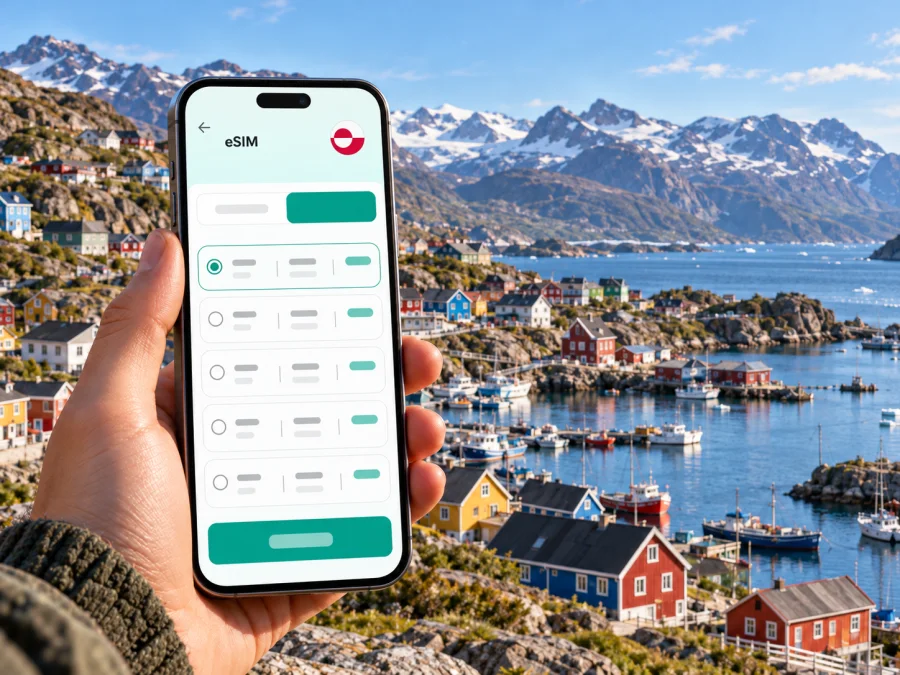
Qaqortoq eSIM: A Practical Guide to Mobile Connection and Internet
Qaqortoq is a compact South Greenland town with a harbor, steep streets, colorful houses, and excursions that can take you far beyond the built-up area. A travel eSIM can help you use mobile internet for arrival details, maps, messages, bookings, and onward travel without changing the physical SIM in your phone. It is a data connection, not a guarantee of signal in every place you visit: coverage, speed, and access depend on the selected plan, compatible device, local network, terrain, and current service conditions.
The name Qaqortoq means “the white one” in Greenlandic. The town is often described as the largest in South Greenland, and it is a useful base for exploring the region. For a visitor, the practical question is not simply whether a phone shows a signal in town. It is whether you can get the information you need at each stage: at the airport, around the harbor and accommodation, and when arranging a boat, helicopter, or walking excursion.
Qaqortoq is in Greenland, not a Danish city
Greenland is a self-governing part of the Kingdom of Denmark, with its own government and distinct geographic and administrative status. Qaqortoq is a Greenlandic town, not a city in Denmark. That distinction matters when choosing a travel data plan: a Denmark destination or a plan that includes Denmark should not be assumed to cover Greenland. Check that the plan’s stated destination is Greenland and read its current terms before purchase.
Kaspersky eSIM Store is an app and website that helps travellers choose, arrange, and activate an eSIM with a suitable data plan for an international trip. Its Greenland destination page currently identifies “TELE” among the local telecommunications providers for listed plans. That listing does not guarantee a particular signal level, technology, or coverage at every address, and plan details can change. Check the current destination page and the terms shown for the specific option you are considering.
An eSIM is a digital SIM profile installed on a compatible device. It can provide mobile data without taking out your home SIM, subject to the plan’s conditions. Unless the selected offer explicitly says otherwise, treat it as data-only: keep your usual number available for calls or texts if needed, and use messaging or calling apps over data when appropriate. Your home operator may still charge for roaming if its SIM remains active for calls, texts, or data, so review the settings and charges for that line.
What mobile internet is useful for in Qaqortoq
Mobile data can help you check flight updates, contact a host or guide, coordinate a harbor pickup, find local services, translate a short phrase, or keep work messages available. It is a convenience, not a substitute for preparation: download maps and confirmations, save key addresses offline, and carry a charged phone or battery pack on longer days.
Arrival: airport, transfer, and first connection
Qaqortoq Airport opened in April 2026, changing how visitors can reach South Greenland. Air Greenland’s current route information describes connections through Nuuk and scheduled links to Qaqortoq; the exact operating days and onward services depend on season and date. Check your itinerary with the airline before departure, including baggage arrangements and the connection between your flight and any boat or helicopter transfer.
Before boarding, save your booking reference, accommodation details, and any transfer instructions where you can access them offline. If a flight is delayed or a connection changes, mobile internet can make it easier to check airline updates and contact the next person in your itinerary. Do not rely on a message arriving instantly: service can be affected by local conditions, and an airport connection may be busy or temporarily unavailable.
If you install an eSIM before travel, do it while you have stable Wi-Fi and enough time to follow the instructions. Installation and first use are separate steps. The profile may be added before departure, while the data line is enabled when you are ready to use it according to the plan instructions. Keep the QR code or installation details accessible on another screen or saved in the app if provided; a QR code displayed only on the same phone is difficult to scan with that phone.
Once you land, select the intended eSIM for mobile data in your device settings. Keep your home SIM assigned to your normal number if you need it, and check which line handles calls, messages, and data. Some eSIMs require data roaming to be enabled for that eSIM to connect. This setting is separate from roaming on your home line; confirm the selected data line carefully to avoid unwanted charges from your regular operator.
Getting around the town and planning a day out
Qaqortoq’s central area clusters around the harbor and main square. You can explore much of the town on foot, but hills and weather can make a short distance feel longer than it appears on a map. If you are carrying bags, travelling with limited mobility, or staying uphill, ask your accommodation about the most practical transfer or taxi option rather than assuming every route is an easy stroll.
Qaqortoq also works as a starting point for trips around South Greenland. Local excursions may involve boats, helicopters, or walking, and availability changes with season, weather, and the operator’s schedule. The new airport has shifted the region’s air connections; helicopter services continue to link Qaqortoq with places such as Narsaq and Nanortalik under current arrangements. Check the actual timetable and the details of your own booking. Do not plan a tight connection around a route that runs only on selected dates or is weather-dependent.
Signal can change quickly once you leave the town centre. A current Greenland network page lists Qaqortoq among the towns with 5G service, while explicitly excluding satellite towns and settlements from that city list. This is useful context, but it is not a promise that every street, building, excursion route, or compatible travel eSIM will use 5G. Your plan may connect through a local partner under its own technical and commercial arrangements. For a boat trip or a remote overnight stay, download maps and essential information in advance and ask the excursion provider what communications are available along the route.
Choose the plan for the whole itinerary
Start with the places you will actually visit, not just the first town on your ticket. If the trip is limited to Qaqortoq, a Greenland-specific destination may be the clearest starting point. If you are continuing to Nuuk, Narsaq, Nanortalik, or another settlement, confirm that the plan covers every destination and that service is expected there. A local network footprint in Qaqortoq does not establish coverage throughout South Greenland.
Before choosing, compare the current plan conditions rather than relying on a headline or a flag icon:
| Check | Why it matters in Qaqortoq |
|---|---|
| Destination list | Greenland is distinct from Denmark for plan selection; confirm the listed territory. |
| Coverage wording | Town coverage does not establish service in nearby settlements, on the water, or along an excursion route. |
| Data amount | Maps, messages, browsing, photo uploads, and video calls use different amounts of data. |
| Validity period | Match the plan period to the trip and check when its validity begins. |
| Network and technology | A local provider name or 5G availability in town does not guarantee access to every technology on every plan. |
| Hotspot rules | Check the plan terms and device support if you intend to connect a laptop or share data. |
| Calls and messages | Confirm whether the offer is data-only; do not assume it includes a local phone number. |
For a short visit, estimate the essentials first: messaging, map use, email, and occasional browsing. Add a margin if you expect to upload large photos, work remotely, use video calls, or share data with another device. If your itinerary includes several destinations, use less data-dependent habits in places where service may be limited: store boarding passes offline, download maps, and send important messages before leaving town.
You can check the current eSIM options for Greenland and compare the destination, validity, data amount, provider information, and terms shown at the time you plan to travel. Treat the page as a place to review current options, not as a guarantee of coverage at a specific Qaqortoq address or on every regional excursion.
Prepare your phone before you leave
Compatibility depends on the device model, its regional variant, software, and carrier lock status. Some phones sold in one market support eSIM while a similarly named version sold elsewhere does not. Do not rely on a model family name alone. Confirm eSIM support for the exact device in its settings or manufacturer documentation, and check that the phone is not restricted to a home carrier. You can check whether your device supports eSIM before choosing a plan.
A simple pre-trip checklist:
- Confirm that the exact phone or tablet variant supports eSIM.
- Check that it is unlocked for use with another provider’s eSIM profile.
- Install operating-system updates while you have a stable connection and power.
- Make sure you can sign in to the Kaspersky eSIM Store app or website.
- Keep access to the purchase confirmation and QR code, if one is issued.
- Ask whether your plan starts at purchase, installation, or first connection; do not guess.
- Save essential trip details for offline access.
- Decide which SIM line will handle mobile data, calls, and messages.
The app and web flow can help you choose, arrange, and activate a travel eSIM, but the correct setup varies by phone. Avoid deleting a profile or resetting network settings while troubleshooting unless the instructions or support team tell you to do so. eSIM profiles may not be reusable after removal, depending on the provider’s rules.
Install and activate an eSIM
Use a reliable internet connection for installation. The precise menu names differ by operating system version and device maker, so follow the instructions for your own phone and the plan details in your account.
- Check the device. Confirm eSIM support and unlock status before purchase.
- Choose the destination and plan. Read the included destinations, data amount, validity, and activation conditions.
- Add the profile. Follow the in-app steps or scan the supplied QR code using the device’s mobile-network settings.
- Label the line. A name such as “Travel” can make it easier to distinguish the eSIM from your home SIM.
- Choose the data line. Set the travel eSIM as the mobile-data line when you are ready to use it.
- Check roaming for that line. If the plan instructions require data roaming, enable it for the travel eSIM, not automatically for every SIM in the phone.
- Allow time to connect. Follow the plan’s activation instructions and wait for the device to register. Do not repeatedly delete and reinstall the eSIM if connection takes longer than expected.
For device-specific walkthroughs, see the iOS eSIM installation guide or the Android eSIM installation guide. The Android guide notes that menu steps can vary by model and version; use the settings names on your own device and the instructions for your plan.
If the eSIM does not connect
Start with the basic checks: confirm that the profile is installed and switched on, mobile data is assigned to the intended line, airplane mode is off, and your device has restarted after setup. Check whether the plan is active for the date and destination and whether roaming must be enabled on that eSIM. If the phone displays “No Service,” move to a location where a local signal may be available and allow a few minutes for network registration.
Choose an approach for common trip scenarios
Several nights with day trips. Check the itinerary destination by destination. Download maps and excursion instructions in Qaqortoq before leaving. Ask the guide whether the route includes places where mobile coverage is limited and confirm how the group will communicate if plans change.
A flight connection or schedule change. Store flight and accommodation details offline. Use data to check updates when available, but keep the airline’s confirmation and any transfer instructions accessible without a network connection. For a helicopter or boat connection, leave sufficient time and verify the current schedule directly with the transport provider.
Remote work. Test the eSIM and your work applications before relying on them. Check whether the lodging has Wi-Fi, whether your plan permits tethering, and whether the connection is suitable for calls. Do not assume the town’s 5G listing guarantees indoor signal or a stable video meeting at your particular accommodation.
Keeping your home number active. Leave the home SIM available for calls or verification messages if needed, but review its data-roaming and call charges with your home operator. Assign mobile data to the travel eSIM only when appropriate. A travel eSIM generally does not replace your ordinary number unless its specific terms say otherwise.
Frequently asked questions
Does an eSIM for Denmark automatically work in Qaqortoq?
Not necessarily. Greenland is a self-governing territory within the Kingdom of Denmark and is listed as a distinct destination on travel eSIM pages. Check the exact destination list and terms of your plan; do not infer Greenland coverage from the word “Denmark.”
Is 5G available in Qaqortoq?
Tusass currently lists Qaqortoq among Greenland’s towns with 5G. Its coverage notice excludes satellite towns and settlements, and availability can vary by address. A travel eSIM may have separate access conditions, so neither the local city listing nor a compatible 5G phone guarantees that a particular plan will use 5G.
Can I use the eSIM for ordinary calls and texts?
Only if the specific plan explicitly includes them. Many travel eSIM plans are data-only and do not provide a standard phone number or SMS service. You can use messaging or voice apps over data, while your regular SIM may remain available under your home operator’s terms.
Do I need to install the eSIM before arriving?
It is often convenient to install it in advance over stable Wi-Fi, then enable the line when you are ready to use it. Check the plan’s activation rules because validity and data use may begin at different points. Keep the QR code or activation details accessible if you need them.
What if my phone supports eSIM only in some regional versions?
Check the exact model number and country variant, not just the product family name. Confirm eSIM support in the phone’s settings or manufacturer information and check that the device is unlocked. If support remains unclear, ask the device seller or manufacturer before purchasing a plan.
Before you set off
For Qaqortoq, useful preparation is specific: check the Greenland destination rather than assume Denmark coverage, confirm your exact device variant, save flight and accommodation details offline, and verify onward transport in South Greenland. Use mobile data for maps and coordination where the selected plan and local network provide service, while keeping a backup for areas without a signal.
When you are ready, review the current Greenland eSIM options in Kaspersky eSIM Store, compare the terms for your route, and follow the installation steps for your device. Choose and activate a plan that matches the places and dates on your itinerary, then keep key travel information available offline for the parts of South Greenland where mobile service may be limited.


