Travel connectivity guide
Qcell eSIM in The Gambia: setup guide
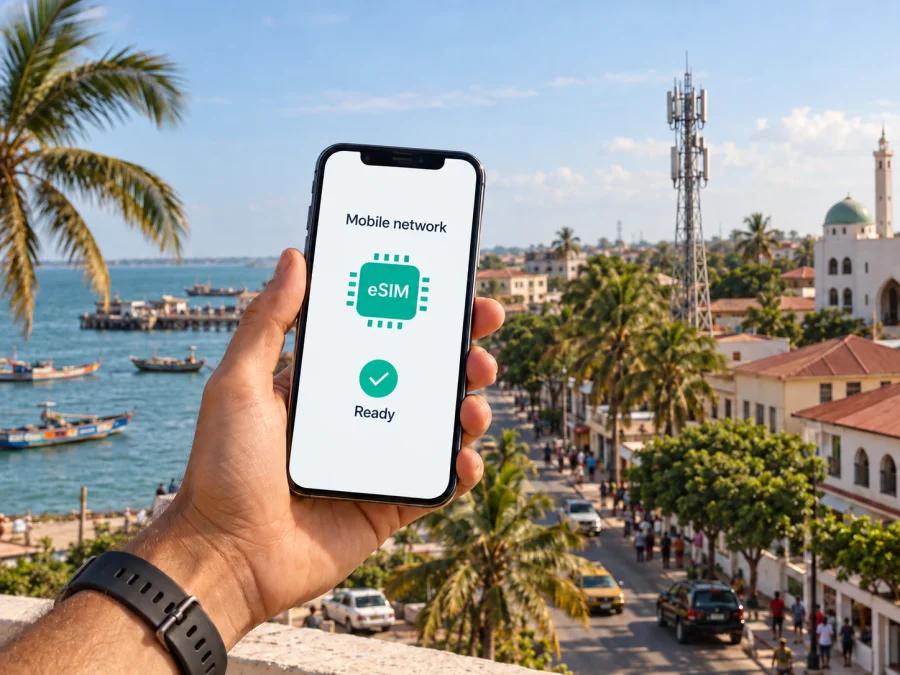
Qcell eSIM in The Gambia: activation, coverage and travel options
Qcell’s official website currently describes an eSIM service and gives a process for requesting one: check handset compatibility, visit a care centre, receive a QR code and follow the device prompts to install and activate the profile. The same site describes Qcell as a Gambian-owned telecommunications company and lists mobile services across several generations of network technology. For a visitor, the practical questions are whether their phone is compatible, whether Qcell will issue an eSIM to a non-resident, what documents are needed and whether service is available where they plan to go.
This guide summarizes the operator’s public information and travel checks. Qcell’s E-SIM page, About Us page, Help page and Prepaid page, along with Kaspersky’s official travel eSIM guide, were reviewed on 27 September 2026. Qcell’s pages confirm its eSIM and prepaid services, but do not clearly set out visitor eligibility, identity-document rules or a dedicated tourist eSIM process. Confirm those details directly with Qcell before relying on local activation. Coverage and access can also vary by location, handset and account status.
What Qcell’s eSIM information confirms
Qcell’s E-SIM page describes the eSIM as a digital SIM profile and provides a basic acquisition path. It asks customers to verify device compatibility before visiting a care centre. The page then says the customer receives a QR code and scans it to continue activation on the phone. It refers to care centres in the Greater Banjul area and supplies Qcell support contact details for enquiries. This is current public confirmation that the operator has an eSIM offering; it is not confirmation that every visitor, handset or account can use it under the same conditions.
Qcell and mobile service in The Gambia
Qcell presents itself as a locally owned telecommunications company serving The Gambia. Its public service overview describes mobile voice and data, alongside other connectivity products. Its site lists GSM and 3G+ as well as 4G-family technologies and 5G for mobile service. These statements identify technologies the operator says it supports; they do not establish that each technology is available at every address or that a particular phone will connect to each one.
For coverage, Qcell describes its network as nationwide, and its help pages list customer-care locations in several parts of the country. Such operator descriptions are useful starting points, but they are not a guarantee of uninterrupted reception on every road, inside every building or in every rural area. The company’s own help content says coverage should be checked for the location when discussing some 5G services. If you expect to rely on mobile data for navigation or work, check the places you plan to visit with Qcell, and keep offline maps or other essentials available before leaving a connected area.
| Travel question | What the public information says | What to confirm with Qcell |
|---|---|---|
| Is eSIM offered? | Qcell publishes an eSIM page with QR-code activation steps. | Current issuance, account eligibility and availability at your chosen centre. |
| Can a visitor apply? | The public eSIM instructions do not clearly define visitor eligibility. | Passport or other documents, registration process and any local requirements. |
| Which networks are mentioned? | Qcell lists GSM, 3G+, 4G-family service and 5G. | Availability at your destination and any device or line activation needed. |
| Is prepaid service available? | Qcell has a public prepaid service page. | Current onboarding process and the terms that apply to your intended use. |
Local eSIM, prepaid SIM and travel eSIM
A local Qcell eSIM may suit a traveller who wants a service profile from a Gambian operator and is able to complete the operator’s registration process. It can be a practical way to avoid handling a physical SIM card, but the public instructions indicate that an in-person care-centre visit is part of the process described online. That is different from assuming the whole setup can be completed remotely before departure. Confirm whether an appointment, local contact detail, identity check or another step is required.
Qcell also describes prepaid mobile service in general. Prepaid access can help travellers understand that the service is funded in advance, but the label alone does not establish visitor eligibility, eSIM availability for every prepaid account, or the details that apply to a particular plan. Qcell does not publish a clear tourist-specific eSIM process on the public page reviewed for this guide. Ask the operator which options are open to short-term visitors and review its current conditions directly. This article intentionally does not reproduce plan names or plan-by-plan terms.
A travel eSIM is a separate option designed for mobile data during an overseas trip. It can be prepared through an app or website before travel, subject to handset compatibility, destination availability and the conditions shown at purchase. Some travel eSIM services provide data only rather than a local phone number, voice calling or SMS. Check the service description if you need calls or texts, and keep your primary SIM active only if you understand your home operator’s roaming settings and charges.
Kaspersky eSIM Store is an app and website that helps travellers choose, purchase and activate an eSIM with a data plan for an international trip. It is not a mobile operator, does not own Qcell’s network and does not itself provide mobile connectivity. A travel eSIM can be convenient when you want to arrange mobile data online, while Qcell’s local eSIM may be relevant if you specifically want Qcell service and meet its in-country onboarding requirements. These options serve different travel situations; check coverage, compatibility and the terms of the service you choose.
Before requesting a Qcell eSIM
Use this checklist before you make a trip to a care centre:
- Check the exact handset model. Confirm that the specific device variant supports eSIM. Support may differ between regional variants with similar retail names.
- Check that it is unlocked. A phone restricted to another carrier may not accept a new profile. Ask your home carrier if you are unsure.
- Confirm eligibility. Contact Qcell and ask whether a short-term visitor can register, what identification is required and whether the account can be prepaid.
- Confirm the location. Ask which care centre currently processes eSIM requests and whether the service is available outside Greater Banjul.
- Ask what the QR setup requires. Check whether you should bring another internet-connected device, whether the QR code is single-use and what to do if installation fails.
- Clarify voice and messaging. Ask whether the intended service includes a local number and supports regular calls and SMS, if those functions matter to you.
- Check destination coverage. Give Qcell the towns or areas you plan to visit. A national coverage statement does not promise reception everywhere.
- Keep your primary SIM details. Save your existing number and account recovery information before changing mobile settings.
How activation works
Qcell’s published outline has four stages: check compatibility, visit a care centre, receive the QR code, then scan and follow the device instructions. The page does not promise remote activation or state that every request is completed instantly. Allow time for the centre visit and for setup, and keep another way to access the internet while installing the profile.
On a compatible iPhone, mobile service settings generally include an option to add an eSIM or cellular plan. On Android, the names and sequence vary by manufacturer and software version; look in Network, Connections or SIM settings for an option to add a mobile plan. Follow Qcell’s current instructions rather than relying on an identical menu across all phones. Do not remove an existing SIM or delete a profile just to troubleshoot unless Qcell or the device maker tells you to do so.
After the profile is installed, review the phone’s SIM settings. Choose which line should handle mobile data, calls and messages, where those choices are available. If you keep a home SIM active, check its roaming settings separately to avoid unintended use. A Qcell local profile and a travel eSIM may have different service features, so confirm which line is selected before opening maps, messaging or other data-dependent apps.
If the phone shows no service after activation, check that the eSIM line is turned on, that the device has restarted if instructed, and that you are in an area where Qcell says service is available. Do not repeatedly scan the same QR code without guidance; some activation codes can only be used once. Contact Qcell support using the contact method on its current official site and describe the device model, the message shown and the steps already completed. Avoid posting a QR code or personal account details in a public forum.
For travellers who choose Kaspersky eSIM Store, check compatibility at the device compatibility guide before purchase. Install the profile over a stable internet connection and follow the app or website instructions. At the destination, select that profile for mobile data and enable data roaming for it only if its instructions require it. The travel eSIM’s data service may connect through a local partner network; the exact available network and functions depend on the destination and product terms. It does not replace a local Qcell number where one is needed.
Planning connectivity around a trip
Frequently asked questions
Does Qcell offer eSIM in The Gambia?
Yes. Qcell’s official E-SIM page describes its eSIM service and provides QR-code activation instructions. The public page does not explain every account type or confirm that all short-term visitors are eligible, so check your circumstances with Qcell before going to a care centre.
What documents should a tourist bring?
Qcell’s public eSIM instructions do not clearly state which documents a foreign visitor must present. Confirm acceptable identification and registration requirements with Qcell before visiting. Do not rely on assumptions based on another country’s SIM registration rules.
Does every phone support Qcell eSIM?
No. The device must support eSIM, and compatibility can depend on the exact model and region. The phone should also be unlocked to accept another operator’s profile. Check the manufacturer’s specifications and ask Qcell to verify the model before requesting activation.
Is prepaid available from Qcell?
Qcell has a public page for prepaid service. That confirms a general prepaid offering, but does not by itself confirm the current onboarding steps or that every prepaid customer can obtain an eSIM. Ask Qcell for the current conditions that apply to visitors.
Is a travel eSIM the same as a local Qcell eSIM?
No. A local Qcell eSIM is issued by Qcell under its registration and service conditions. A travel eSIM is arranged through a separate travel service for use abroad and may provide mobile data without a local number. Check the features and destination terms of the option you choose.
Is Kaspersky eSIM Store the mobile operator in The Gambia?
No. Kaspersky eSIM Store is an app and website for choosing, purchasing and activating an eSIM data plan for travel. It is not a mobile operator, network owner or provider of the mobile connection itself. The service and its connectivity depend on the provider and networks specified in its current terms.
Summary
Qcell’s current public website confirms an eSIM offering and describes a care-centre visit followed by QR-code installation. It also documents prepaid service and lists multiple mobile technologies, while leaving visitor identity requirements and the precise local eSIM eligibility process unclear. Before travelling to request service, confirm your device, documents, care-centre availability and intended destinations directly with Qcell. If you prefer to prepare travel data online, explore eSIM options for The Gambia through Kaspersky eSIM Store and review the current compatibility and service information.
Qcell is a trademark of its respective owner. Kaspersky eSIM Store is not affiliated with, endorsed by or an official partner or distributor of Qcell. Service names and marks belong to their respective rights holders.


